Problem: How to make a reserve for obsolescence and then sell the item?
Solution: Make a reserve for obsolescence through the Other Expenses document, enter the Invoice, write off the reserve for obsolescence.
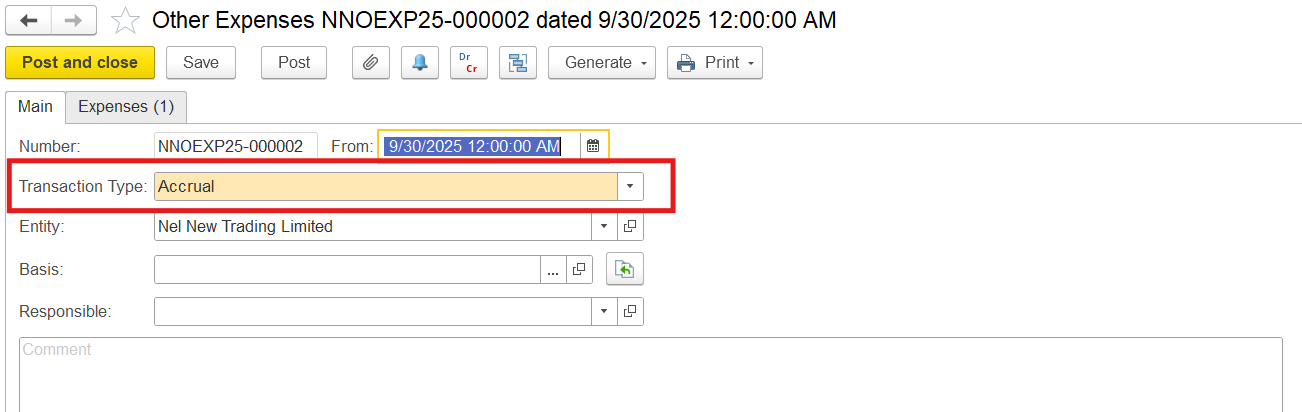
1. Create a reserve for obsolescence using the Other Expenses document with Transaction Type: Accrual
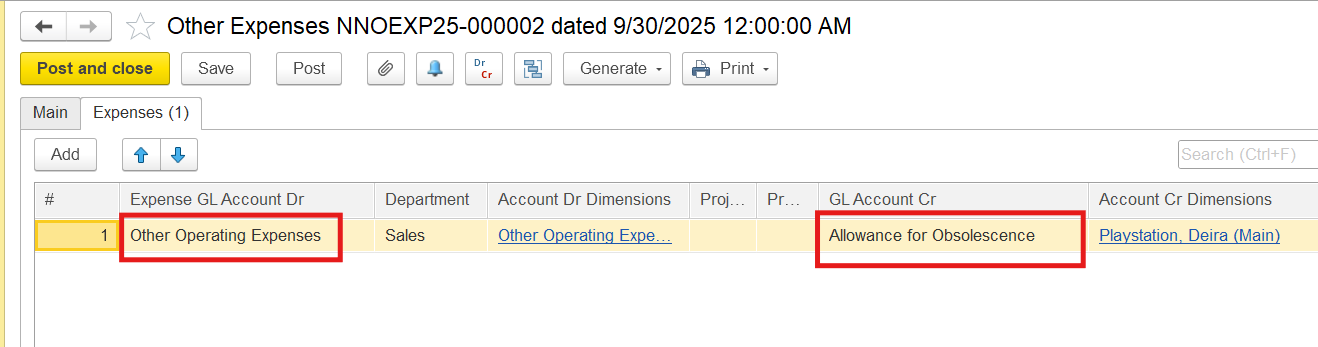
On the Expenses tab, select an expense GL account in the debit, the Allowance for Obsolescence account (also called inventory valuation allowance, write-down reserve, or provision for inventory obsolescence) in the credit column, and enter the amount of obsolescence reserve
2. Enter the Invoice document.
Note!!
- The item itself is written off at its full book value
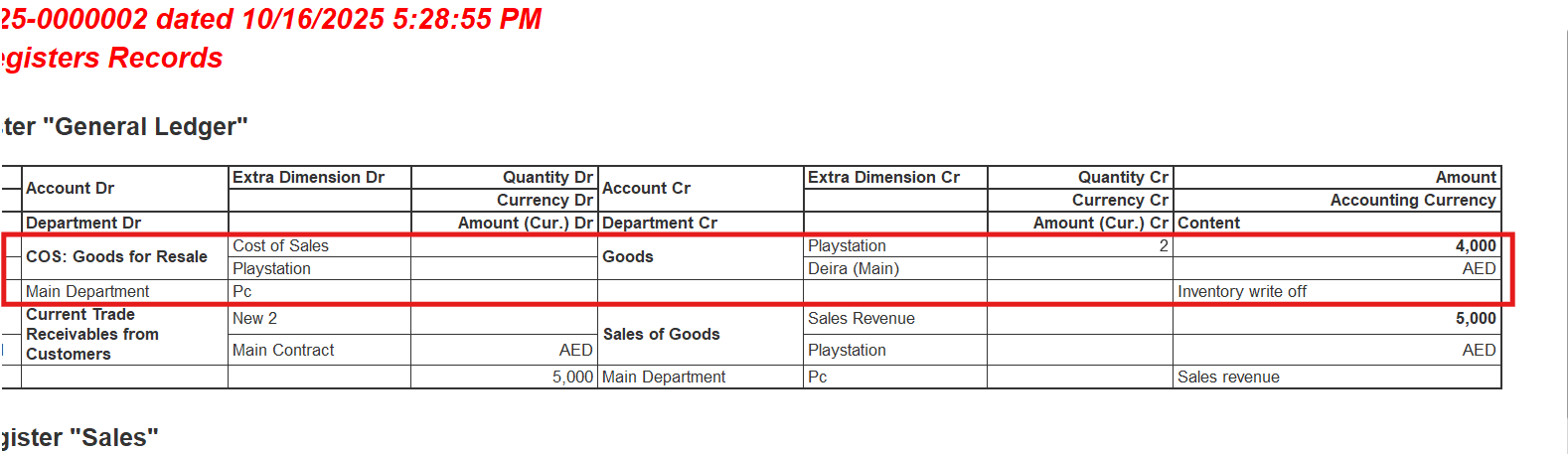
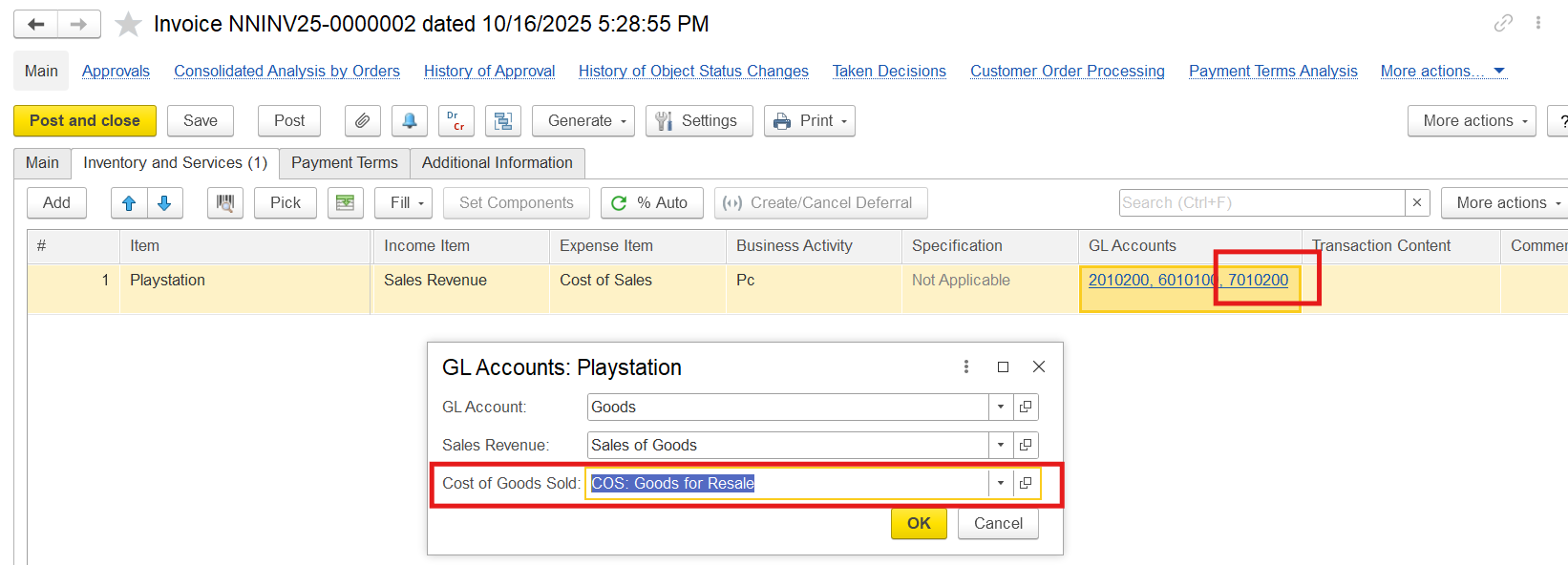
- The expense accounts in the Other Expenses document and in the Invoice differ. In invoices, the COS: Goods for Resale account is used automatically to record the cost of goods sold (direct costs linked to sales, not for manual or indirect expenses) when items are sold. In the Other Expenses document, the COS: Goods for Resale account is not available because the Other Expenses document is used for overheads, not inventory-related costs.
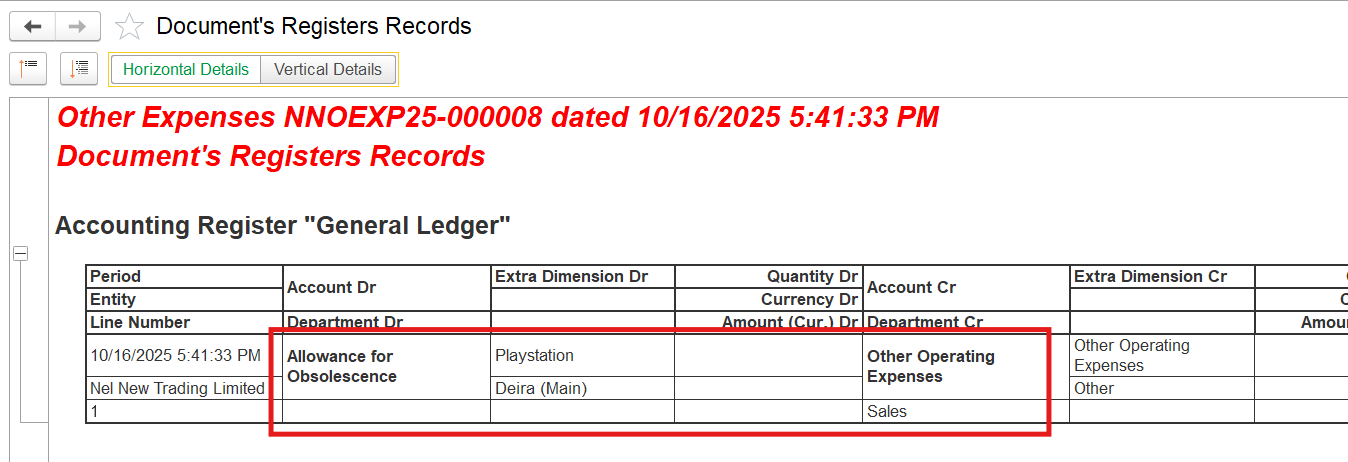
3. When goods that previously had an Allowance for Obsolescence (also called inventory valuation allowance, write-down reserve, or provision for inventory obsolescence) are sold, the allowance is reversed (cleared) because the inventory item it relates to is no longer held.
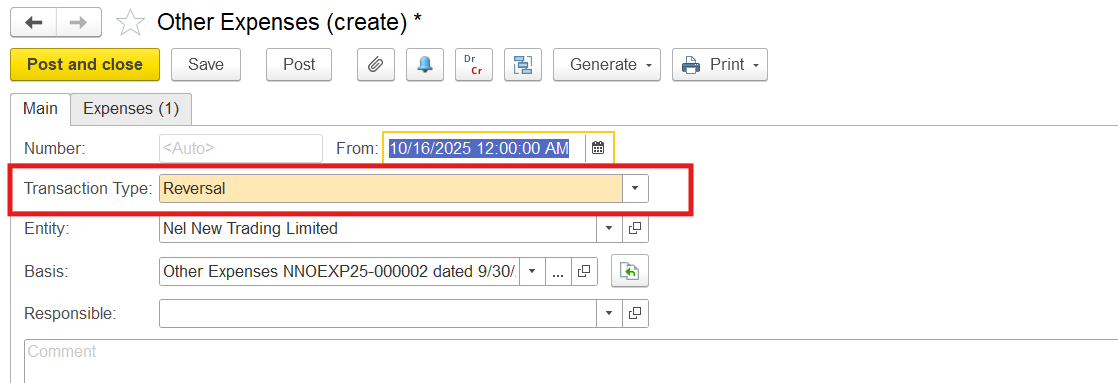
Locate the document where Allowance for Obsolescence was accrued. On the toolbar click Generate > Reversal of Other Expenses. This will automatically create a reversal document that mirrors the original entry but with reversed debits and credits.
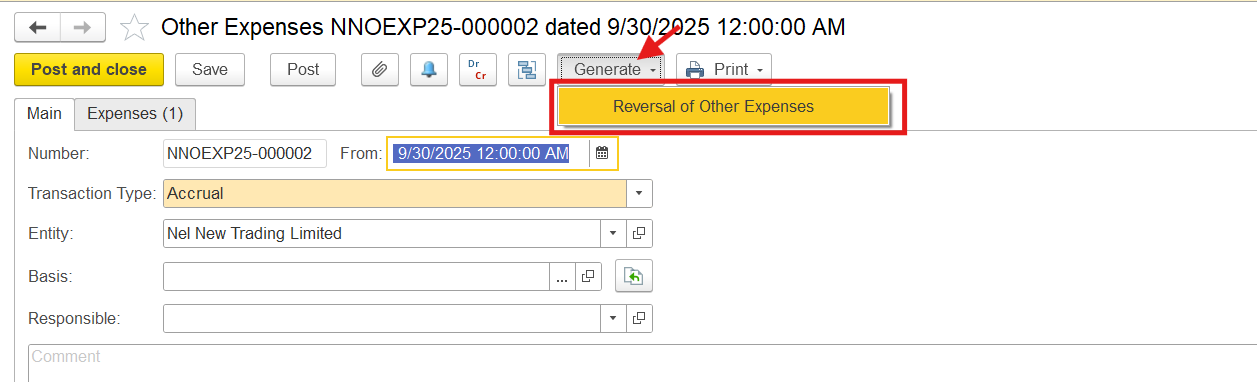
This will automatically create a reversal document that mirrors the original entry but with reversed debits and credits.
Thanks for being a Firstbit Customer!
#AllowanceForObsolescence#InventoryValuationAllowance#Write-downReserve#ProvisionForInventoryObsolescence