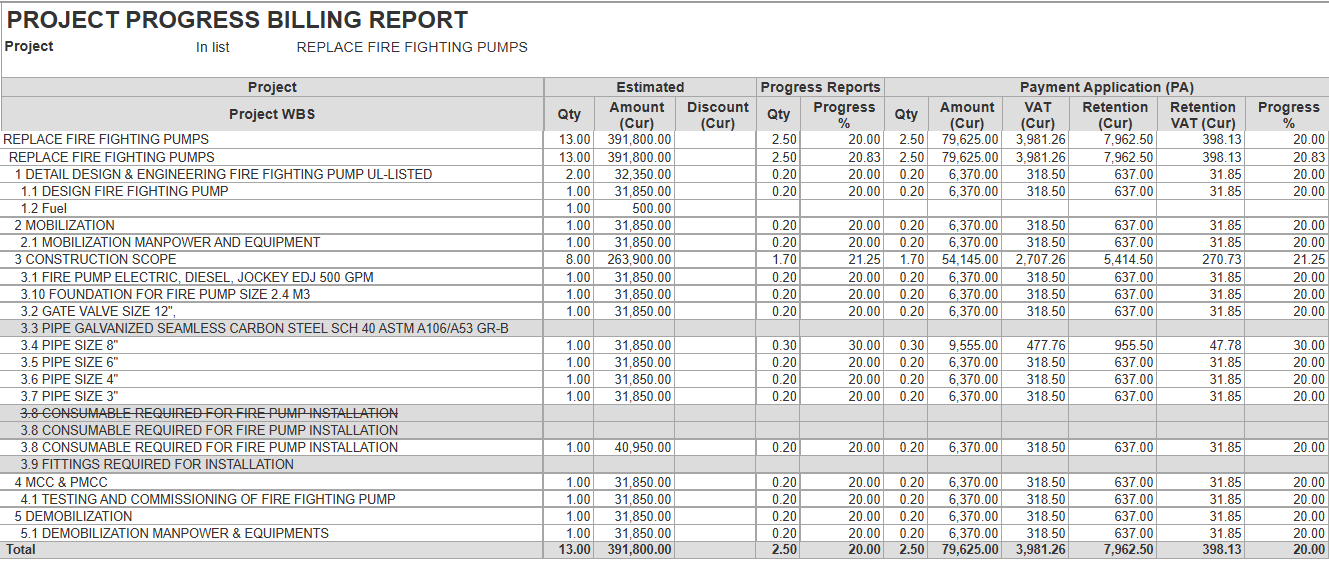
The Project Progress Billing Report combines financial and billing information for projects, showing the movement from estimated values to billed, certified, and invoiced amounts.
Structure
Generate - Runs the report based on the selected filters or parameters.
Find - Search within the report for specific projects, tasks, or items.
Collapse/Expand Groups - Show or hide grouped WBS sections.
Print Button - Opens a print preview or sends the report directly to a printer.
Fit to Screen/Zoom Button - Adjusts the layout to fit the screen or zooms in on specific sections.
Search Button (Magnifying Glass) - Advanced search tool for locating specific records.
Edit Mode Button - Allows modifications or notes to be made directly in the report.
Save Disk - Export the report in formats like Excel or PDF.
Send - Share the report via email or other channels

Report Fields
Project-Name or description of the project.
Project WBS- The detailed breakdown of tasks and BOQ lines within the project.
Estimated- Represents the planned quantities and corresponding contract values for each project.
Quantity- Planned quantity for the project
Amount (Cur)- Total planned estimated contract value for that quantity.
Discount (Cur)- Any discount applied to the estimated amount.
Progress Reports- Tracks the actual physical progress of work completed on the project relative to the planned estimate.
- Quantity- Indicates the actual quantity of work done based on site progress.
- Progress %-Percentage of actual work completed and reported.
Payment Application (PA)- The official request to get certificate for the work done. It shows the value of the work the contractor is claiming.
Quantity- The actual value of work being completed, as checked on-site by contractor
Amount (Cur)- Value claimed based on progress.
VAT (Cur)- Tax on the claimed amount.
Retention (Cur)- Amount withheld as retention.
Retention VAT (Cur)- VAT portion related to retention.
- Progress %- Percentage of work billed.
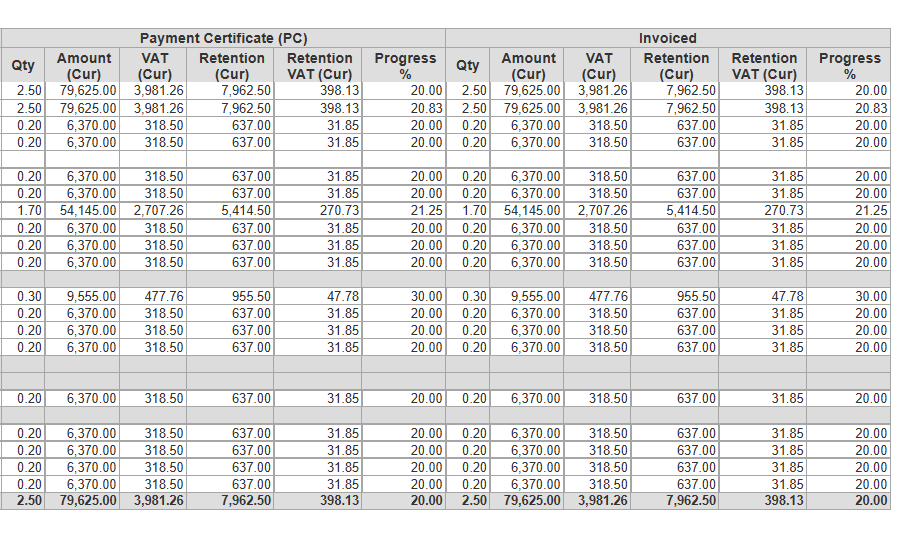
Payment Certificate (PC)- Represents the amount of payment approved and certified by the client after reviewing the contractor’s payment application. It confirms how much of the claimed work is officially accepted for payment.
Qty-Certified progress quantity.
Amount (Cur)-Certified payment value.
VAT (Cur)-Tax on the certified amount.
Retention (Cur)-Amount withheld as retention.
Retention VAT (Cur)-VAT related to the retention.
Progress %- Percentage of work certified as payable.
Invoiced- Actual invoice issued based on the Payment Certificate.
Qty- Progress-based quantity invoiced.
Amount (Cur)- Value invoiced.
VAT (Cur)- VAT on invoiced amount.
Retention (Cur)- Retention withheld.
Retention VAT (Cur)- VAT related to retention.
- Progress %- Percentage of the total project value that has been invoiced.
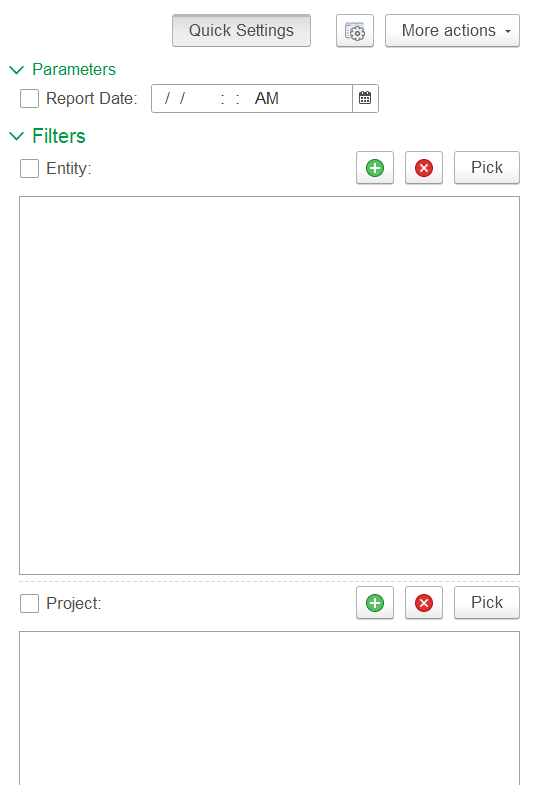
Filter
Report Date: Limits the report to data till the selected date.
Entity: Option to generate the report for a specific entity.
Project: Option to generate the report for a specific project.