-
Created by
 Daria Tikhova on 01 Sept, 2026
3 minute read
Daria Tikhova on 01 Sept, 2026
3 minute read
Scope: This article applies to all FirstBIT Software configurations.
When working with documents in FirstBIT Software, it is important to distinguish between the internal document number assigned by the system and the number of the original document received from a supplier.
This distinction applies to documents such as Invoice, Invoice Received, Proforma Invoice, and Proforma Invoice.
What does <Auto> in the Number field mean?
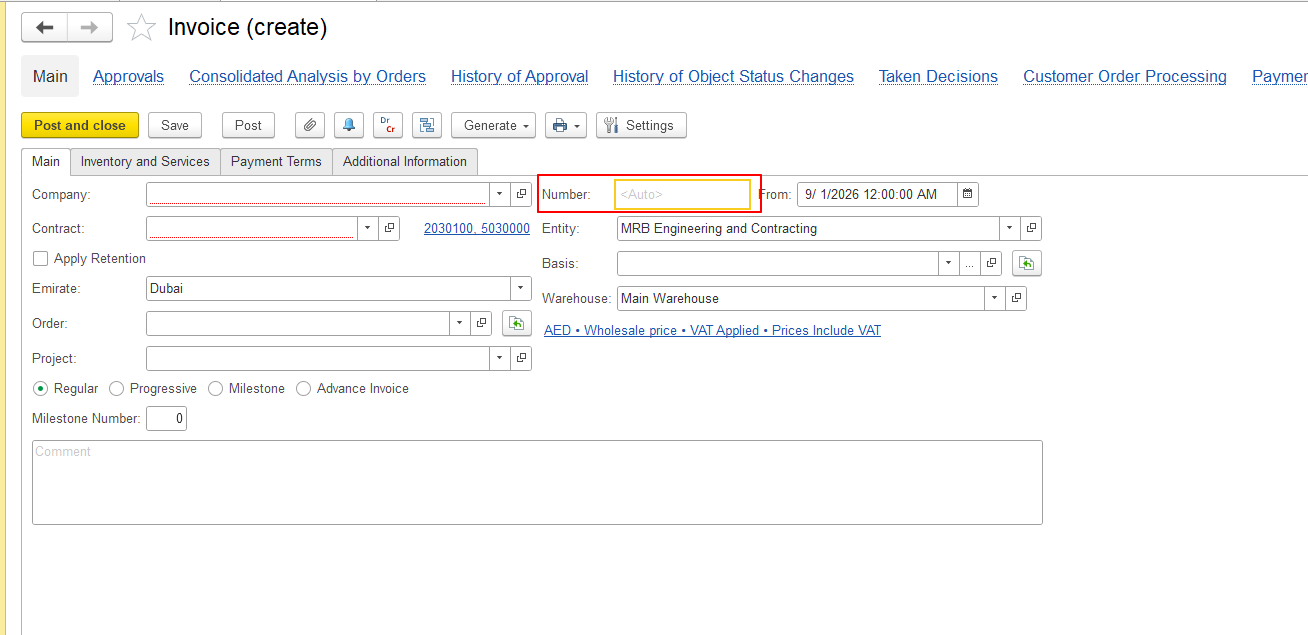
The <Auto> value in the Number field indicates that the document number is assigned automatically when you save the document.
After the document is saved, the system assigns an internal number according to the configured numbering rules.
Why does a warning appear when editing the Number field?
If automatic numbering is enabled and you try to manually edit the Number field, the system displays the following warning:
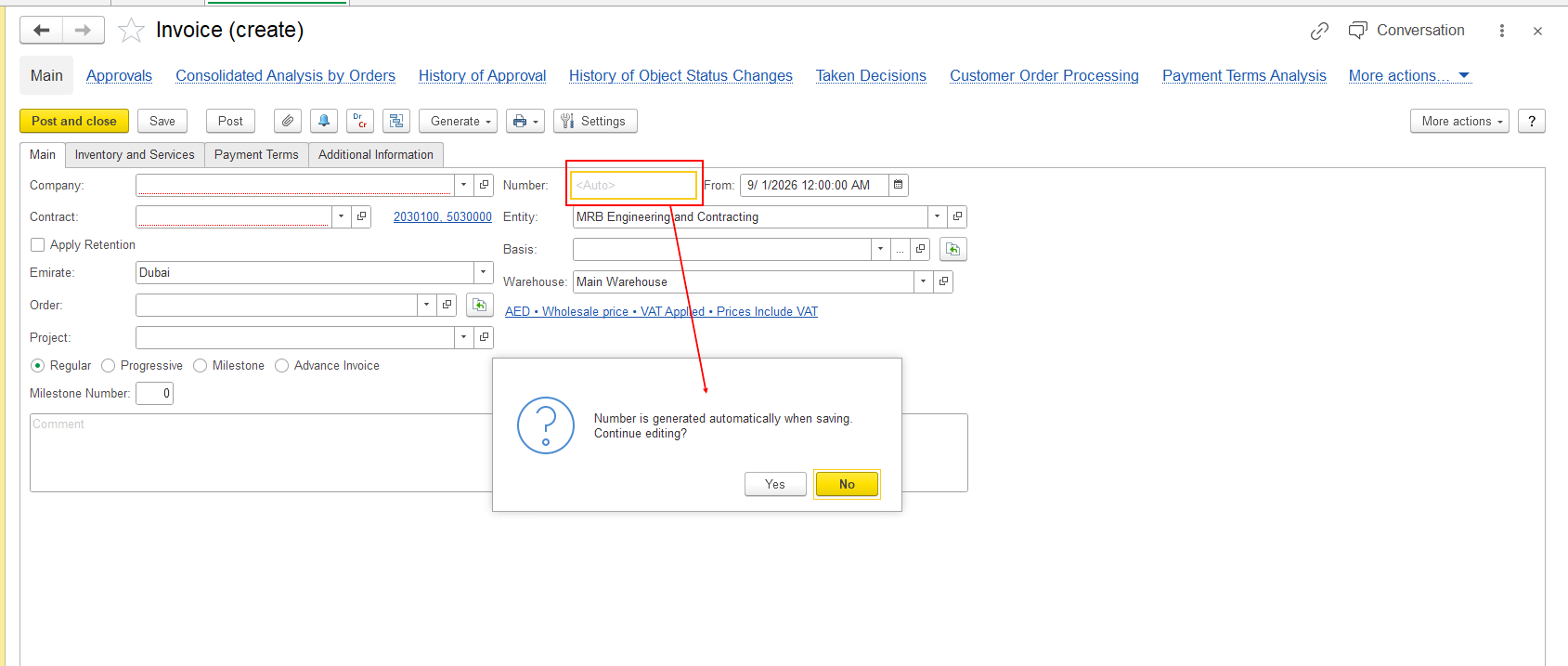
Number is filled in automatically when saving. Continue editing?
This warning informs you that the document number is normally assigned automatically by the system.
Where should I enter the supplier's invoice number?
If you need to enter the number shown on the original invoice received from your supplier, do not use the Number field.
The supplier's invoice number may also be referred to as the vendor invoice number, supplier document number, vendor document number, external document number, original document number, or invoice reference number. Users may also refer to it as an incoming invoice number or incoming document number.
For mentioned documents, enter the supplier's document number in the In doc # field:
- Go to the Additional Information tab.
- Enter the supplier's invoice number in the In doc # field.
- Specify the document date in the From field, if required.
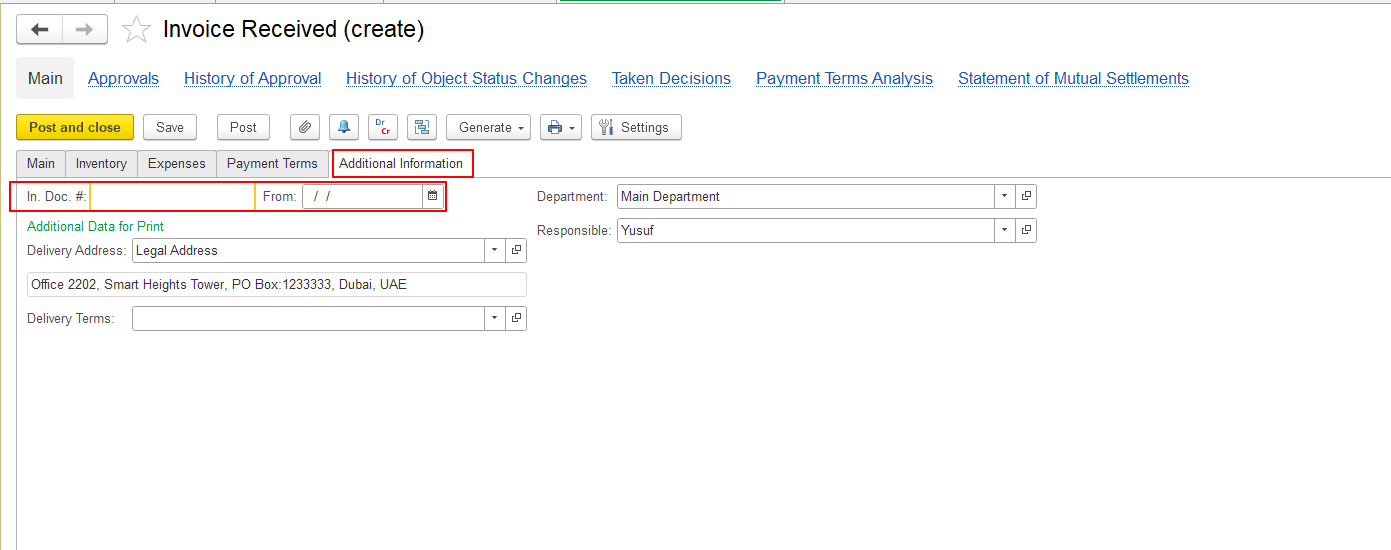
The In doc # field is intended for entering the number of the original document provided by the supplier and can be filled in manually.
What is the difference between Number and In doc #?
| Field | Purpose |
|---|---|
| Number | Internal document number used by the system. It can be assigned automatically when the document is saved. |
| In doc # | Number of the original document received from the supplier. It is entered manually by the user. |
| From | Date of the original document received from the supplier. |
Therefore, if you receive a notification while editing the Number field, first check whether you are trying to enter the supplier's invoice number. In this case, use the In doc # field on the Additional Information tab instead.
Thank you for being FirstBIT customer!