-
Created by
 Daria Tikhova, last updated on 13 Oct, 2026
2 minute read
Daria Tikhova, last updated on 13 Oct, 2026
2 minute read
This guide explains why Quantity values are mandatory for correct automatic generation of Proforma Invoice lines when the invoice is created:
based on a Project, using Project Estimates, or
based on a Project Progress Report (PPR).
Key Rule (System Logic)
For automatic filling of the Proforma Invoice tabular section, Quantity must be specified for Revenue lines.
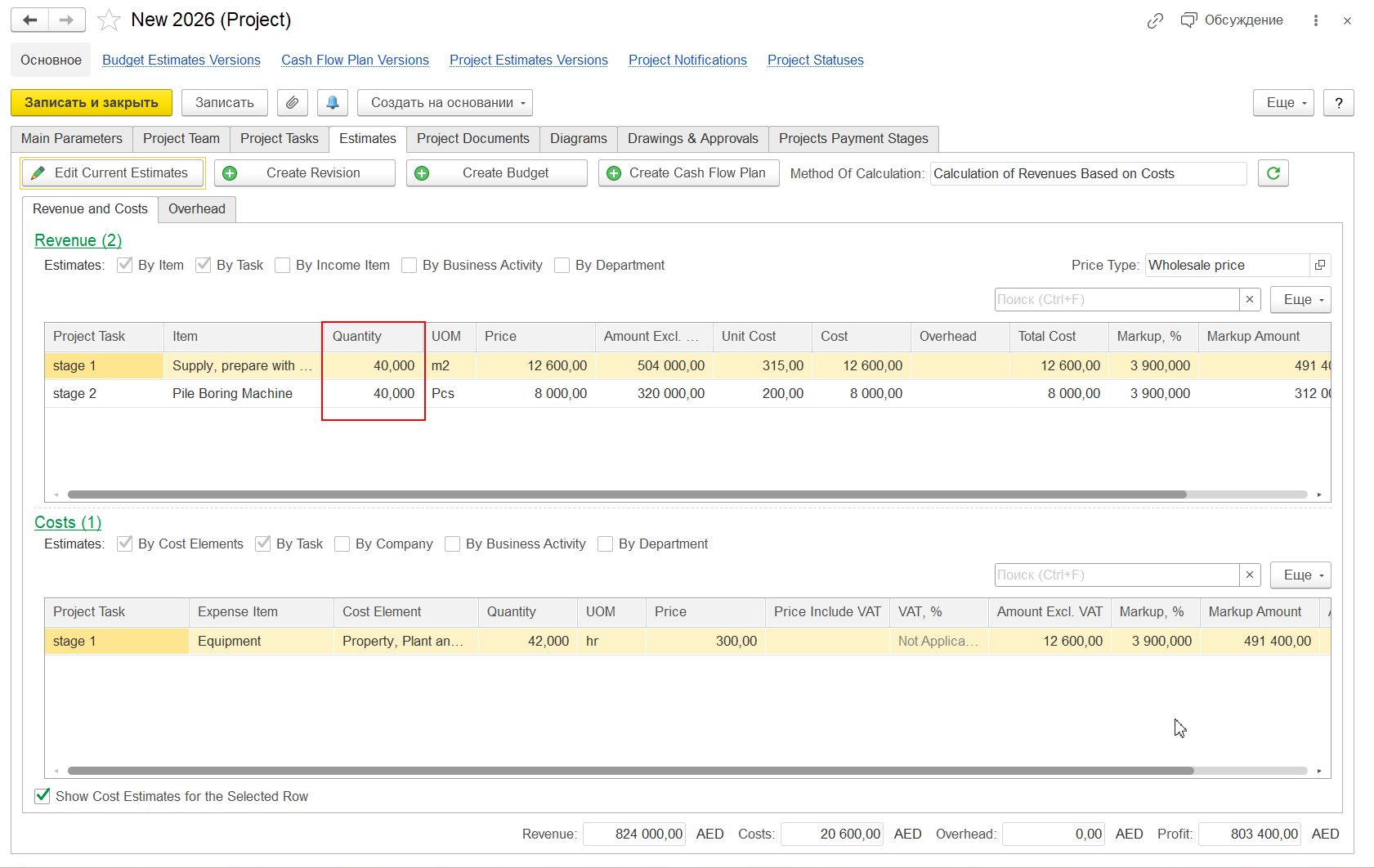
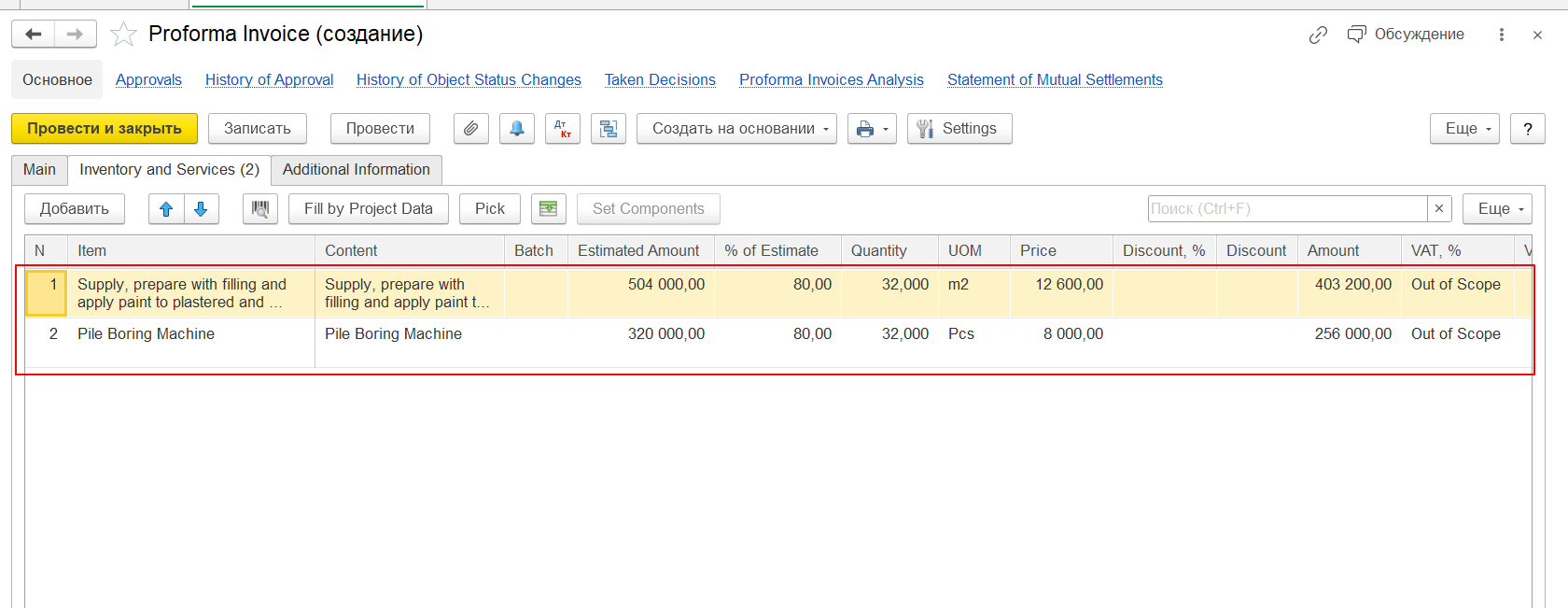
If Quantity is not filled, the Proforma Invoice will be created with an empty tabular section, even though:
Project Estimates are filled, or
Project Progress Report contains revenue amounts.
Supported Source Documents
Proforma Invoice can be generated automatically from:
Project
Using Project Estimates
Project Progress Report
Based on recognized progress and revenue data
Mandatory Requirement: Quantity for Revenue
Where Quantity Must Be Filled
| Source Object | Field |
|---|---|
| Project Estimates | Revenue - Quantity |
| Project Progress Report | Revenue - Quantity |
Why Quantity Is Required
In FirstBIT Software, Proforma Invoice lines are created using the following logic:
Quantity - determines how many units/services are invoiced
Price - used to calculate line amount
Amount = Quantity × Price
If Quantity is missing:
the system cannot calculate Proforma Invoice line values;
Proforma Invoice lines are not generated.
System Behavior in Different Scenarios
Scenario 1: Quantity Is Filled
Project Estimates / PPR contain Quantity for Revenue
Proforma Invoice is created
Tabular section is filled automatically
Amounts are calculated correctly
Scenario 2: Quantity Is NOT Filled
Project Estimates / PPR contain only amounts
Quantity = 0 or empty
Proforma Invoice is created
Tabular section is empty
This is expected system behavior.
How to Check Before Creating Proforma Invoice
Before creating a Proforma Invoice, verify:
Open Project Estimates or Project Progress Report
Go to Revenue section
Ensure Quantity field is filled
Save the document
Create Proforma Invoice
Common User Mistakes
Filling only revenue amount, without Quantity
Assuming the system will calculate Quantity automatically
Creating Proforma Invoice before completing Project Estimates or PPR
Recommendations
Always enter Quantity for Revenue lines
Use consistent units of measure
Validate Project Estimates before invoicing
Include Quantity check as part of internal invoicing procedure
Summary
Quantity is a mandatory parameter for automatic Proforma Invoice creation
Without Quantity, the invoice will be created with empty lines
This behavior is part of standard FirstBIT system logic
Thank you for being FirstBIT customer!