The Progress by To-Do Items mode helps track and update project progress based on individual tasks (To-Do Items) created in the Project Schedule. This helps:
Track individual task progress.
Update overall project progress by accumulating detailed To-Do task updates.
Provide clear accountability per team member.
Enable automated calculation of Work Breakdown Structure (WBS) line progress based on completed To-Do items.
Administration → Contracting → Use business processes and tasks
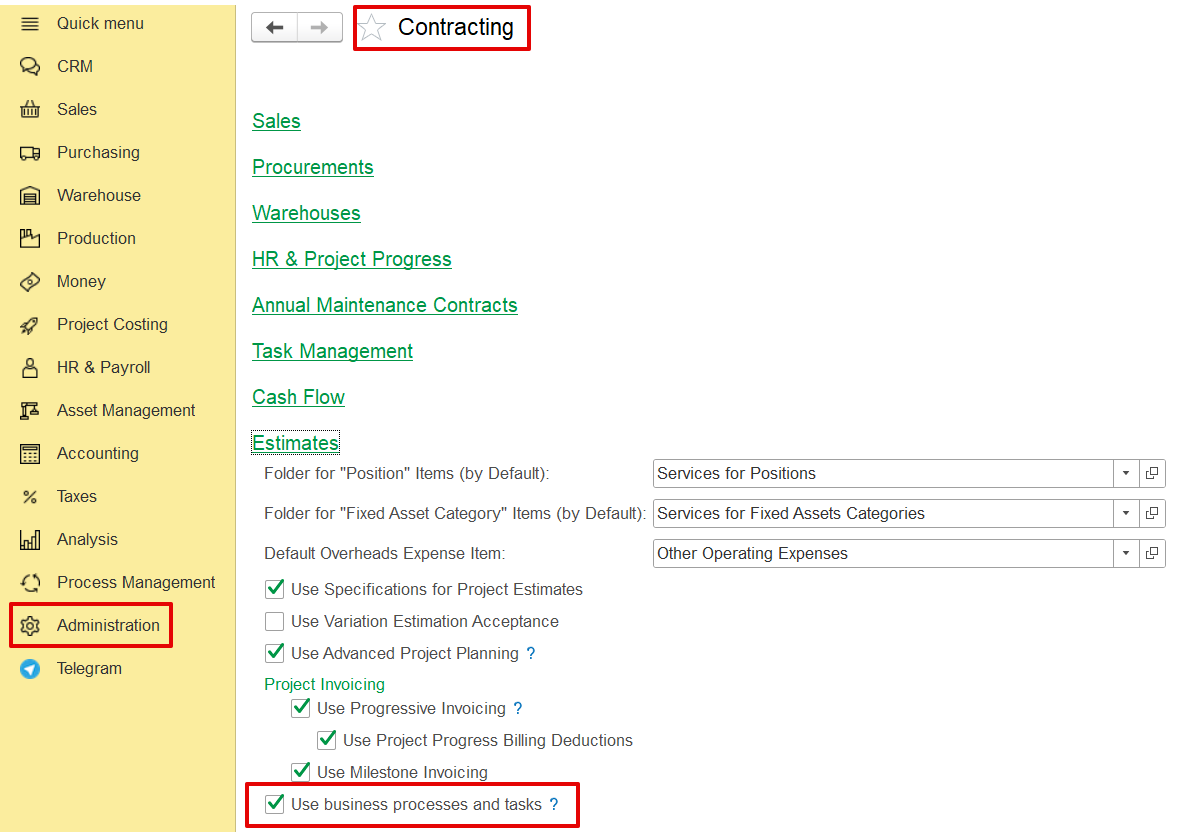
The feature is included within the Project Scheduling and Project Progress modules.
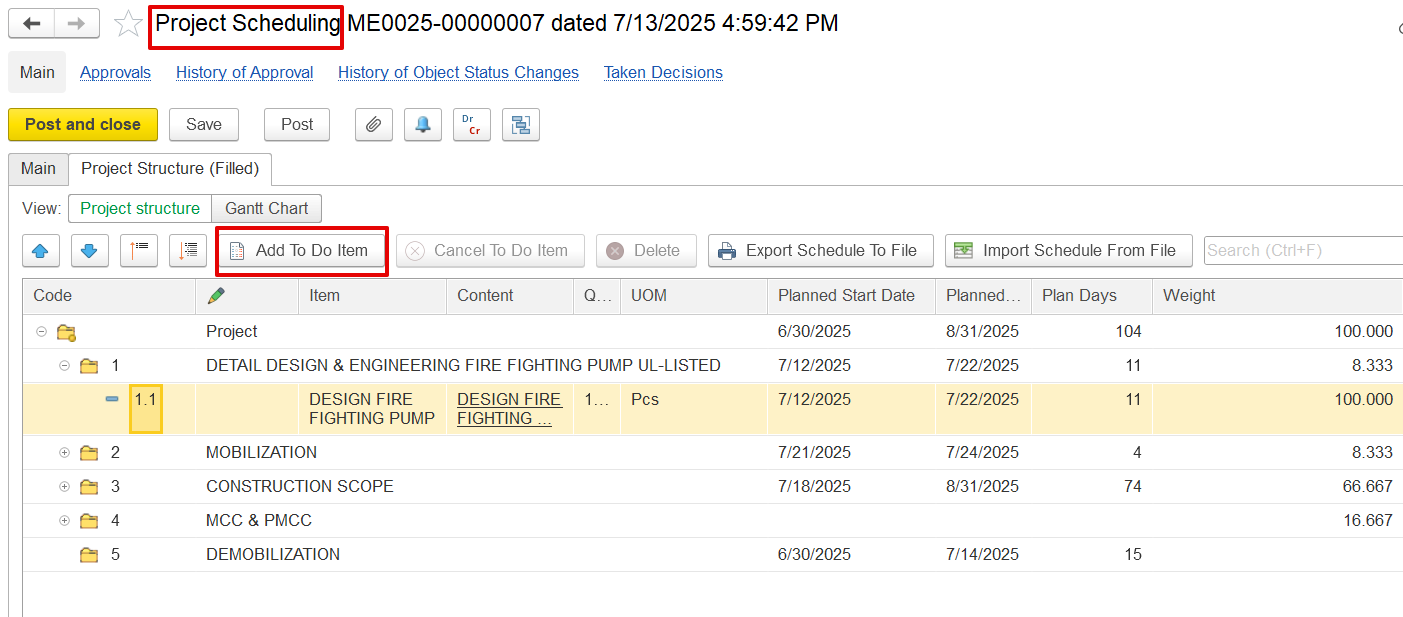
ed to describe how to turn on, and how to use functionality.
create to do item in scheduling.
my to do list.
ToDo task progress update.
fill and update project progress report "By ToDo items" mode.
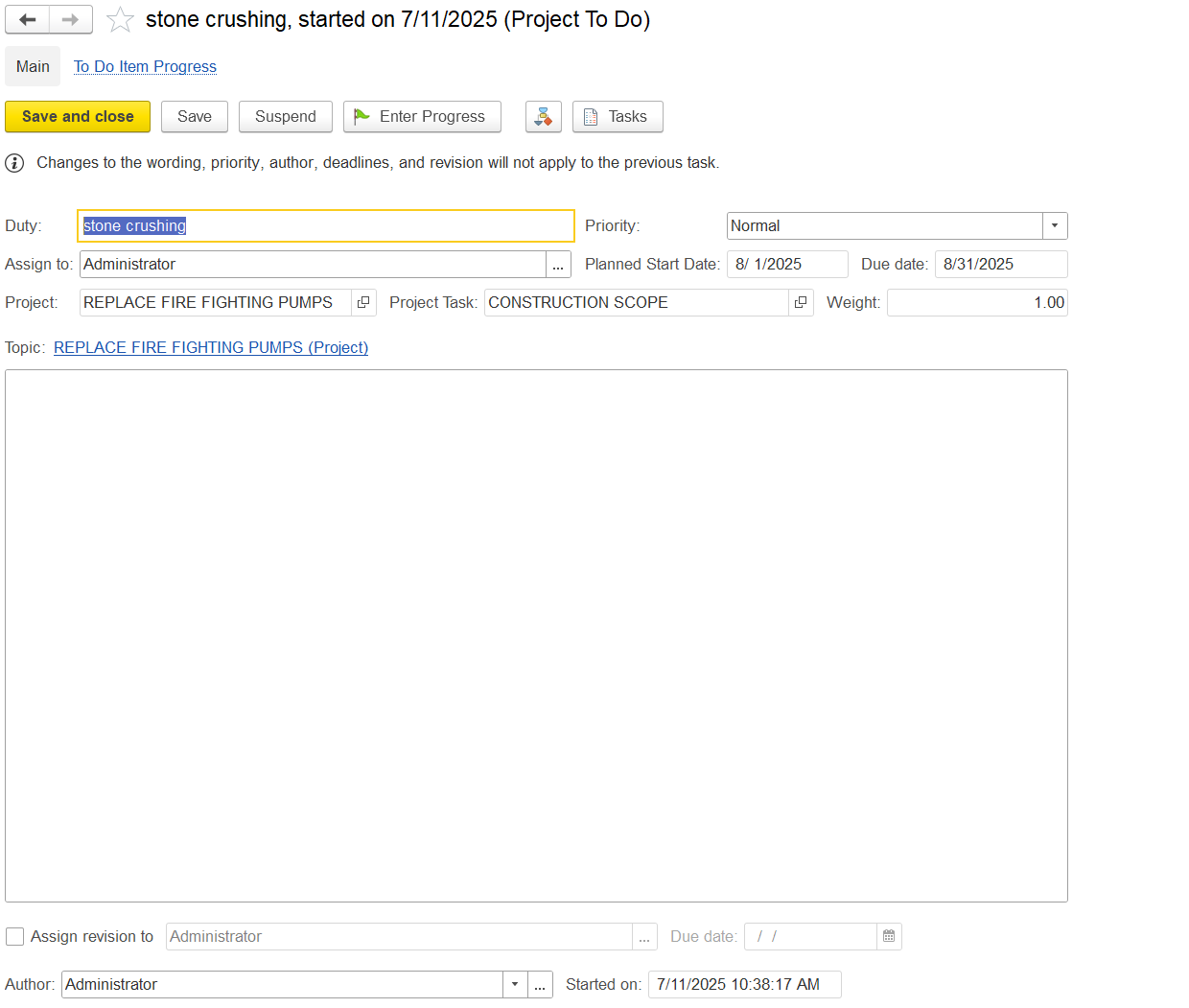
Duty: Defines the task name.
Assign to: Specifies the responsible user.
Due Date: Sets the task deadline.
Project / Project Task: Links the task to its relevant project and subtask.
Weight: Indicates task importance in progress calculation.
Priority: Defines the urgency level.
Control Buttons: Includes options to start, save, close, or update progress.
Enter Progress: Records progress against the task.
Assign Revision: Delegates responsibility for updates.
Author and Timestamps: Logs who created the task and when.