Problem / Issue:
Sometimes users may experience issues where:
- Companies list is empty (or some elements is hidden)
- Documents are missing from lists
- Reports show incomplete data
- Filters apply automatically
- Interface elements disappear
- Navigation panels change unexpectedly
- Print forms open incorrectly
- Data exists but is hidden
- Issues appear after configuration update
- Problems affect only one specific user
In most cases, these issues are caused by saved Personal Settings stored in Application User Settings.
Solution
To restore correct data visibility and interface behaviour, reset the user's Personal Settings, Other Settings and Interface Settings using Application User Settings and other settings applied to system objects.
This action clears:
- saved filters
- hidden columns
- report parameters
- UI layout preferences
- navigation panel personalization
- workspace configuration
- cached display settings
Step-by-Step Instructions: Reset Personal Settings in Application User Settings
Follow these steps:
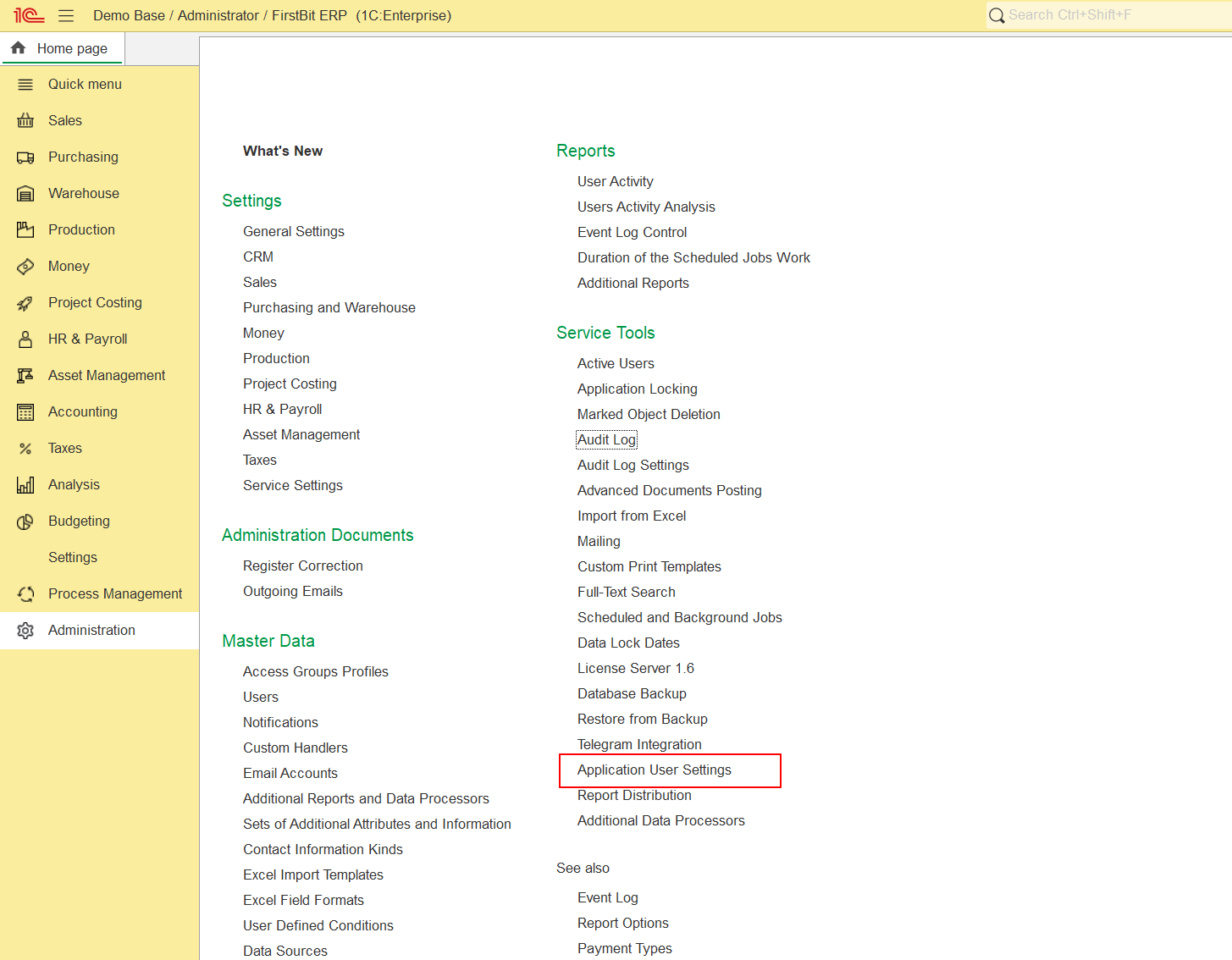
Step 1 — Open Application User Settings
Go to:
Administration - Service Tools - Application User Settings
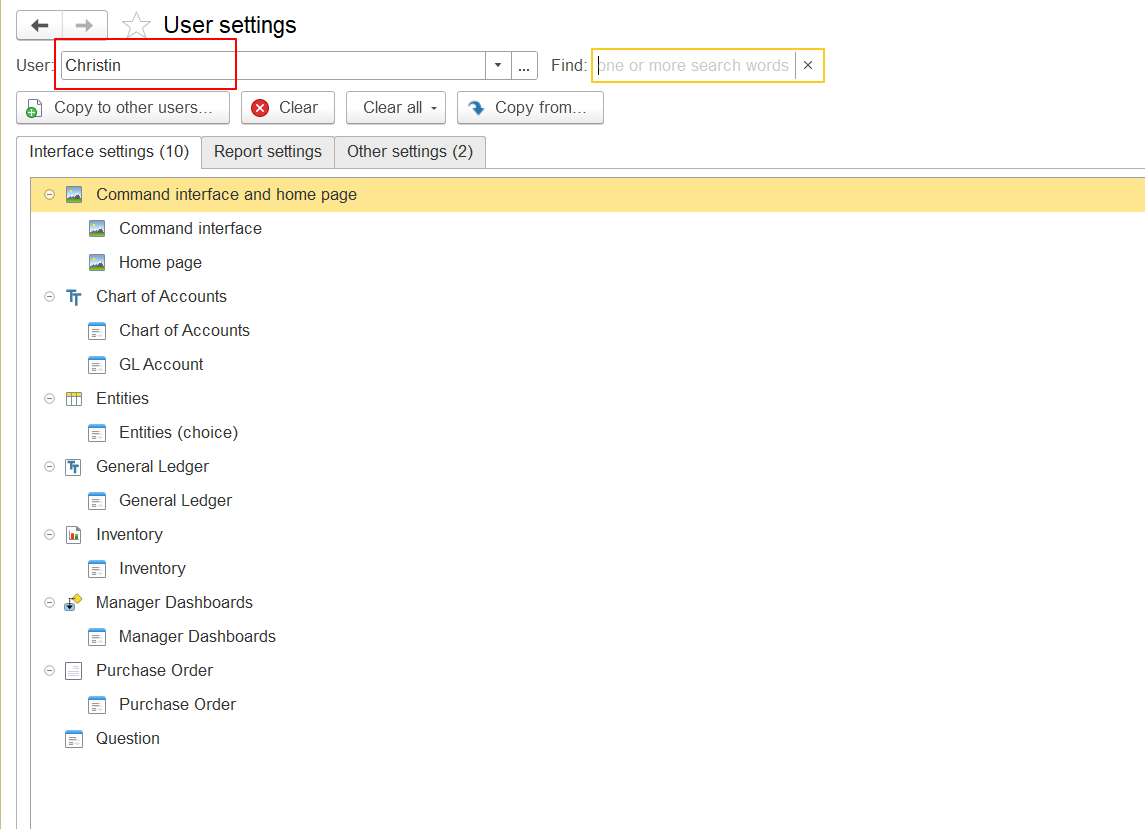
Step 2 — Select the User
In the user list:
- locate the affected user
- open the Interface Settings tab first and Other Settings tab secondly
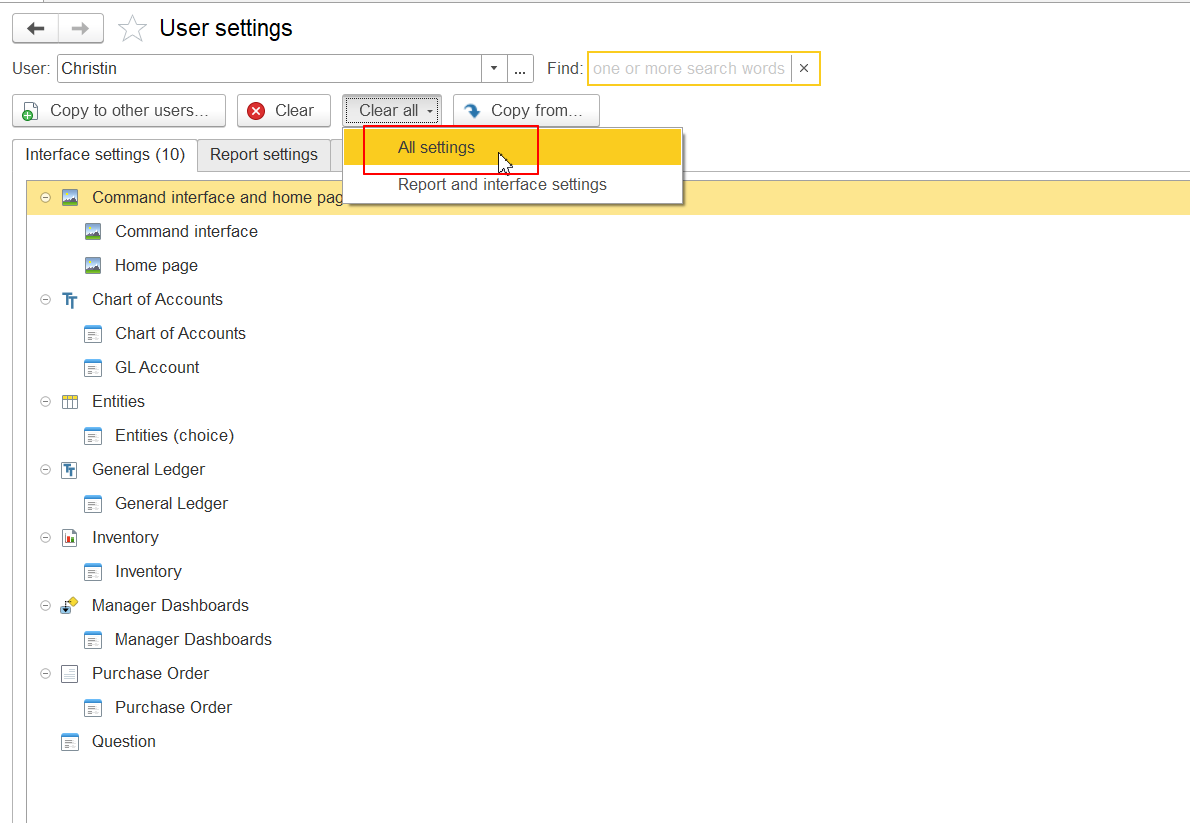
Step 3 — Clear Settings
On Interface Settings tab it is possible to select particular object and clear settings fro it or - Clear All settings:
On Other Settings tab select:
- Personal Settings
- Other Settings
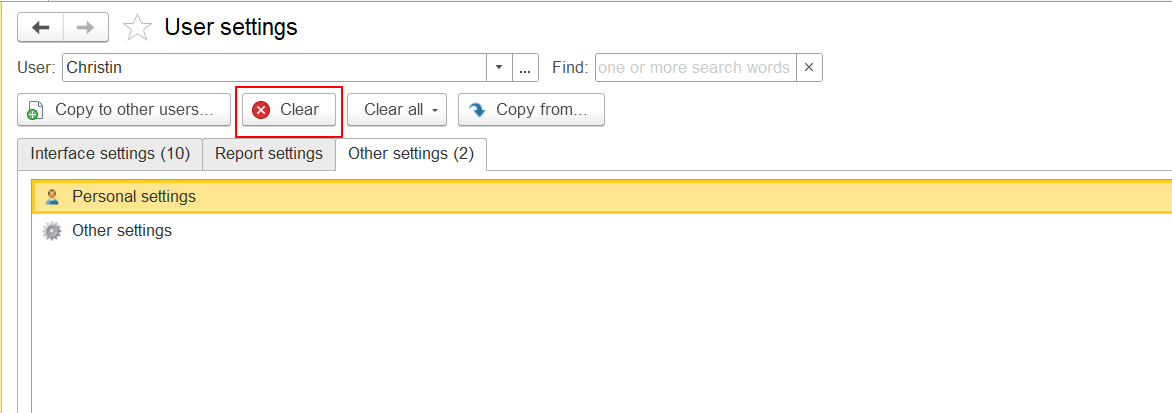
Then click:
Clear
Step 4 — Verify Results
After clearing settings:
- hidden data becomes visible
- filters are reset
- lists display correctly
- reports open normally
- interface layout restores default behaviour
Ask the user to restart the session if necessary.
When Should You Reset Application User Settings
Resetting User Settings is recommended as a first-line troubleshooting step in the following scenarios:
1. Data is not visible in lists
Examples:
- Companies list empty
- Documents missing
- Records exist but not displayed
- Reference catalogs incomplete
Cause:
Saved filters or hidden display preferences.
2. Filters apply automatically
Examples:
- Lists open with unexpected filters
- Reports always open with wrong parameters
- Default selections override manual changes
Cause:
Saved personalization filters.
3. Interface elements are missing or displayed incorrectly
Examples:
- buttons missing
- columns hidden
- form layout broken
- panels shifted
Cause:
Corrupted UI personalization settings.
4. Issues appeared after configuration update
Examples:
- interface changed unexpectedly
- lists behave incorrectly
- forms open improperly
Cause:
Old personalization conflicts with new metadata.
5. Reports display incorrect structure
Examples:
- missing columns
- wrong grouping
- incorrect sorting
- unexpected parameters applied automatically
Cause:
Saved report variants in personalization storage.
6. Issue affects only one user
Examples:
- same role works correctly for others
- issue cannot be reproduced under another account
Cause:
User-specific personalization corruption.
7. Navigation panels or workspace layout changed
Examples:
- missing menu sections
- workspace rearranged
- panels hidden
Cause:
Saved workspace personalization.
8. Printing problems occur
Examples:
- incorrect print layout
- blank print form
- shifted formatting
Cause:
Saved print form personalization settings.
9. Performance issues related to personalization
Examples:
- lists open slowly
- reports load slowly
- UI reacts with delay
Cause:
Outdated personalization cache.
When NOT to Reset Personal Settings Immediately
Resetting settings may not help if:
- issue affects all users
- access rights are missing
- posting errors occur
- integration errors appear
- database structure errors exist
In these cases, investigate:
- user permissions
- configuration issues
- extensions
- database integrity instead.
Recommended Troubleshooting Order (Support Best Practice)
Use this sequence during diagnostics:
- Reset Application User Settings
- Restart user session
- Check access rights
- Test under another user
- Verify extensions / recent updates
- Run database Test & Repair if required (for self-hosted customers only).
Result
After clearing Application User Settings, most issues related to:
- hidden data
- incorrect filters
- UI layout problems
- report display issues
- post-update interface conflicts
are resolved immediately.
Thank you for being a FirstBIT customer!