This article applies to FirstBIT ERP Contracting configurations starting from release 2.1.1.35.
The location where the Invoicing Method is specified has changed starting from release 2.1.1.35.
| FirstBIT ERP Contracting release | Where the Invoicing Method is specified |
|---|---|
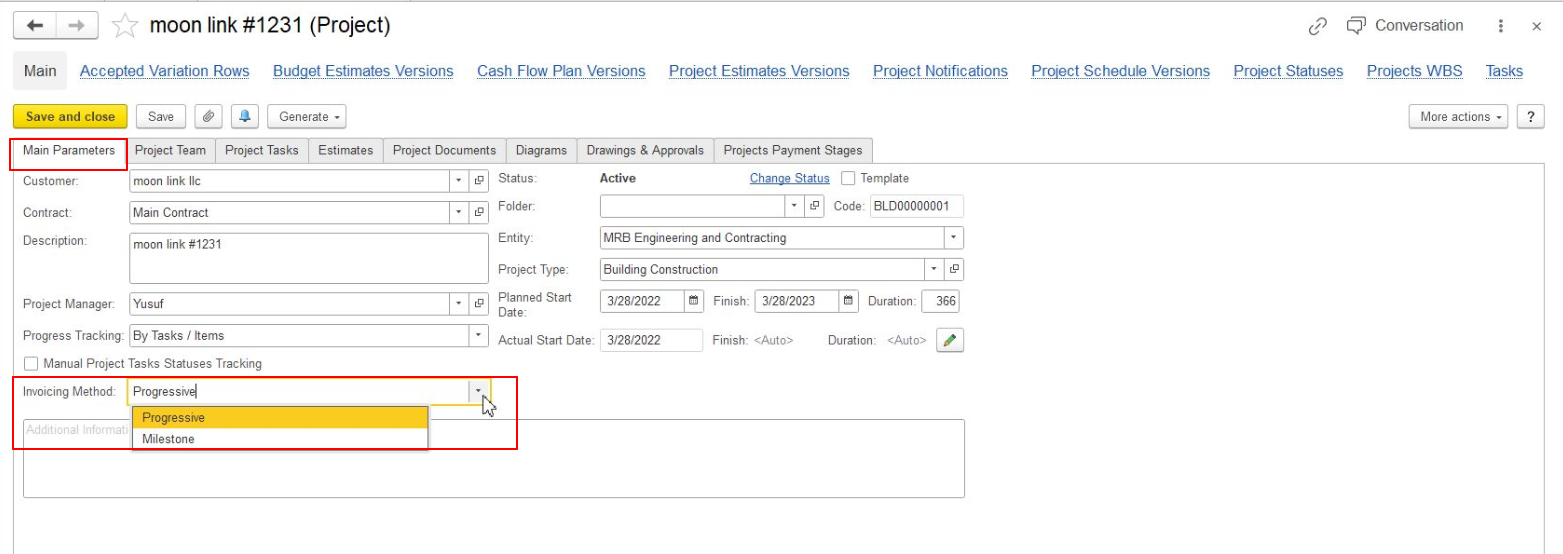
| Releases earlier than 2.1.1.35 | In the Project, on the Main Parameters tab |
| Release 2.1.1.35 and later | In the Contract associated with the Project |
The available Invoicing Methods include Regular, Progressive, and Milestone.
The main difference is how invoicing is determined: Regular invoicing is not based on cumulative project progress or predefined milestones, Progressive invoicing follows work progress, and Milestone invoicing follows predefined stages.
In earlier releases, the Invoicing Method was specified directly in the Project on the Main Parameters tab.
Starting from release 2.1.1.35, the Invoicing Method is specified at the Contract level.
To set or change the Invoicing Method:
Specify the required Invoicing Method in the Contract:
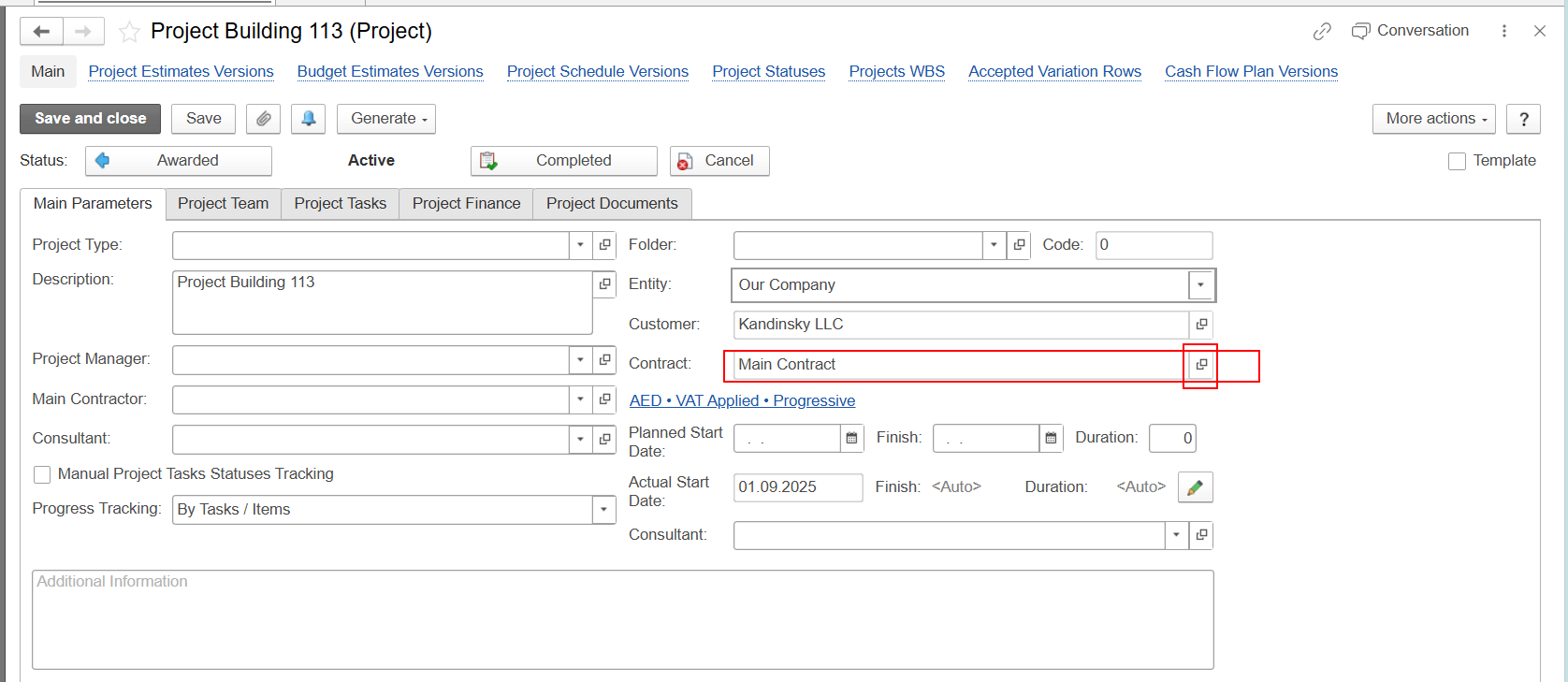
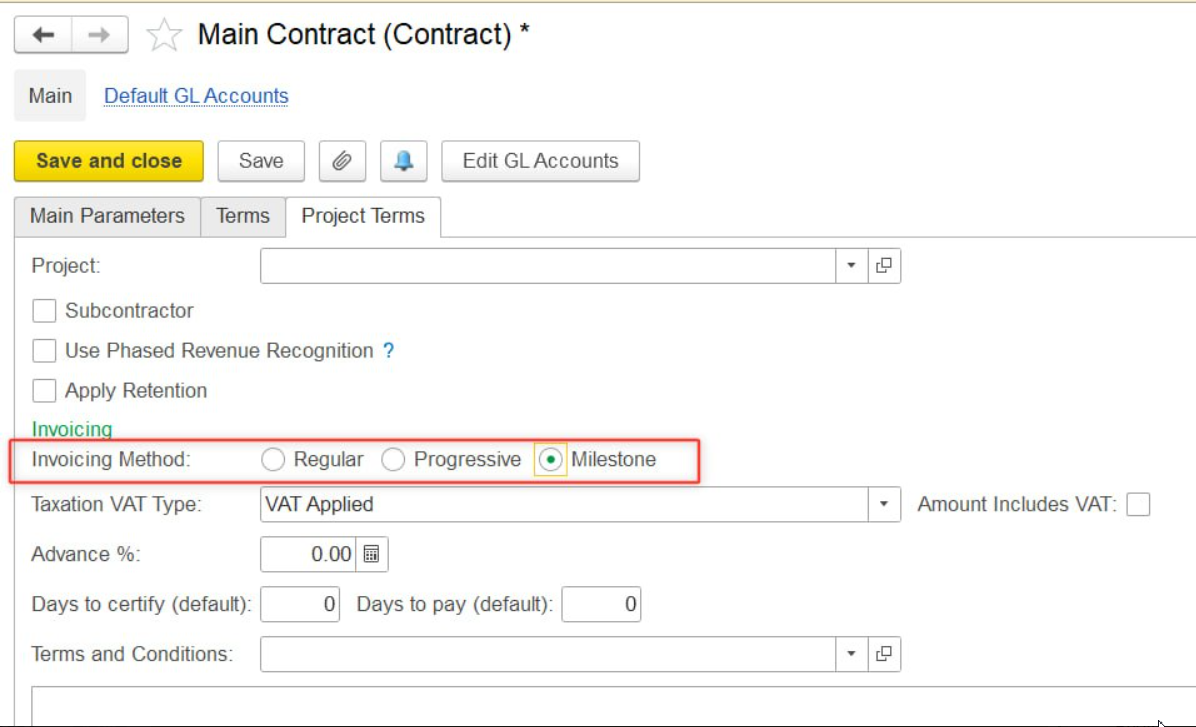
The Invoicing Method configured in the Contract is used for the Project associated with that Contract.
For an active Project, the Invoicing Method can be changed in the associated Contract, provided that the Contract allows the field to be edited.
Therefore, if you need to change the Invoicing Method for an active Project in release 2.1.1.35 or later, open the Contract selected in the Project and check the Invoicing Method there.
If you are using release 2.1.1.35 or later and cannot find the Invoicing Method in the Project's Main Parameters tab, check the Contract selected for the Project. The setting is maintained at the Contract level in these releases.
Thank you for being FirstBIT customer!