Search does not work out correctly immediately after creation a new master data object
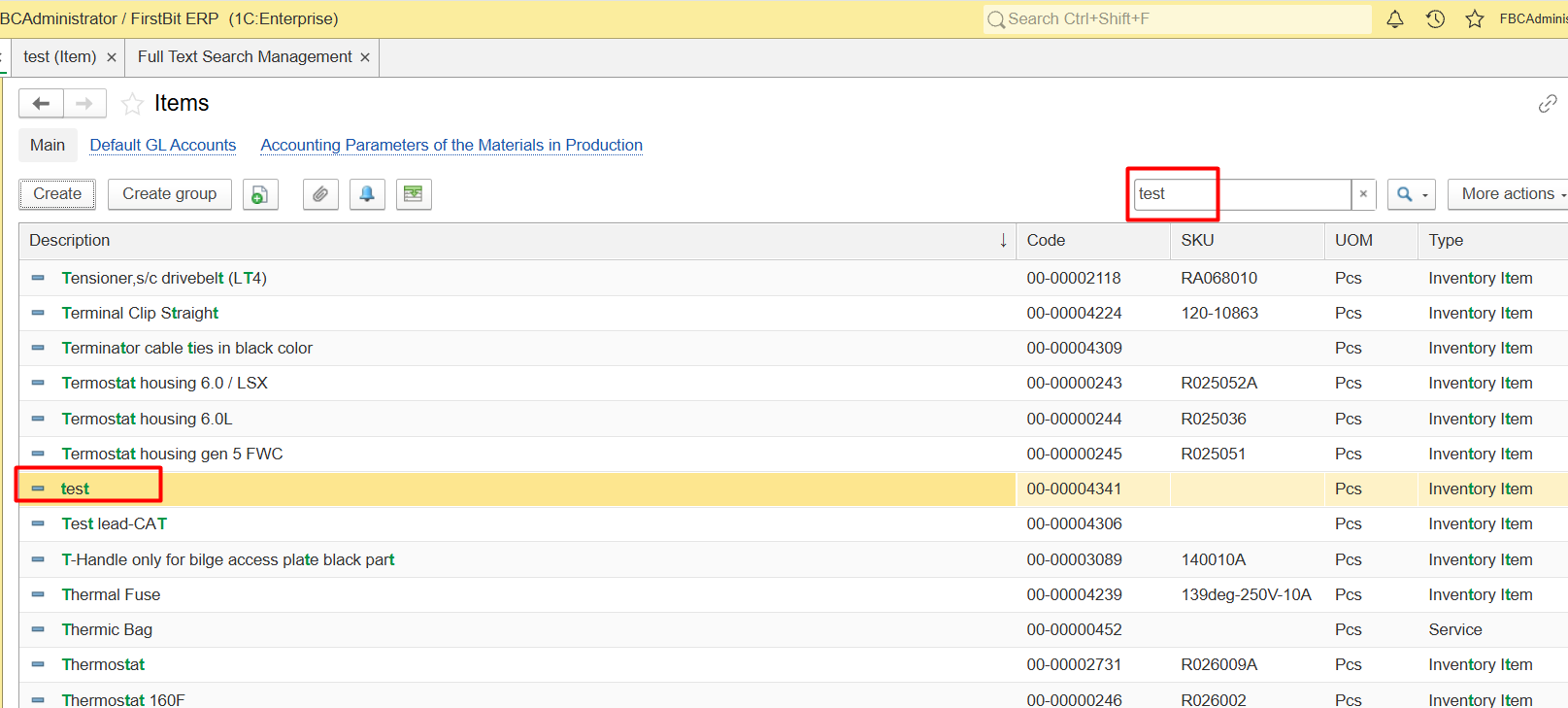
Completely unsearchable object. Newly created object to be completely unsearchable right after creation—not just deprioritized, but entirely absent from the search results.
Partial match instead of exact. The substring search for example “test” triggers against already indexed descriptions, for example "Test lead-CAT"
Visual mismatch. The user can see the sought-after item in the overall list (after scrolling), but not in the filtered results—hence the perception that the search is malfunctioning.
The issue appears immediately after creation a new master data object (item, warehouse, employee, bank, document and etc.).
The issue appears in searching either in the the list of documents or inside the document itself.
The full-text search mechanism in the FirstBit platform operates asynchronously. When a new object is created, the data is saved to the main database instantly, but it is not immediately added to the full-text search index. The index update is handled by a separate background process (a scheduled job).
Check the full-text search index status.
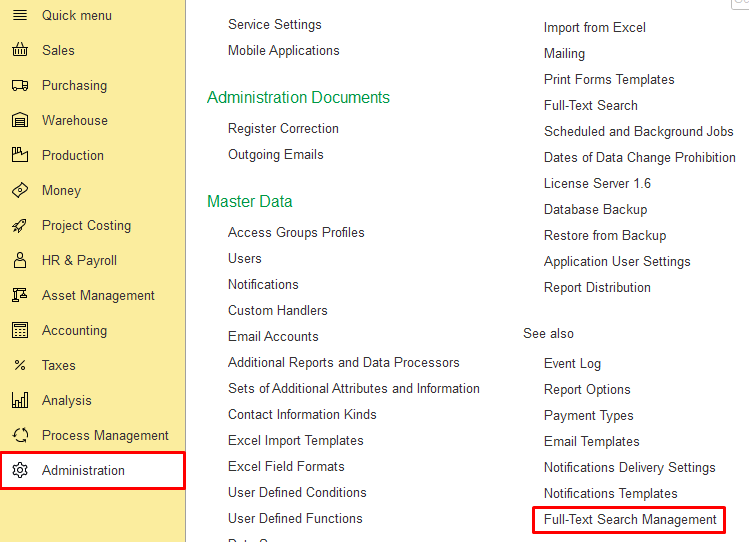
1. Go to Administration > Full-Text Search Management:
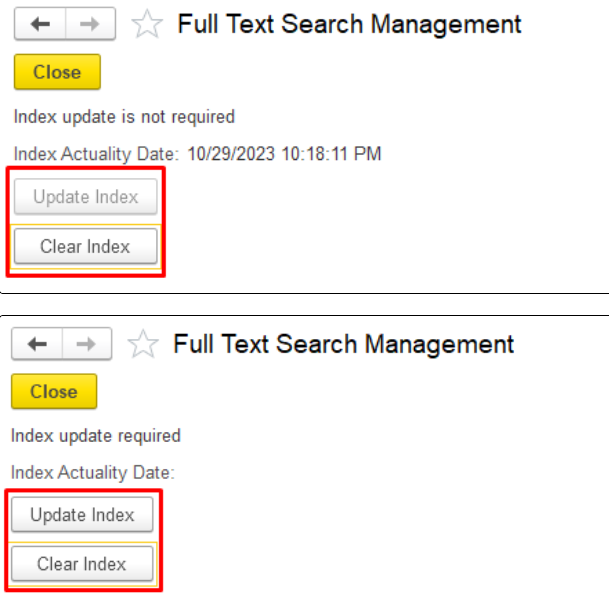
2. Click on Clear Index > Update Index:
Or run the background job schedule manually.
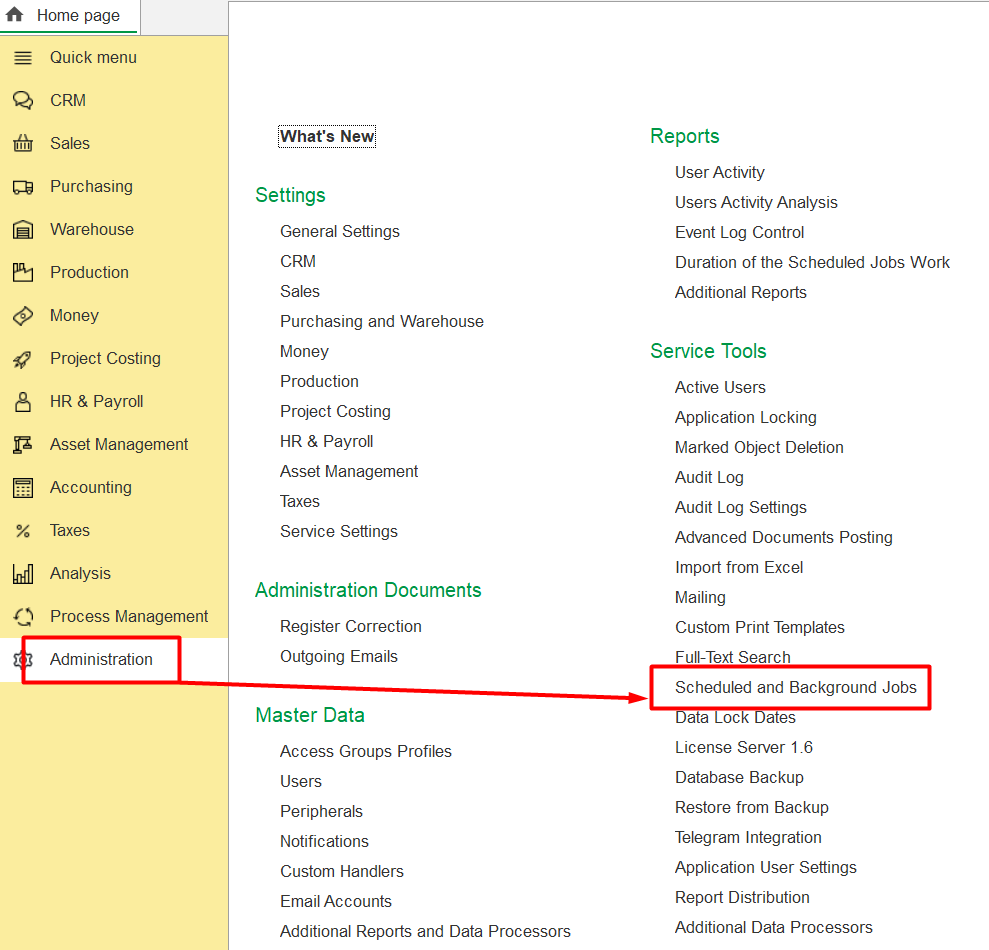
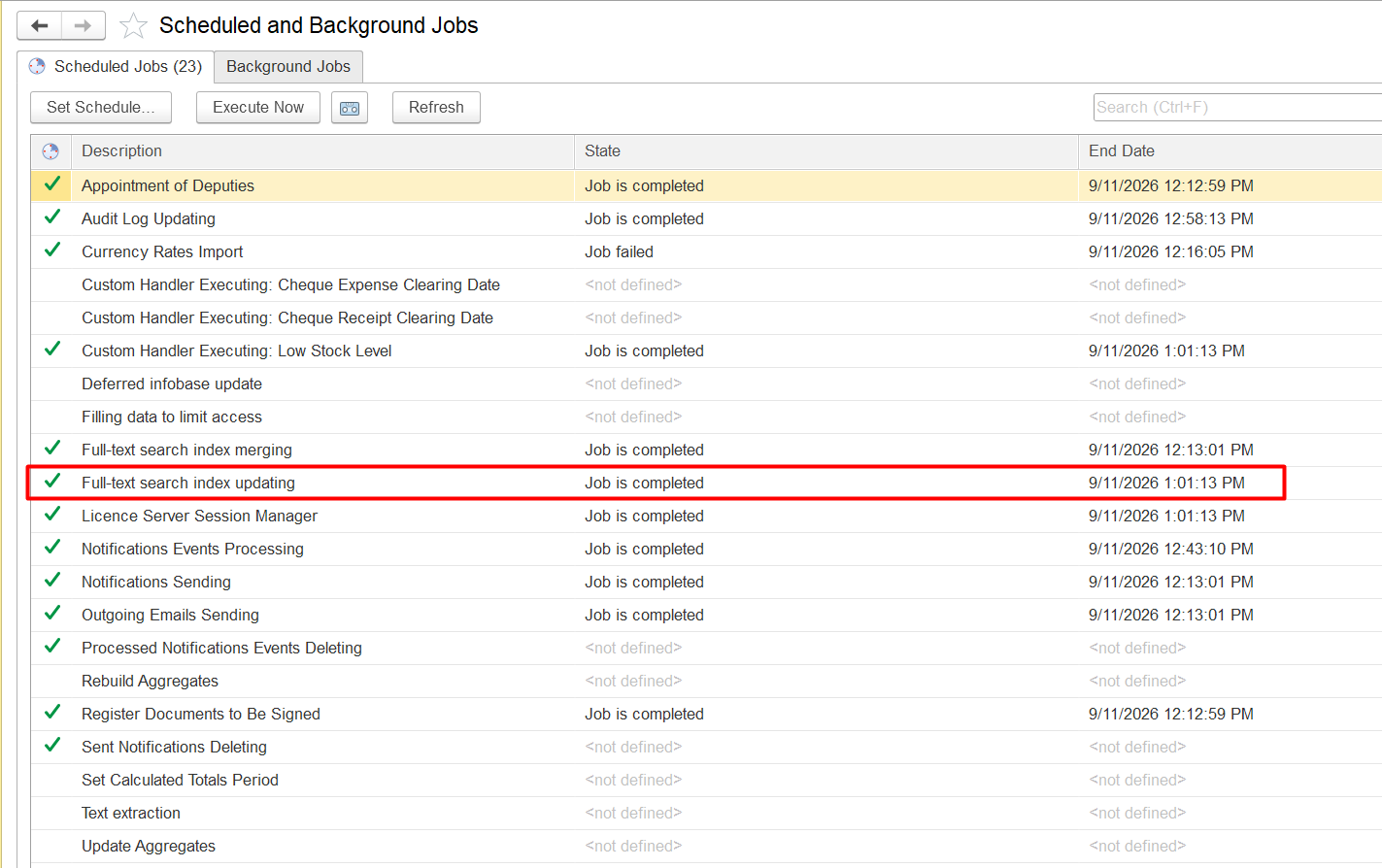
1.Go to Administration →Scheduled and Background Jobs.
2. Find the job named Full-Text Search Index updating:
3. Click on Execute Now button:
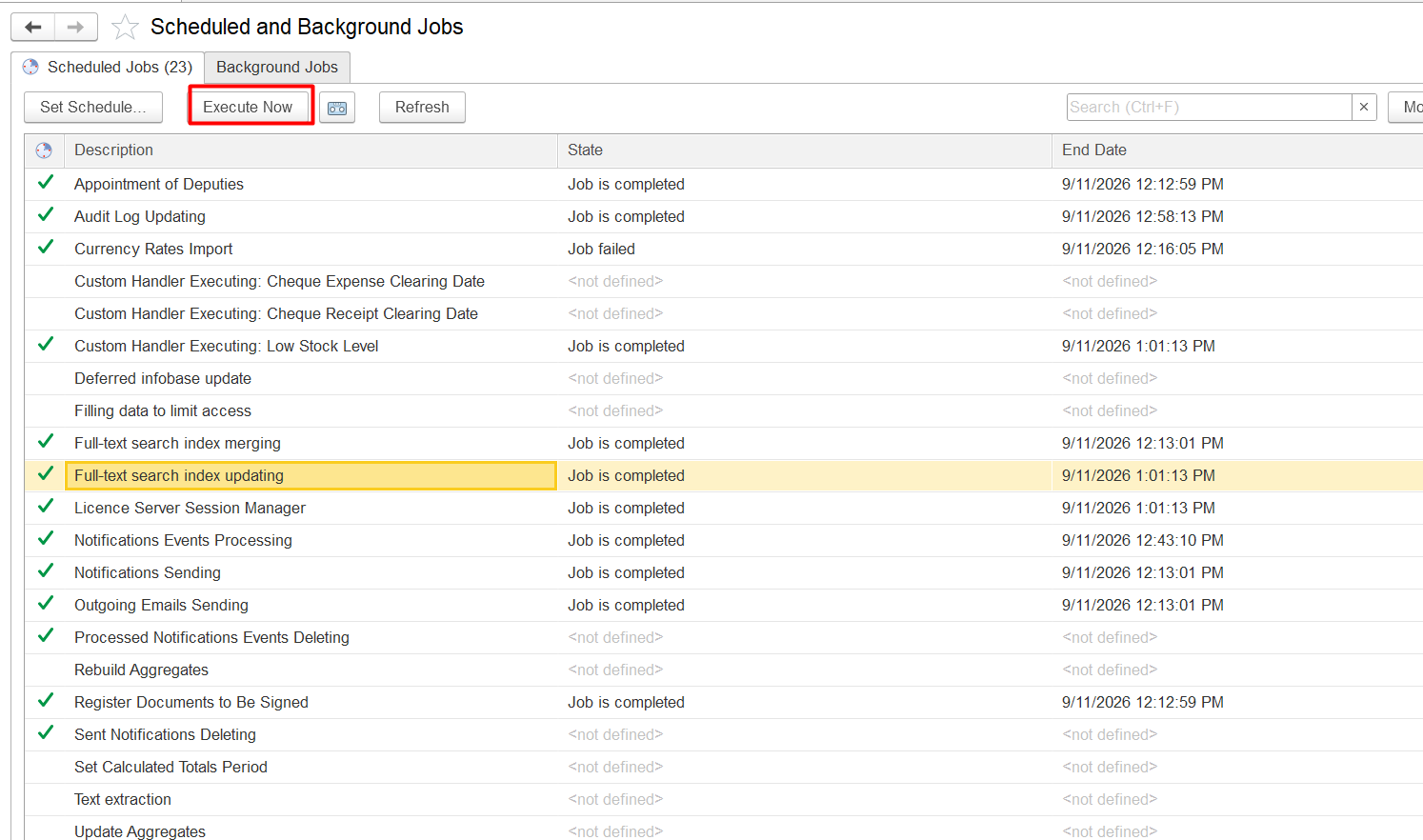
If the object needs to be found urgently: 1.Update the full-text search index or 2.Run the background job schedule manually.
If not urgent: 3. No action is required. Wait for the full index to be updated automatically by the background job.
FirstBit ERP/FirstBit Accounting/FirstBit Contracting
Administration, master data.
Thank you for being FirstBit customer!