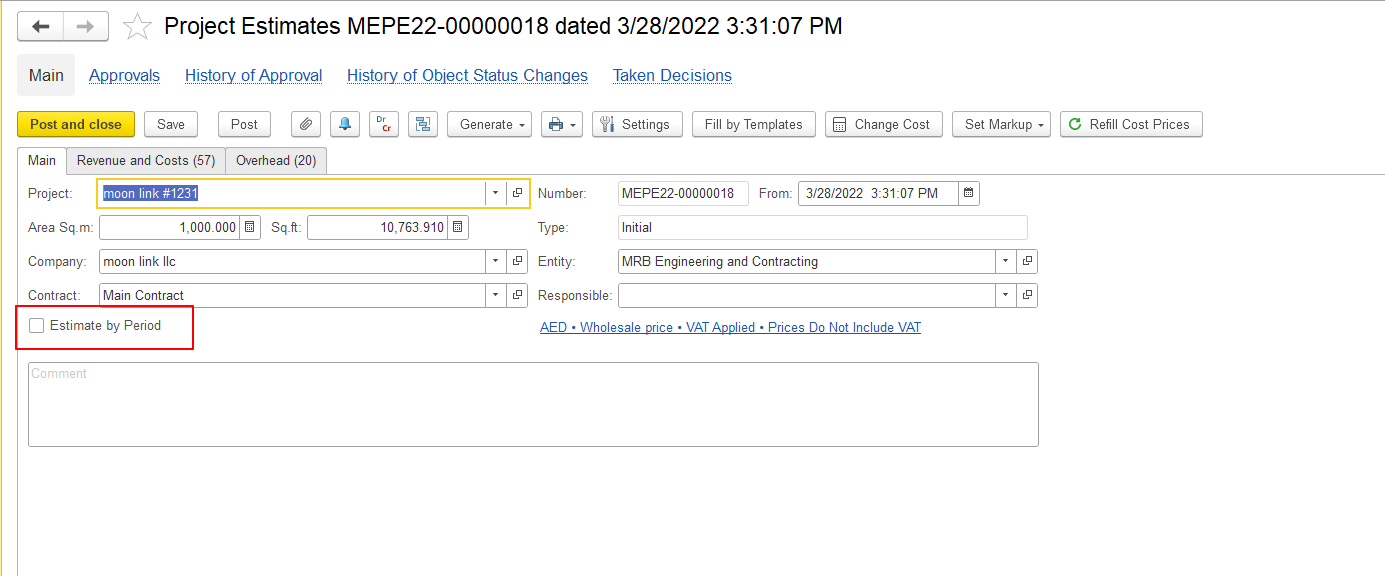
This functionality is available in FirstBIT Contracting starting from version 2.1.1.35.
The Estimate by Period functionality is available in the following documents:
It allows you to distribute estimated Revenue and Costs across the periods generated for the project.
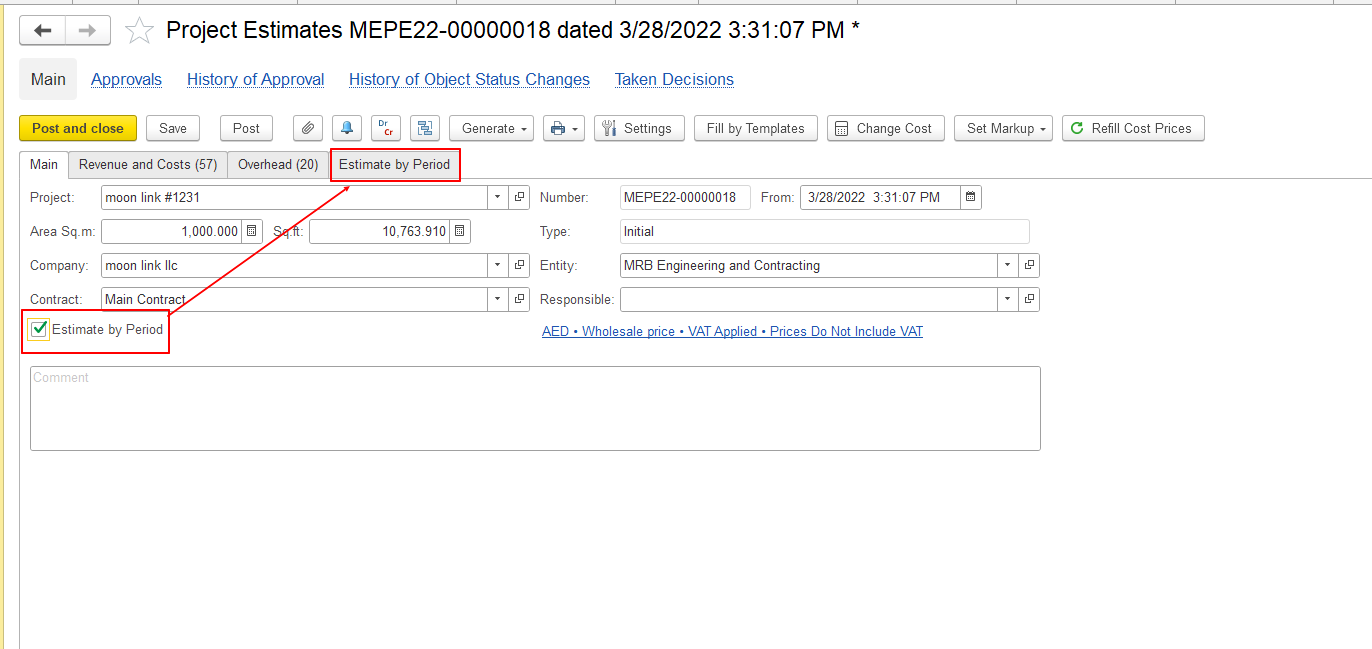
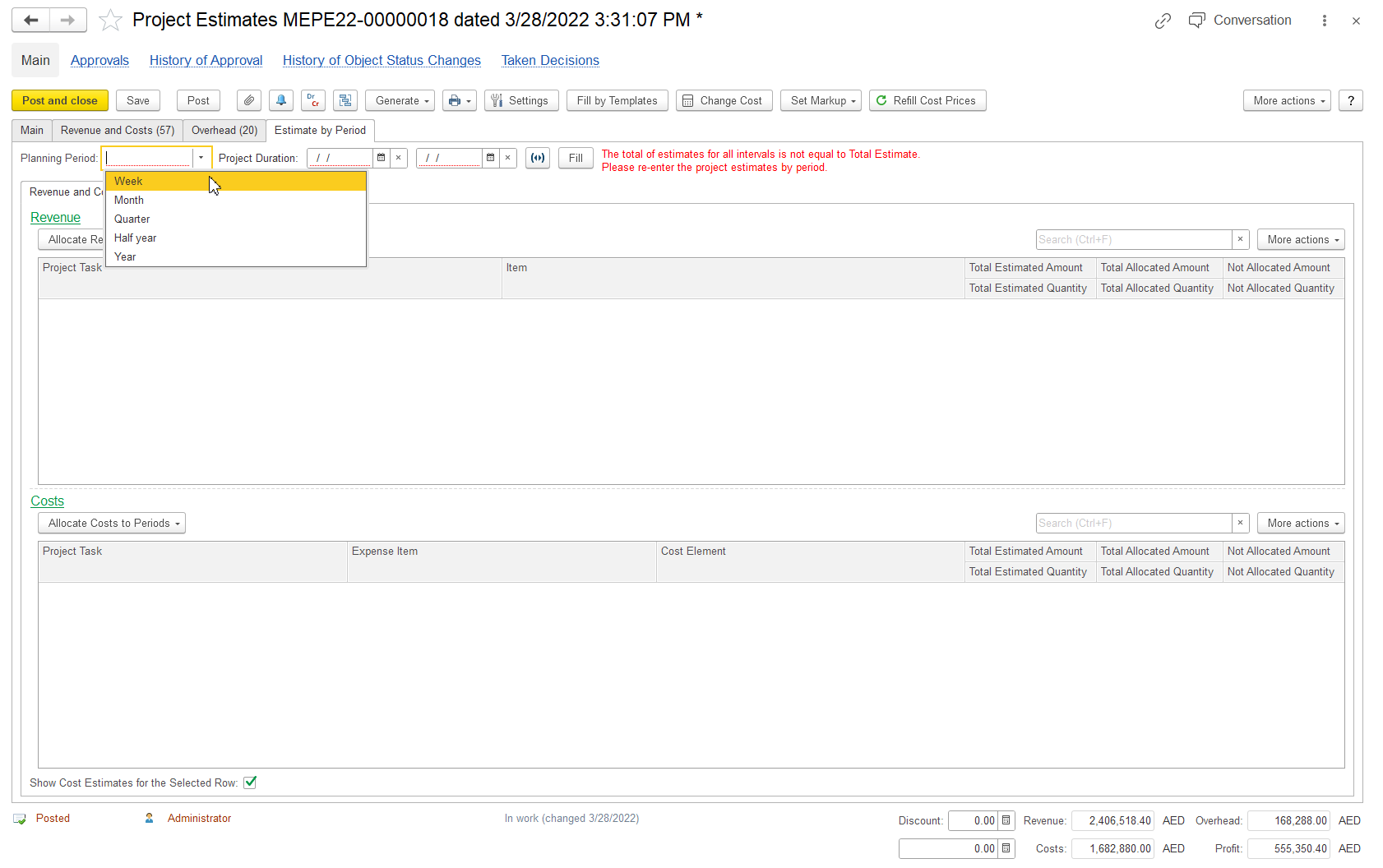
On the Estimate by Period tab:
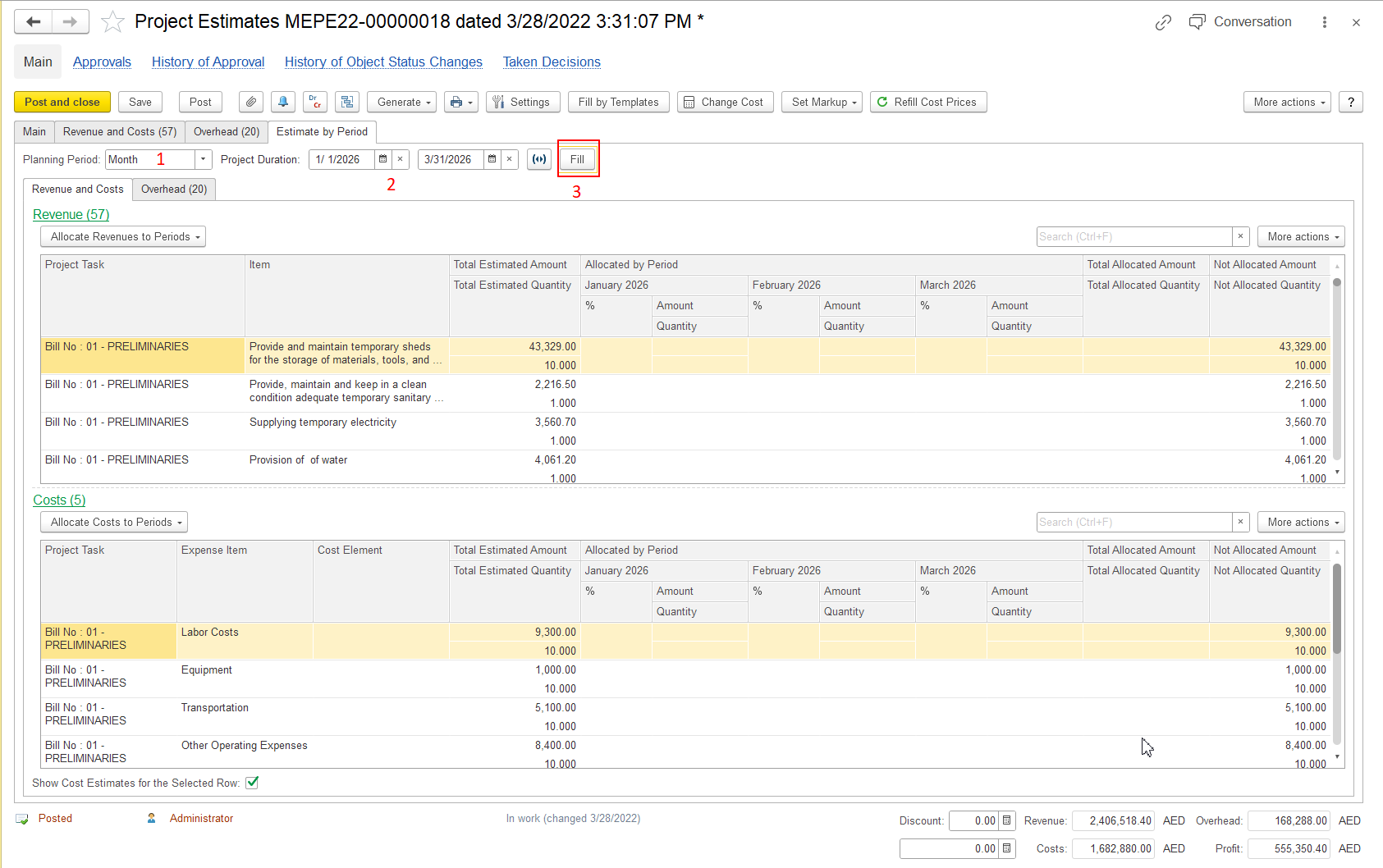
The system generates the periods according to the selected Planning Period and Project Duration.
The document lines are also populated with the corresponding Project Tasks and Items. The total estimated values are displayed in the Total Estimated columns, while the Non Allocated Amount and Non Allocated Quantity columns are also populated because the estimates have not yet been allocated to periods.
Important: Use Fill to generate the periods and populate the total estimates. Then use Allocate Revenues to Periods or Allocate Costs to Periods to distribute the estimates across the generated periods.
To distribute Revenue estimates, click Allocate Revenues to Periods and select the required option:
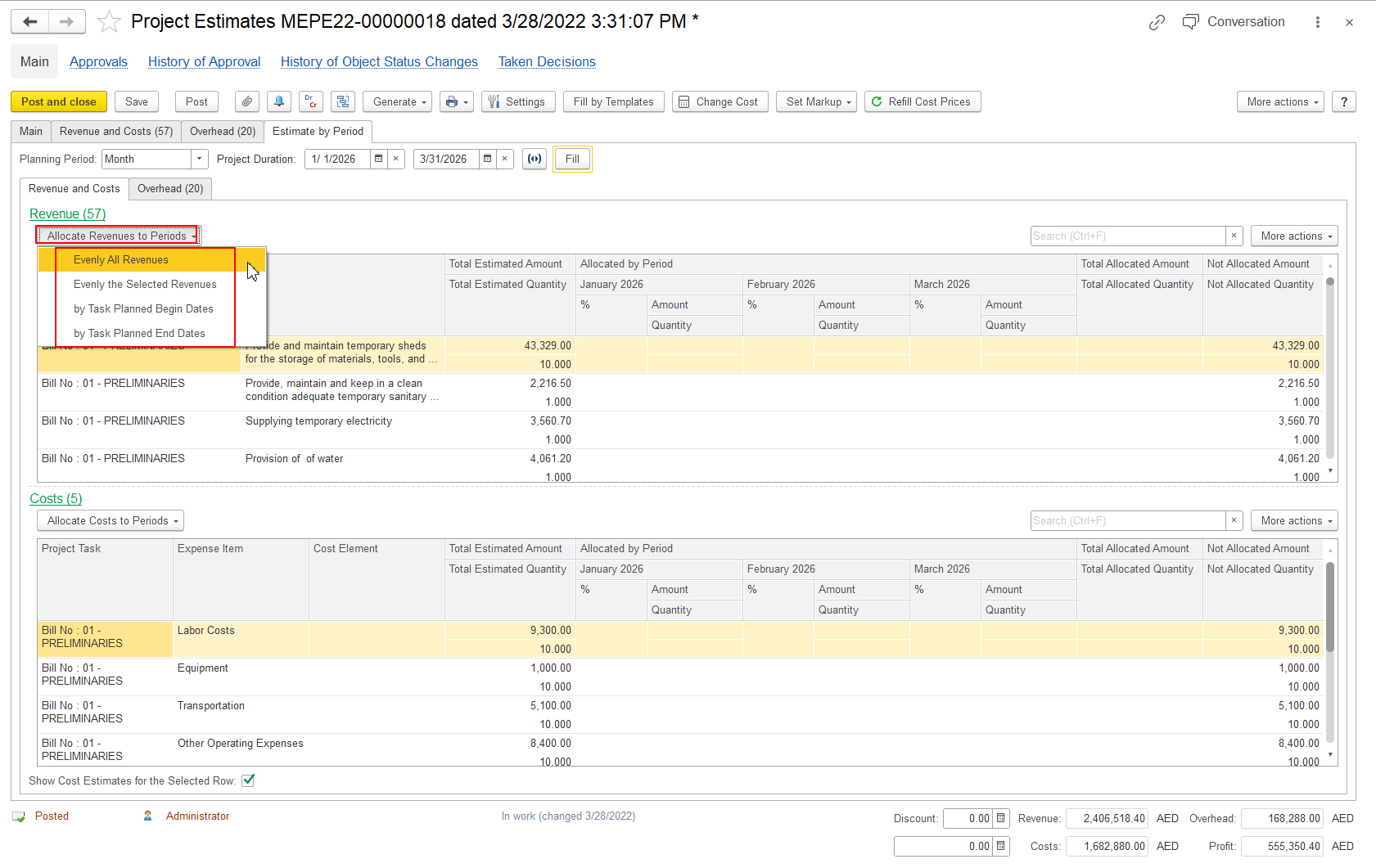
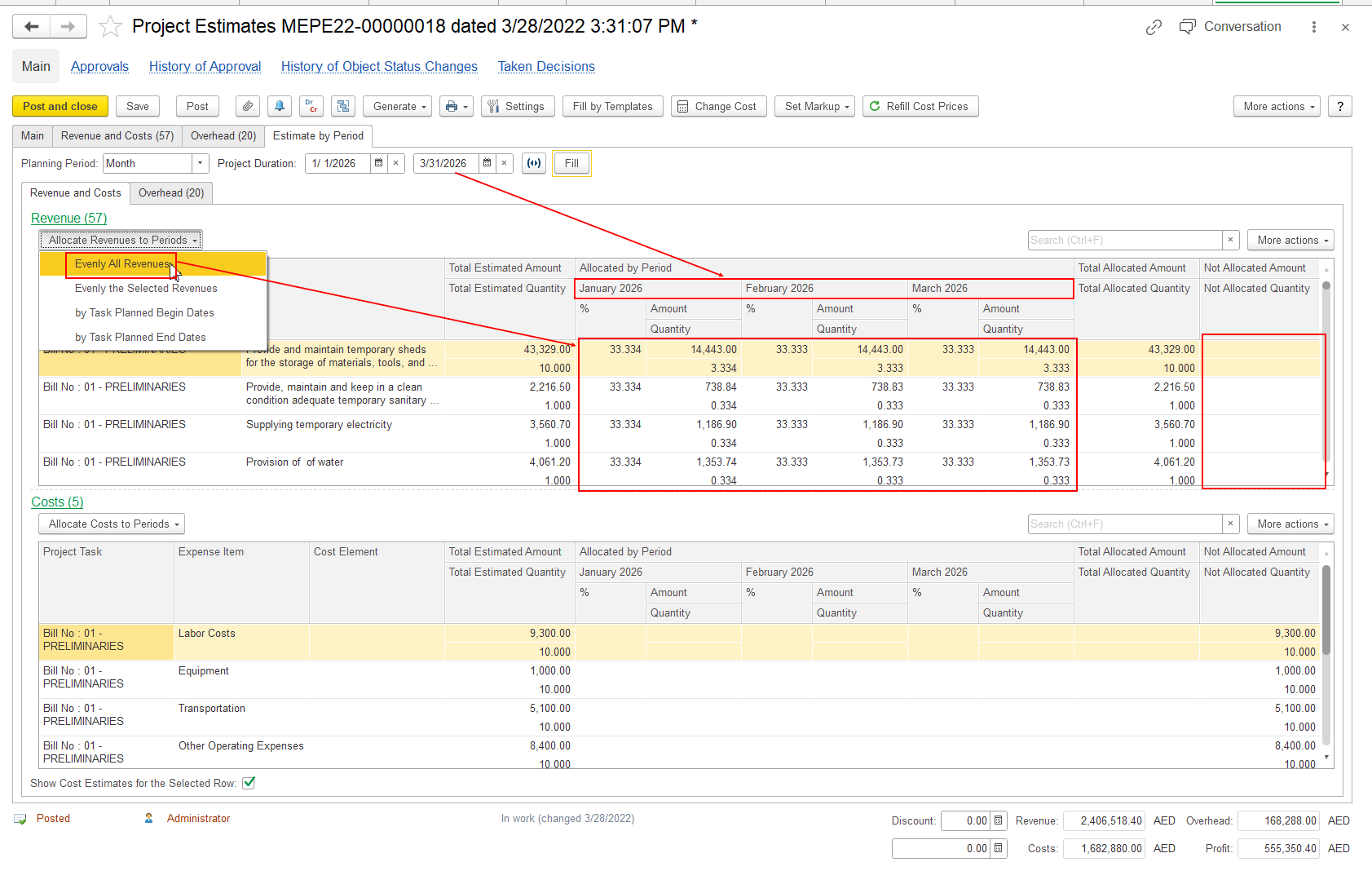
The allocated values are displayed for each period in the Allocated by Period section.
Example:
To distribute Cost estimates, click Allocate Costs to Periods and select the required allocation method.
The system distributes the Cost estimates across the generated periods according to the selected method.
The allocated values are displayed for each period in the Allocated by Period section.
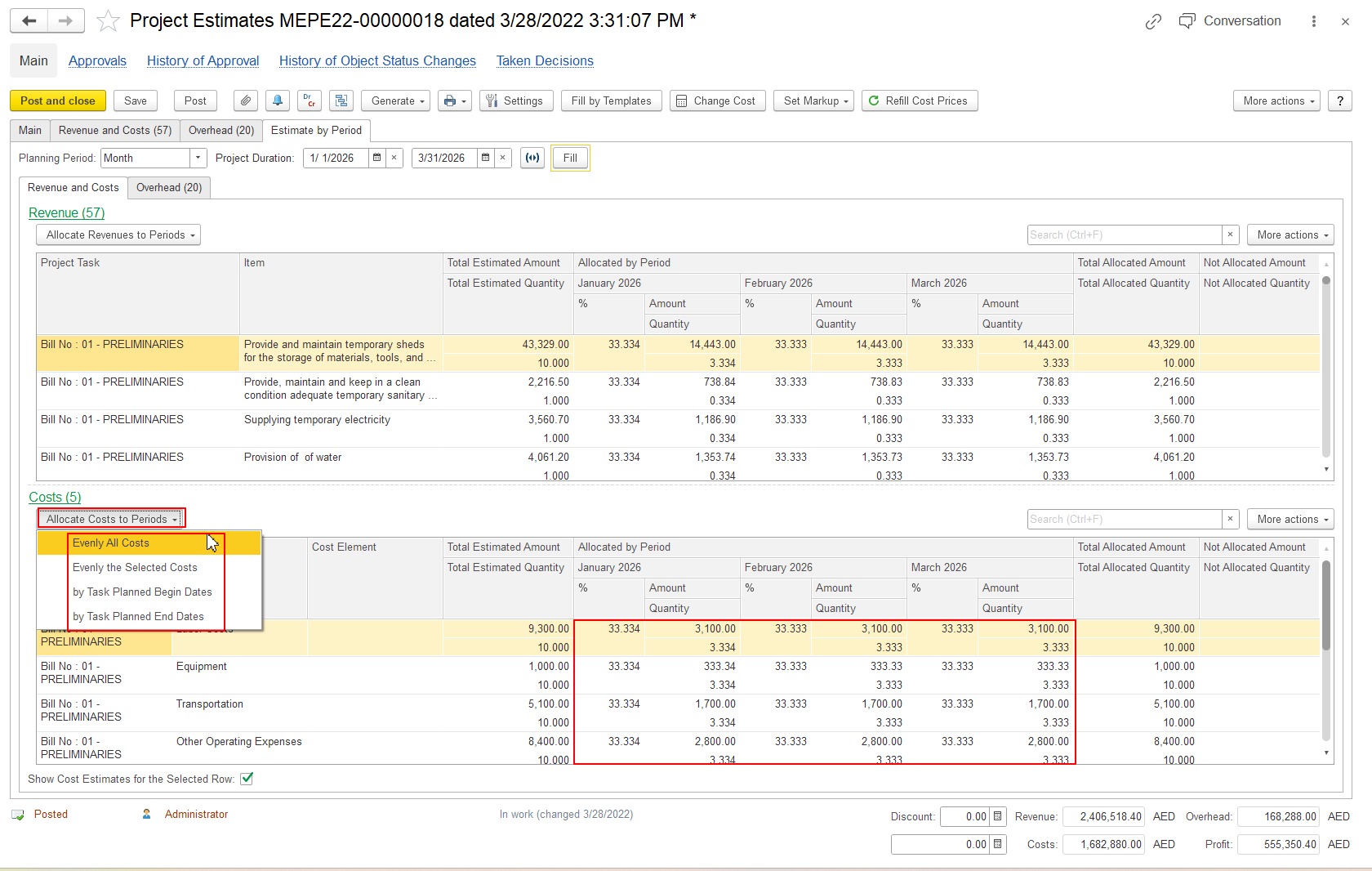
After allocation, review the values for each period.
Depending on the type of estimate, the system displays the corresponding values, such as:
The total estimated values remain available in the Total Estimated columns for comparison with the amounts allocated by period.
Thank you for being FirstBIT Customer!