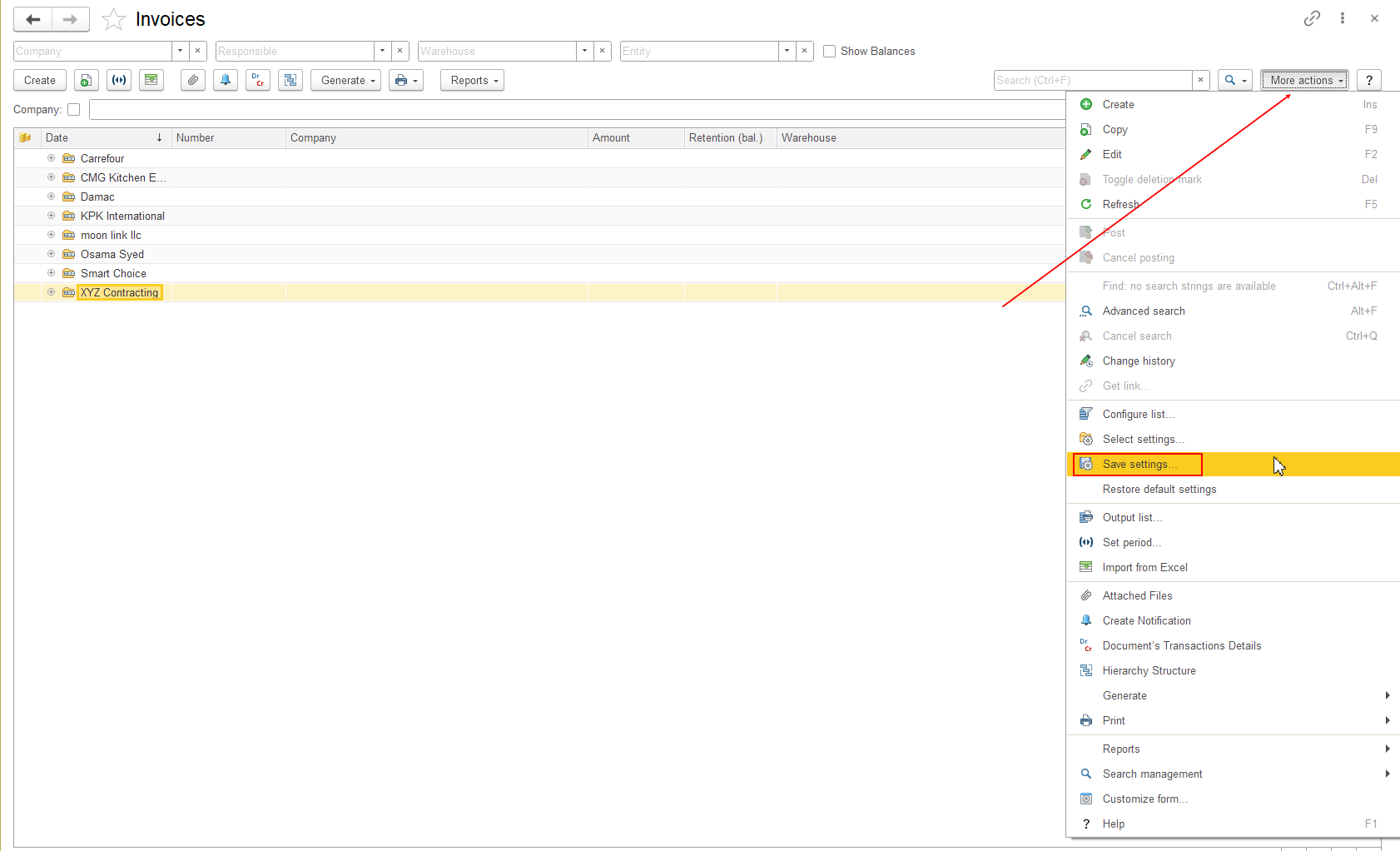
You can save personal List Form settings and apply them later when needed.
This is useful when you have customized a List Form for your daily work and want to keep different configurations or return to the standard configuration.
After configuring a List Form, you can save the current configuration for the current user.
The current List Form configuration is saved as a personal setting for the current user.
You can save a List Form after customizing its fields, field order, visibility, or other available form elements.
You can select a previously saved List Form configuration and apply it to the current List Form.
The selected configuration is applied to the current List Form.
Screenshot: Show More actions → Select Settings with the list of previously saved settings.
Note: Saved settings are personal to the current user.
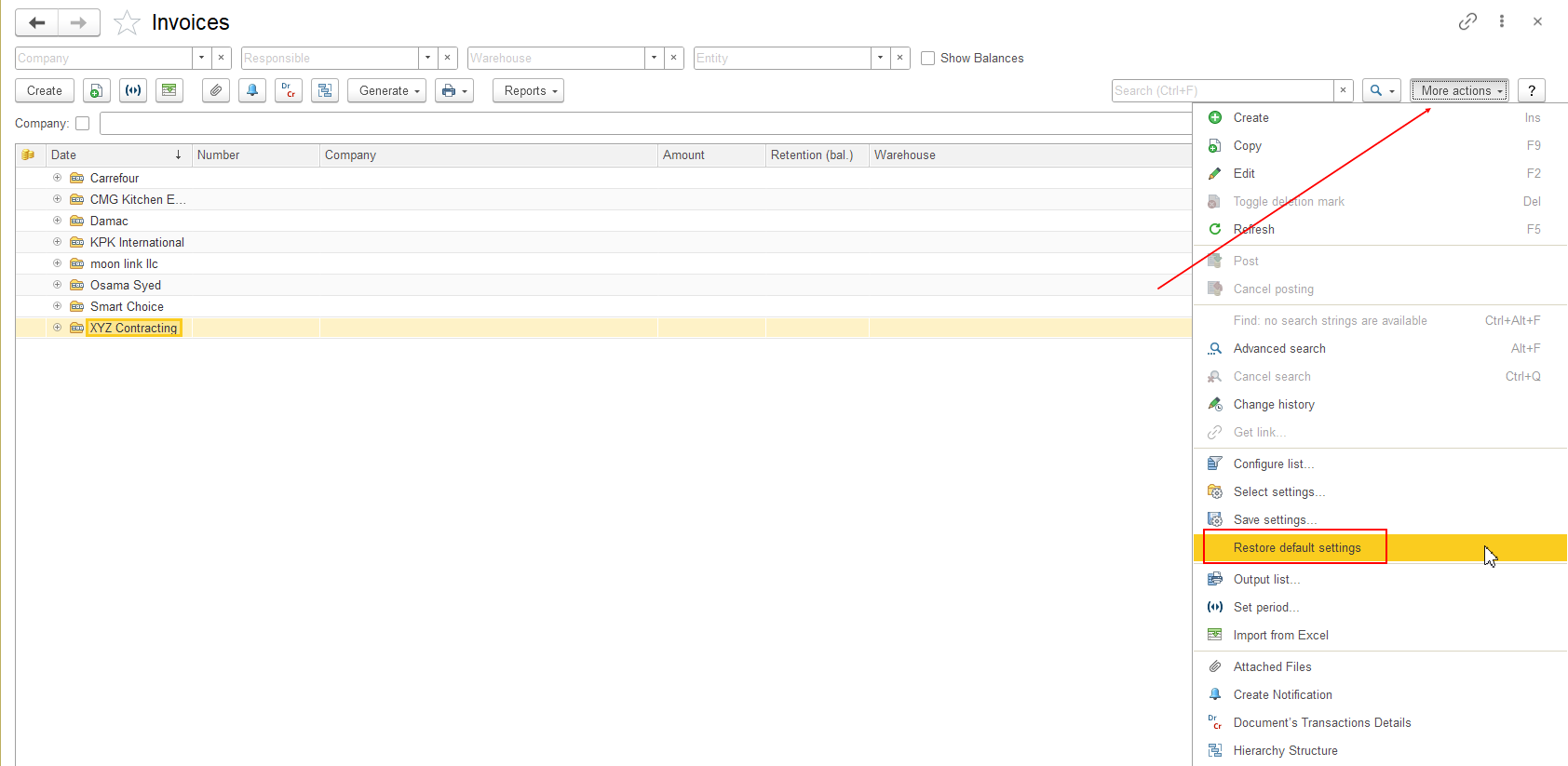
If you want to return the List Form to its standard configuration:
The List Form returns to its default configuration.
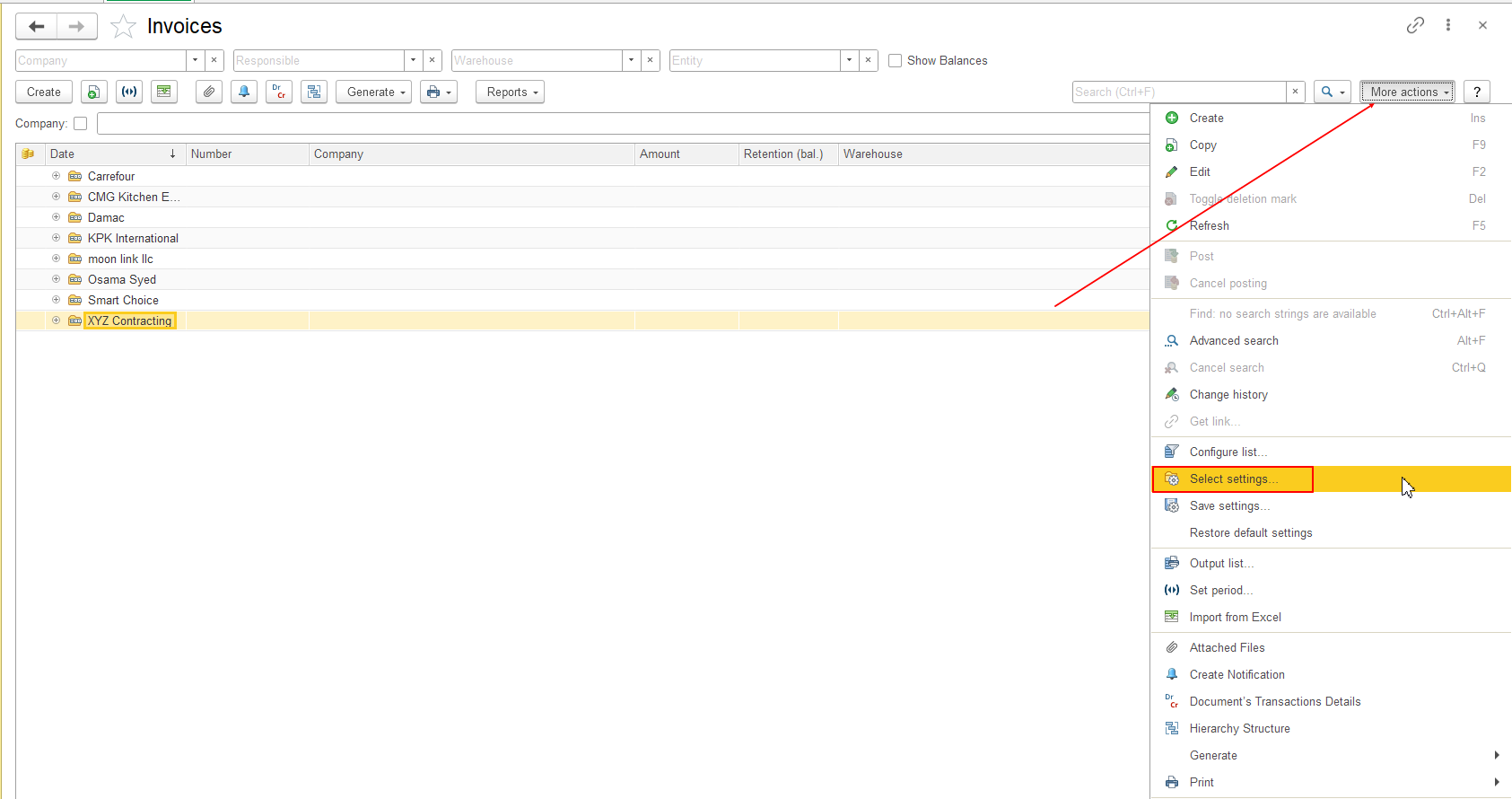
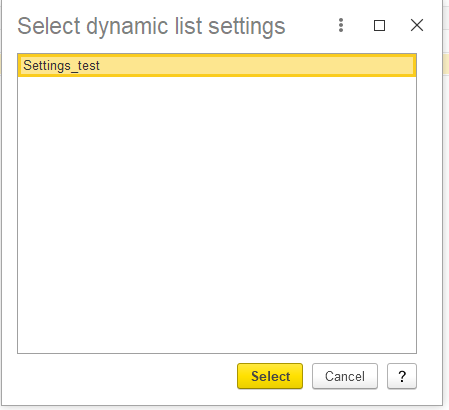
Use Select Settings when you want to apply one of your previously saved configurations.
Use Restore Default Settings when you want to return to the standard List Form configuration.
Important: Saving, selecting, or restoring List Form settings changes only the configuration of the List Form for the current user. It does not delete or modify business data, documents, or other system data.
Thank you for being FirstBIT Customer!