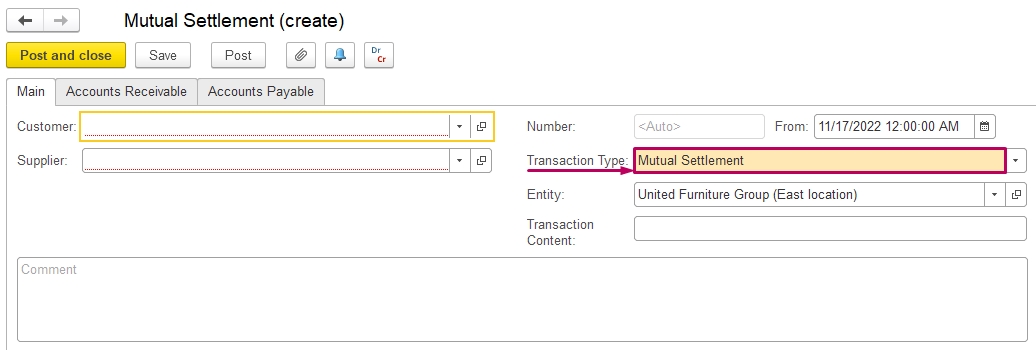
How to use Transaction Type - Mutual Settlement
Transaction Type 'Mutual Settlement' is useful in cases, when:
Create a Mutual Settlement document and choose Transaction Type Mutual Settlement:
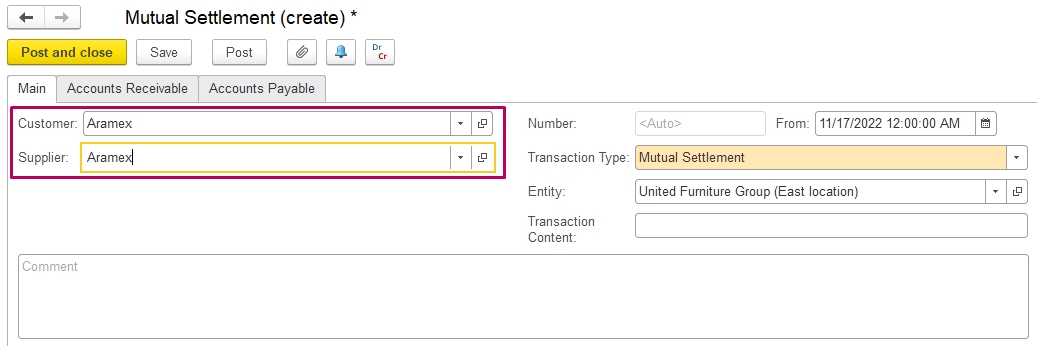
Fill Customer and Supplier (as you settle documents of one company, then Customer and Supplier are the same company):
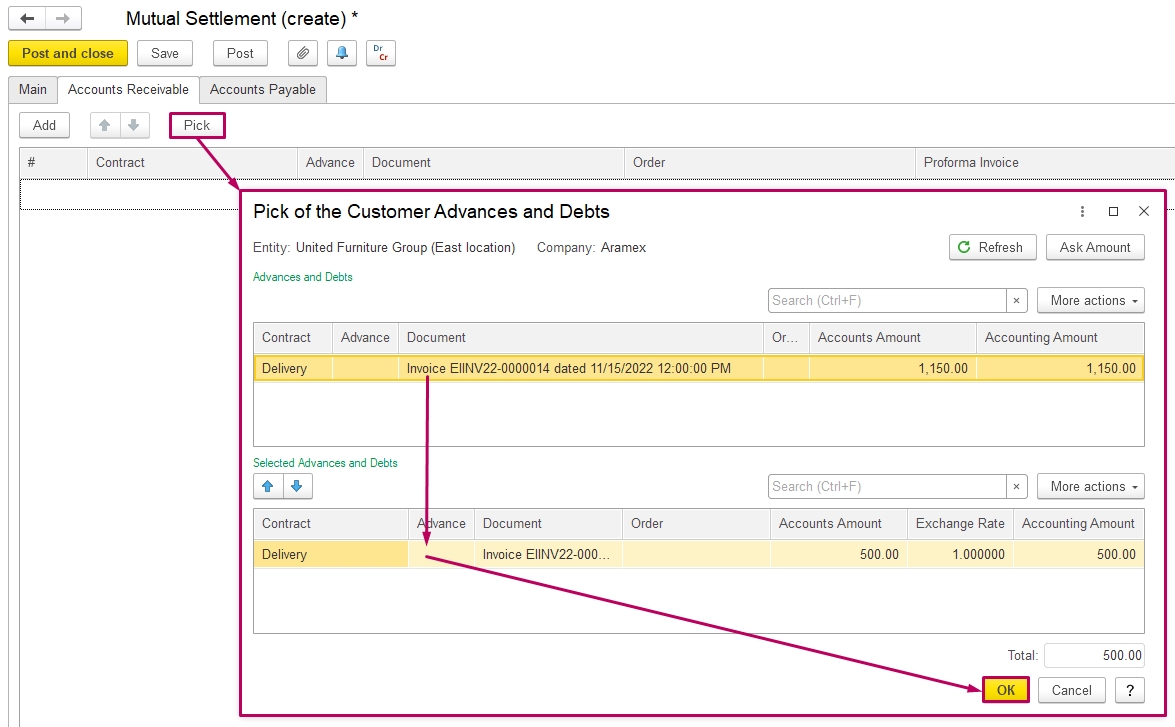
At the Accounts Receivable tab, use the button Pick for choose document, double-click on the document, then press Ok.
The amount of these Invoices is a debt of the Customer.
At the Accounts Payable tab, pick payments to Supplier:
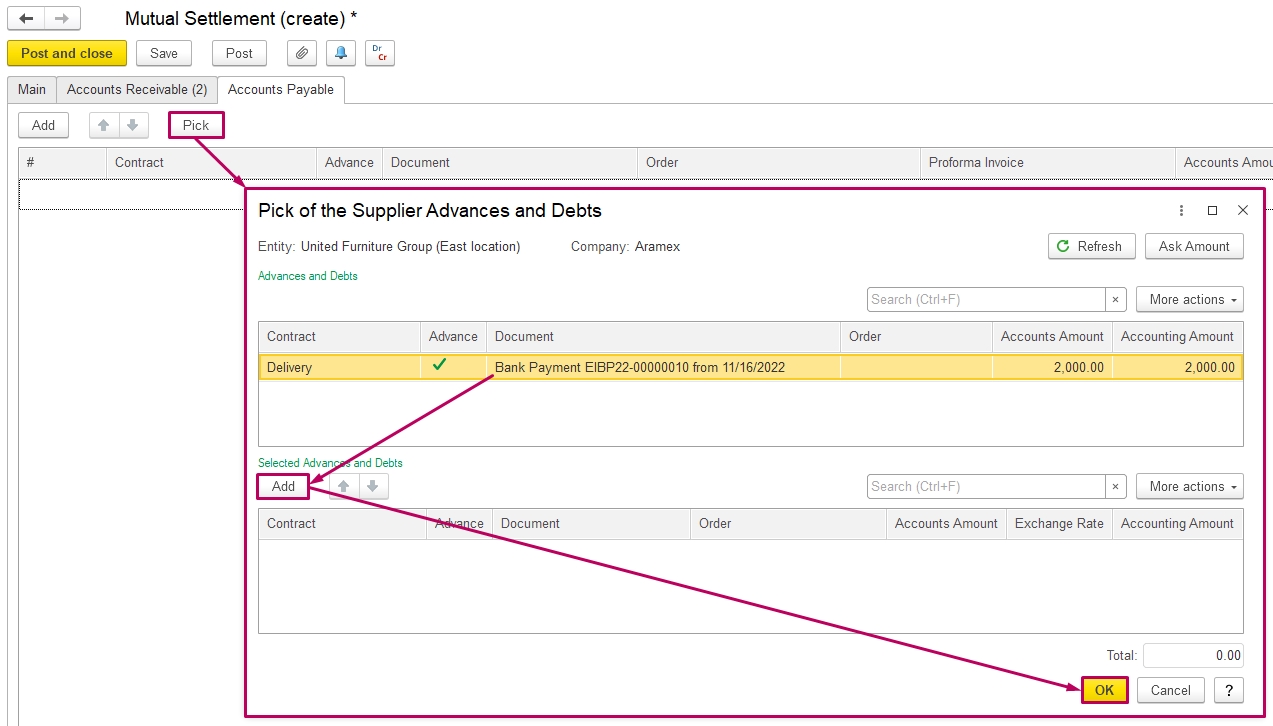
The total amount of Accounts Receivable and Accounts Payable should be the same (edit amounts if necessary) and Post the document:
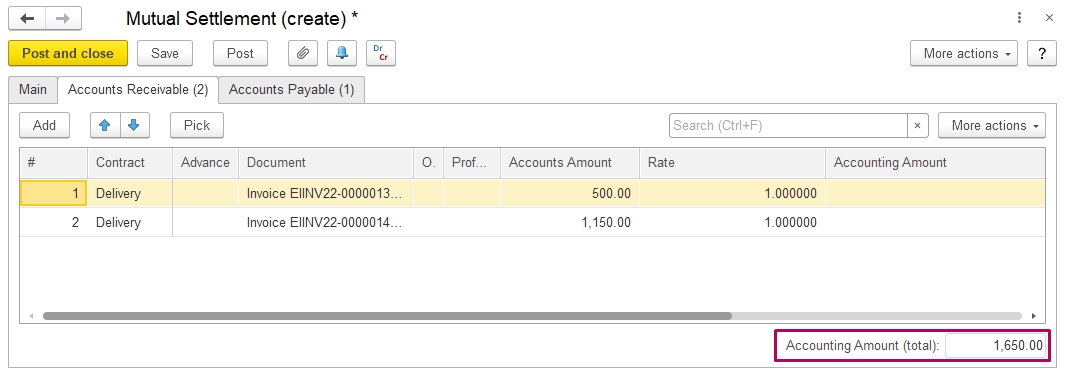
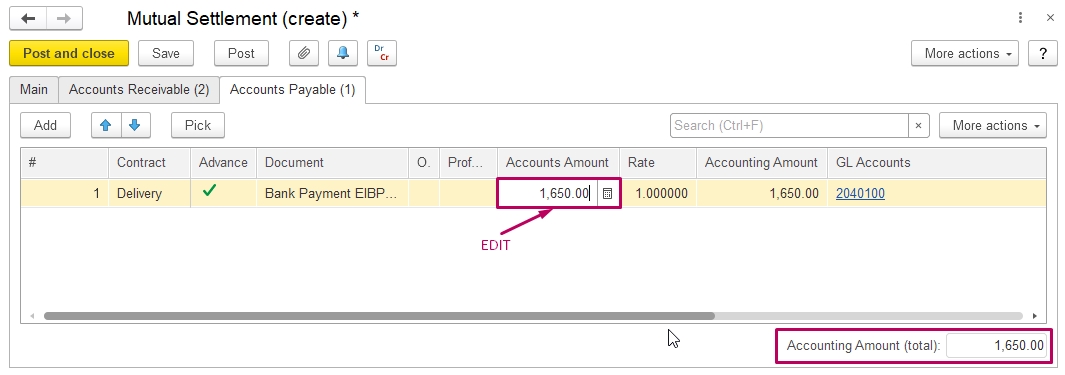
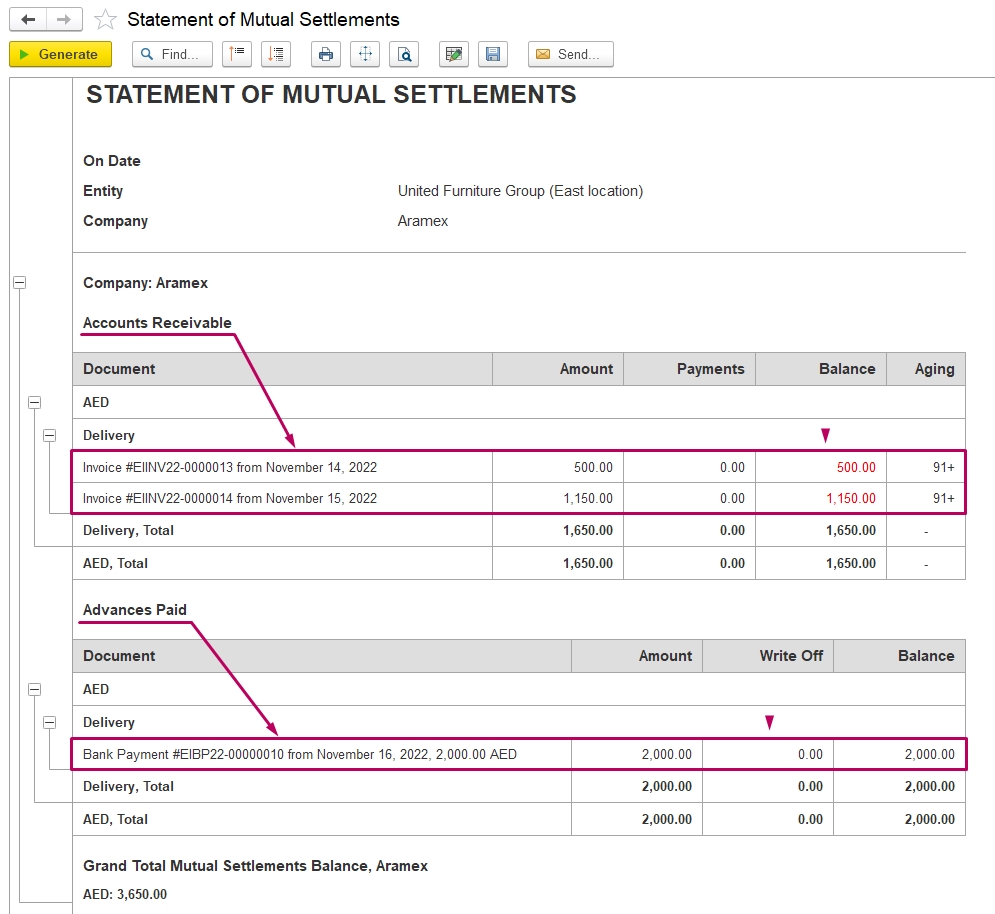
Accounts receivable and Advance paid that are mentioned here will be settled:
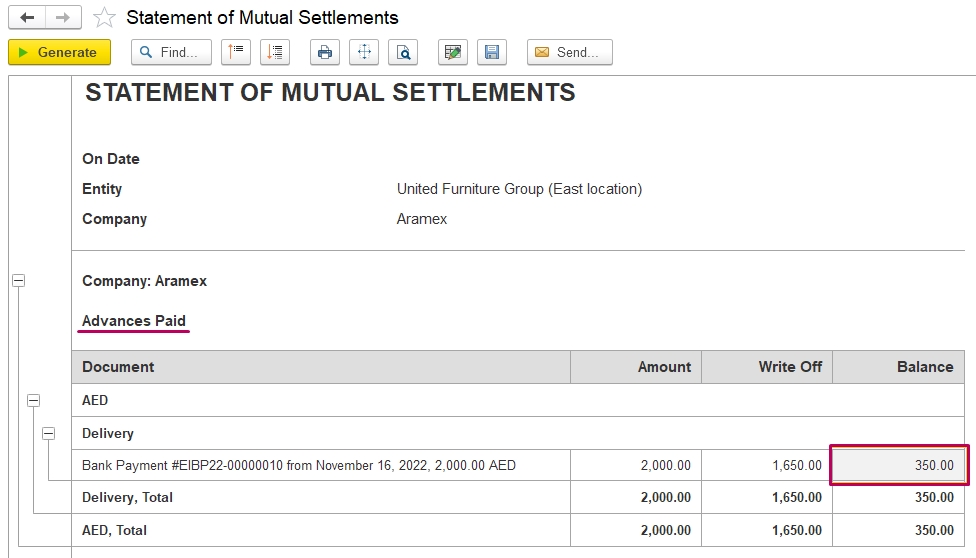
As amounts settled, in Statement of Mutual Settlements you may find the final balance or null:
Thank you for being a FirstBIT customer!