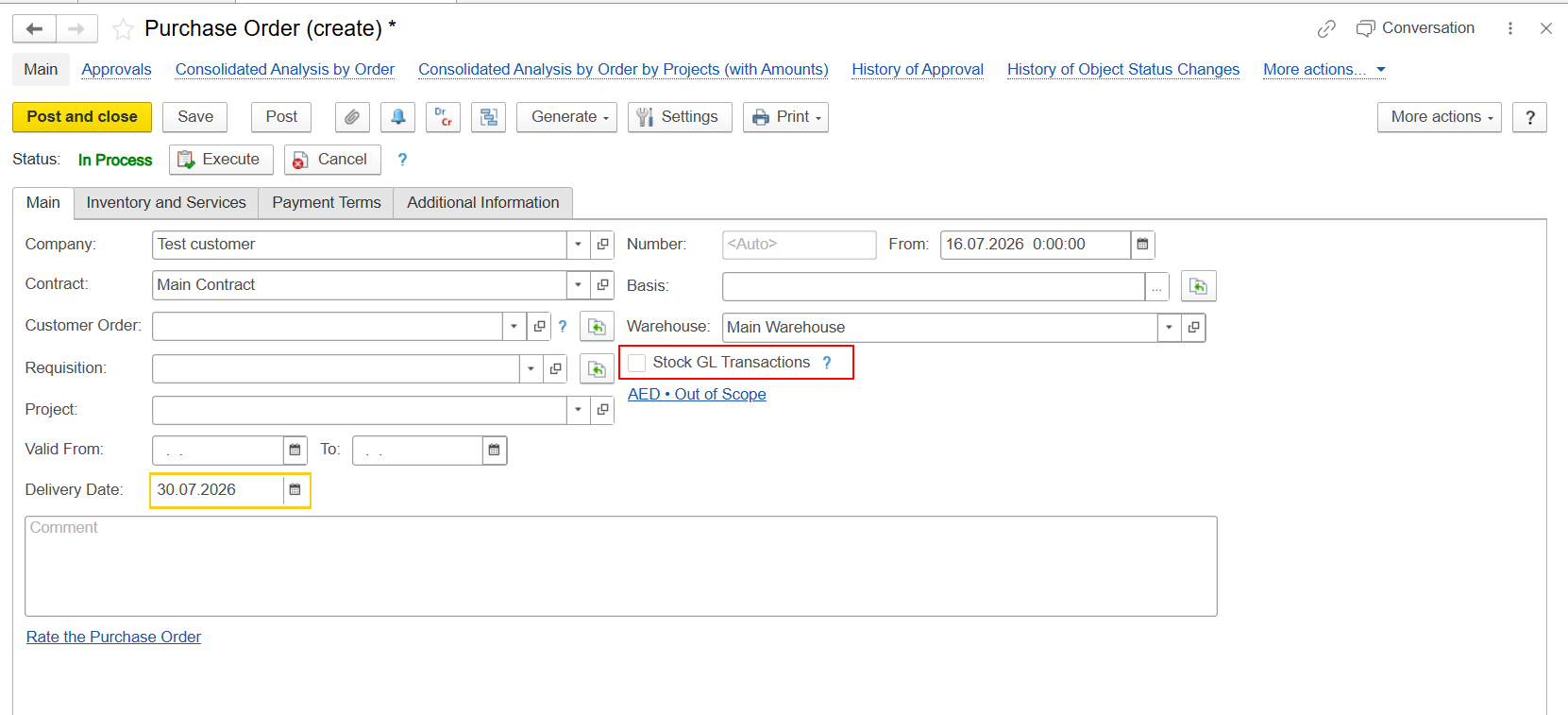
This functionality applies to FirstBIT Contracting configuration starting from release 2.1.1.35.
Beginning with release 2.1.1.35, a new checkbox, Stock GL Transaction, has been added to purchasing documents within the procurement chain, starting from the Purchase Order document.
The checkbox controls whether inventory transactions should be generated automatically during the procurement process.
When enabled, the system automatically creates entries in the Inventory and Expenses register and performs inventory receipt automatically during posting of the related Invoice Received document created from the original Purchase Order.
The value of the Stock GL Transaction checkbox is determined automatically based on the selected Warehouse.
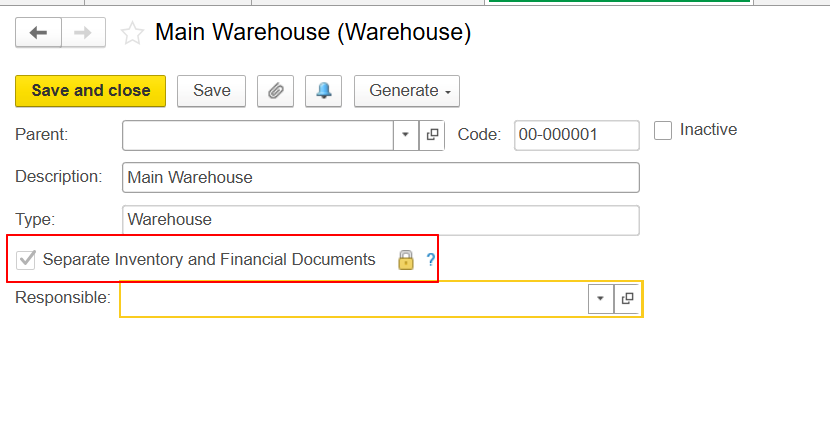
If the Warehouse has the Separate Inventory and Financial Documents option enabled, the system automatically enables the Stock GL Transaction checkbox in purchasing documents.
Warehouse setting:
Separate Inventory and Financial Documents = Enabled
Document setting:
Stock GL Transaction = Enabled
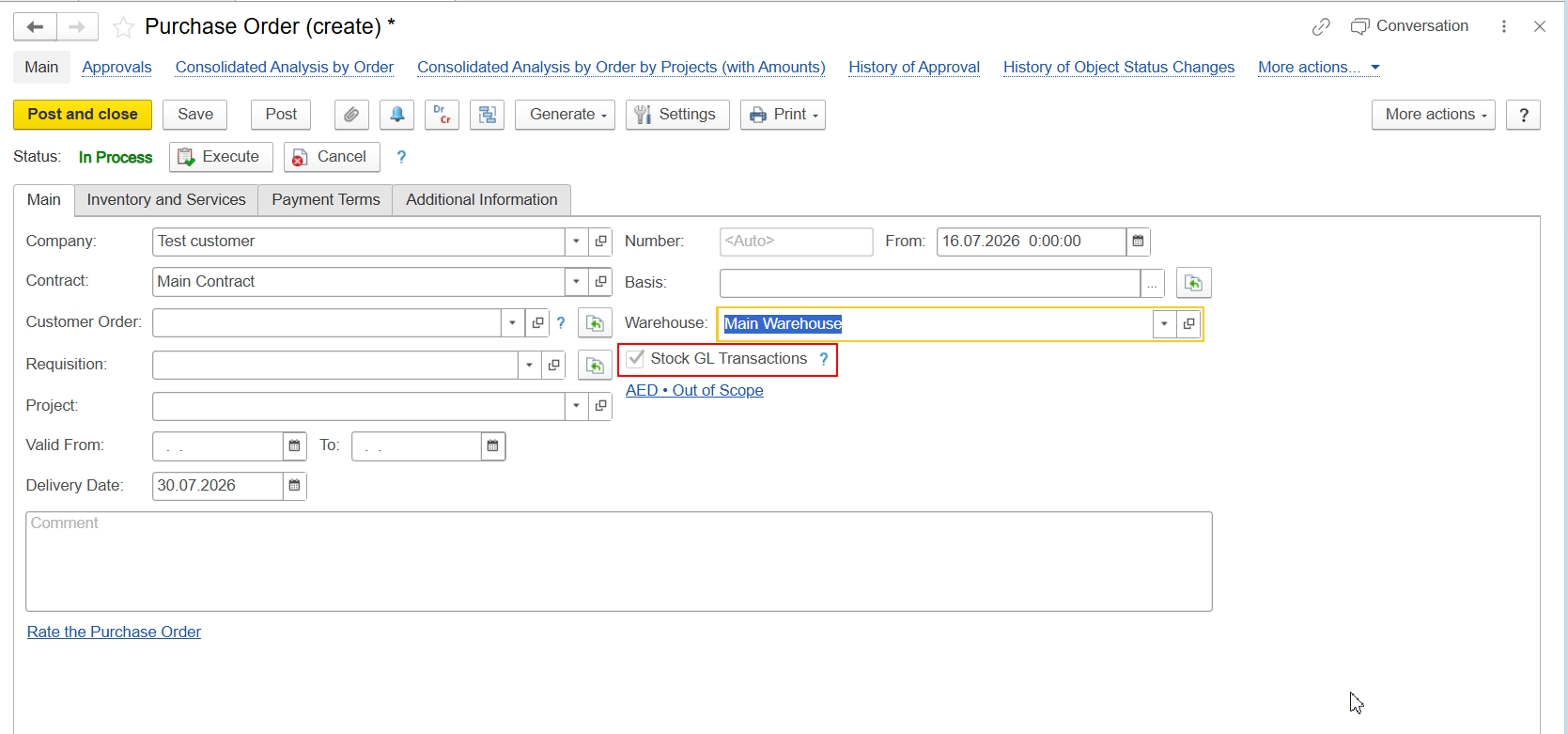
This behavior applies to all documents within the purchasing chain starting from the Purchase Order.
To enable automatic determination of the Stock GL Transaction checkbox, the Warehouse should have the following option enabled:
Separate Inventory and Financial Documents
When this option is enabled, inventory and financial transactions can be processed simultaneously during the purchasing process.
Users can define a default Warehouse in their Personal Settings.
When a new purchasing document is created, the system automatically populates the Main Warehouse field using this default value.
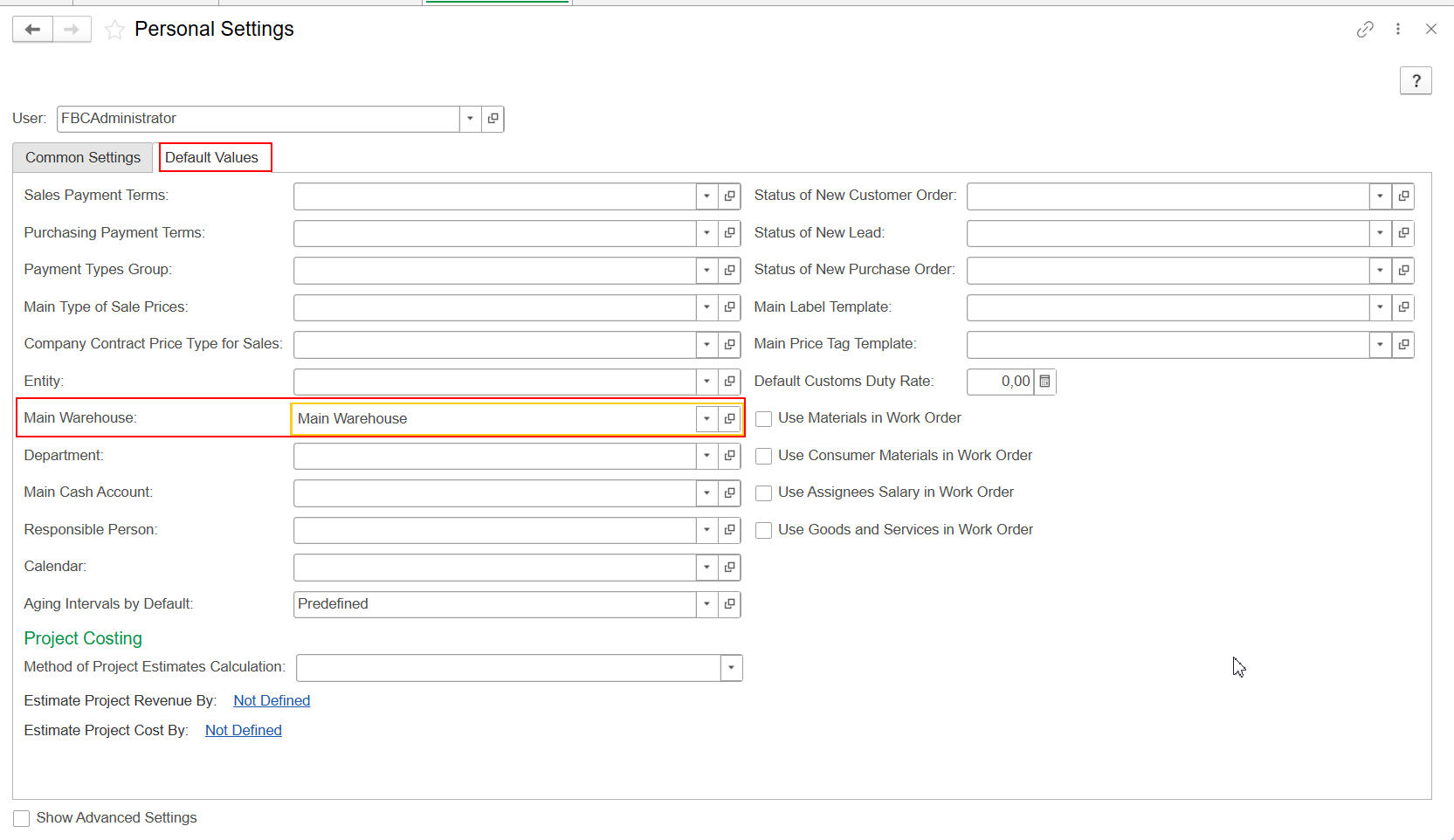
In this scenario, the Warehouse value is inserted into the document without validating the Warehouse settings.
As a result, the system does not check whether the selected Warehouse has the Separate Inventory and Financial Documents option enabled.
Therefore:
This behavior is expected.
If the Stock GL Transaction option is required, the user should manually reselect the Warehouse in the document.
After the Warehouse is selected manually, the system validates the Warehouse configuration and automatically updates the value of the Stock GL Transaction checkbox according to the Warehouse settings.
When the Stock GL Transaction checkbox is enabled:
This eliminates the need to create separate inventory documents for the receipt process.
When the Stock GL Transaction checkbox is enabled, additional inventory movements are generated during document posting.
When the Invoice Received document created from the Purchase Order is posted, the system creates an additional entry in the Inventory on Hand accumulation register representing inventory consumption.
When the Material Receipt Note document is posted, the system creates the corresponding receipt entry in the Inventory on Hand register.
As a result, after both documents are posted, the balance in the Inventory on Hand register becomes zero.
This behavior is expected and is designed to support scenarios where financial and physical inventory transactions are processed separately.
Starting from release 2.1.1.35:
This behavior is standard for FirstBIT Contracting starting from release 2.1.1.35.
Thank you for being FirstBIT Customer!