


This article applies to both FirstBIT ERP and FirstBIT Contracting configurations.
The described behavior is part of the standard payment status calculation logic implemented in both configurations.
he Payment Indicator is a visual status displayed in different areas of the system where documents are shown. It allows users to quickly identify the settlement status of a document.
The Payment Indicator is calculated automatically by the system and is not based solely on the outstanding Accounts Receivable balance.
The system determines the payment status by comparing values calculated from:
Based on this comparison, the system displays one of the available payment indicators for the document.
As a result, reducing the outstanding balance does not always change the Payment Indicator.
Depending on the calculated payment status, one of the following Payment Indicators is displayed for the document.:
| Status | Description | Icon |
|---|---|---|
| Unpaid (payment not required) | The document is unpaid, but payment is not required because a Credit Note has been posted. |
|
| Partially paid (not overdue) | The document has not been fully paid, but the payment due date has not yet passed. |
|
| Fully paid | The document has been completely settled. |
|
| Fully unpaid | No payments have been registered for the document. |
|
| Partially paid (less than 50%) | Less than half of the document amount has been paid and the payment is overdue. |
|
| Partially paid (more than 50%) | More than half of the document amount has been paid and the payment is overdue. |
|
| Not posted | The document exists in the system but has not been posted. |
|
For each Invoice, the system calculates the following values.
Calculated based on the turnover in the Sales register.
Calculated based on the remaining balance in the Accounts Receivable register.
The payment status indicator is determined by comparing these calculated values according to the implemented algorithm.
Therefore, the payment indicator reflects the relationship between register values rather than simply the remaining amount due.
The Payment Indicator is intended for visual reference only.
It is calculated dynamically by the system and is not stored as a separate document attribute.
Therefore, the Payment Indicator:
To analyze outstanding invoices, use the Balance column or settlement reports instead.
The Payment Indicator is intended for visual reference only and should not be used as the primary source for analyzing customer debt or filtering documents.
To verify the actual outstanding amount, use one of the methods below.
Enable the Show Balance column in the Invoice or Invoice Received list.
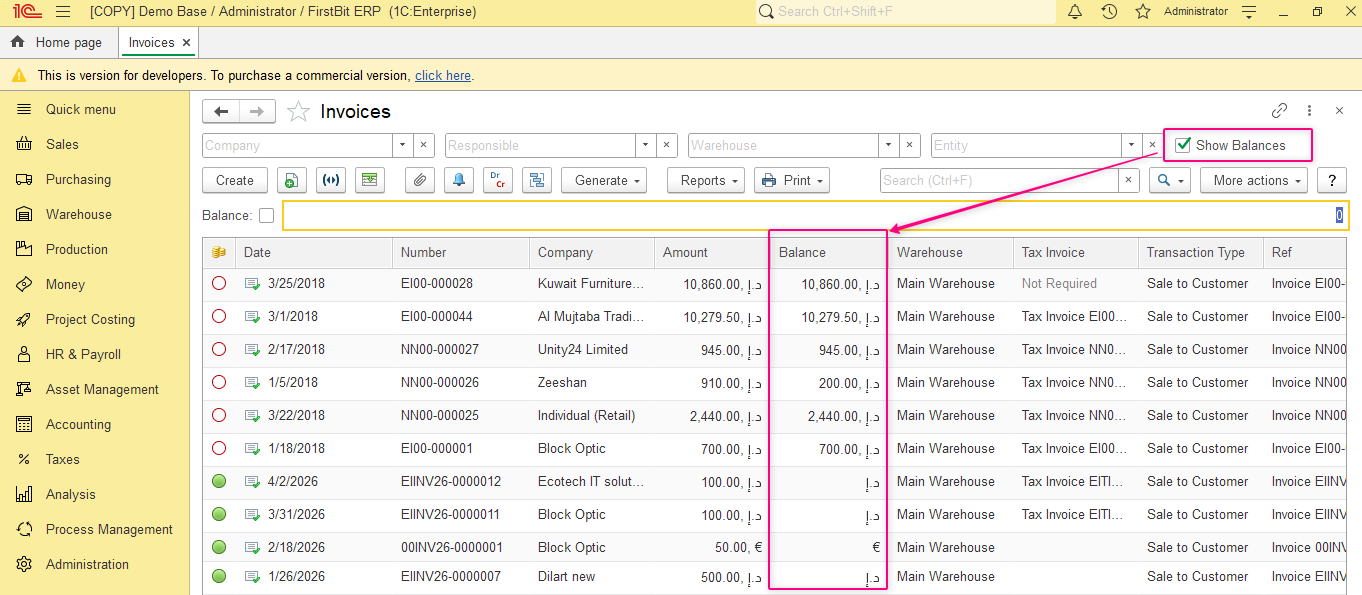
The Balance column displays the current remaining amount due for each document and allows users to analyze:
You can also configure filters for this column using appropriate comparison conditions.
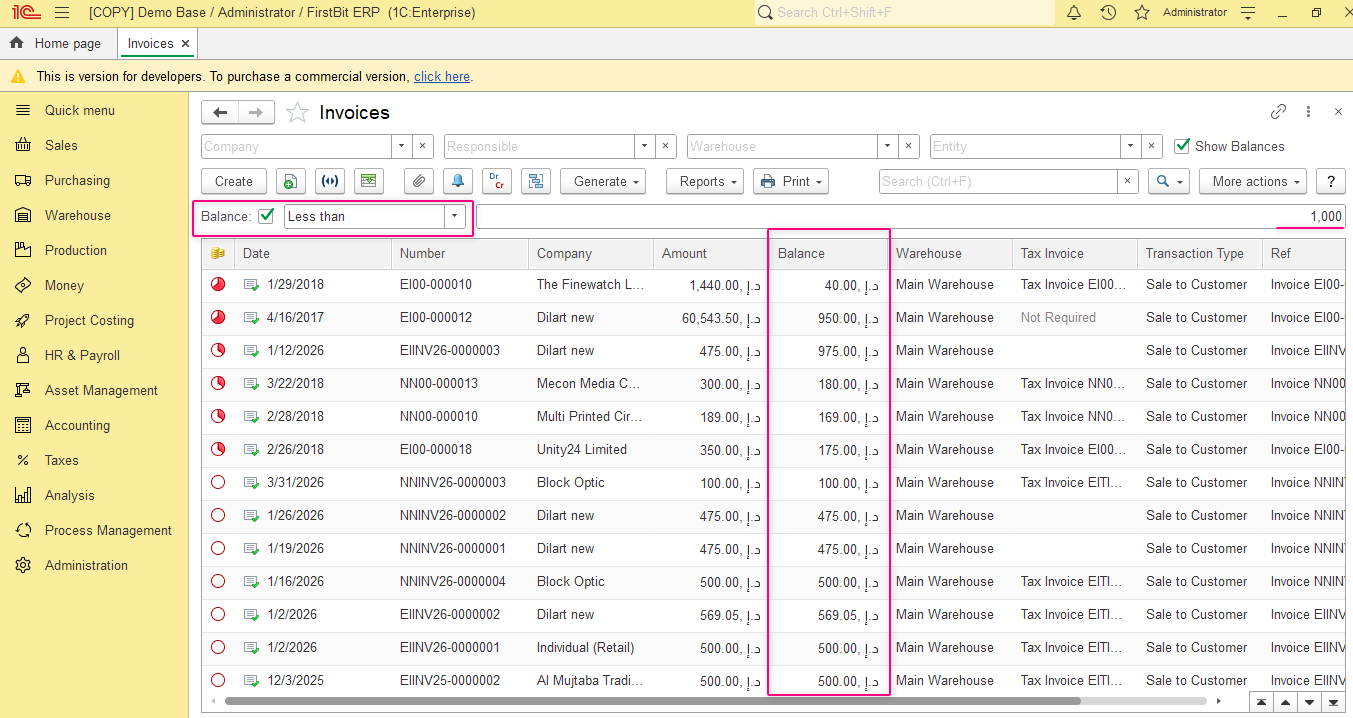
For additional information, refer to:
Generate the Statement of Settlements with Customers/Suppliers report from the Sales or Purchasing module.
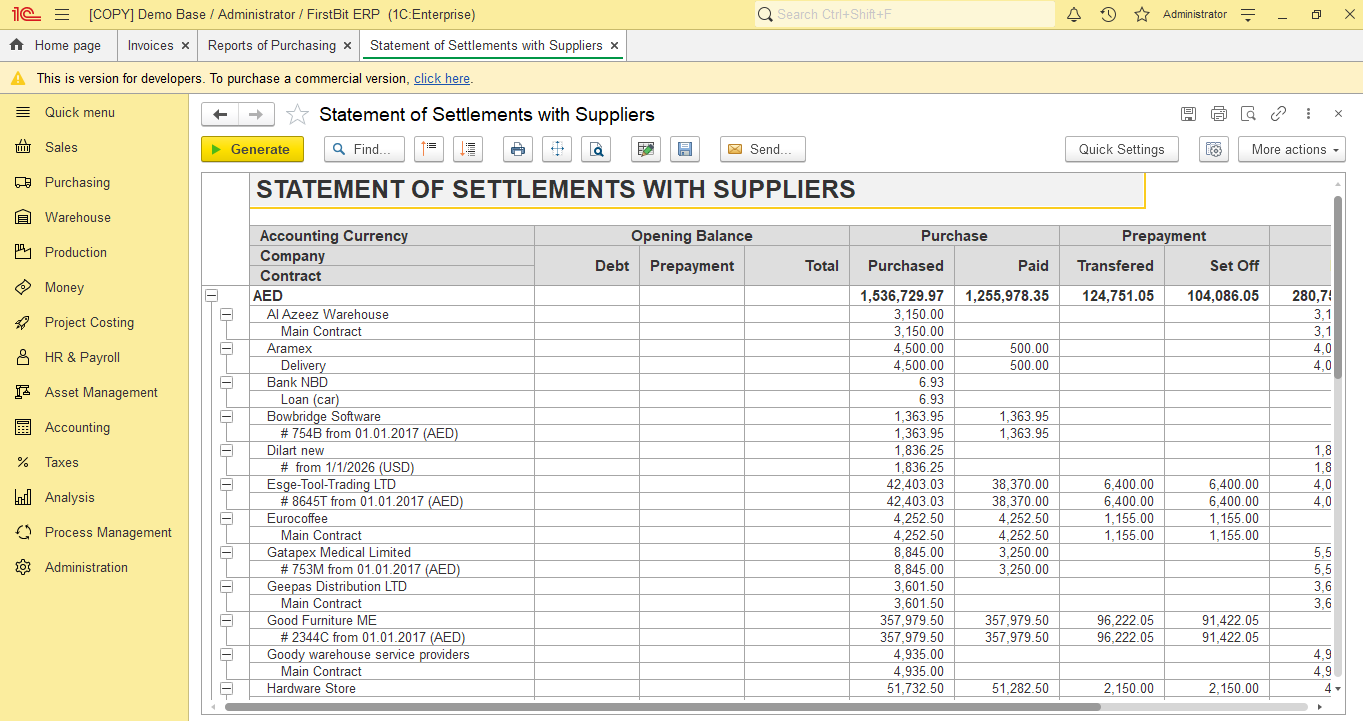
This report provides detailed information about:
Situation:
Based on Invoice document Credit Note was created (Inoice Correction or Goods Return transaction type) amount of initial document was corrected - but will it be visible with indicator?
Example:
initial Invoice:
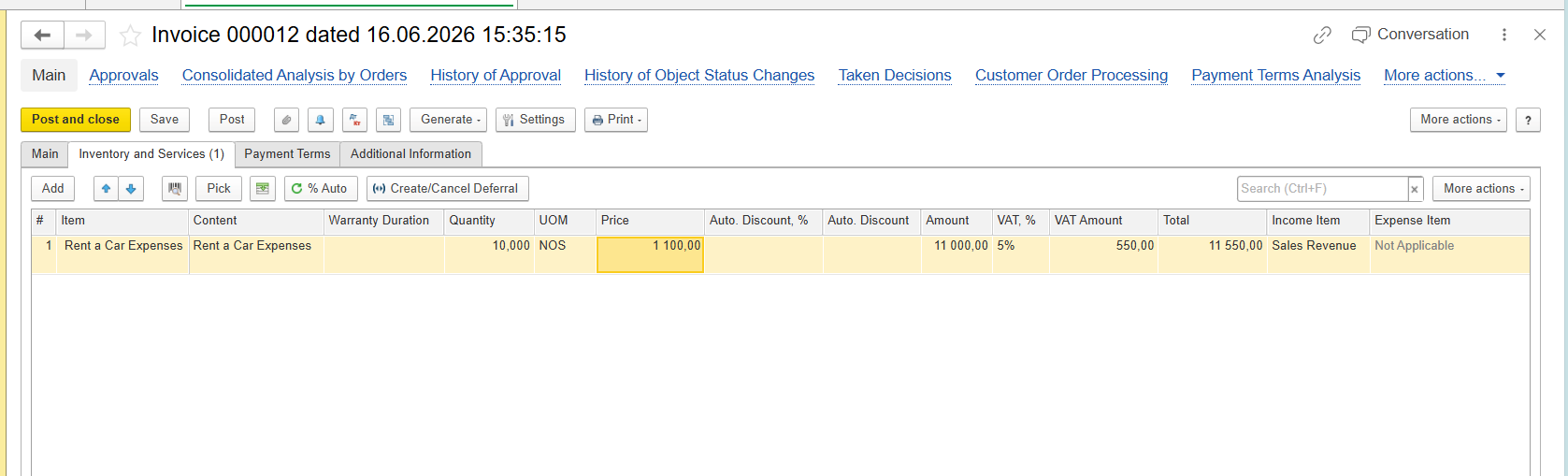
Credit Note:
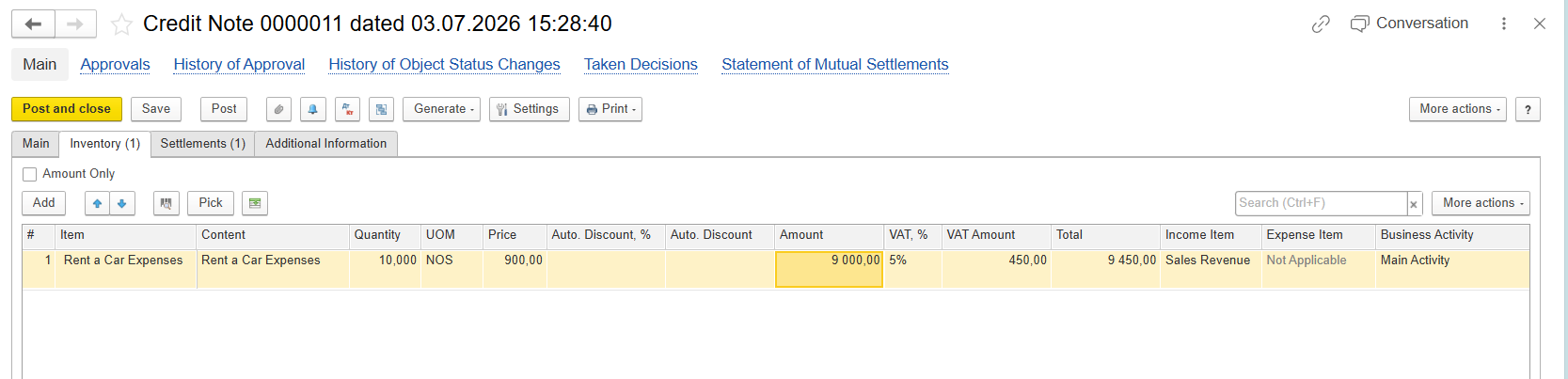
And setting on Settlements tab may have impact to payment indication.
When a Credit Note is created without the Advance option (on Settlements tab):
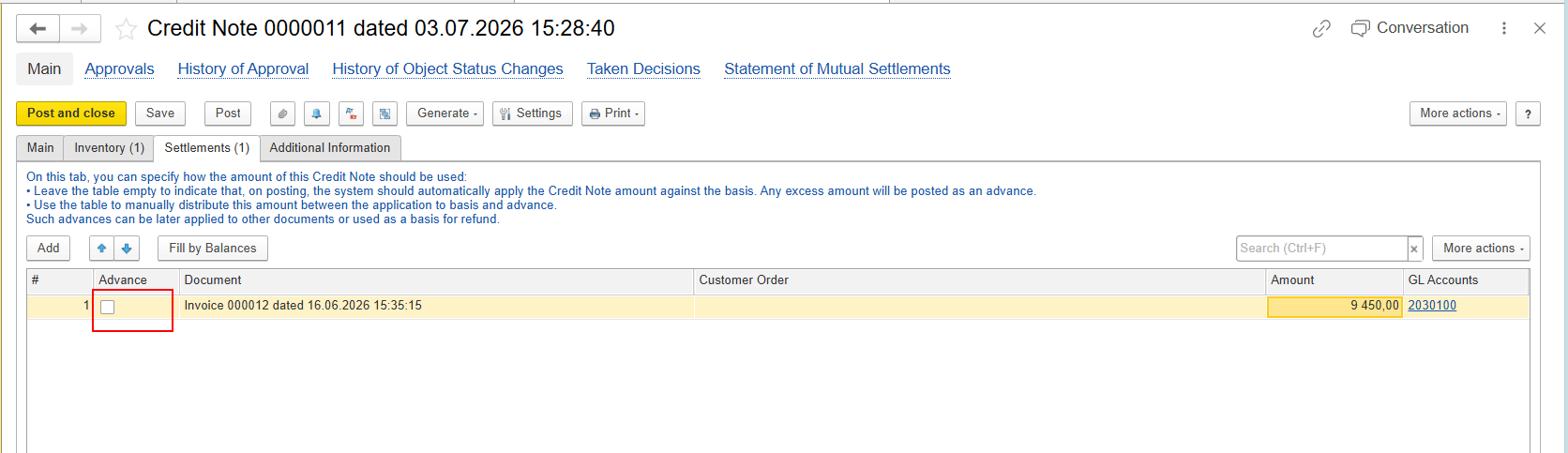
However, because both the Sales Amount and the Accounts Receivable Amount are reduced proportionally, the values remain equal. According to the implemented payment indicator algorithm, the Invoice continues to display the Not Paid status.
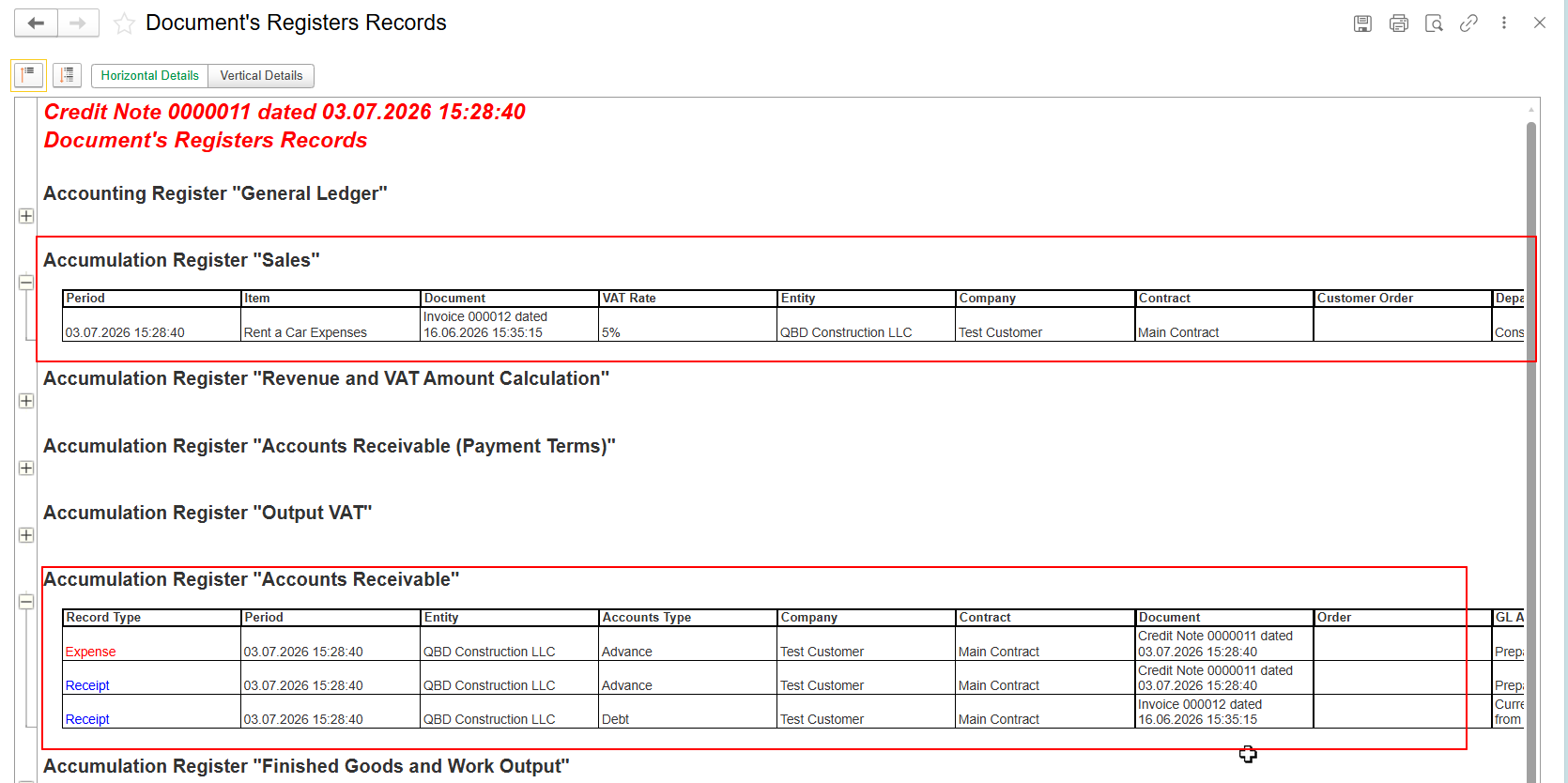
And indication:

This behavior is expected.
When the Advance option is selected:
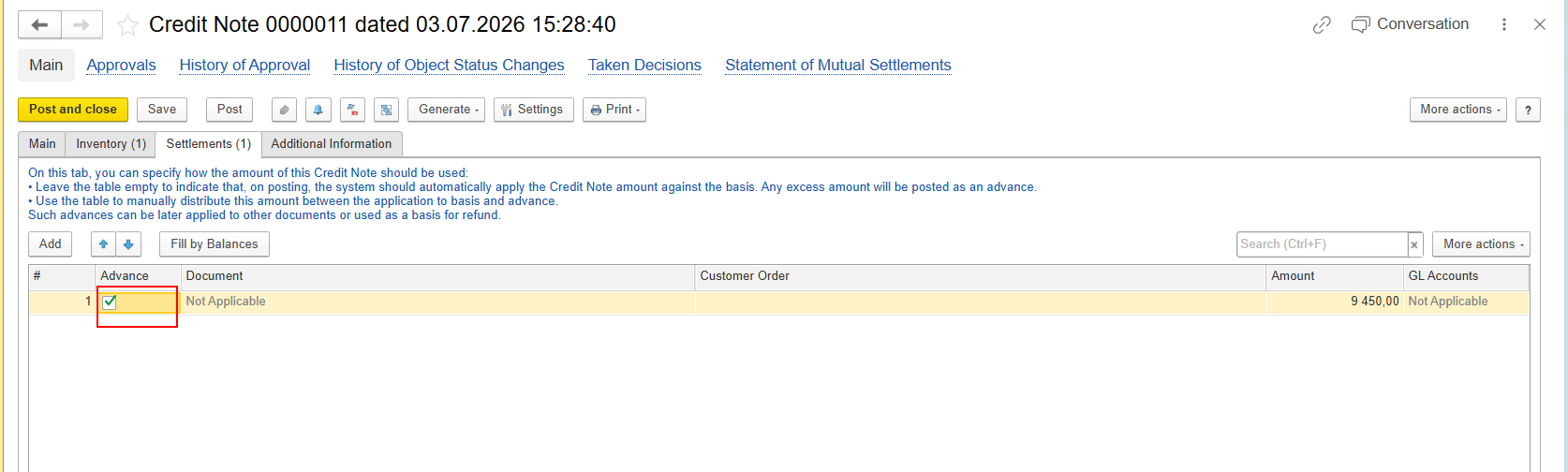
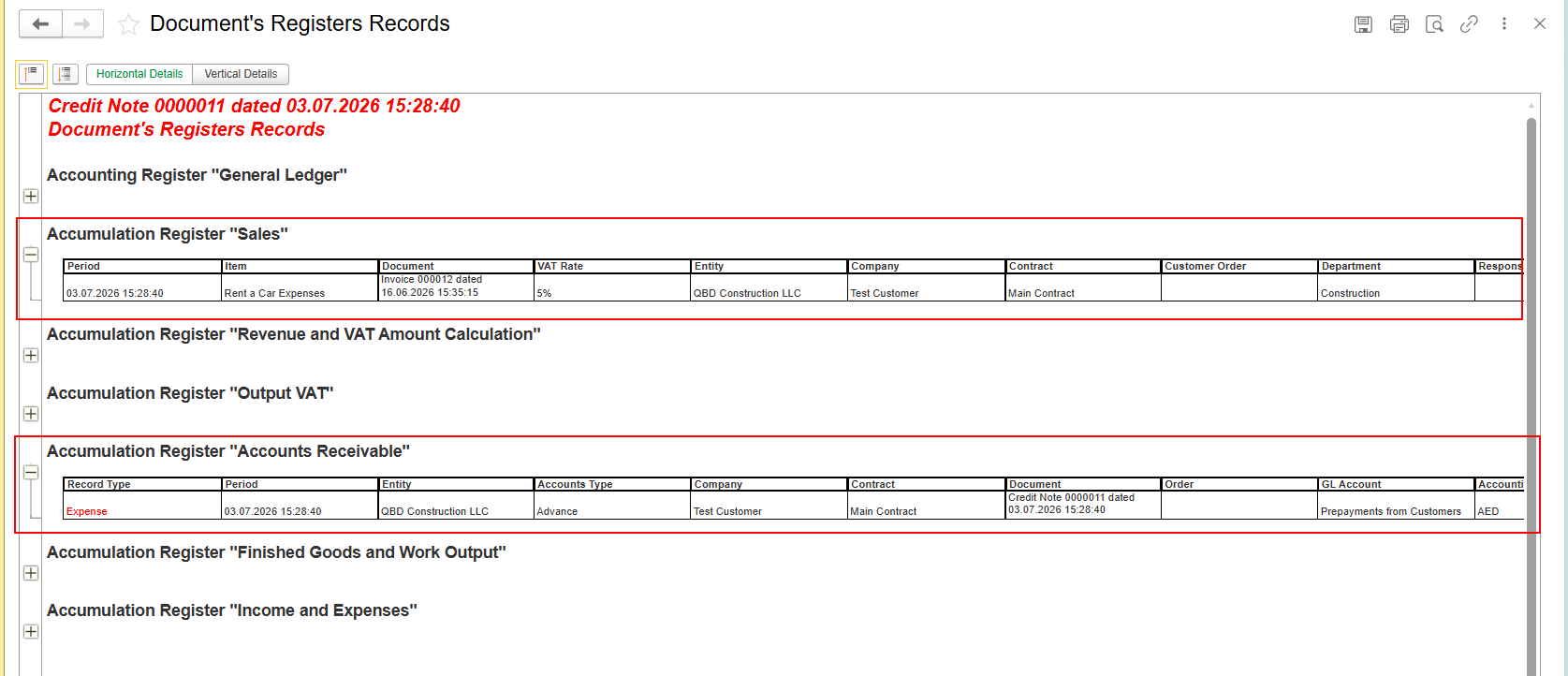
And indication:

This behavior is also expected.
The Payment Indicator should not be interpreted as the customer's outstanding balance. It provides a visual indication of the document settlement status but does not represent the actual amount due.
A Credit Note may reduce the remaining amount due while the payment status indicator remains unchanged, depending on how the document affects the values used in the payment status calculation.
To verify the actual outstanding balance, always refer to the Accounts Receivable information and settlement calculations rather than relying solely on the payment indicator.
The Invoice payment status indicator is calculated by comparing values from the Sales and Accounts Receivable registers.
Therefore:
this behavior is standard and is implemented identically in both FirstBIT Software.
Thank you for being FirstBIT Customer!