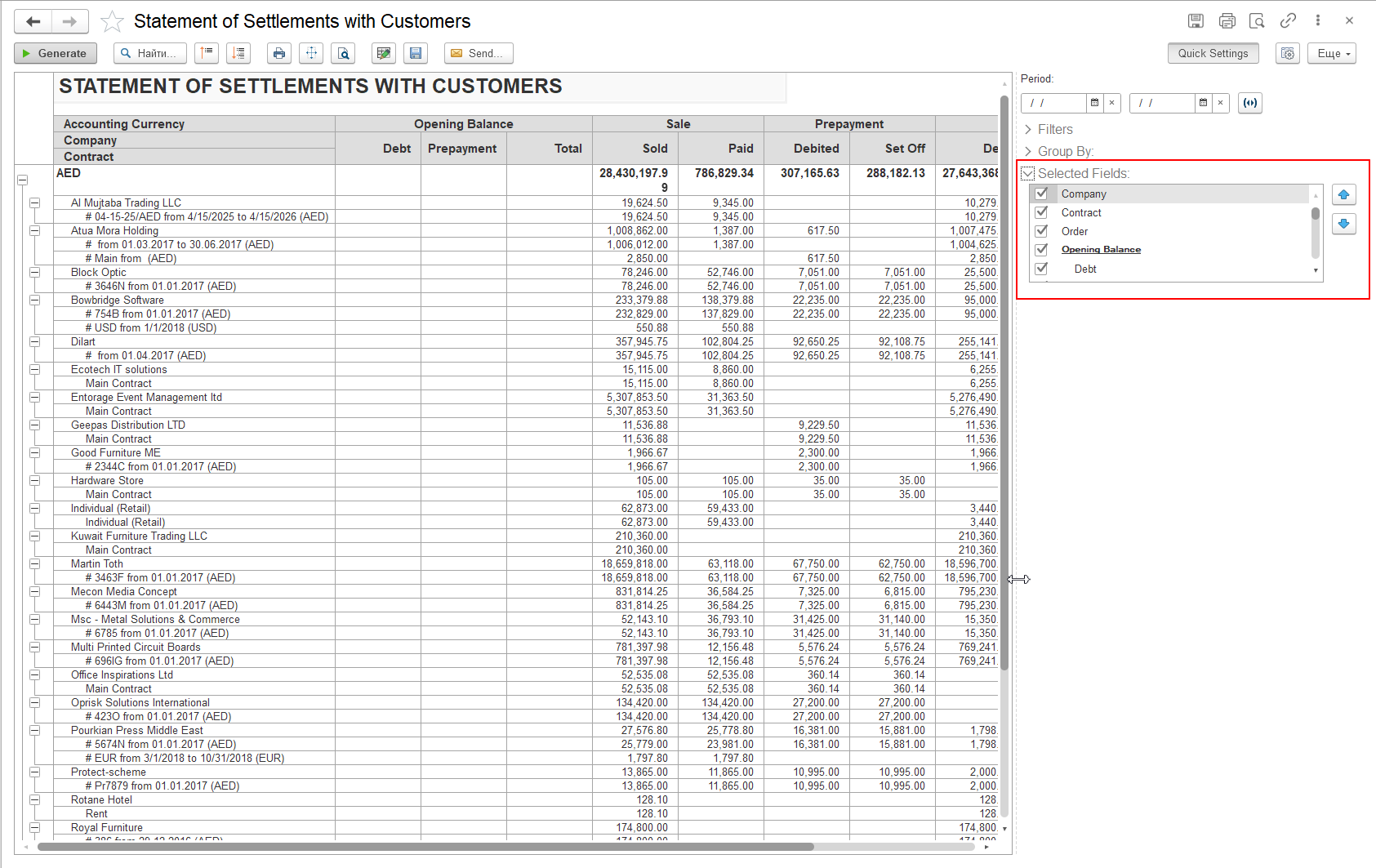
In FirstBIT ERP, many standard reports include a Quick Settings panel that allows users to quickly adjust report parameters without modifying report variants or report settings.
One of the available sections within this panel is Selected Fields, which enables users to control which columns are displayed in the report and in what order.
This functionality is particularly useful when a report contains a large number of indicators and the report header becomes extensive and difficult to review. By using Selected Fields, users can simplify the report layout and focus only on the information relevant to their business needs.
The Selected Fields section is located within the Quick Settings panel on the right side of the report screen.
Each available field is displayed with a checkbox:
To modify the report structure:
The report will be regenerated according to the selected settings.
Users can also control the sequence in which columns appear in the report.
To change the order of fields:
The order defined in this section directly determines the order of columns displayed in the report.
The Selected Fields functionality provides several advantages:
This functionality is especially convenient when working with reports that contain a large number of columns. With just a few clicks, users can significantly simplify the report structure by keeping only the fields required for their analysis.
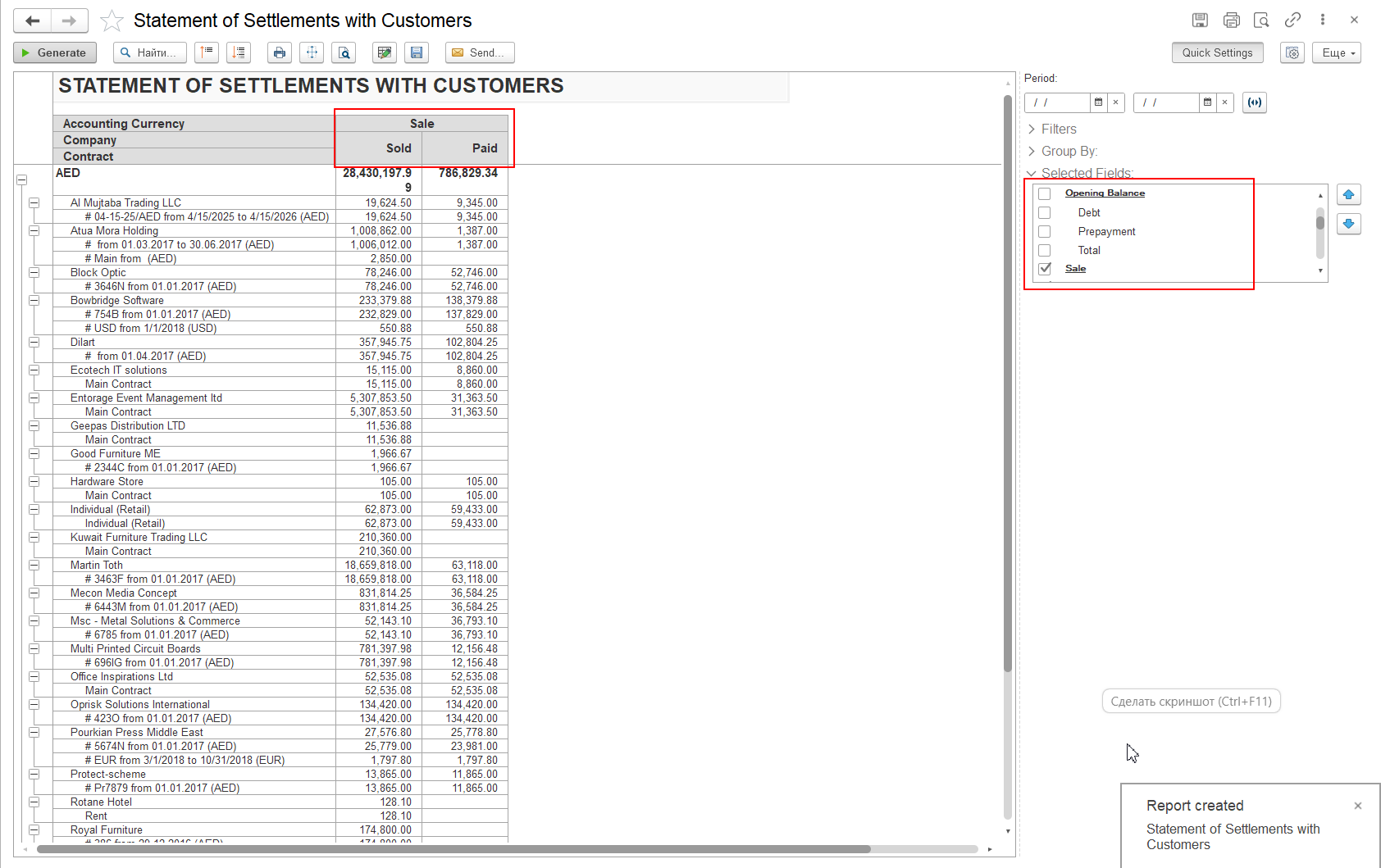
In the Statement of Settlements with Customers (Multi-Currency) report, a user may only need to analyze invoiced amounts.
Instead of displaying all settlement indicators, the user can leave only the Sold group fields selected and remove unnecessary columns such as Opening Balance or Prepayment and Closing Balance.
As a result, the report becomes easier to review, navigate, and analyze.
The Selected Fields section is available in various standard reports of the FirstBIT ERP configuration. Depending on the report, the list of available fields may differ.
Together with other sections of the Quick Settings panel, such as Filters and Group By, this functionality provides users with a flexible way to customize report presentation and quickly adapt standard reports to different business scenarios.
Similar settings are also available in reports from the Project Costing section, including the Project Cost Analysis, Financial Analysis of Projects, Overview of Projects report and other reports with complex structures. Since these reports may contain a large number of analytical dimensions and indicators, the Selected Fields functionality becomes particularly useful. Users can quickly simplify report presentation by displaying only the fields required for analysis and arranging them in the most convenient order.
Thank you for being FirstBIT customer!