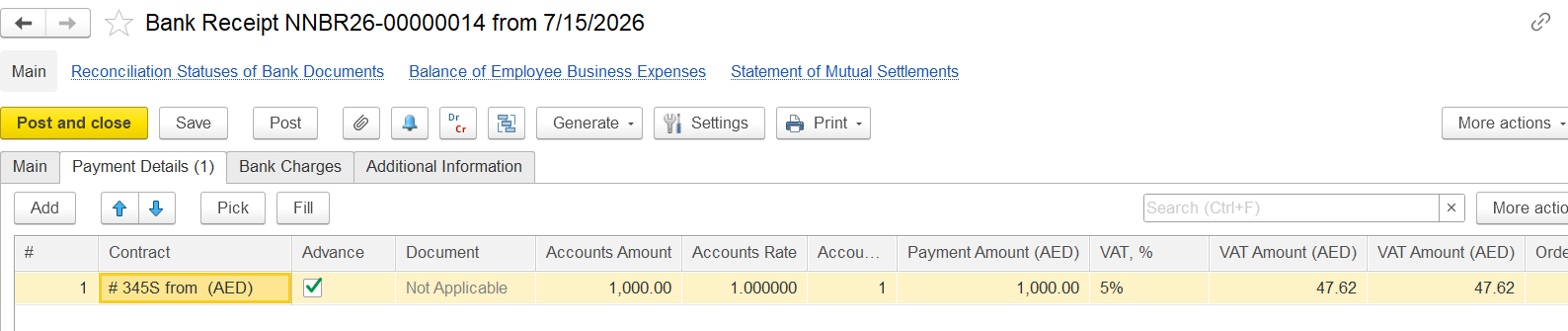
Assume you have received an advance payment of AED 1,000 (VAT inclusive at 5%), and you need to reduce the output VAT previously recognized for this advance.
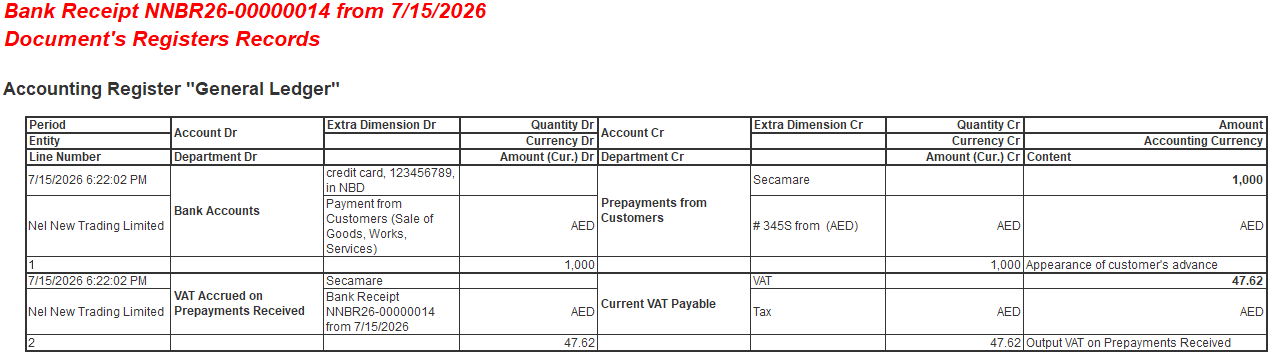
The accounting entries are as follows:
Dr Bank Accounts — Cr Prepayments from Customers — AED 1,000
Dr VAT Accrued on Prepayments Received — Cr Current VAT Payable — AED 47.62
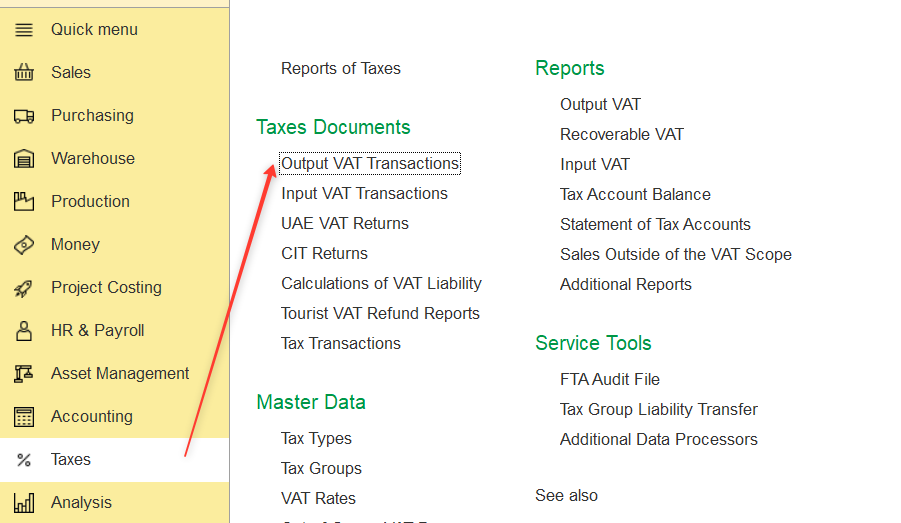
2. Create a new document.
3. Specify:
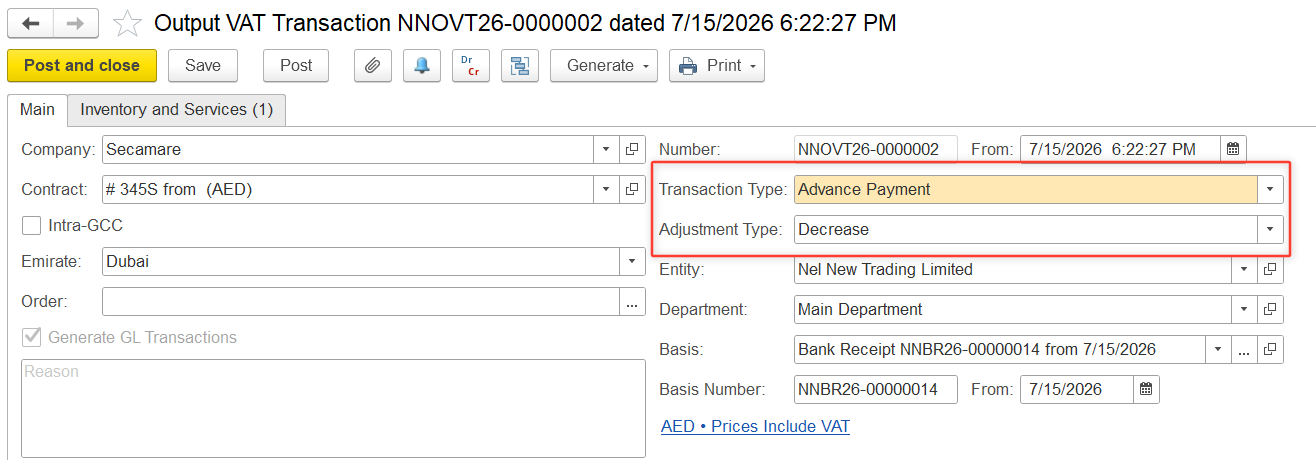
4. On the Inventory and Services tab, click Add and enter the transaction details:

5. Click Post to save and post the document.
The system will reverse the VAT previously recognized on the advance payment.
The following journal entry will be generated:
Dr Current VAT Payable — Cr VAT Accrued on Prepayments Received — AED 47.62
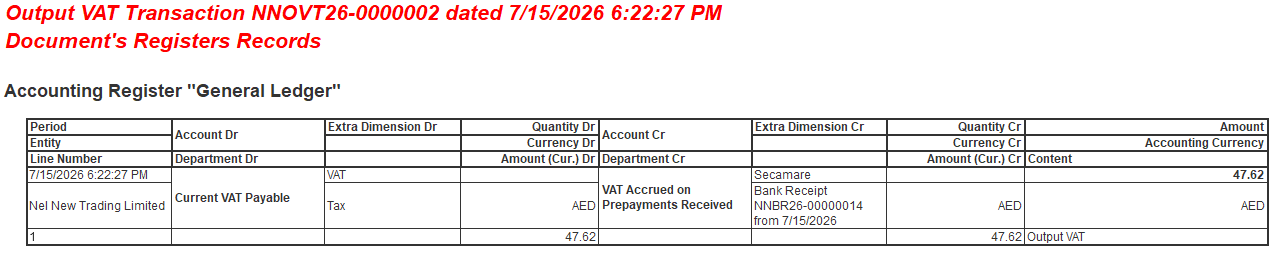
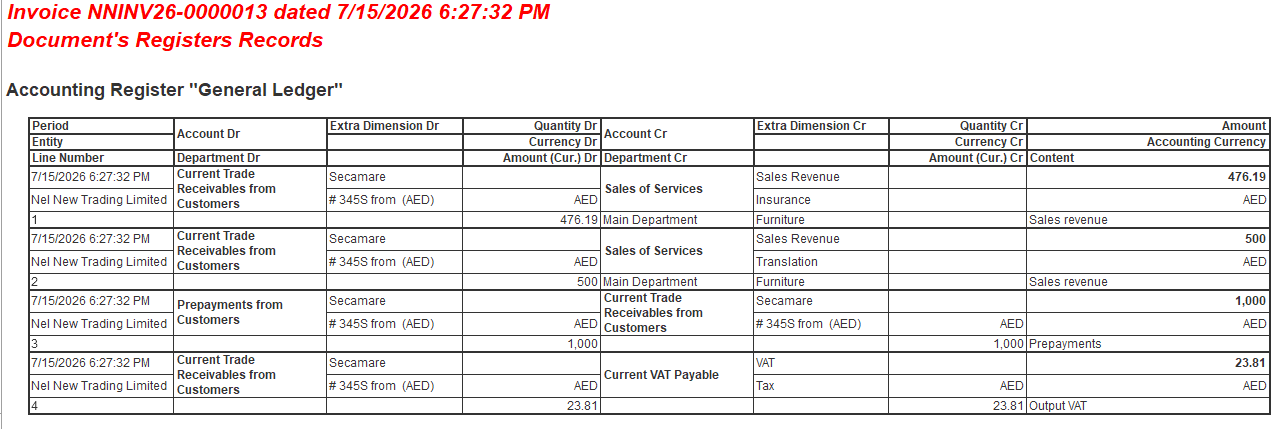
Later, when the advance payment is allocated to the Invoice Issued, the system will recognize that the VAT on the advance payment has already been reversed.
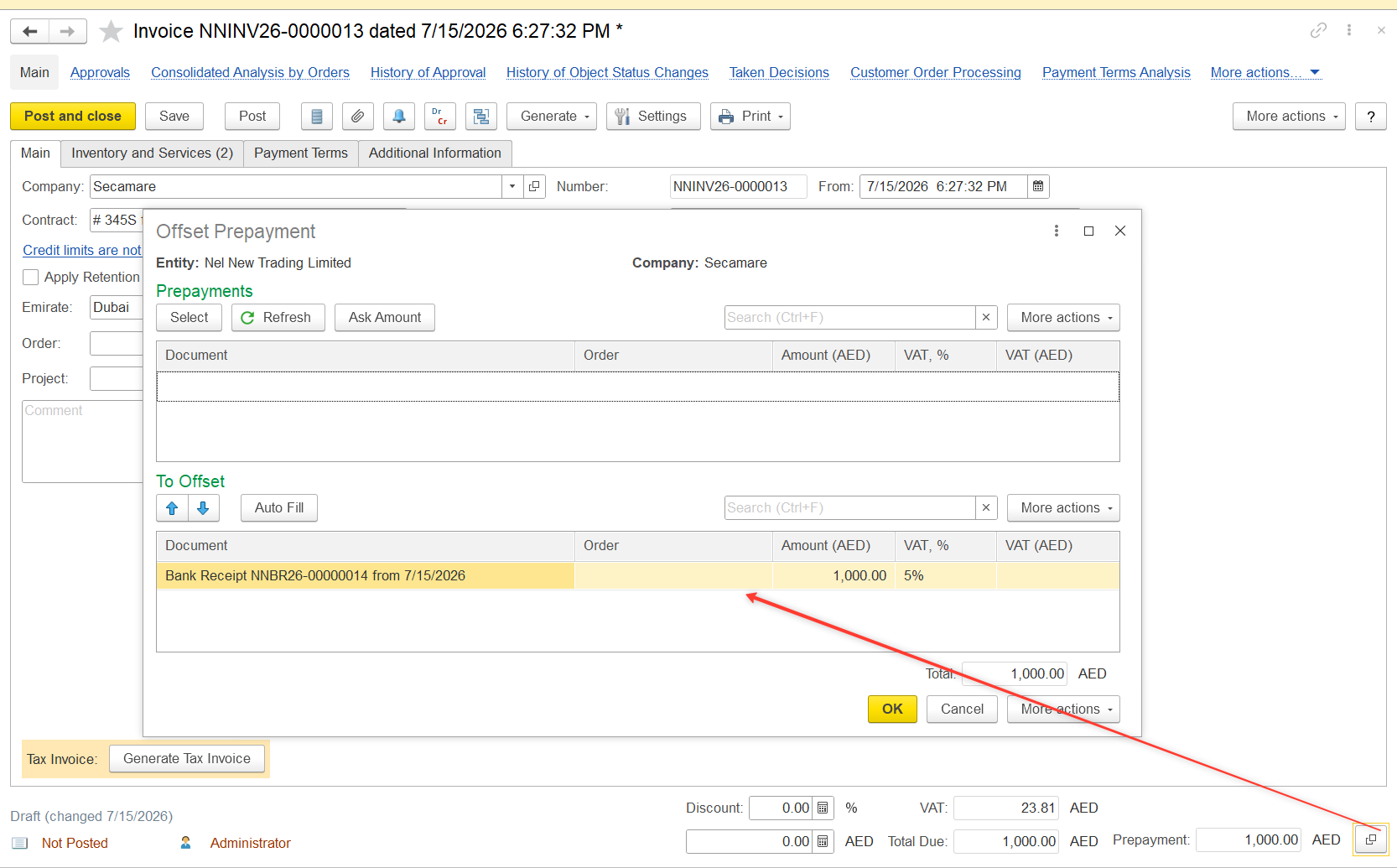
As a result, no additional posting to the VAT Accrued on Prepayments Received account will be generated during the allocation of the advance payment.
Thanks for being a Firstbit Customer!
#VATAdjustment #OutputVAT #AdvancePayment #Prepayment #OutputVATTransaction #VATDecrease #CurrentVATPayable #VATAccruedOnPrepaymentsReceived #TaxDocuments