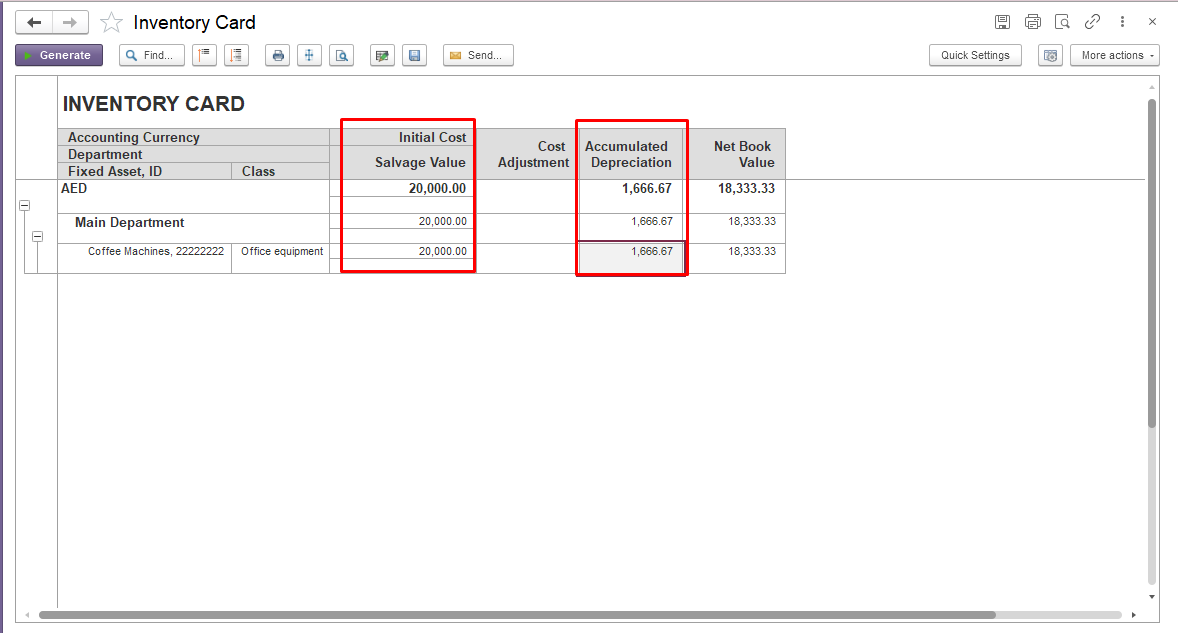
Fixed asset depreciation is calculated automatically during the Month-End Closing procedure based on the depreciation parameters specified for the asset, including (acquisition cost, useful life, depreciation method, etc.).
During the Month-End Closing procedure, the system automatically creates the Fixed Asset Depreciation document. If required, the user can manually adjust the depreciation amount in this document for a specific accounting period.
For more information about fixed asset depreciation, refer to the following guide The Fixed Asset Depreciation documents.
Example
Initial data
System Logic
When the depreciation amount is manually changed for a specific month.
1. The adjustment affects only that accounting period. The system does not automatically recalculate depreciation amounts for future periods.
In February, the user manually changes the depreciation amount in the Fixed Asset Depreciation document from the calculated amount of 1,666.67 to 2,000.00. As a result, February depreciation is recorded as 2,000.00 instead of 1,666.67.
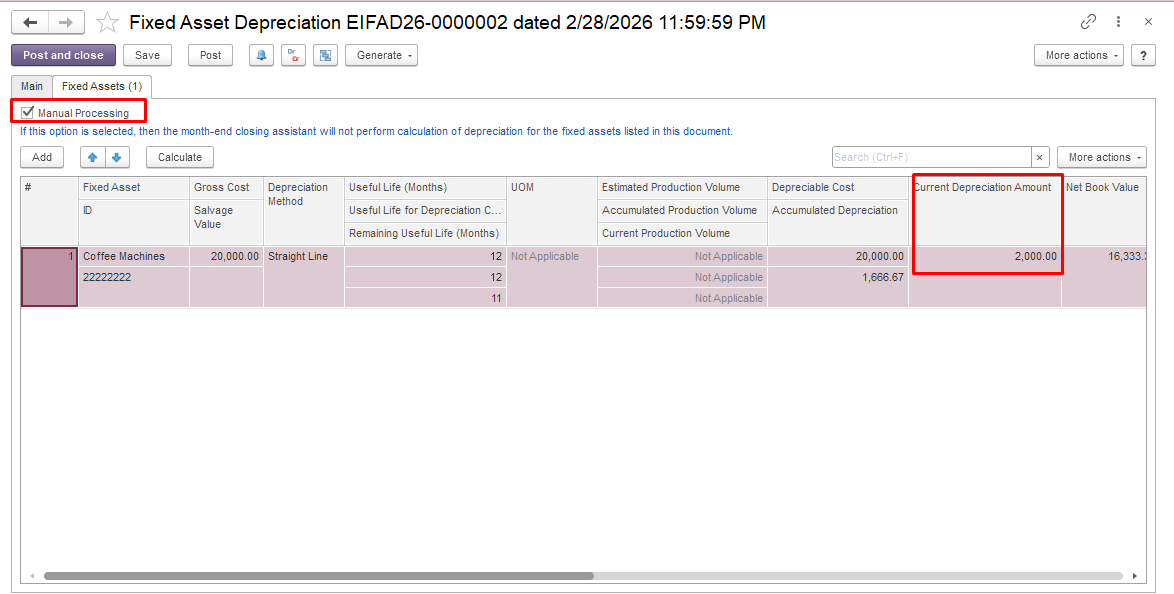
In March, the system calculates depreciation during the Month-End Closing procedure based on the original fixed asset parameters, and the depreciation amount is 1,666.67.
The system continues calculating depreciation using the standard calculation rules.
For example, if the user manually sets depreciation to 50% of the calculated amount in November, this adjustment applies only to November.
The system does not automatically restore the missing depreciation in December or any subsequent periods. Depreciation continues to be calculated according to the standard depreciation schedule, based on the updated asset balances after the manual adjustment.
Manual adjustments to depreciation:
Note: Manual depreciation adjustments should only be performed when required by accounting policy or business requirements.