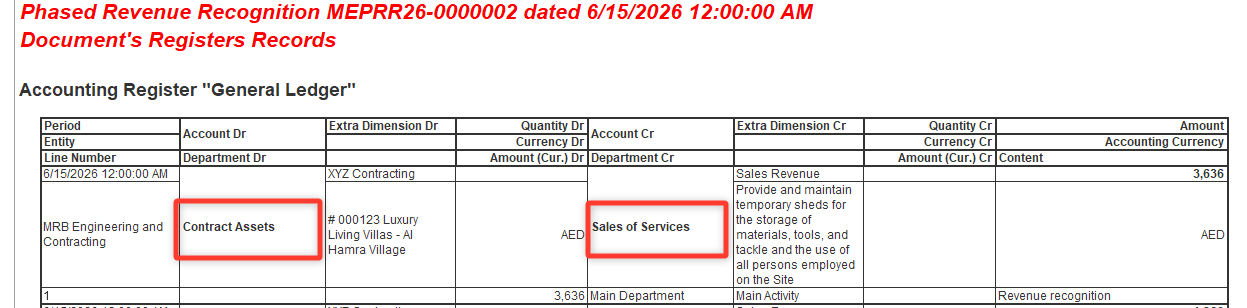
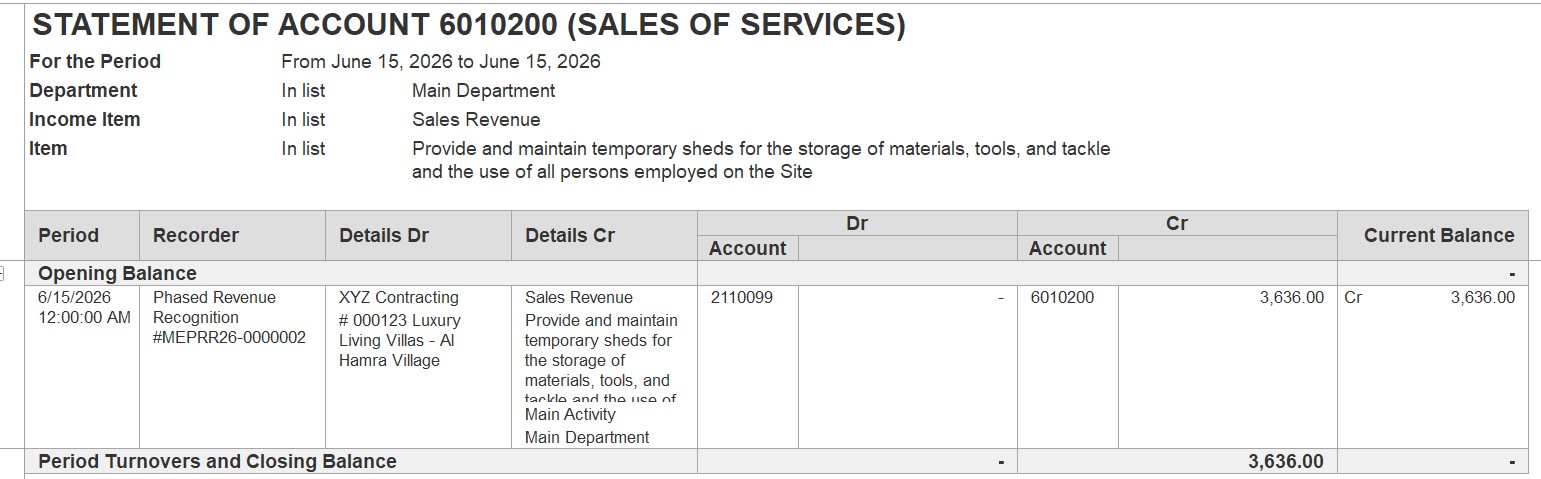
When Phased Revenue Recognition is performed, the following entry is created:
Dr Contract Assets – Cr Sales of Services
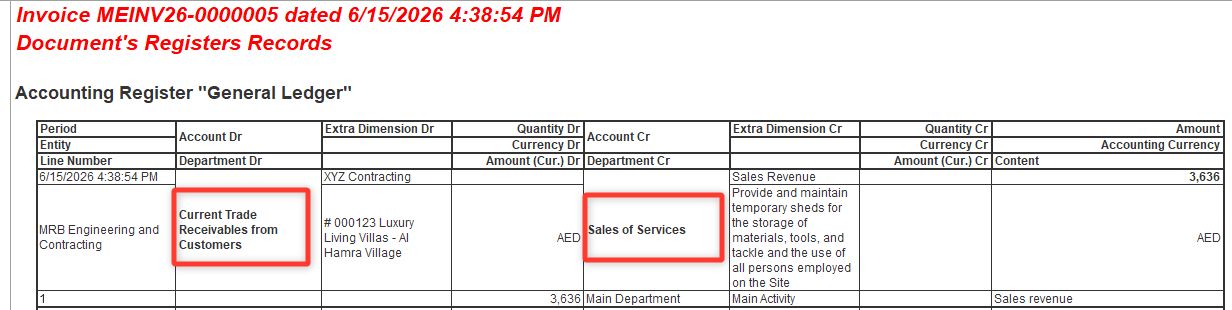
When an Invoice is created directly from Phased Revenue Recognition or Project Estimates, the following entry is generated:
Dr Current Trade Receivables from Customers – Cr Sales of Services
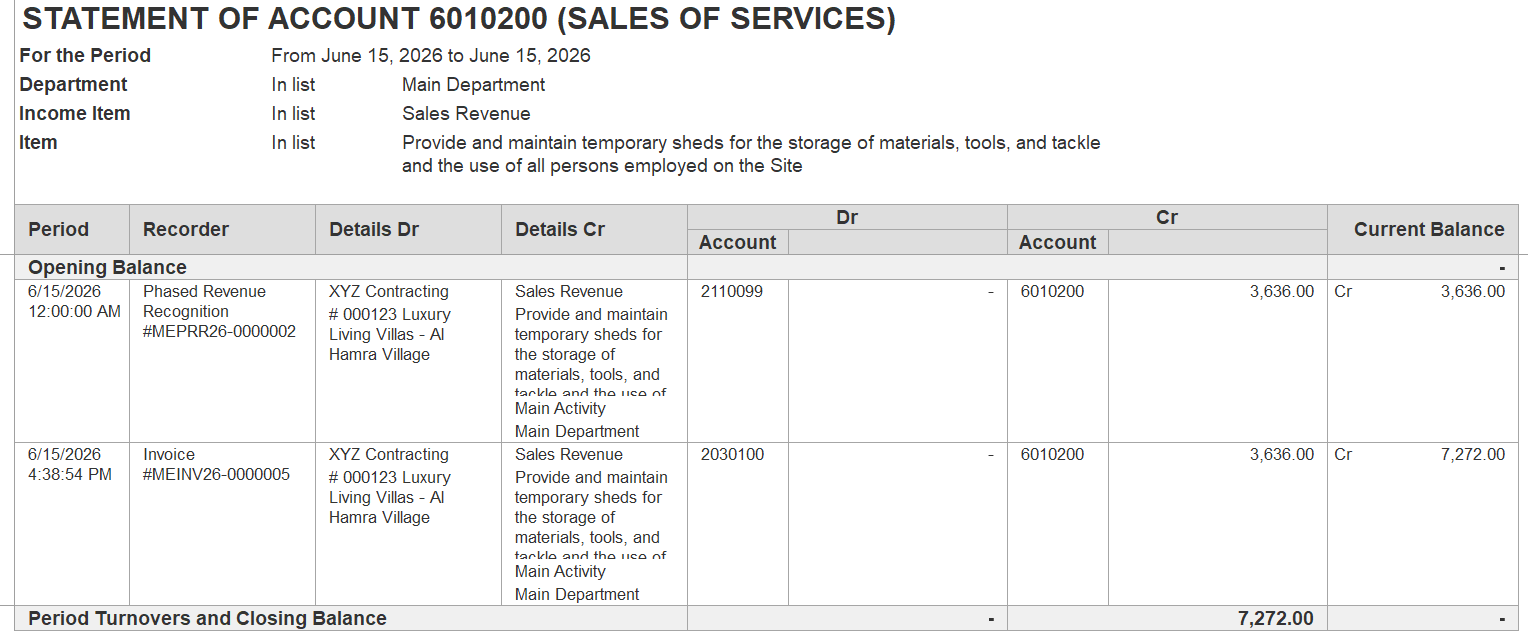
As a result, revenue may be recognized twice: first through Phased Revenue Recognition and then again through the Invoice.
If the contract allows partial revenue recognition, it is recommended not to create Invoices directly from Phased Revenue Recognition or Project Estimates.
Instead, use the following process:
Step 1. Create a Phased Revenue Recognition with the following entry:
Dr Contract Assets – Cr Sales of Services
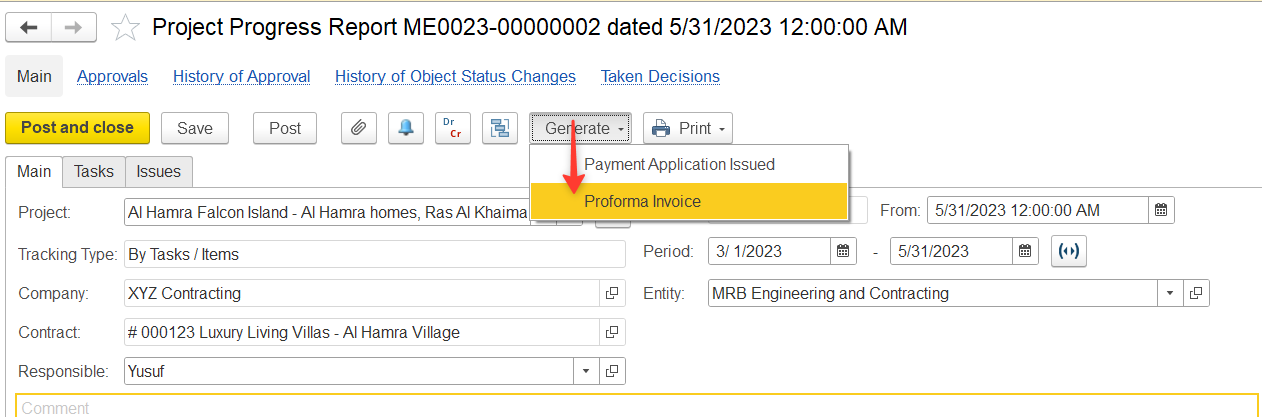
Step 2. Create a Proforma Invoice based on the Project Progress Report.
Step 3. Create the final Invoice using the Proforma Invoice as the basis document.
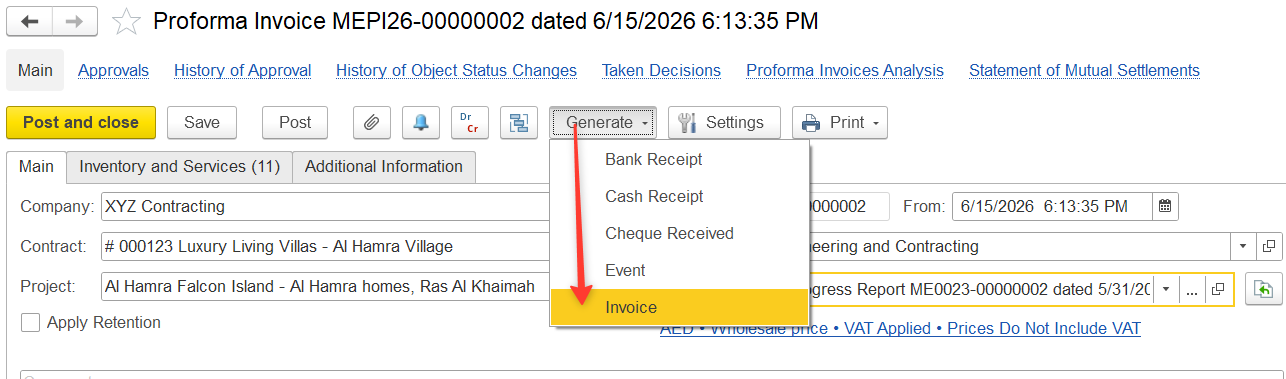
When the Invoice is generated from the Proforma Invoice, the system transfers the previously recognized revenue from Contract Assets to Accounts Receivable:
Dr Current Trade Receivables from Customers – Cr Contract Assets
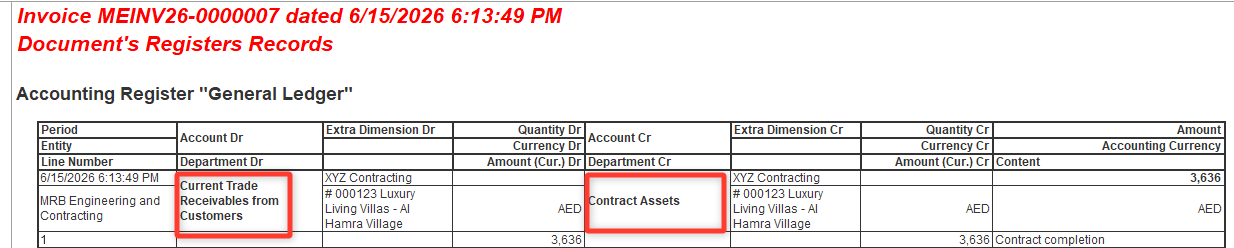
This ensures that the amount is transferred from Contract Assets to Accounts Receivable without recognizing revenue a second time.
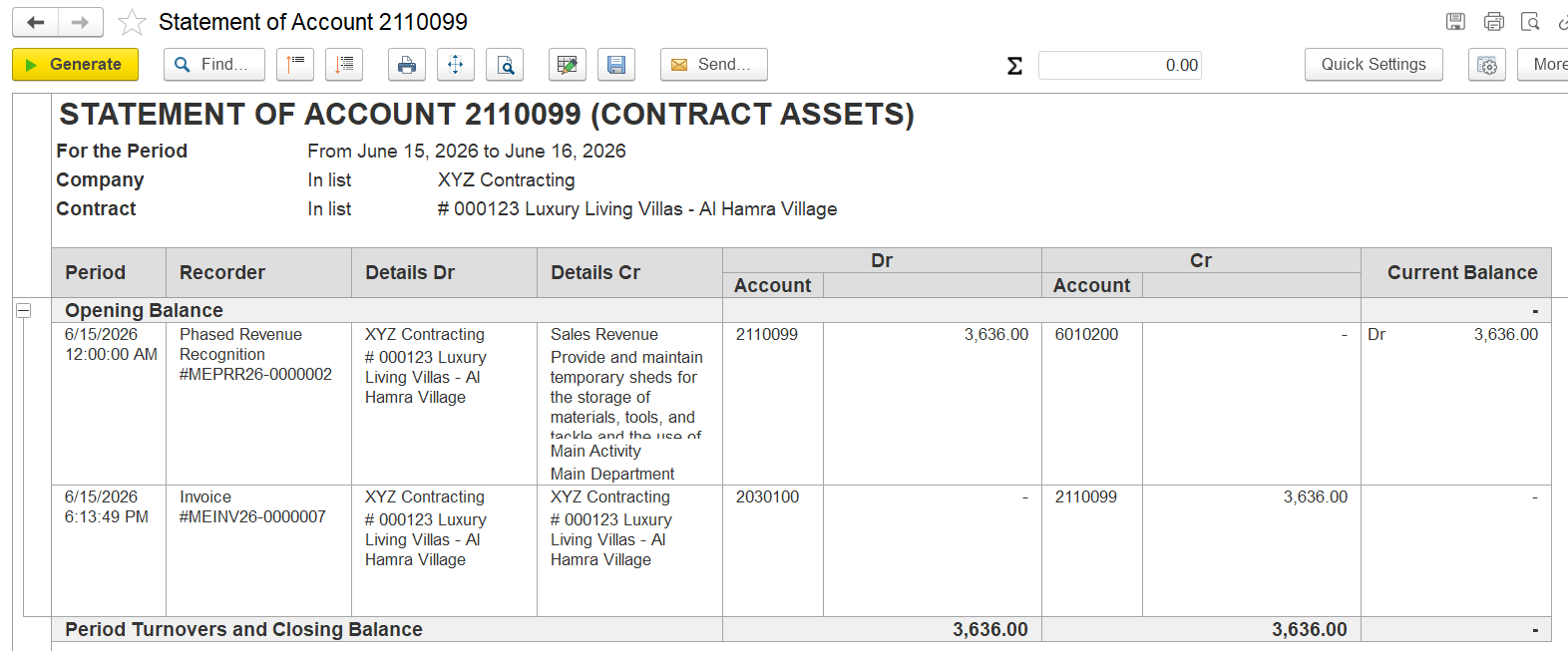
The Statement of Accounts report will display the receivable correctly, while revenue will be recognized only once.
Thanks for being a Firstbit Customer!
#PhasedRevenueRecognition #RevenueRecognition #ContractAssets #ProformaInvoice #Invoice