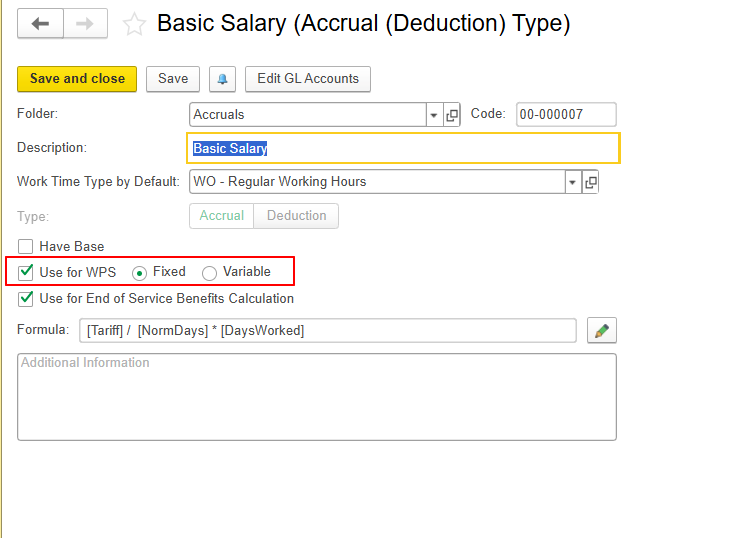
This article applies to FirstBIT Contracting v2.1.1.32 and later.
Starting from FirstBIT Contracting v2.1.1.32, the WPS employee selection logic has been updated.
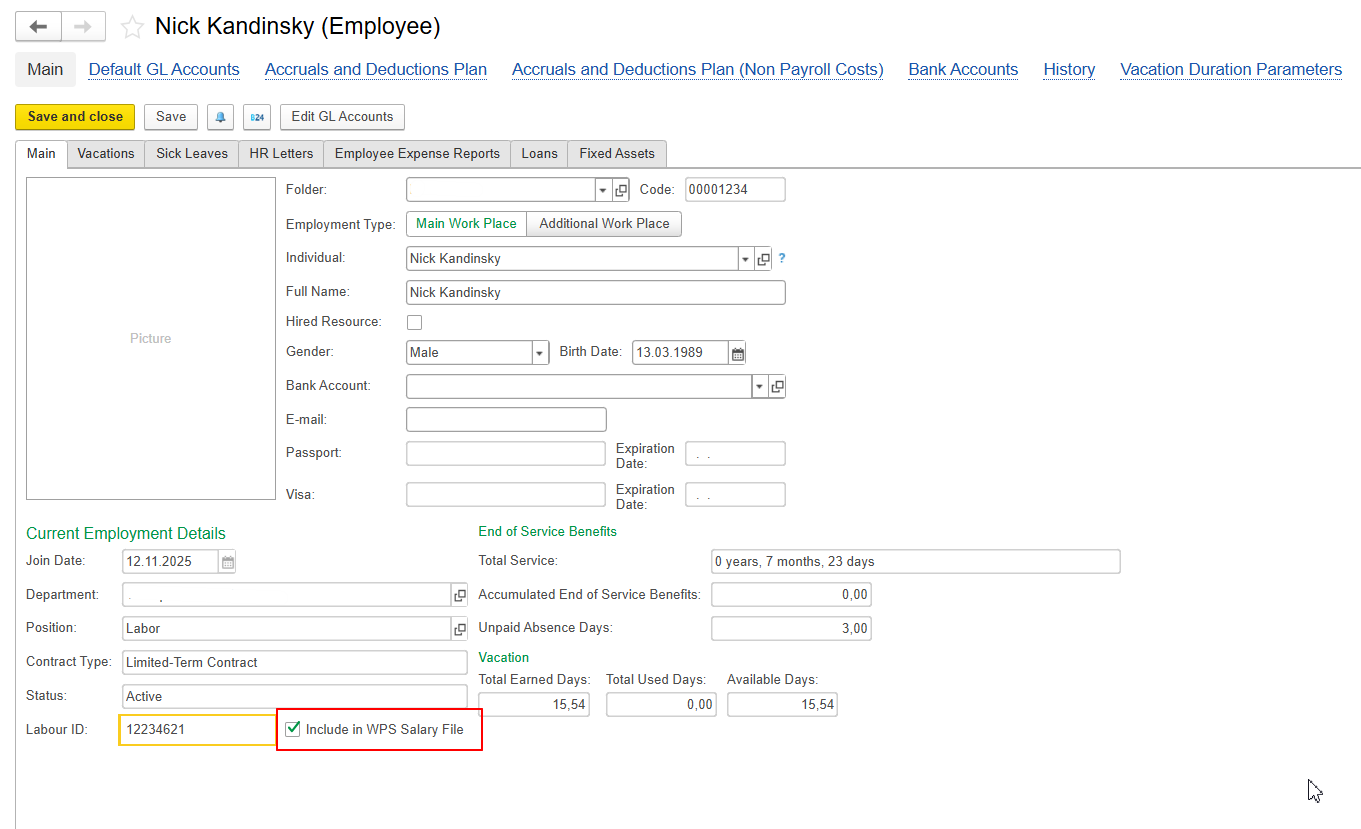
A new employee-level option, Include in WPS Salary File, has been introduced to provide better control over which employees should be included in the WPS file.
Previously, only the Use for WPS option in the payroll accrual type was required. Any employee assigned to an accrual with this option enabled was automatically included in the WPS file.
With the updated functionality, employees must also be explicitly marked by enabling the Include in WPS Salary File option in their employee card.
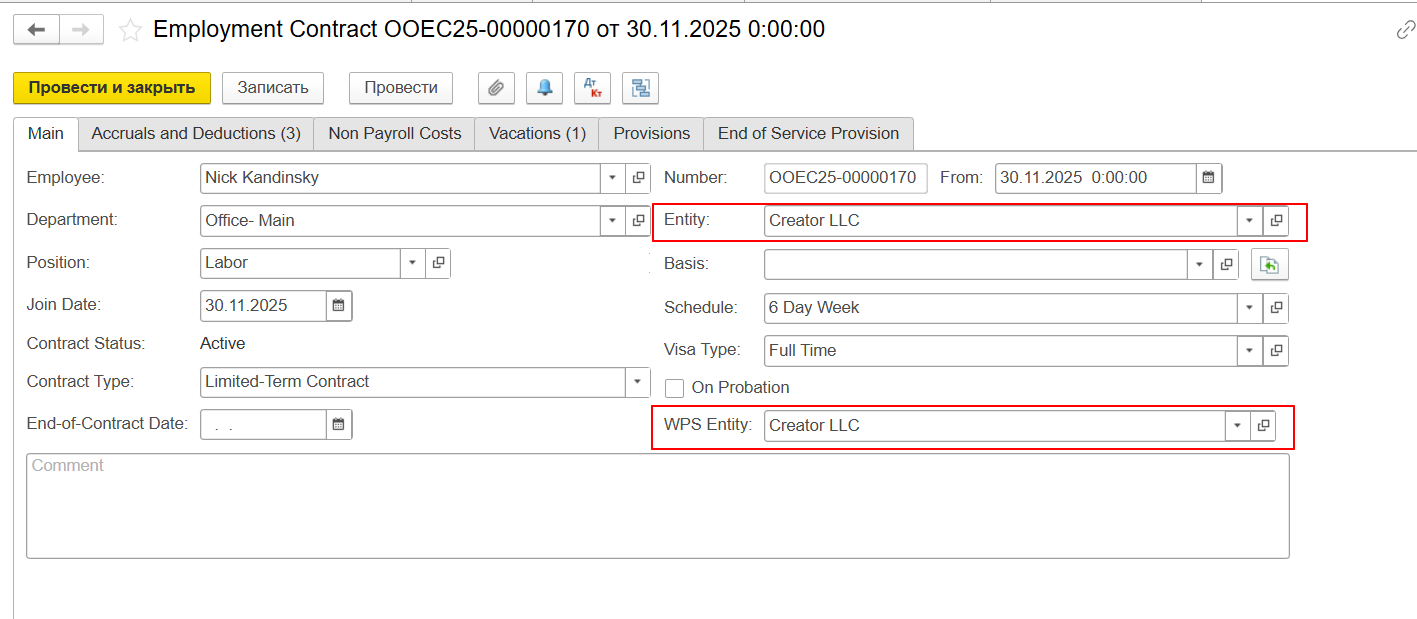
And it is also important control WPS Entity should be same with Entity for salary amounts calculations - if it is not same, system will not auto populate amounts in WPS file:
Employees with this options enabled will now be included in the WPS file.
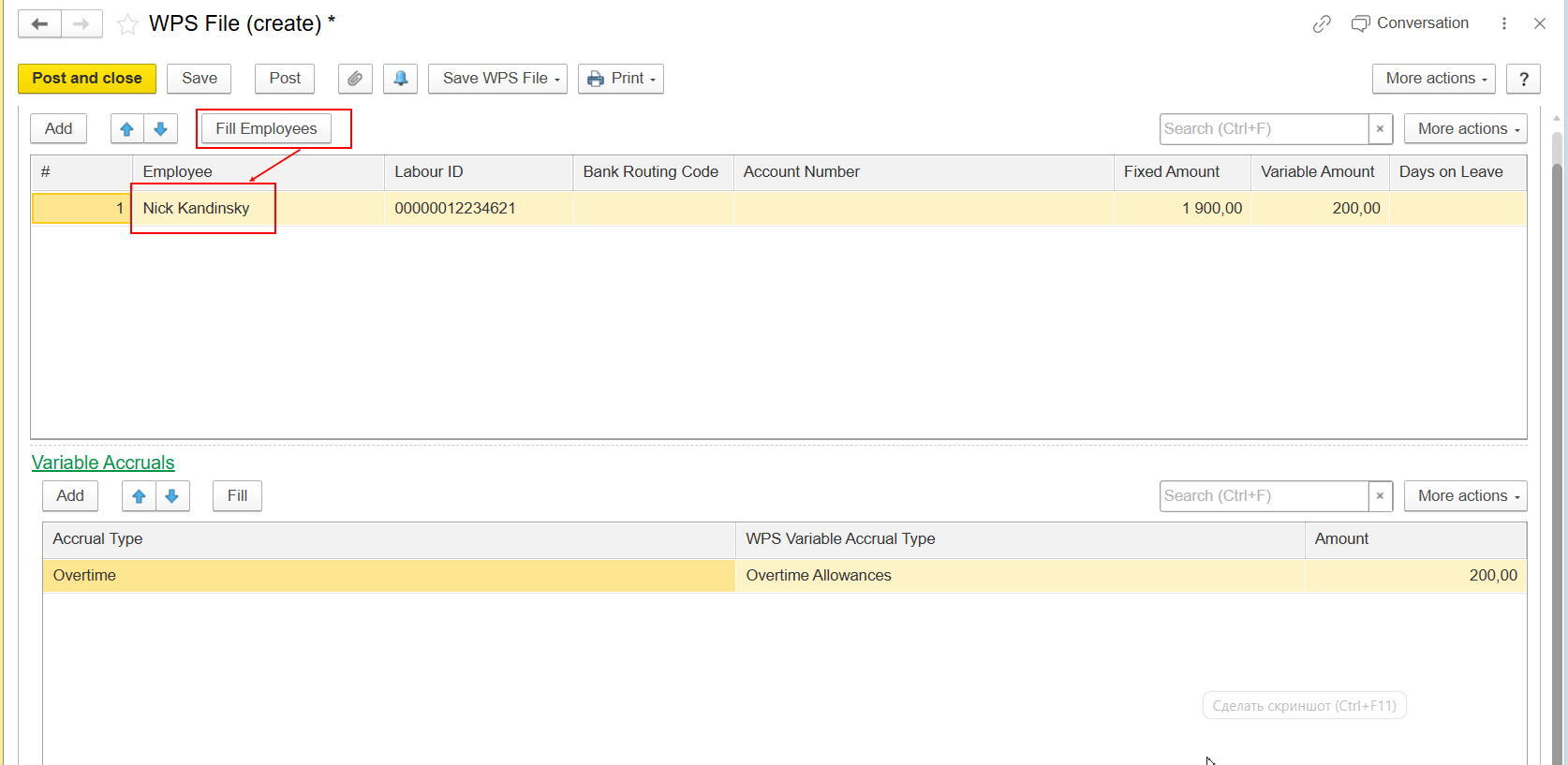
This enhancement was introduced in FirstBIT Contracting v2.1.1.32 and later to provide more granular control over WPS file generation. The new functionality introduces a two-level control for WPS file generation. An employee must first be explicitly included in the WPS file by enabling the Include in WPS Salary File option in the employee card. Once enabled, the Use for WPS setting on individual payroll accrual types determines which of the employee's accruals are included in the WPS file.
Thank you for being FirstBIT Customer!