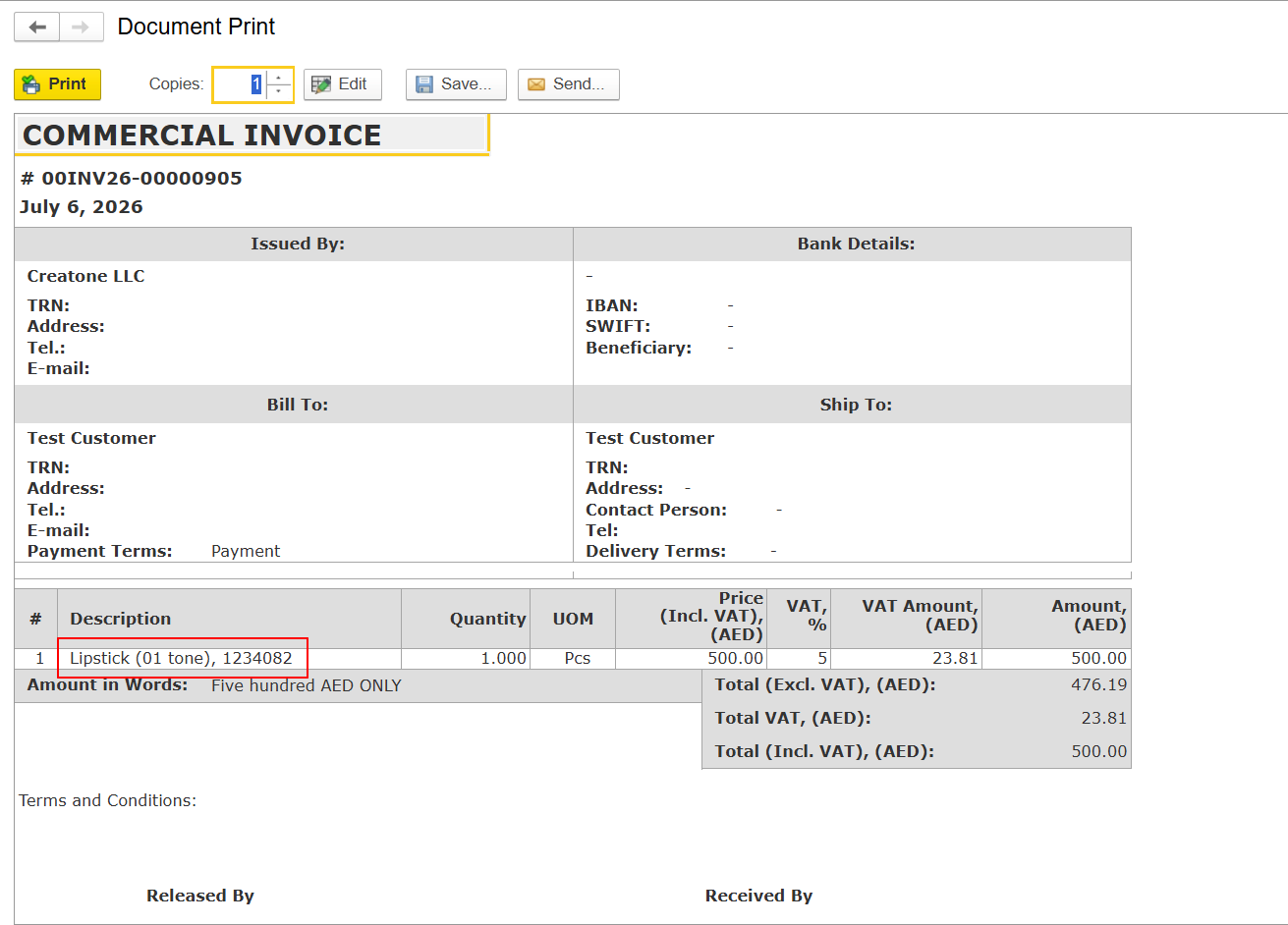
The behavior described below applies to all standard FirstBIT Software configurations.
In standard print forms (such as Invoice, Invoice Received, Credit Note, Tax Invoice, Tax Credit Note, and others), the Description field is not populated from the document line's Item field.
Instead, the Description field is populated from the Content field of the document line.
When an item is added to a document, the Content field is automatically populated using information from the item master.
By default, the Content field consists of:
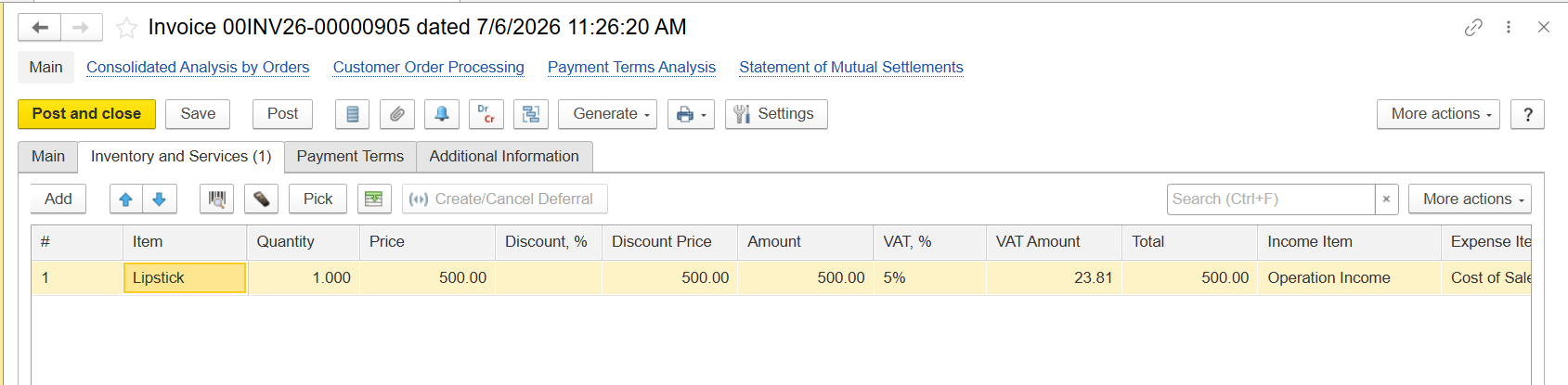
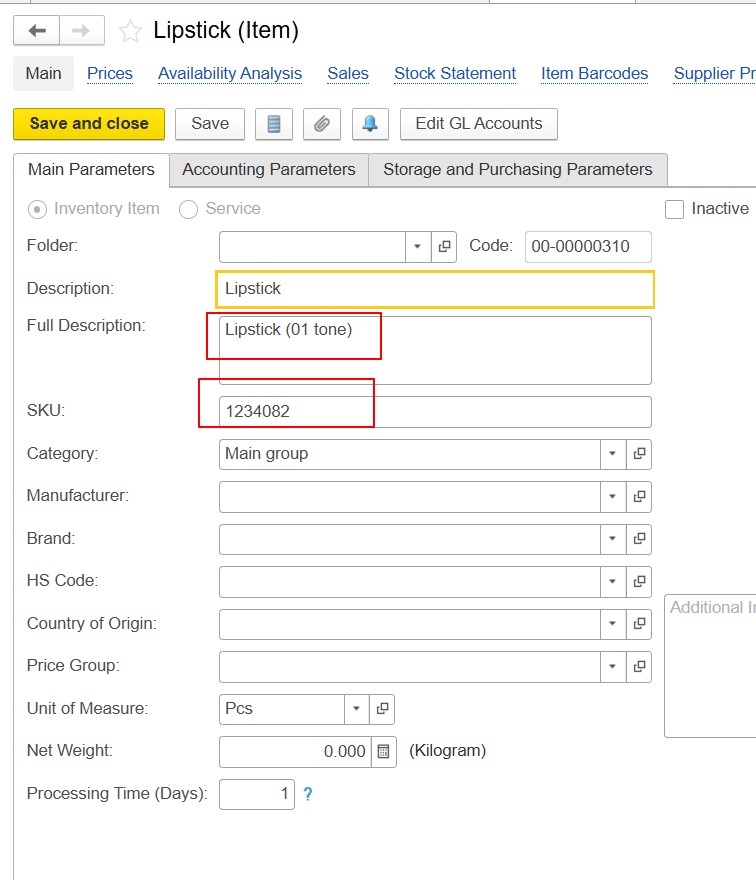
If supported by the document type, users can manually modify the Content field.
The value stored in the Content field is what is displayed as Description in standard print forms.
If the Content field is empty for a document line, the Description field in the print form will also be blank.
Please note that the value of the Item field does not affect the Description field displayed in the print form.
The ability to edit the Content field depends on the document type.
For example, in a Credit Note, users can edit the Content field manually.
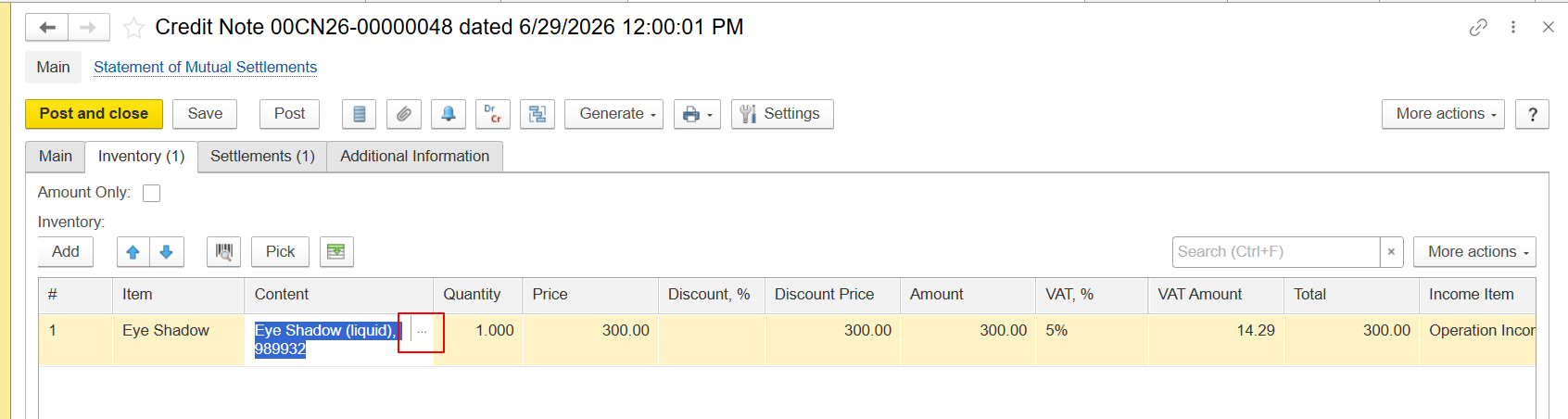
However, in a Tax Credit Note, the Content field is not available for editing. This is because a Tax Credit Note is a derived document created from a Credit Note and inherits its values from the basis document.
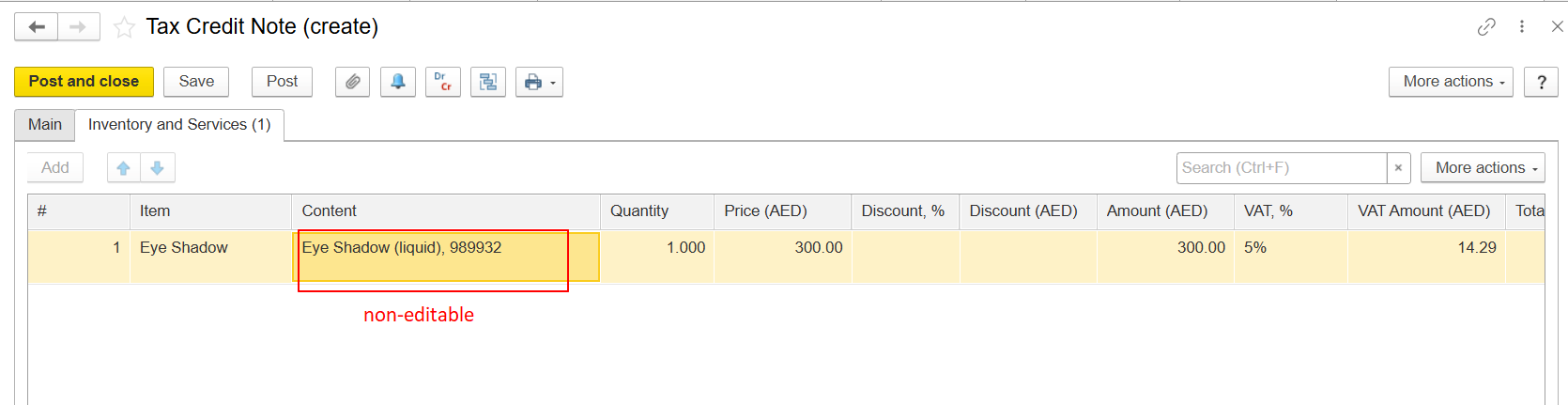
If you need to change the text displayed in the Description field of a Tax Credit Note print form, you should:
Thank yuo for being FirstBIT Customer!