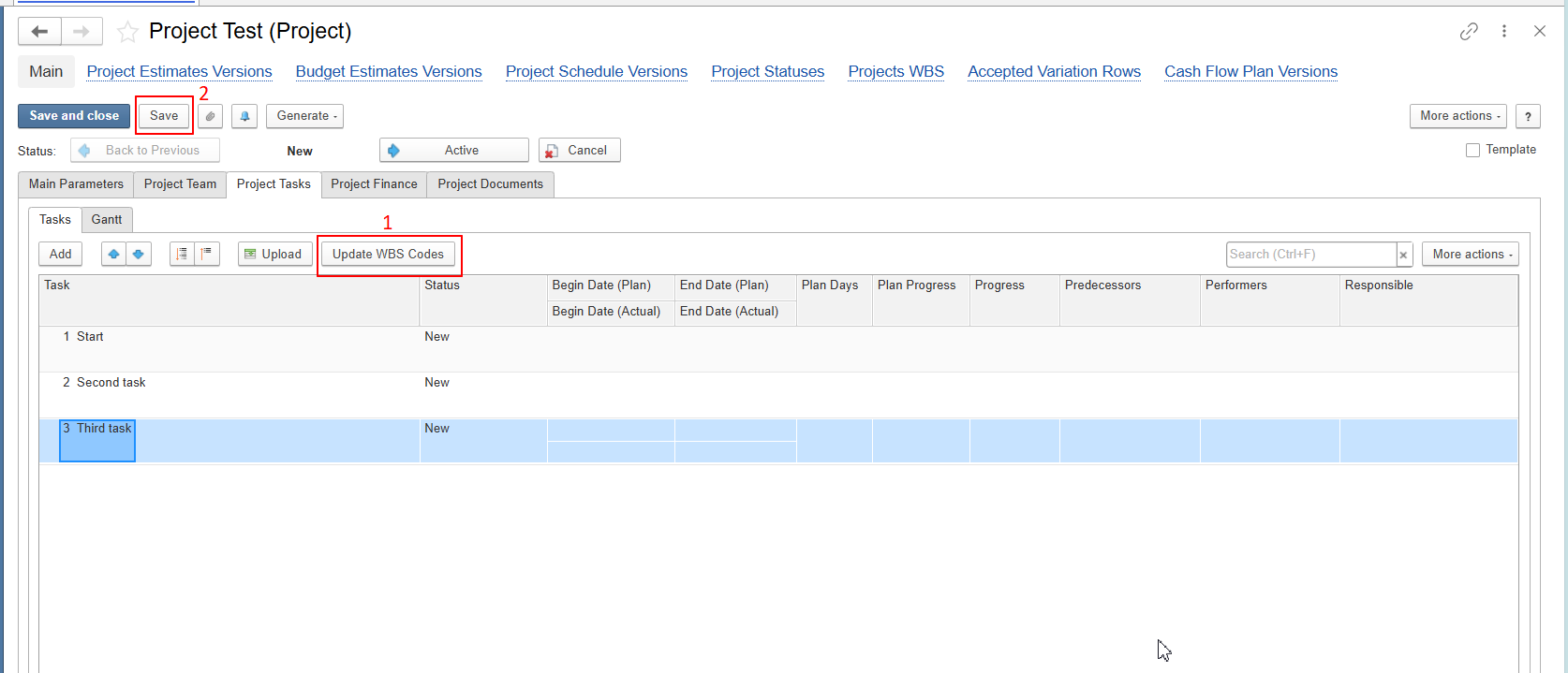
When creating a new Project Task, the Parent Task field is displayed on the form, but it cannot be selected or populated. As a result, users can only create top-level tasks (1, 2, 3, etc.) and cannot build a hierarchical WBS structure (for example, 1.1, 1.2, 2.1).
This behavior is related to FirstBIT Contracting functionality. In a newly created project, the WBS Codes have not yet been generated, so the system cannot establish the task hierarchy. Until the WBS Codes are initialized, the Parent Task field is unavailable for selection.
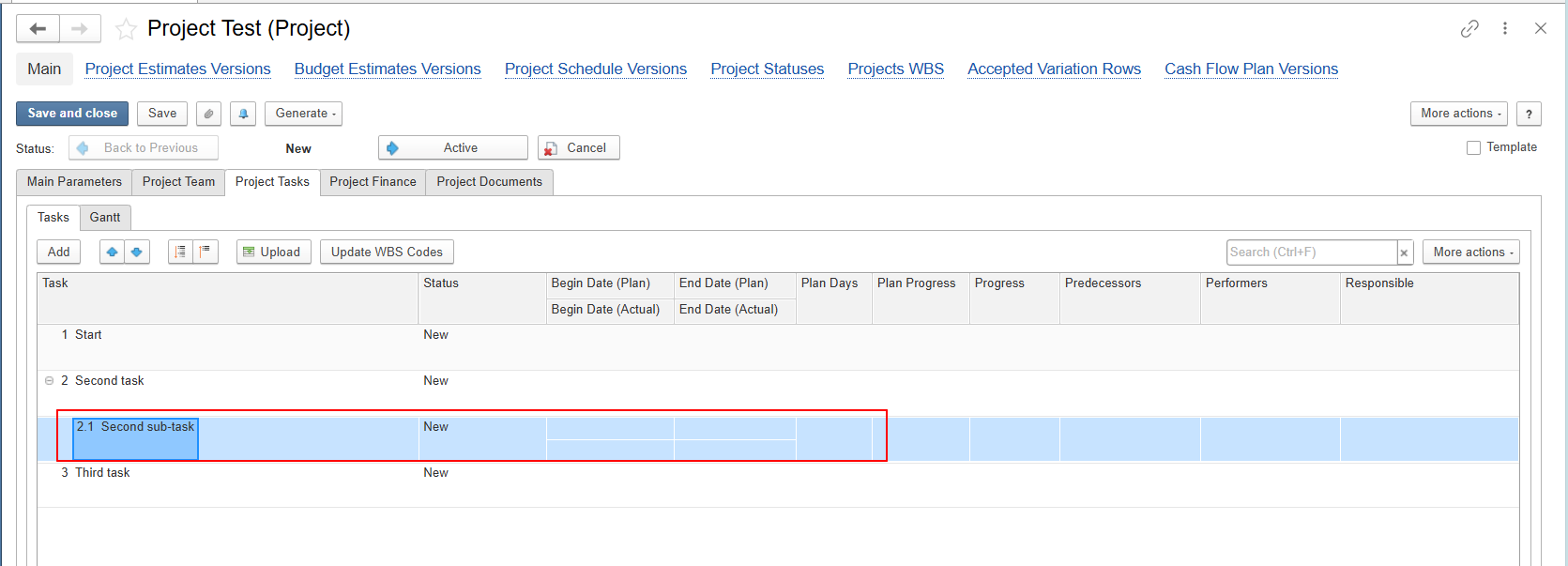
After the project is saved, the Parent Task field becomes available for selection. You can then choose a parent task when creating new Project Tasks and build a hierarchical WBS structure (for example, 1 → 1.1 → 1.1.1).
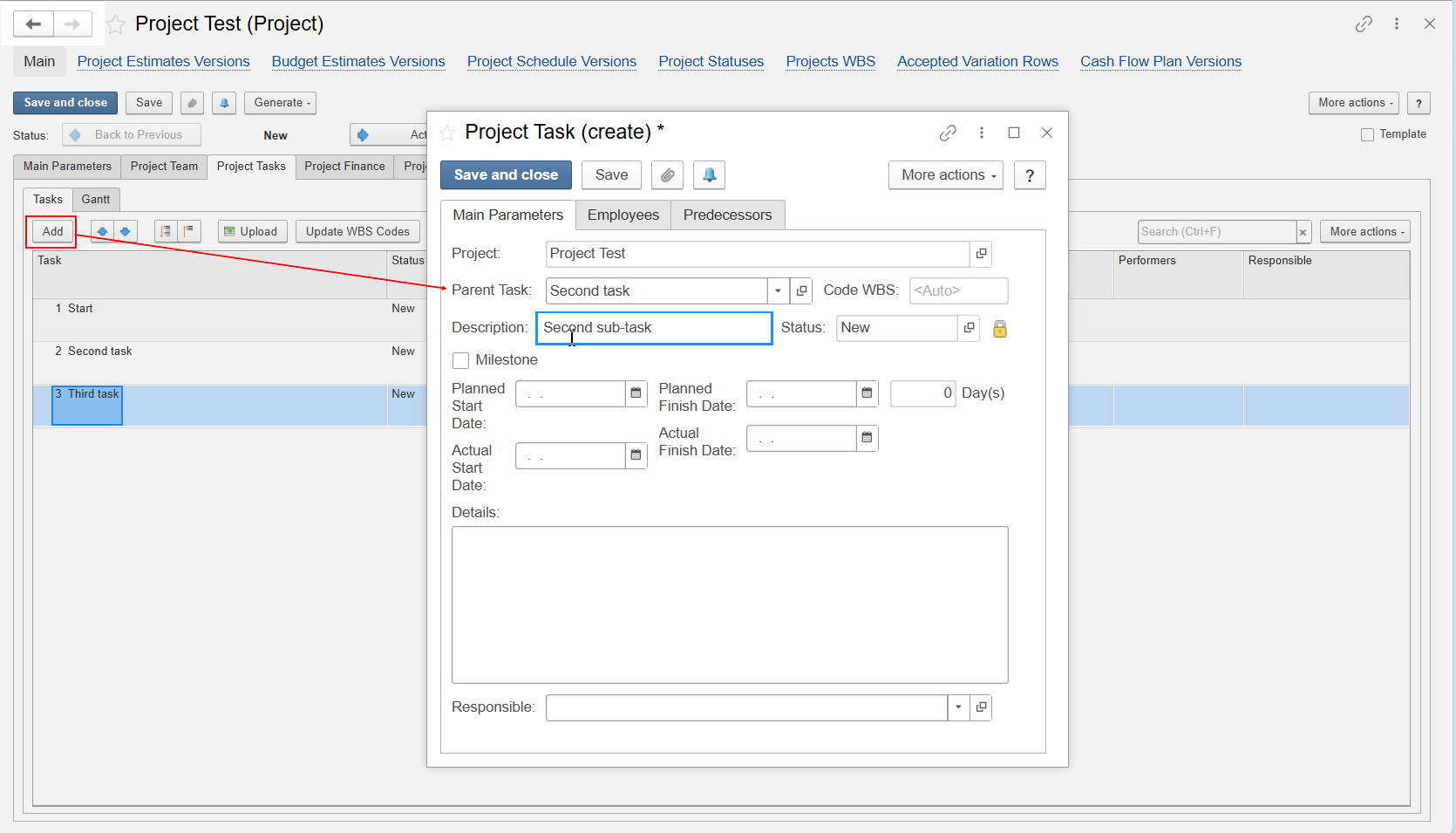
And result:
Thank you for being FirstBIT customer!