This article applies to FirstBit Contracting and explains how the Supplier Rating functionality works, including how supplier ratings are calculated, where they are stored, how average ratings are maintained, where supplier ratings can be reviewed, and how they are used during the purchasing process.
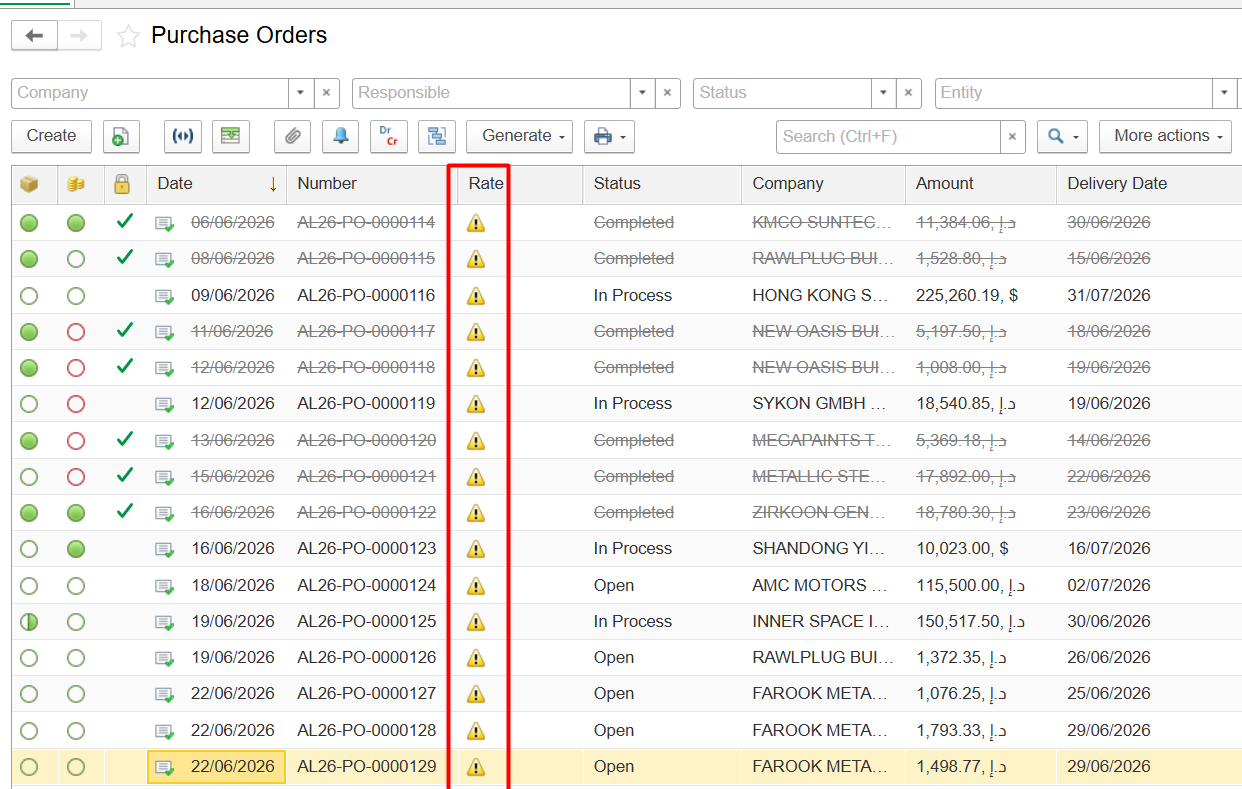
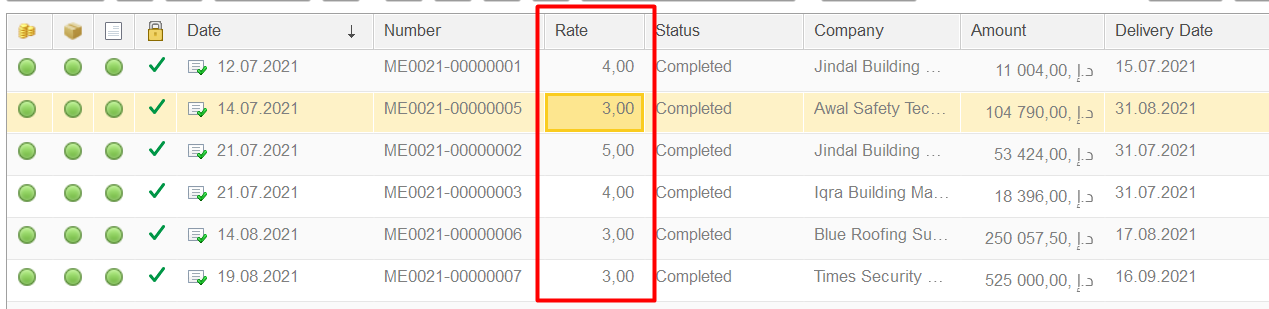
The Rate column in the Purchase Orders list displays the supplier evaluation assigned to a Purchase Order.
If a yellow triangle is displayed in this column, it means that the Purchase Order has not yet been rated.
Note: The yellow triangle is not an error, warning, or document status indicator. It simply indicates that no supplier evaluation has been entered for this Purchase Order.
Supplier Rating is a standard feature available in the FirstBit Contracting configuration that allows users to evaluate supplier performance after completing a purchase.
The functionality helps organizations:
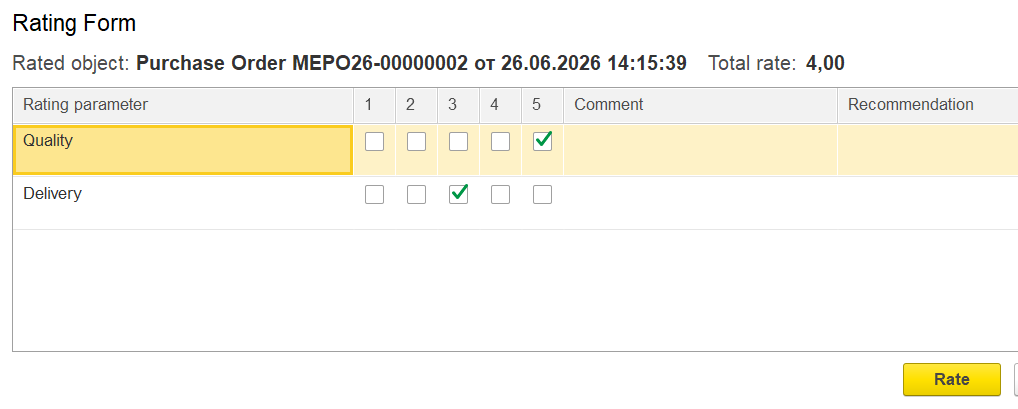
A supplier is evaluated using predefined criteria, including:
Each criterion is rated on a scale from 1 (lowest) to 5 (highest).
Based on the entered values, the system automatically calculates the Total Rate, which is stored in the Purchase Order.
For example:
| Quality | Delivery | Total Rate |
|---|---|---|
| 5 | 5 | 5.0 |
| 5 | 4 | 4.5 |
| 4 | 3 | 3.5 |
This allows supplier performance to be evaluated consistently for every Purchase Order.
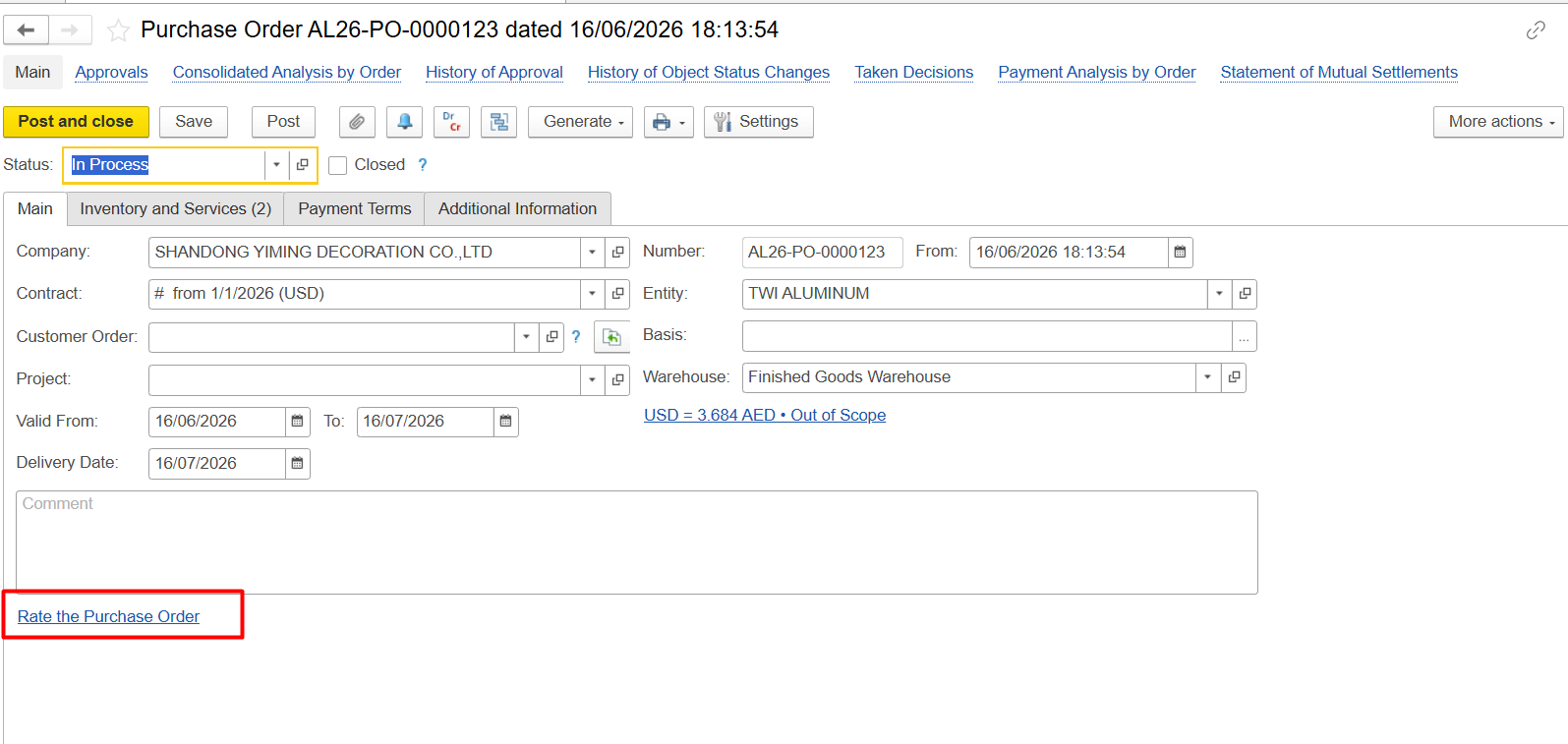
The supplier rating is entered directly in the Purchase Order.
Each Purchase Order stores its own individual rating and retains this value even if additional Purchase Orders are later created for the same supplier.
After a Purchase Order is rated, the system automatically updates the supplier's Company card on the Main tab.
The Company card does not display the rating from the latest Purchase Order. Instead, it shows the supplier's average rating, calculated from all rated Purchase Orders for that supplier.
For example:
| Purchase Order | Total Rate |
| PO-001 | 5.0 |
| PO-002 | 4.0 |
| PO-003 | 3.0 |
The supplier rating displayed in the Company card will be:
(5.0 + 4.0 + 3.0) / 3 = 4.0
Whenever a new Purchase Order receives a rating, the average value in the Company card is recalculated automatically.
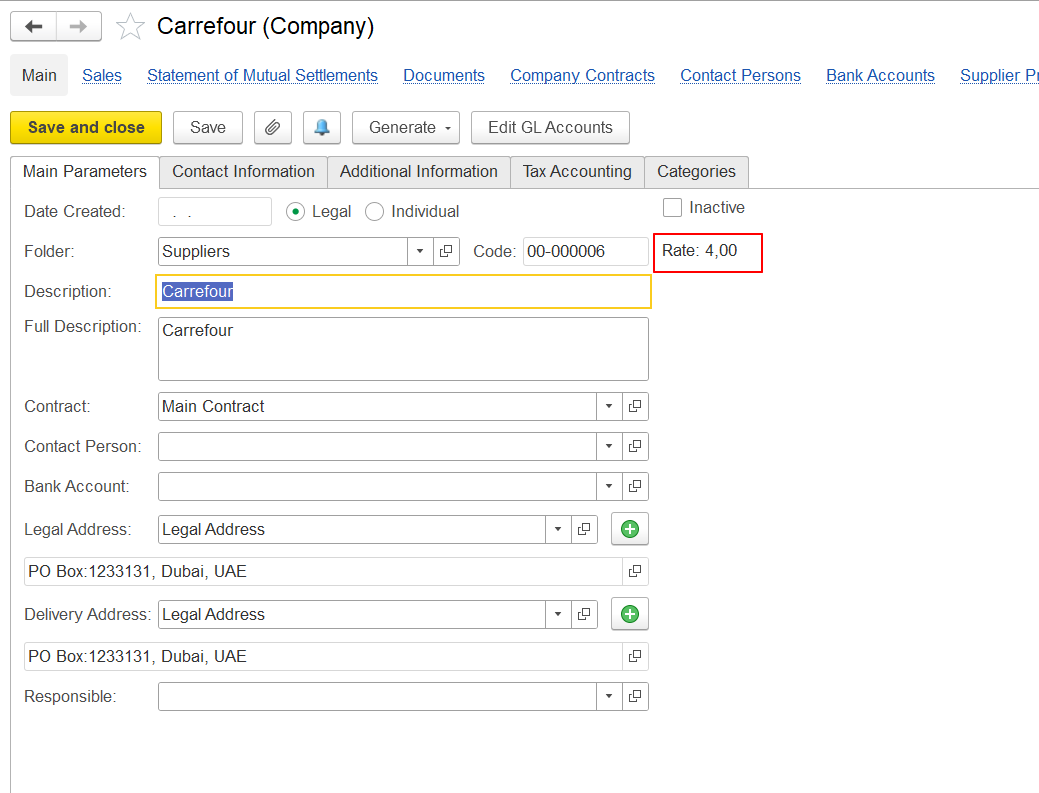
As a result:
To analyze supplier performance, use the Supplier Ratings report located at:
Purchasing → Reports → Supplier Ratings
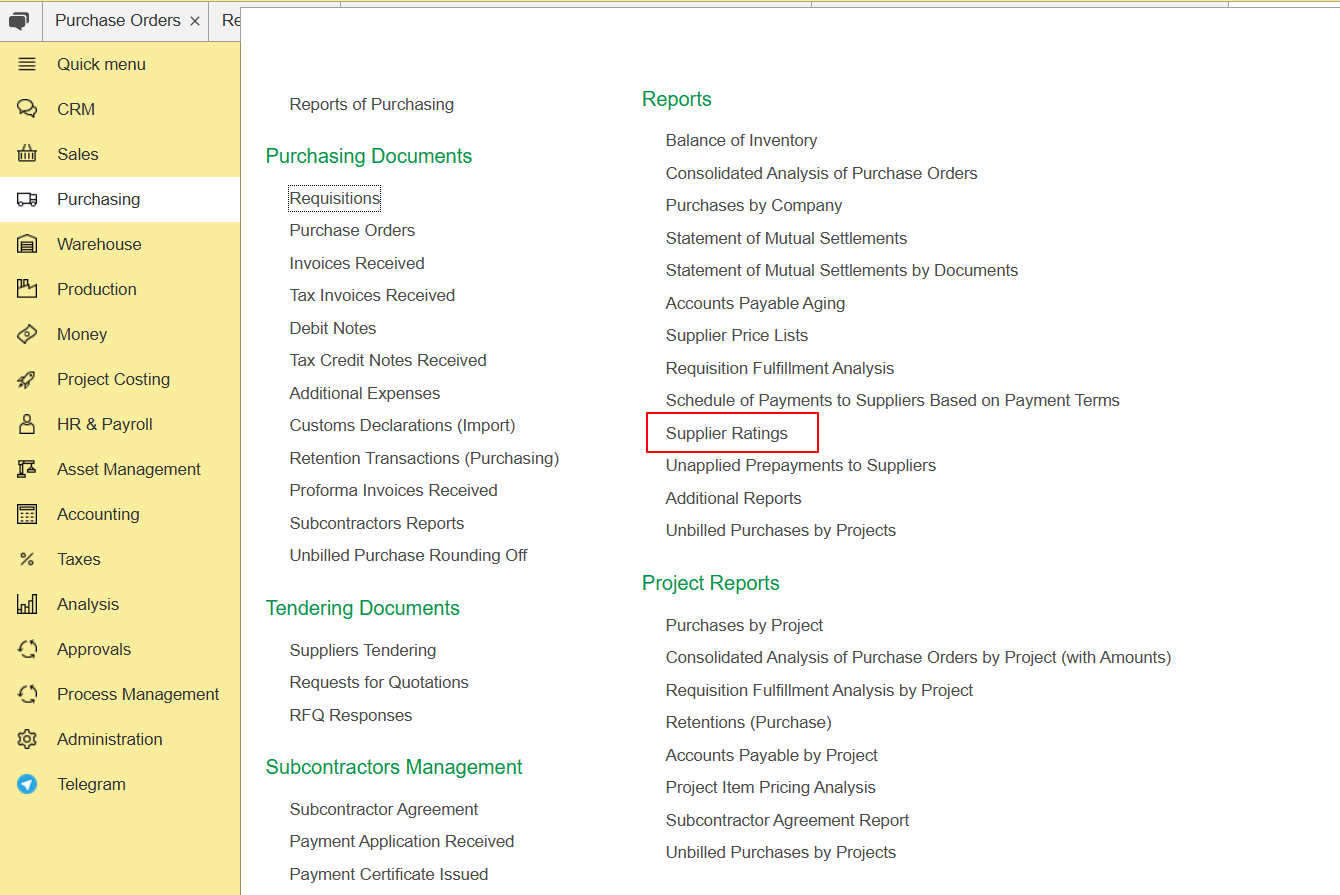
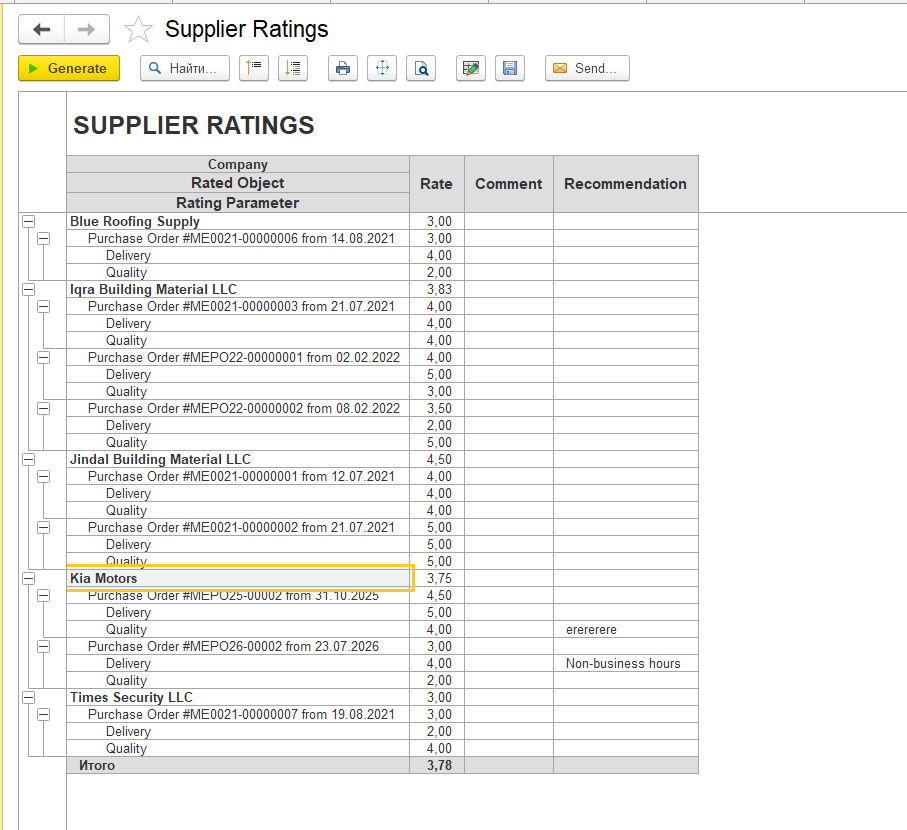
The report provides an overview of supplier ratings and allows you to compare supplier performance across all evaluated Purchase Orders.
Supplier Rating is used not only for reporting purposes.
During Requisition processing, when supplier quotations are compared, the system takes supplier ratings into consideration together with other purchasing information. This allows purchasers to evaluate suppliers not only by price, but also by their historical quality and delivery performance, helping them select the most suitable supplier.
Thank you for being FirstBIT customer!