How to transfer the software from one PC to another?
To transfer the software from one PC to another on your own, please follow the next steps:
1) Take a backup from old PC and transfer it to the new one.
2) On new PC download the FirstBit license center from the link below.
https://portal.firstbit.ae/~XgoKj
3) Get a 1bit activation key following License Request Process in FirstBit instruction and send to Hotline by e-mail.
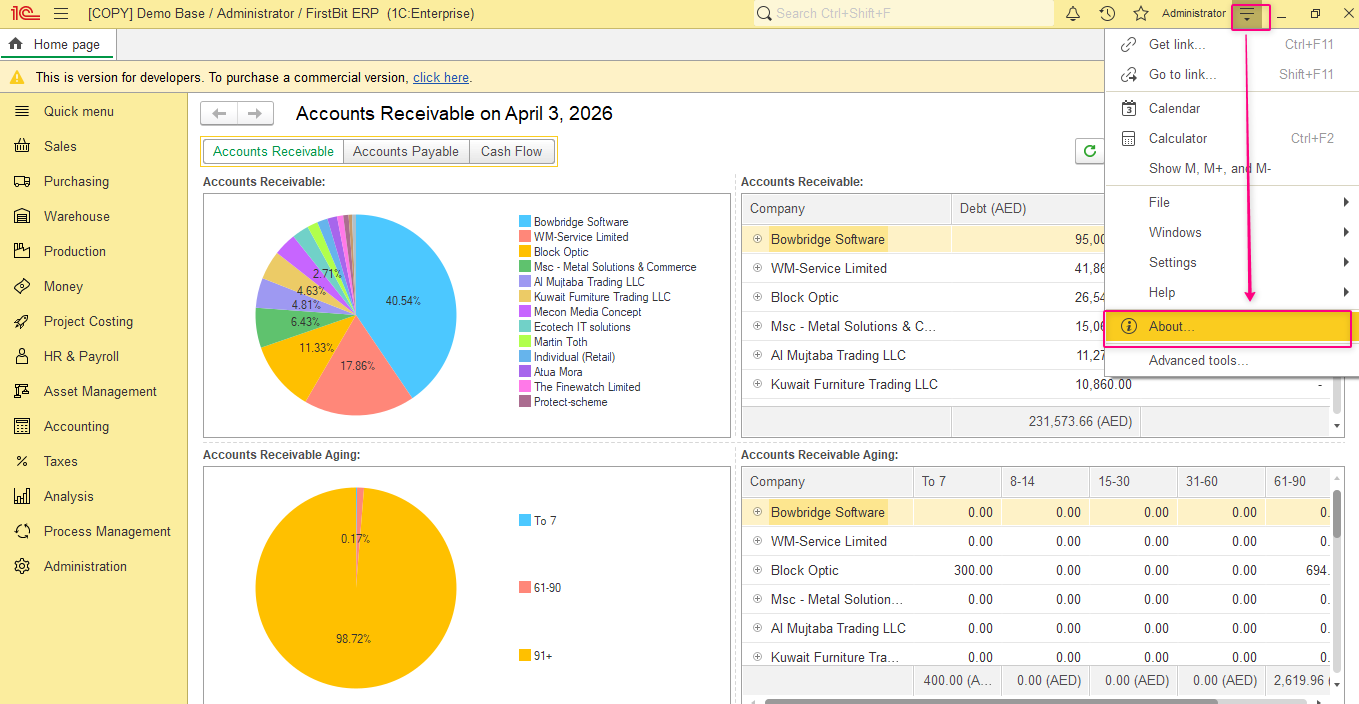
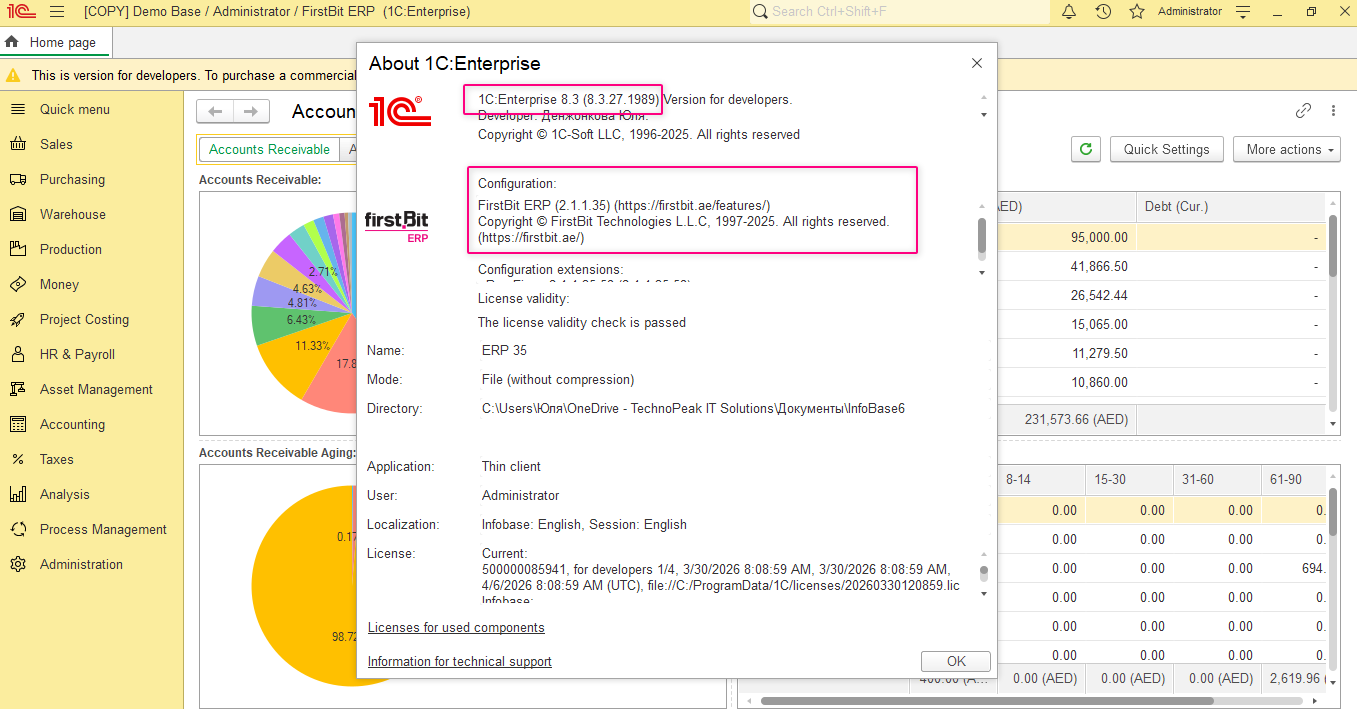
4) Before installing 1c platform provide Hotline the version of platform and software configuration:
4) Install the platform downloading it from the link provided by Hotline team.
Refer to the manual:
Installation of Application 1C:Enterprise (for Windows)
4) Prepare information about 1C license - registration number, PIN codes, Lic data. This file contains the license information and is typically stored in a specific location on your system.
And recover 1C license.
Thank you for being FirstBIT customer!