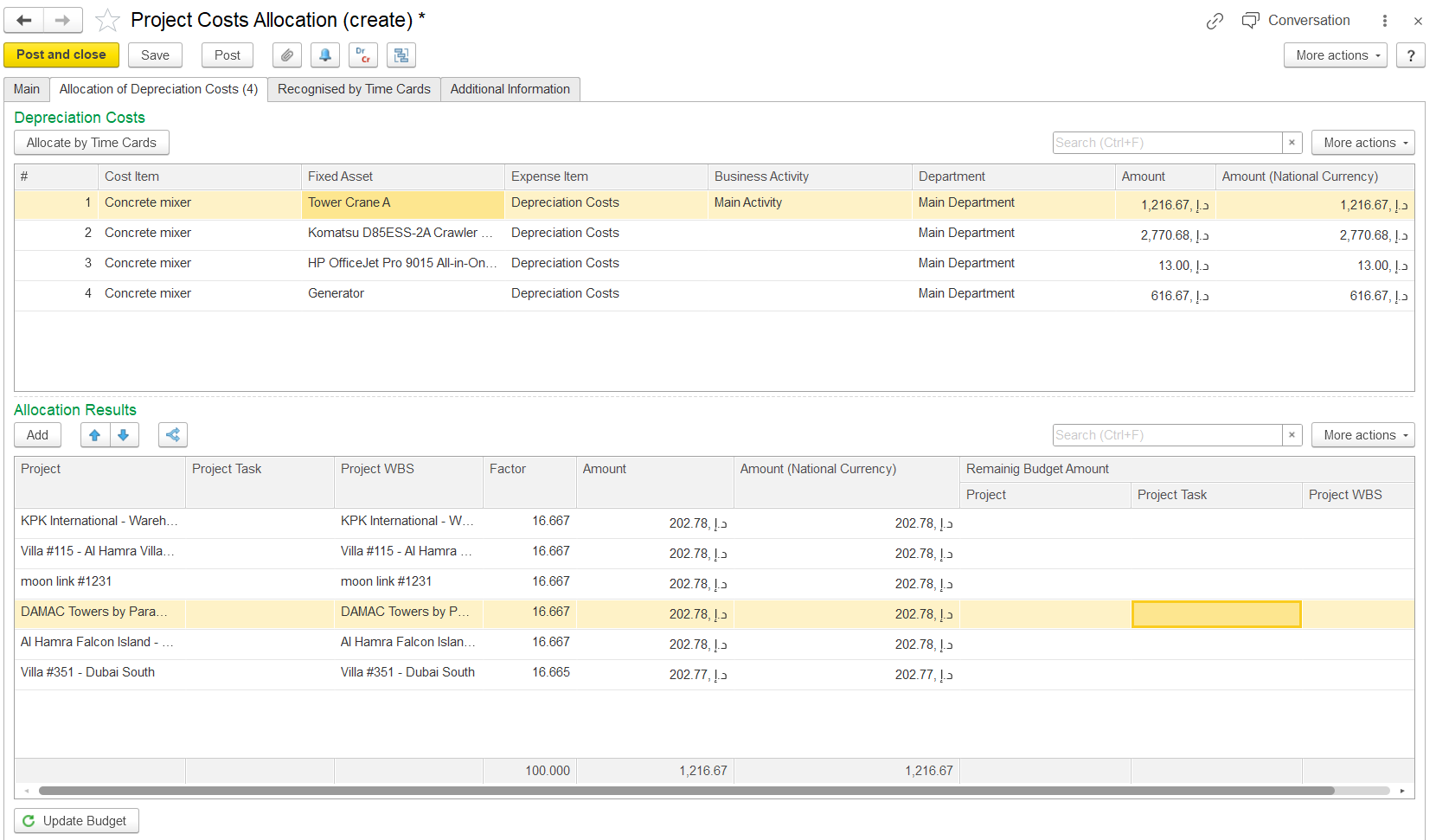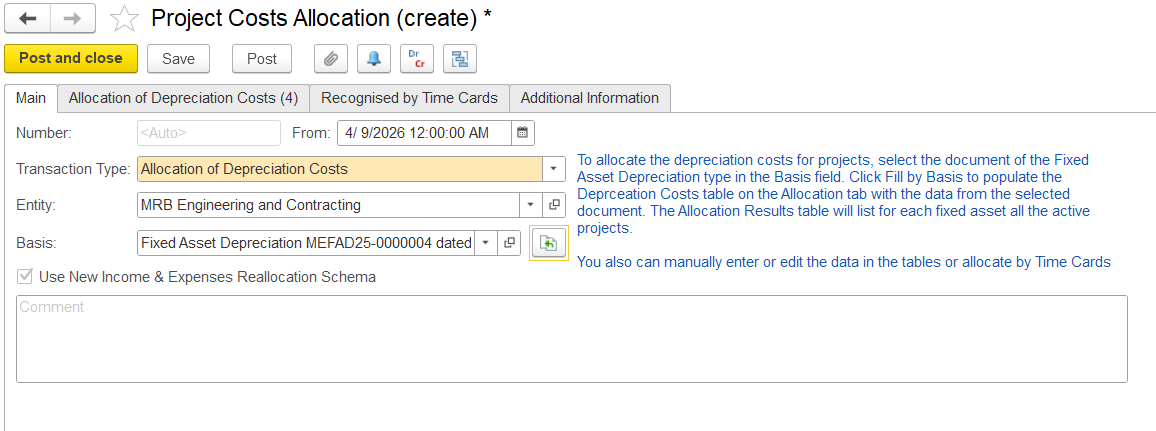
Allocation of depreciation cost table.
The Allocation of depreciation cost is used to distribute depreciation expenses across multiple projects.
To access Project Costs Allocation, go to Project costing → Project Costing documents → Project costs Allocations
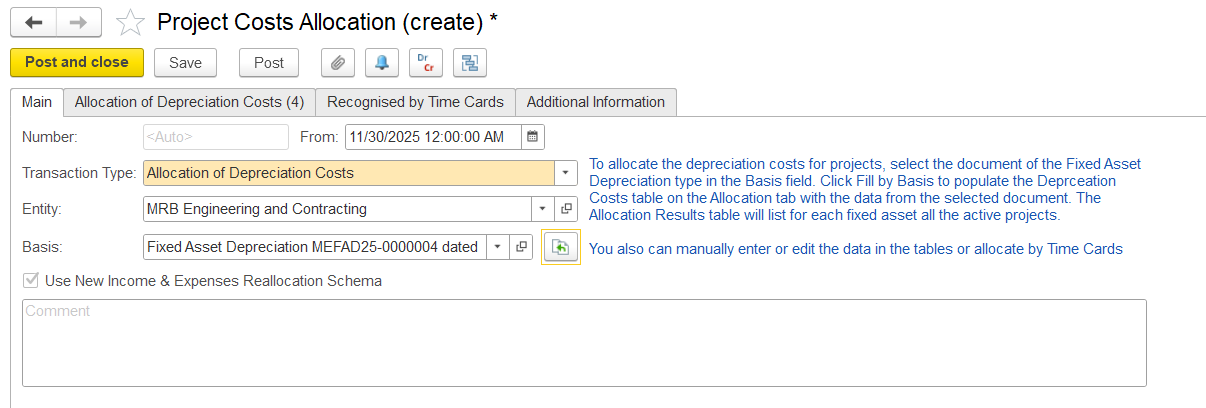
To assign depreciation costs to a project, it is mandatory to select the depreciation document in the Basis field.
This tab is used to enter basic information for depreciation cost allocation, i.e., date, document number, entity, and the basis document.
All allocations are in the accounting currency.
The “Use New Income & Expenses Reallocation Schema” option refers to an updated internal method (schema) used by the system to manage cost allocation logic.
Note: This is a system-controlled setting and is not amendable by users.
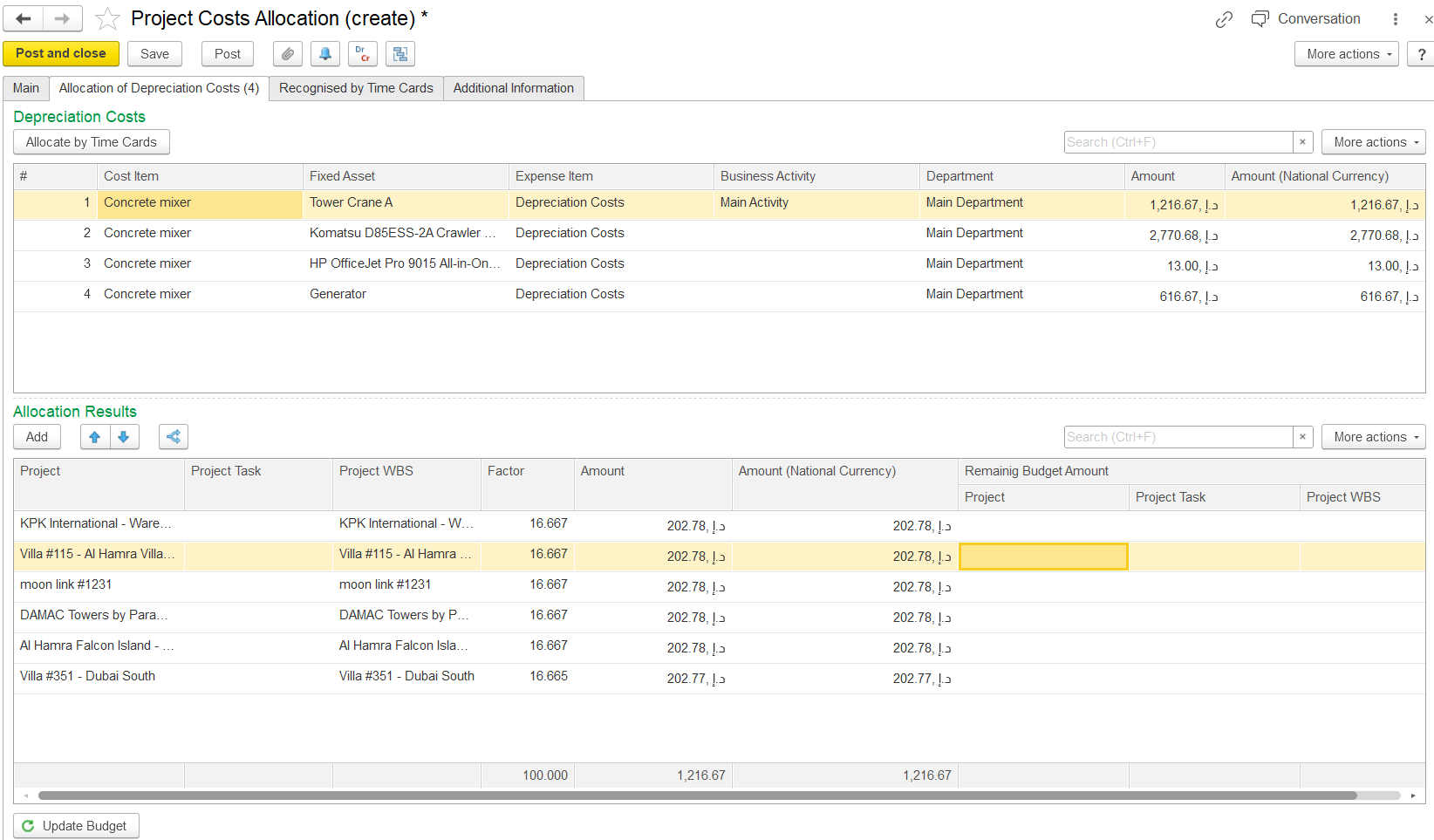
This tab is available only for documents with the Depreciation Cost Allocation transaction type. It contains two tables:
To allocate costs, click the Allocate by Time Card button. The system will automatically distribute the depreciation costs according to the time card data of the fixed assets.
This tab is used to specify general information
This table shows how depreciation is distributed across projects.