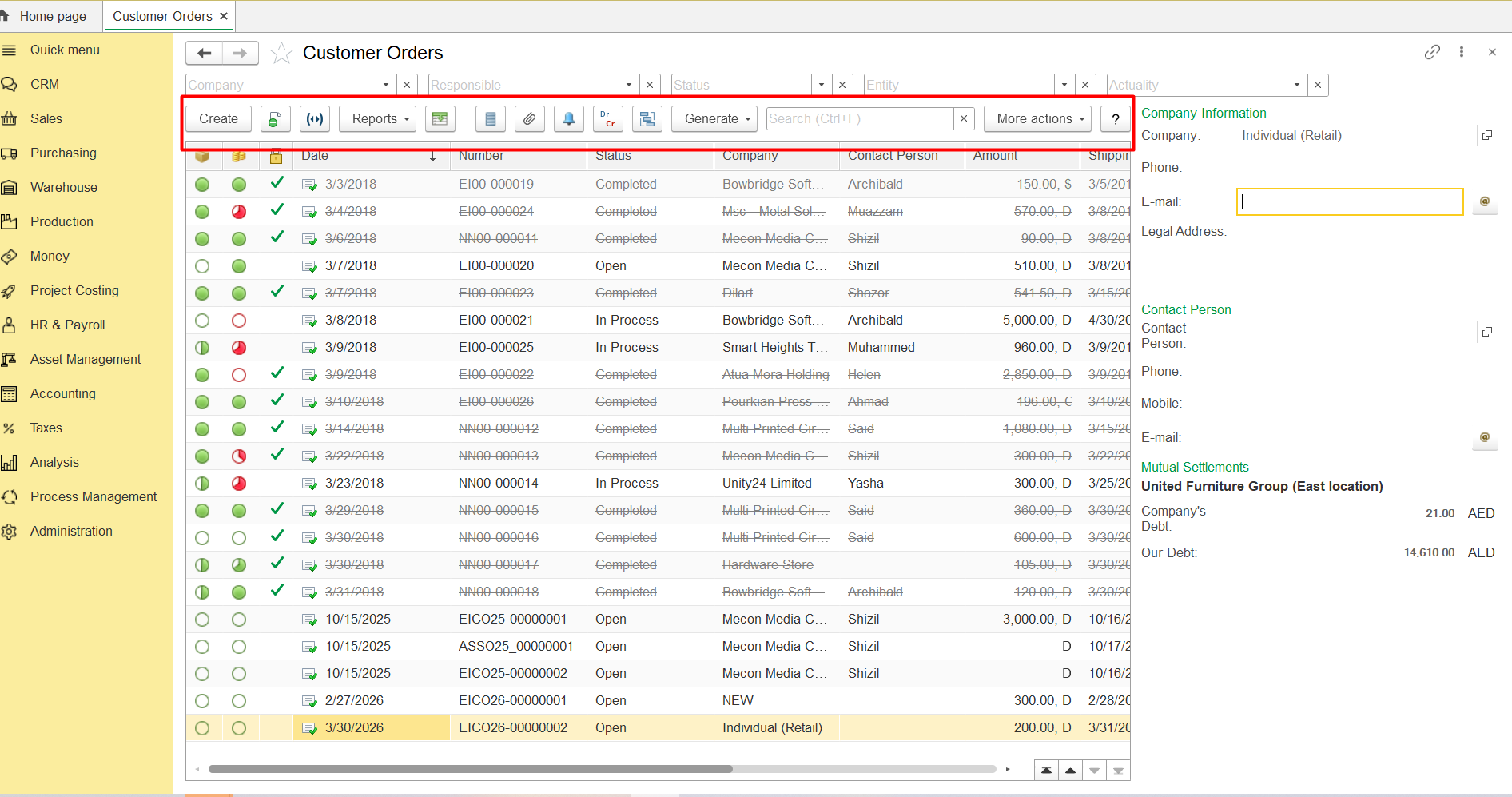
No "print" button on the panel in the document list
Problem: There is no print or more action button on the panel in the document list.
Solution: Narrow down company information window or change scale:
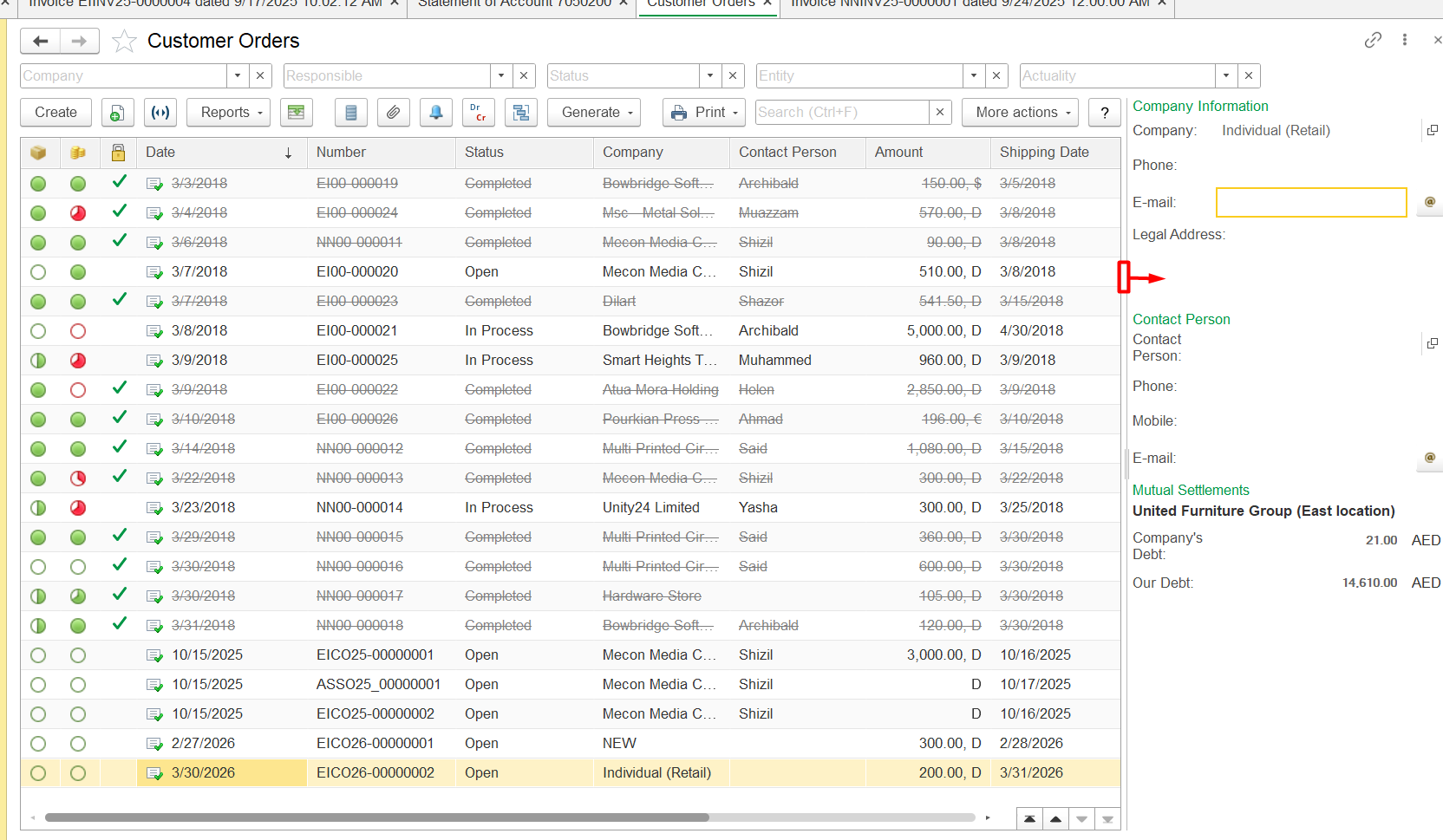
1) For narrowing down company information window, place the mouse cursor on the dividing line until the arrow appears and drag the cursor to the right:
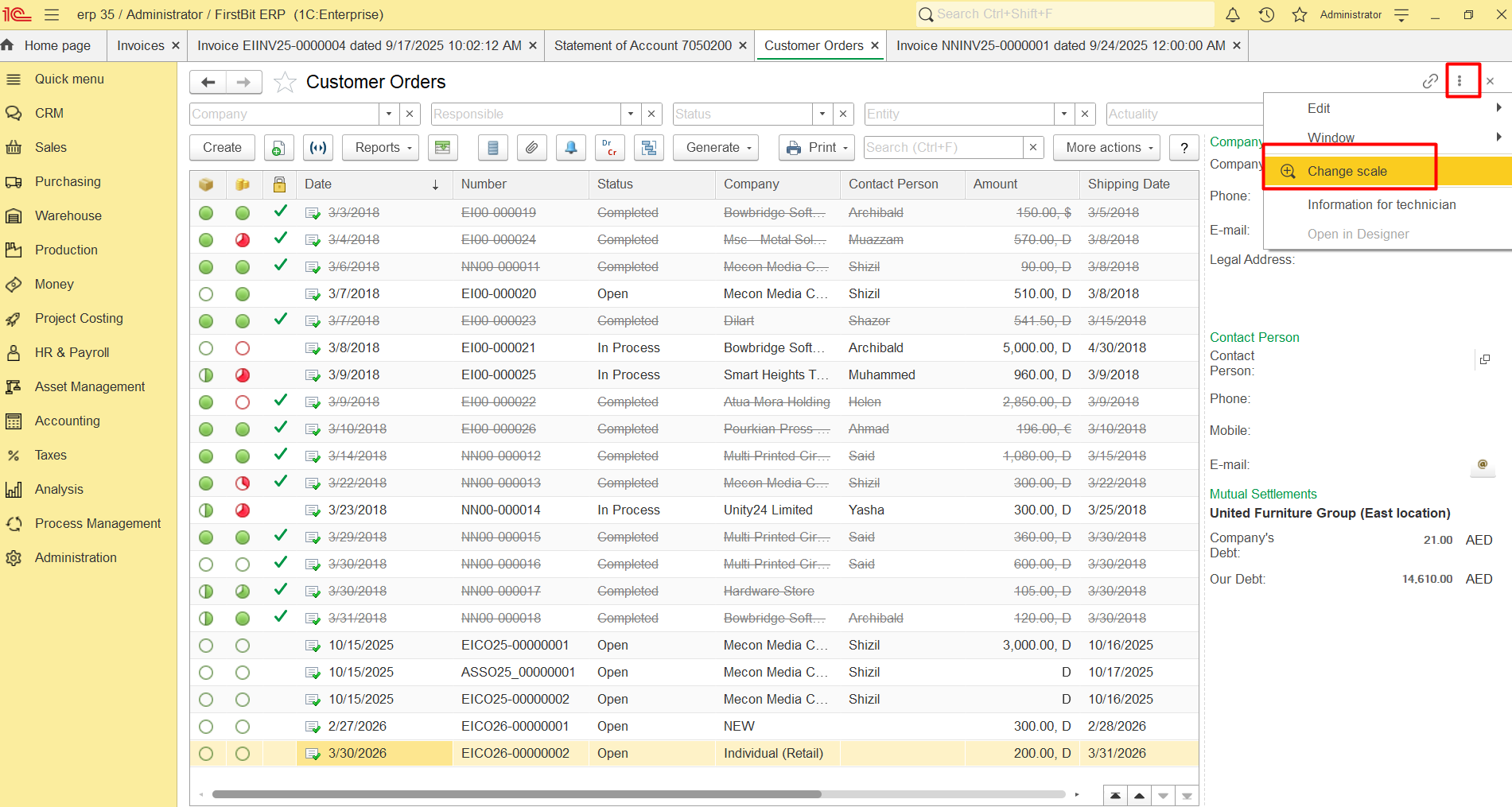
2) For changing scale, click on the 3 dots in the upper right corner and select Change scale option:
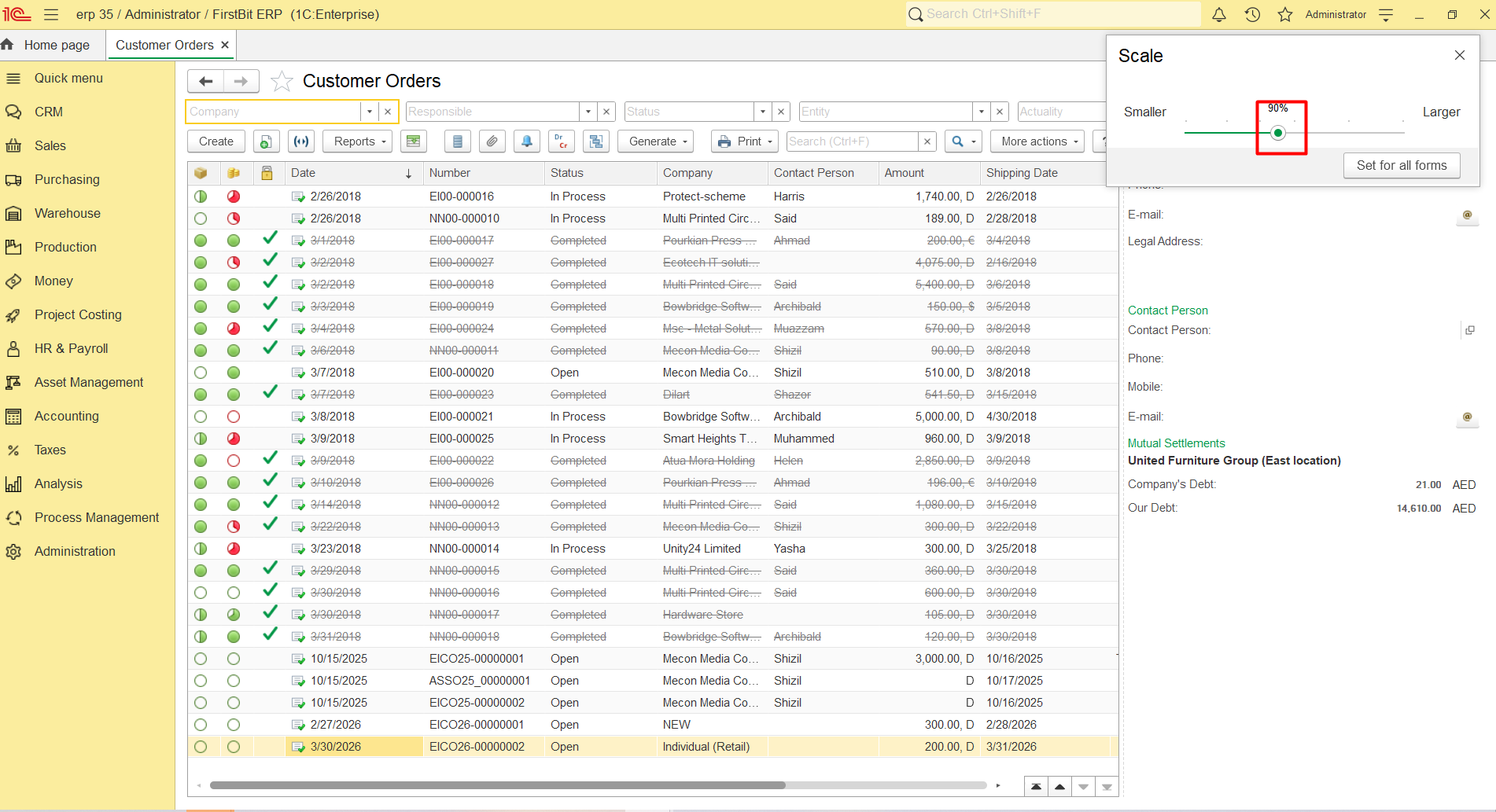
By moving slider to the left, change scale:
Thank you for being FirstBIT customer!