This guide describes the most common depreciation issues in FirstBIT Software and provides correct, system-compliant solutions.
All corrections are aligned with FirstBIT software accounting logic and audit requirements.
Before troubleshooting, please note the following important rules:
Depreciation is calculated only through Month-End Closing (preferable way);
Opening Balances and closed periods must not be edited;
All corrections must be performed prospectively, in the current open period;
Only standard FirstBIT documents should be used for adjustments.
Errors:
Residual value becomes zero earlier than expected
Depreciation stops before useful life ends
Month-End Closing was performed out of sequence
Previous periods were closed incorrectly or partially
Cancel Month-End Closing starting from the period where the issue began
Re-close periods strictly in chronological order
Verify depreciation values after each closing
Depreciation values do not match expectations
Remaining asset value is incorrect
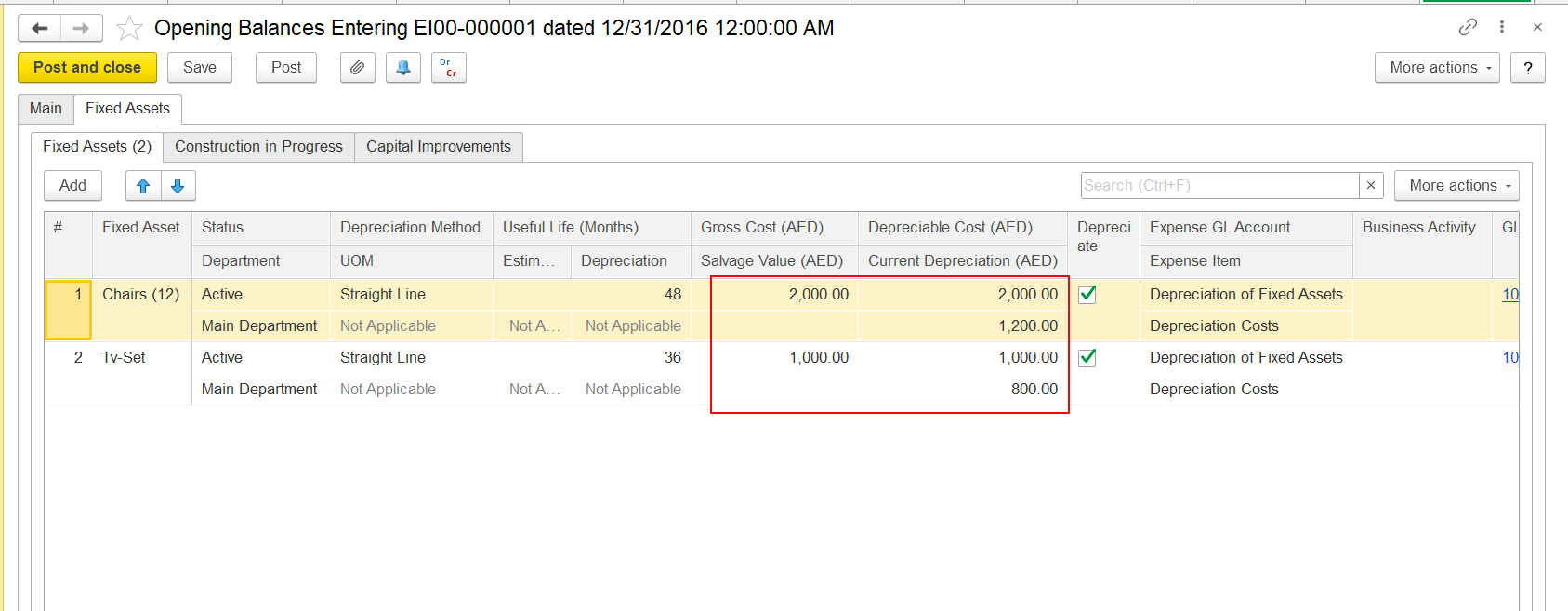
Incorrect logic applied when entering opening balances
Salvage value or accumulated depreciation ignored
Depreciable Amount =
Gross Cost – Salvage Value – Accumulated Depreciation
Calculate the correct depreciable amount
Adjust it using Changes of Fixed Assets Parameters
Do not modify accumulated depreciation
Inconsistent reports
Errors during Month-End Closing
Audit risks
Manual corrections in historical periods
Not Allowed:
Editing Opening Balance documents
Reposting closed periods
Correct Approach:
Adjust data only in the current open period
Use system-approved correction documents
No depreciation entries
No error messages displayed
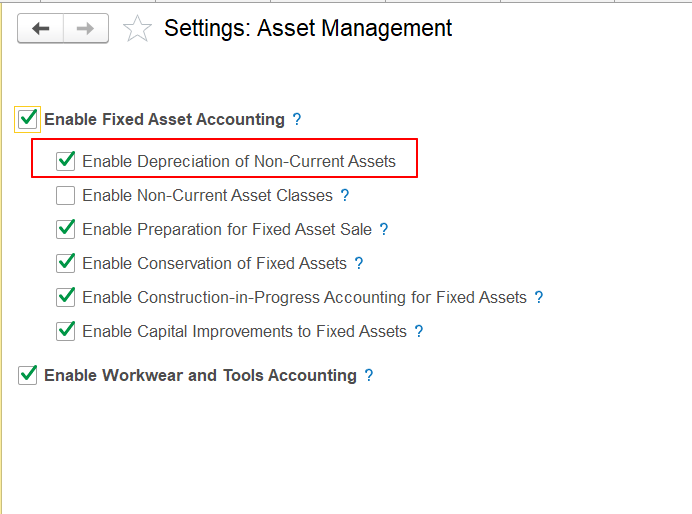
Depreciation option is disabled in system settings
Navigation:
Administration - Settings - Asset Management
Enable “Depreciation of Non-Current Assets”
Corrections do not affect depreciation
Values revert during Month-End Closing
Manual journal entries (Transaction (General Ledger) service tool) used instead of system documents;
Direct register corrections.
Use only:
Changes of Fixed Assets Parameters document (Changes of Fixed Asset Parameters );
Standard Month-End Closing procedure.
Adjustments with new parameters were created with correct document Changes of Fixed Assets Parameters but depreciation remains incorrect.
Month-End Closing was not re-run after making changing records
Repost the adjustment document (or post - if it is new);
Re-run Month-End Closing in the correct order.
Thank you for being FirstBIT customer!