Need to explain, that any expenses registered with employee or FA (insurance or maintenance invoice received as example, it is required GL account with proper section) can be allocated by projects based on time card data.
Settings.
Source
Allocation
Direct costs are expenses associated with employee or fixed asset resources (for example, an insurance or maintenance invoice) that can be charged to projects. These costs must be recorded using the appropriate GL account and section. Although they are tied to a resource, if they haven’t been assigned to a specific project yet, they can be allocated across projects using this document, potentially based on time card data.
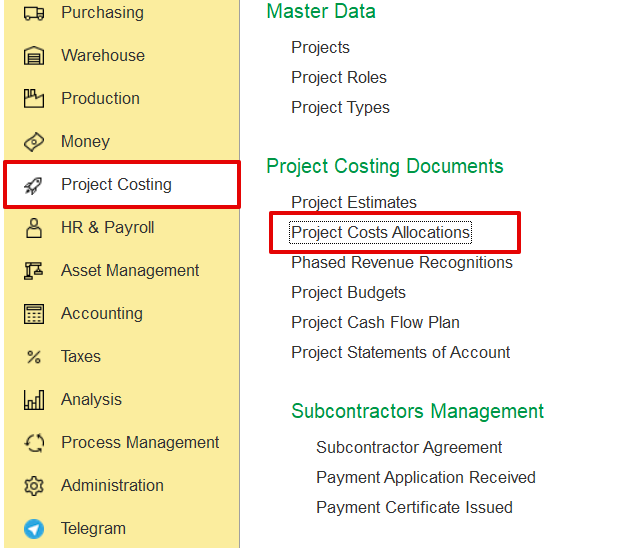
To access Project Costs Allocation, go to Project costing → Project Costing documents → Project costs Allocations
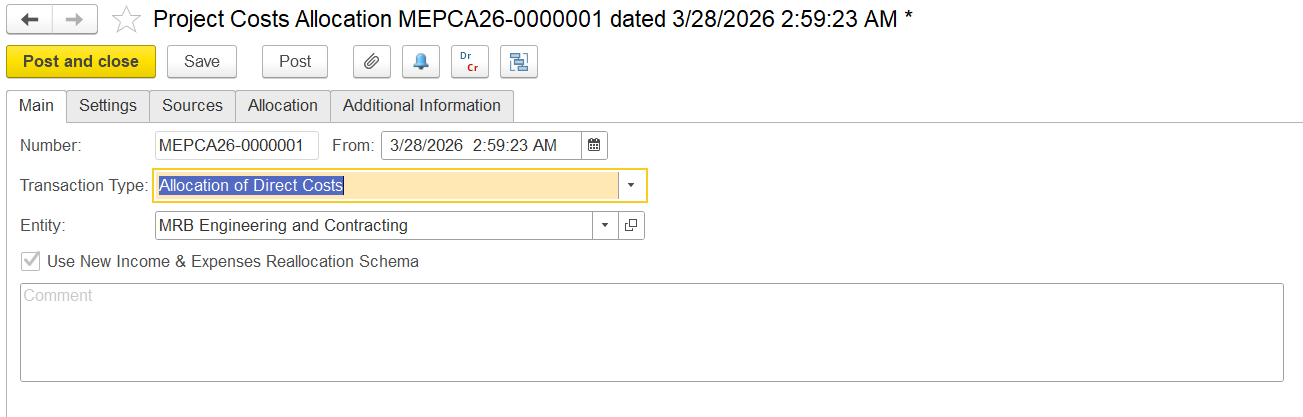
On this tab, users can specify the general information for the project cost allocation document, i.e., the date, entity, and transaction type.
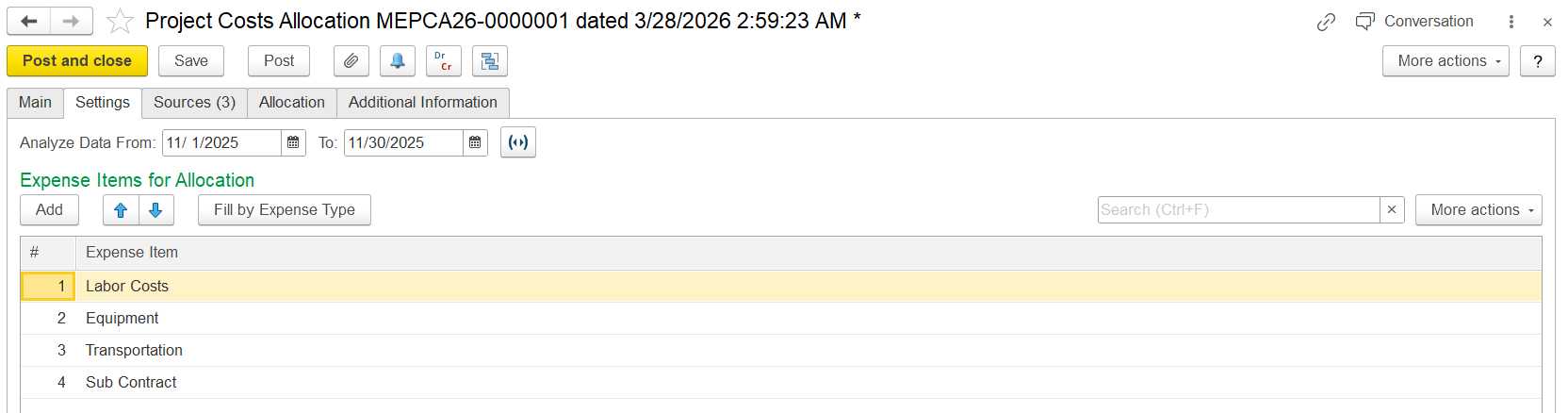
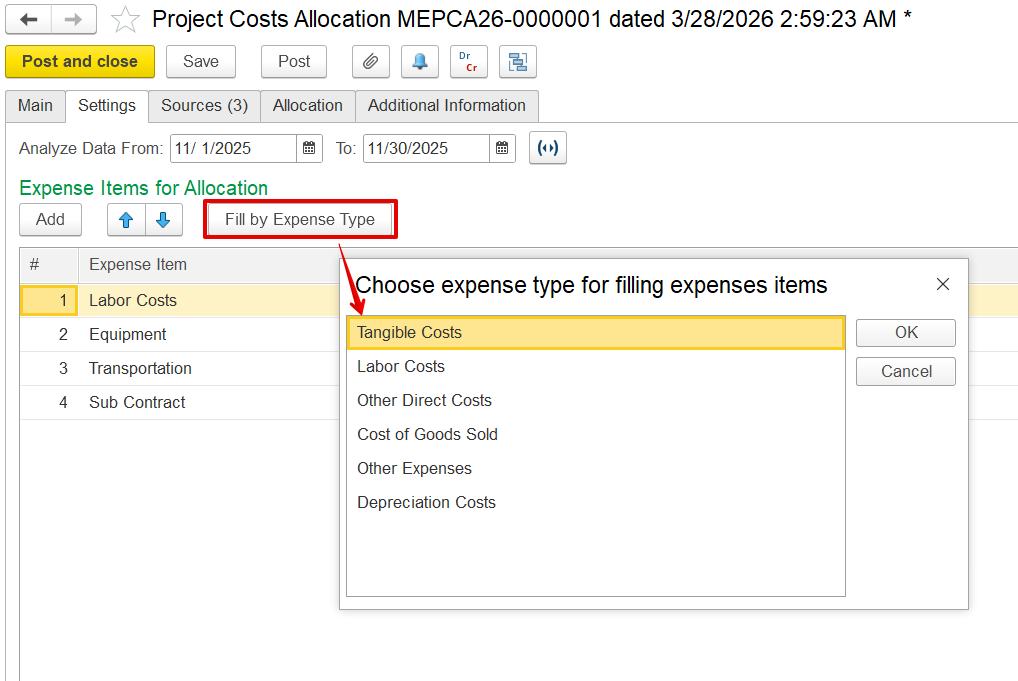
This tab defines how direct costs are allocated to projects.
This tab lists all available expenses for allocation, based on the settings you defined in the Settings tab.
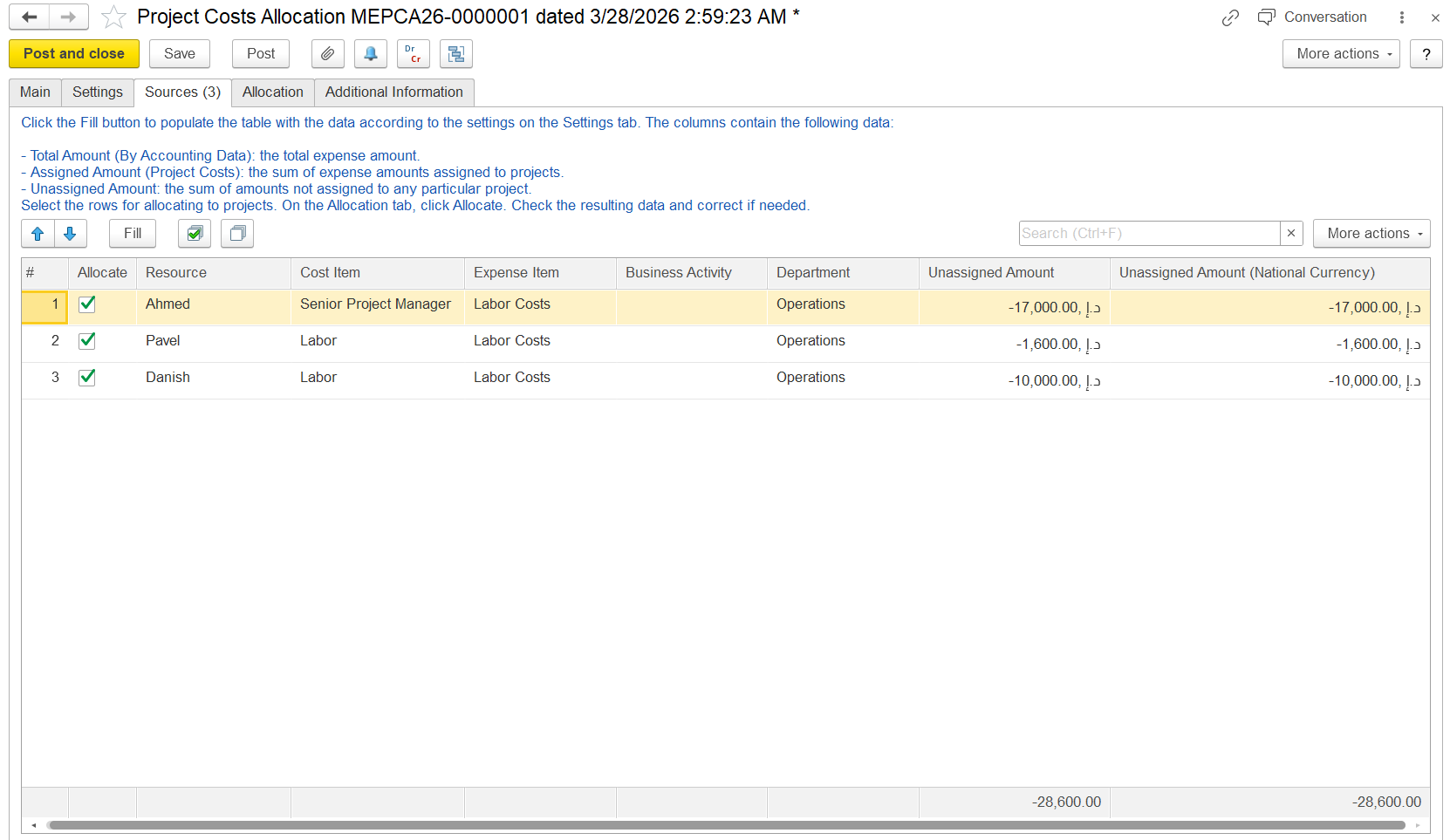
Fill allocate. logic is same. here we have an option to fill by time card.