In FirstBit ERP, the Transfer Fee is the bank or payment system commission for processing a Money Transfer.
It is recorded separately from the transfer amount and shown as an expense in accounting.
The Transfer Fee can either:
It also affects the final amount deducted from the sender or received by the recipient, depending on the selected method.
The Transfer Fee tab is used to record any additional expenses related to a transfer, including those arising from foreign currency transactions.
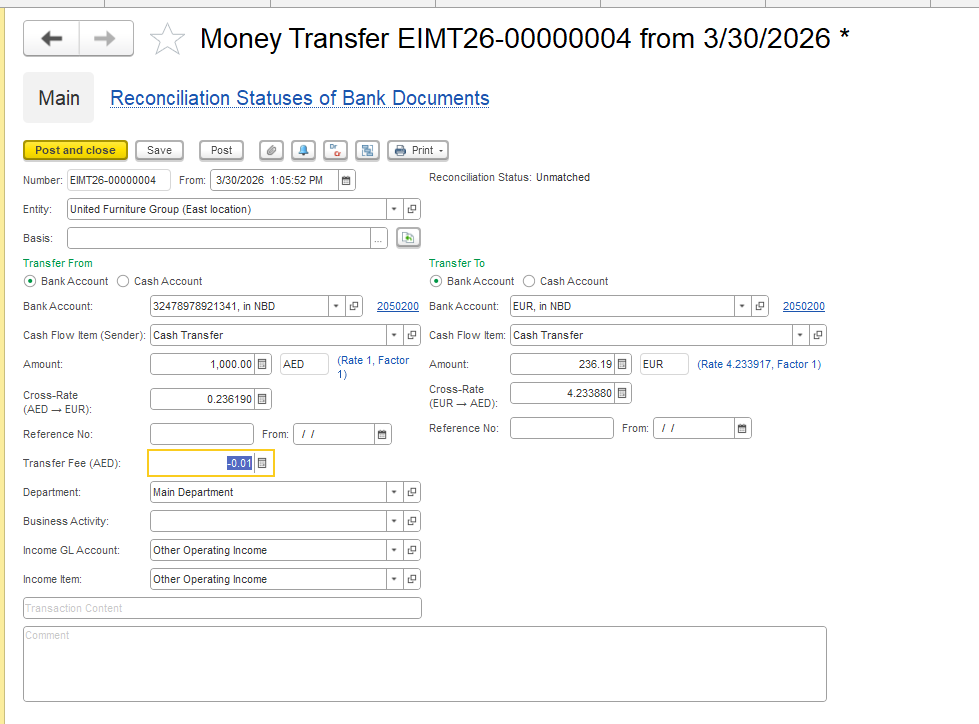
When transferring funds between accounts in different currencies, the system automatically provides the Transfer Fee field, allowing you to enter any conversion costs or bank charges associated with the transaction.
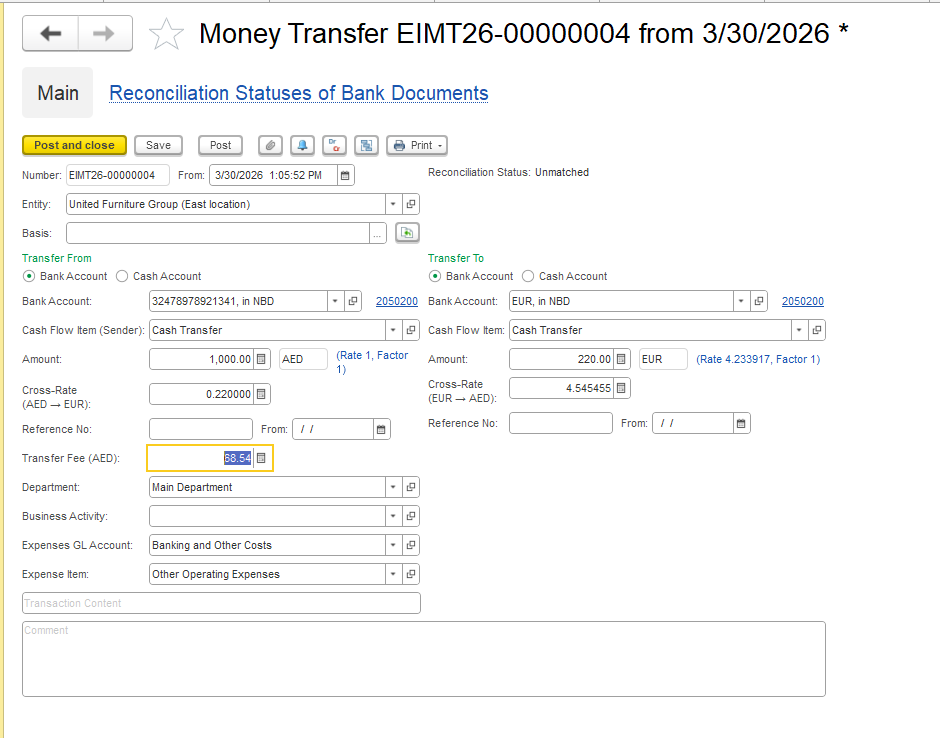
The system applies the official exchange rate for the transaction. However, if the transfer is processed using the bank’s commercial rate, which differs from the official rate, the resulting difference is treated as a bank expense (bank margin) and should be recorded in the Transfer Fee field.
Transfer Fee = (New Amount in Source Currency × Current Cross Rate) − (Amount in Target Currency)
Where:
1000 * 0,22 - (1000* 0,236 (initially set course) = 16,19 * 4,23388 = 68,54
1). Before change Transfer Amount
2). After changing Transfer Amount
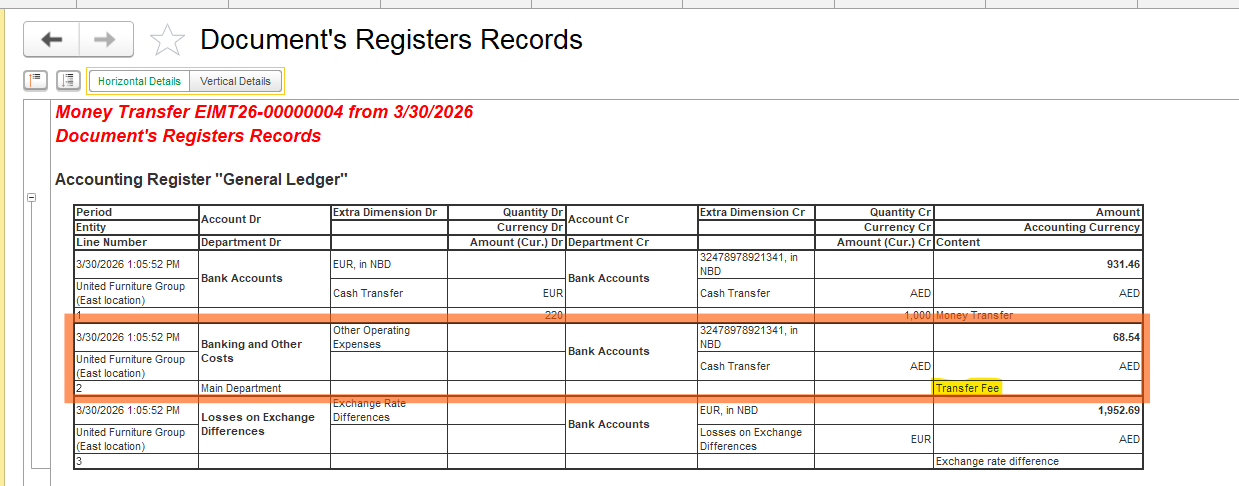
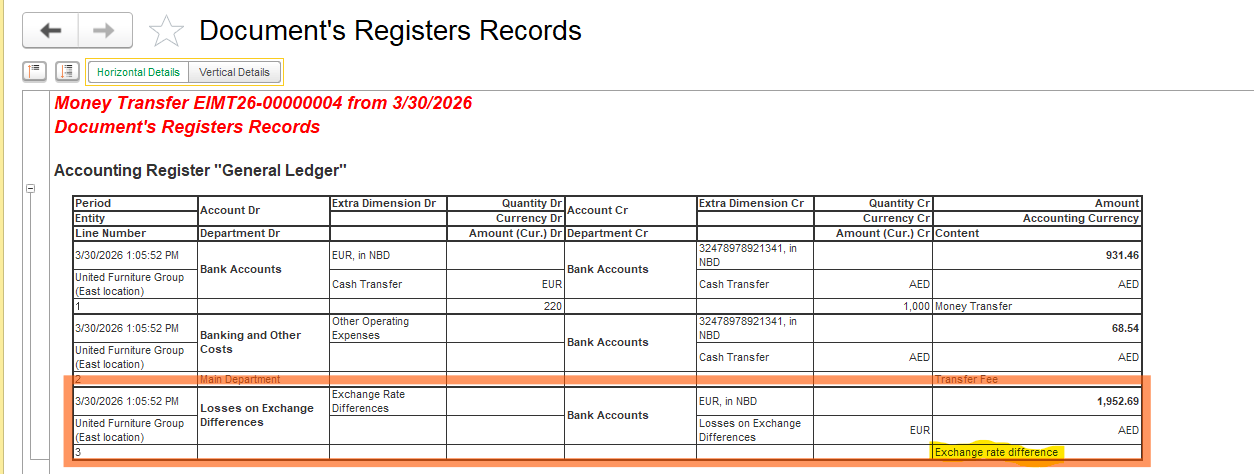
A Foreign exchange difference happens on the Bank account and arises due to changes in the official exchange rate between the date of initial recognition and the date of payment or revaluation. Such differences are automatically recorded in financial result accounts (Exchange Gain/Loss).
Therefore, the system processes money transfers using the exchange rate established in the program as of the document date. Any differences calculated within the transfer document are automatically recognized as income or expense (through the Transfer Fee field), without separately highlighting fluctuations in the bank’s internal commercial rate.
Formula-
(Previous balance before money transfer)-(Money transfer value)* Сurrent rate - (Previous AED balance - AED money transfer value)
To verify balances in both the foreign currency and the accounting currency, as well as to ensure the correctness of exchange rate difference calculation, please use Cash Assets Balances report (Money - Reports of money - Cash Assets Balances)
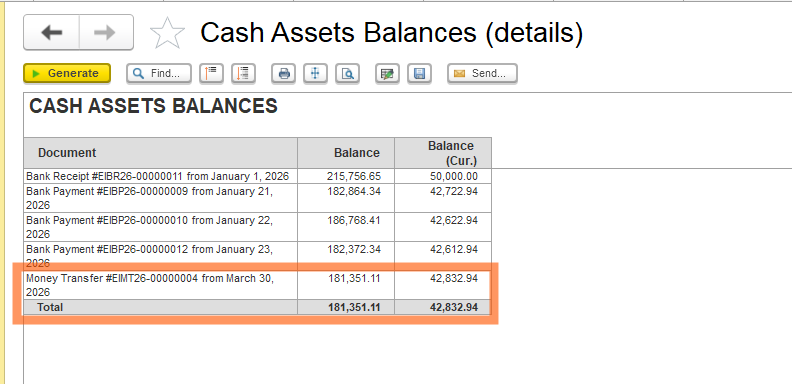 Thus, the exchange rate happens when there is variance on the official rates used in the previous document when compared to current document.
More details about the calculation of exchange rate differences can be found in the manual at the link below.
Overview of Exchange Rate Difference Calculation
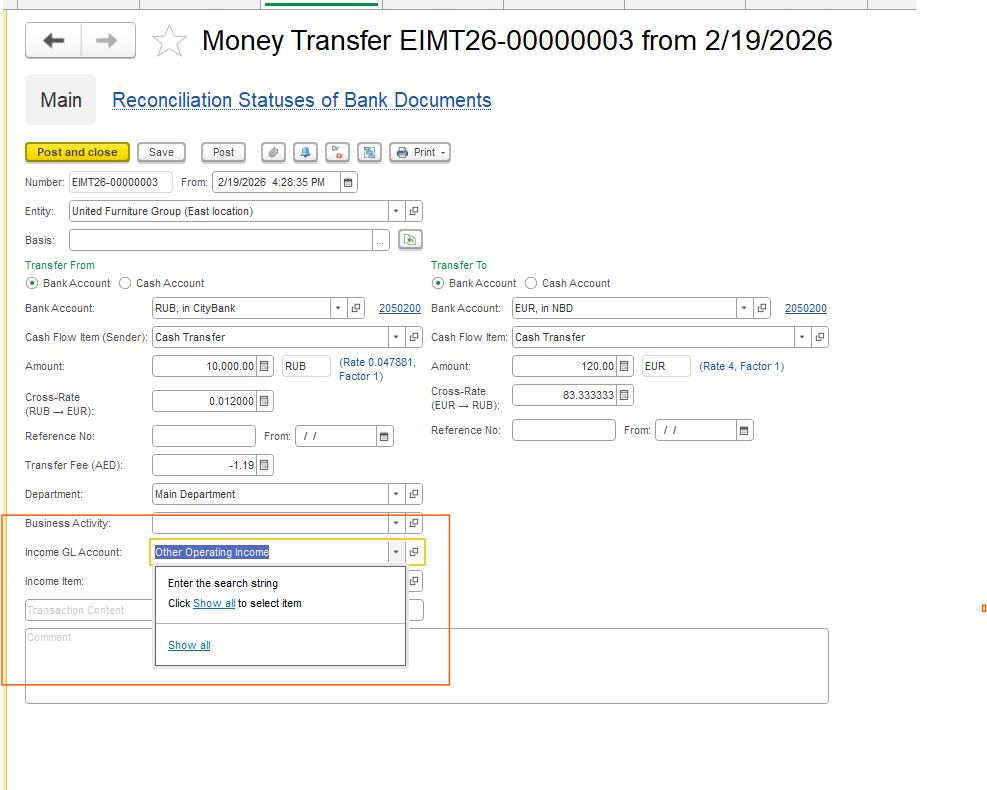
Please note that, depending on your accounting policy, you may independently select the expense GL account used to record costs related to transfers.
The system does not impose any restrictions on GL account selection — you are free to use the GL account defined in your accounting methodology.
From the program’s side, there are no limitations regarding the choice of account.
Thank you for being a FirstBIT customer!
#MoneyTransfer #BankTransfer #TransferFee #CurrencyConversion #ExchangeRate