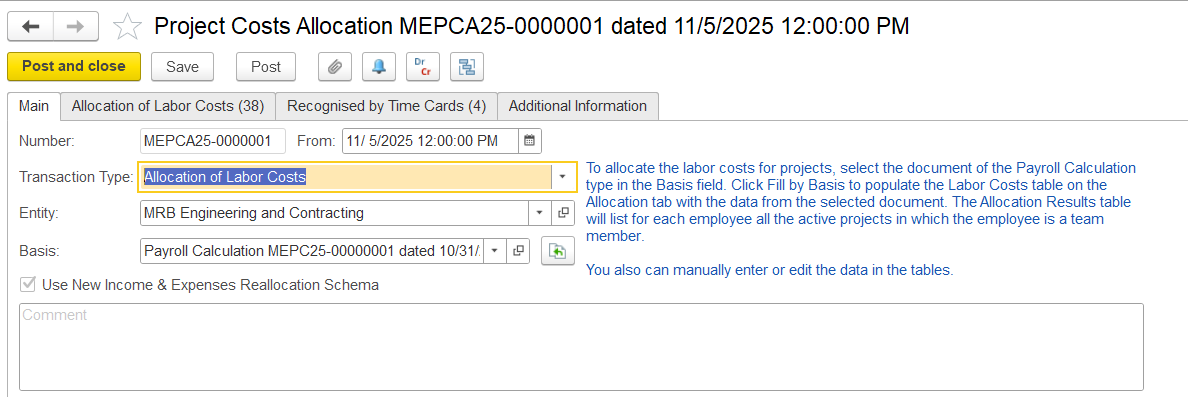
Basis Payroll calculation is mandatory.
Allocation of labor cost table.
Allocation of labor cost means distributing an employee’s salary (or total payroll cost) across different projects, departments, or activities based on how their time was spent.
On this tab, you can enter general information about the labor costs allocation: the data, document number, entity, and the payroll document to be used as the basis.
Transaction Type - Select the type, e.g., Labor Cost Allocation.
Entity - Specify the organizational unit responsible for the costs.
Basis - Choose the Payroll Calculation document. This is a required field because it provides the actual labor costs. The system uses this payroll data to retrieve employee salary amounts for allocation.
Once the basis is selected, the system reviews employee timecards for the same period to determine how their time was distributed across projects and allocates the salary costs accordingly.
Allocation of Labor Cost
This tab is available for documents with the Labor Cost Allocation transaction type. The tab contains two tables: Labor Costs and Allocation Results.
The Labor Costs table is automatically filled based on the payroll calculation document chosen on the Main tab. Each employee may appear in one or more rows, depending on the number of accrual types included in the payroll document. Users can remove unnecessary rows and adjust the amounts to be allocated in the upper table.
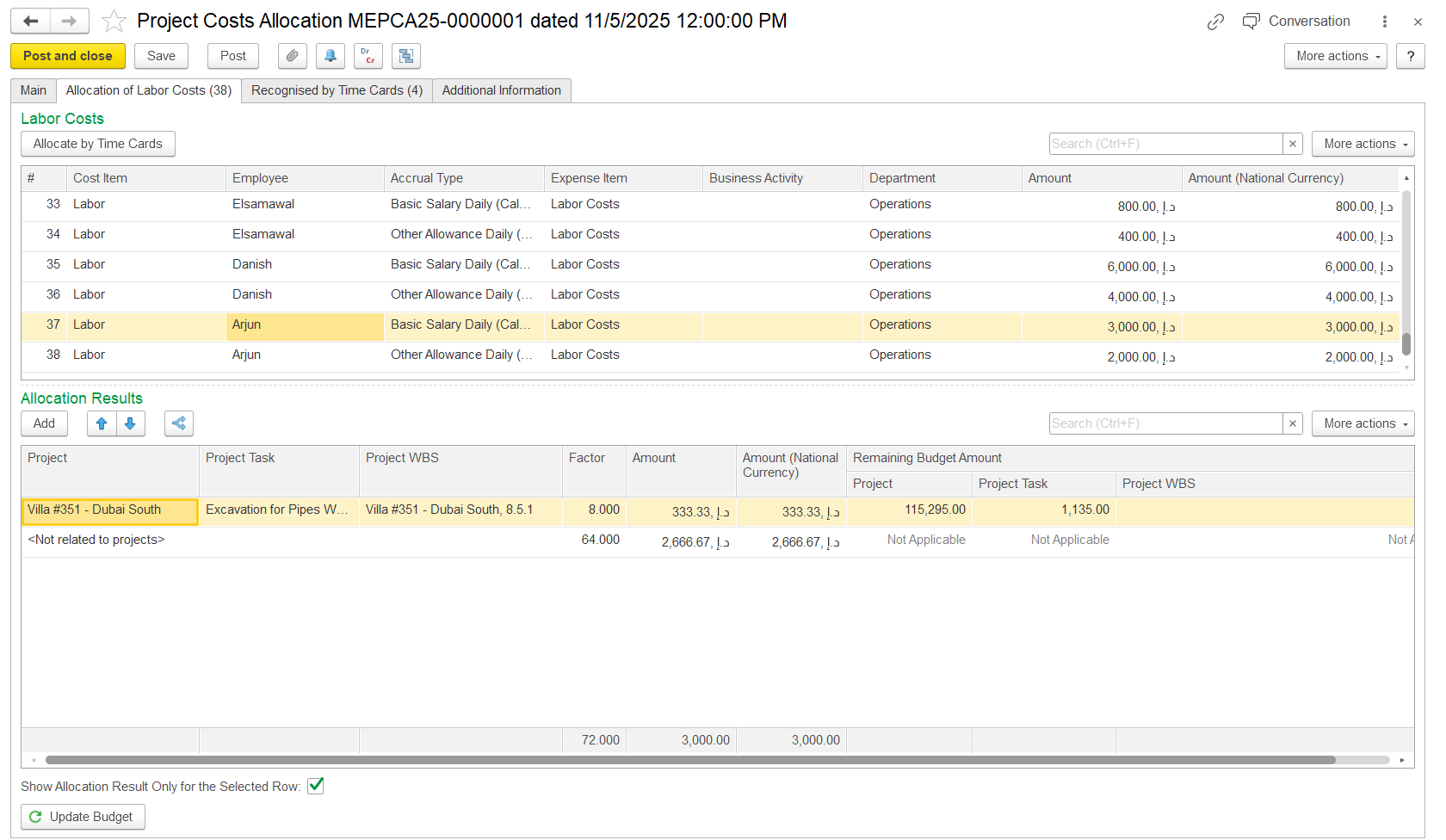
To distribute costs automatically according to employees’ time cards, click Allocate by Time Card. For employees on projects with Active or Proposed status, their labor costs will be allocated automatically to those projects, as shown in the Allocation Results table. Employees who are not part of any project team will have <Not related to projects> In the Project column of the lower table, it indicates that their costs are not allocated to any project.
The Allocation Results table shows how labor costs are assigned to projects or tasks. It calculates how much of an employee’s labor cost goes to each project based on allocation factors. If an employee isn’t part of any project team, their cost is shown as <Not related to projects>.
If the Show Allocation Results only for the Selected Employee checkbox is unchecked, the lower table displays all labor cost allocations (for all employees). If the checkbox is checked, the lower table shows allocation results only for the selected employee cost from the upper table.