A Time Card is a document used to track the actual time spent by a person on work or tasks.
How to create
It can be created/generated based on:
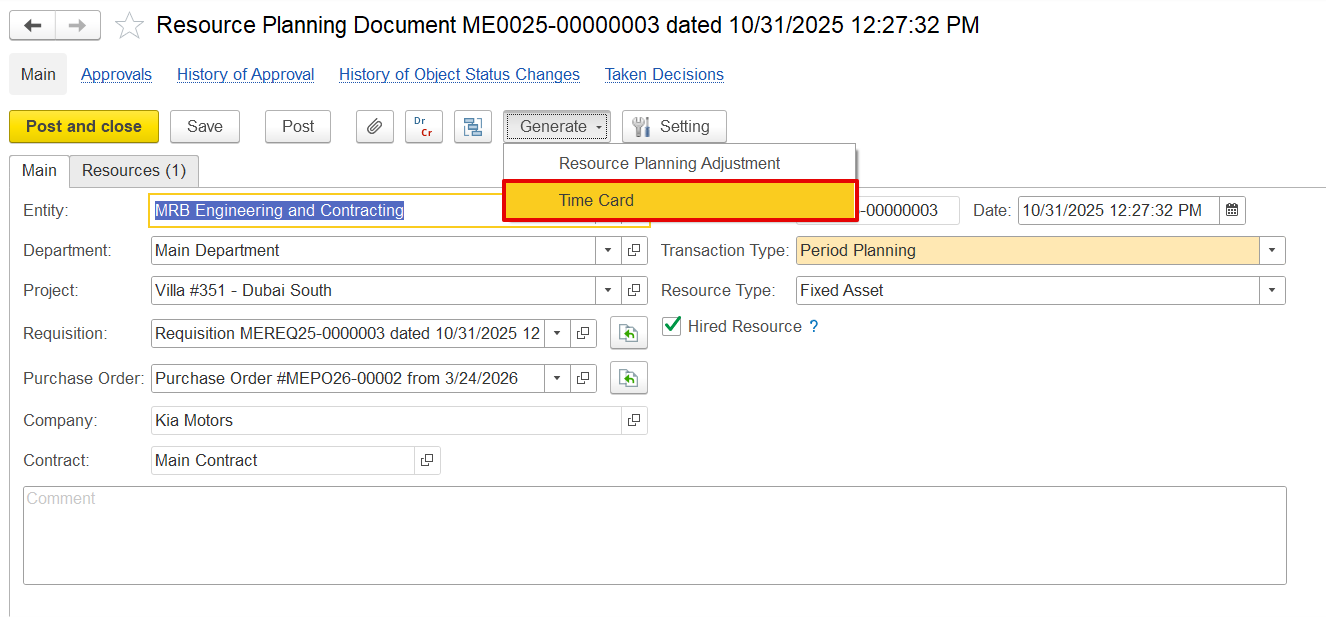
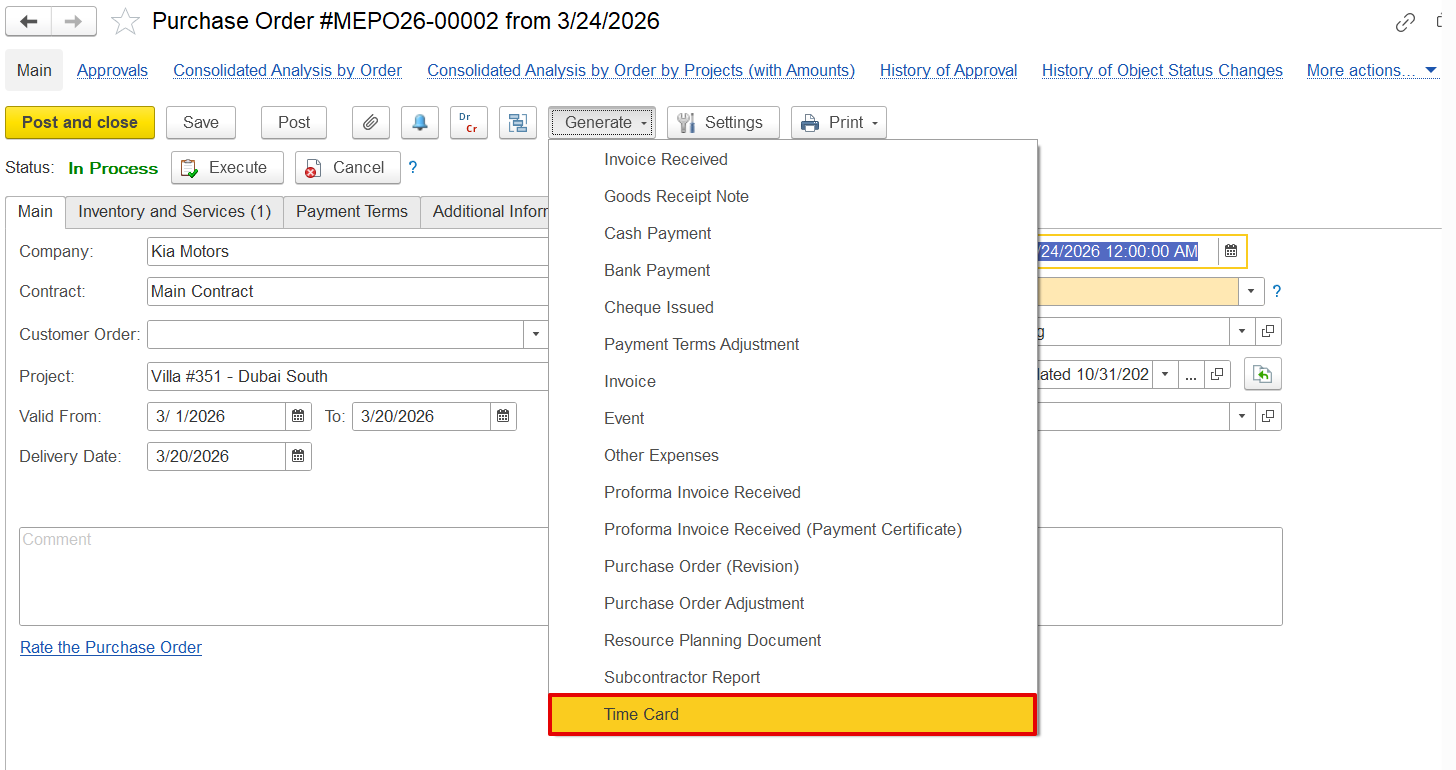
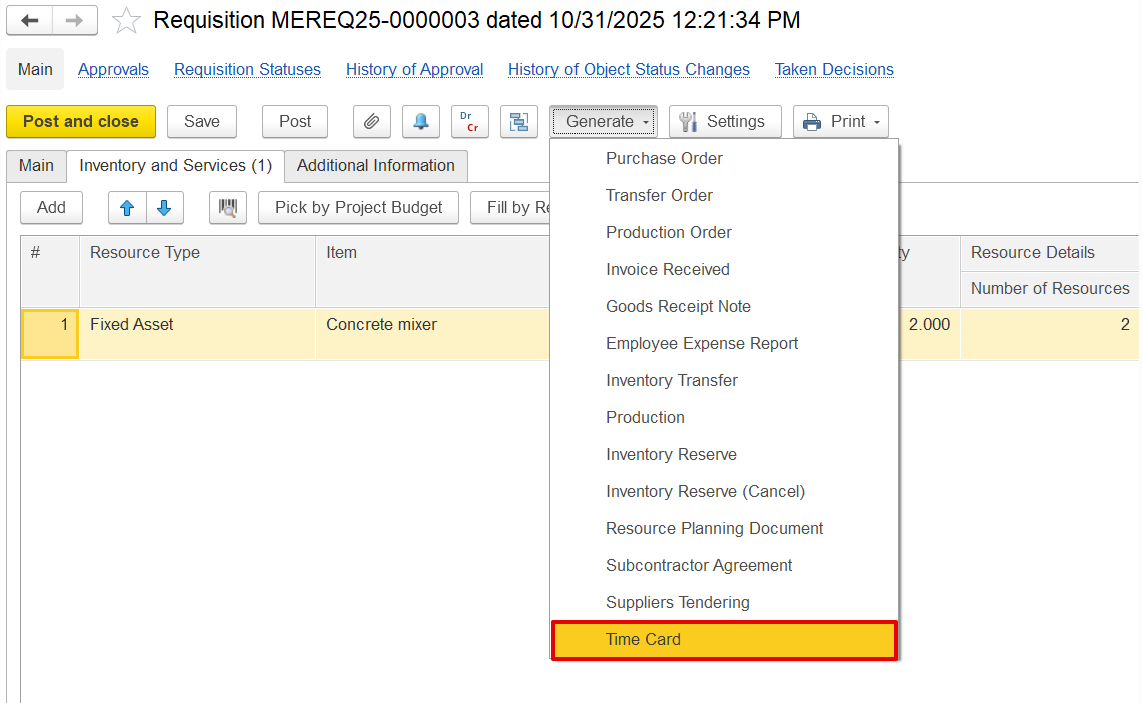
When generated from Resource Planning, a Purchase Order, or a Requisition, the Time Card is automatically pre-filled with planned data, allowing users to review, adjust, and enter the actual hours worked.
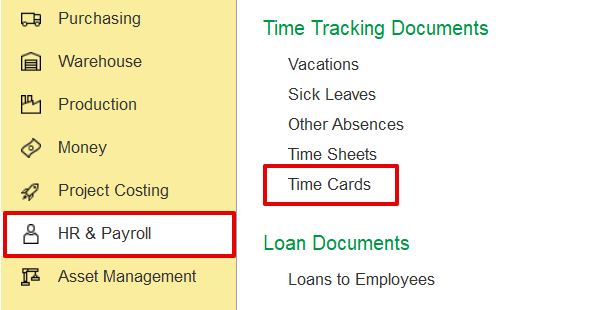
HR & Payroll → Time tracking Documents → Time cards
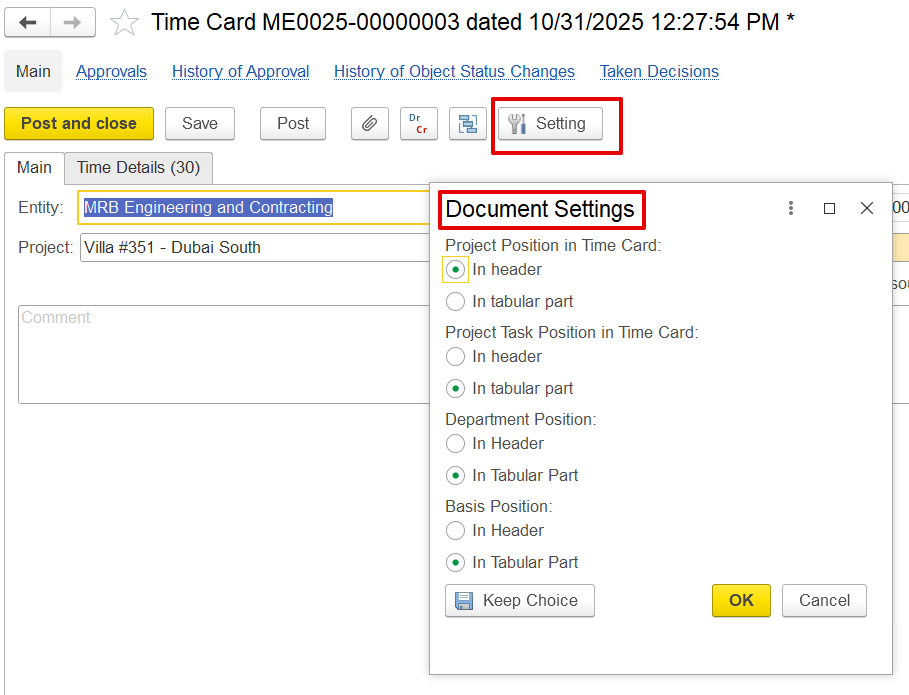
Document Settings
The dialog box lets users control how information is displayed and recorded on a time card.
- Project Position in Time Card - Use Header if the project applies to the entire time card; use Tabular if employees need to record multiple projects.
- Project Task Position in Time Card - Use Tabular to show tasks per line for multiple tasks under one project; use Header if there’s only one project and task.
- Department Position - Use Tabular to assign departments per line when work spans multiple departments; use Header if all entries belong to a single department.
- Basis Position - Includes details like requisitions, POs, and resource planning. Use Tabular to show basis per line when entries vary; use Header if the entire document is based on a single type of work.
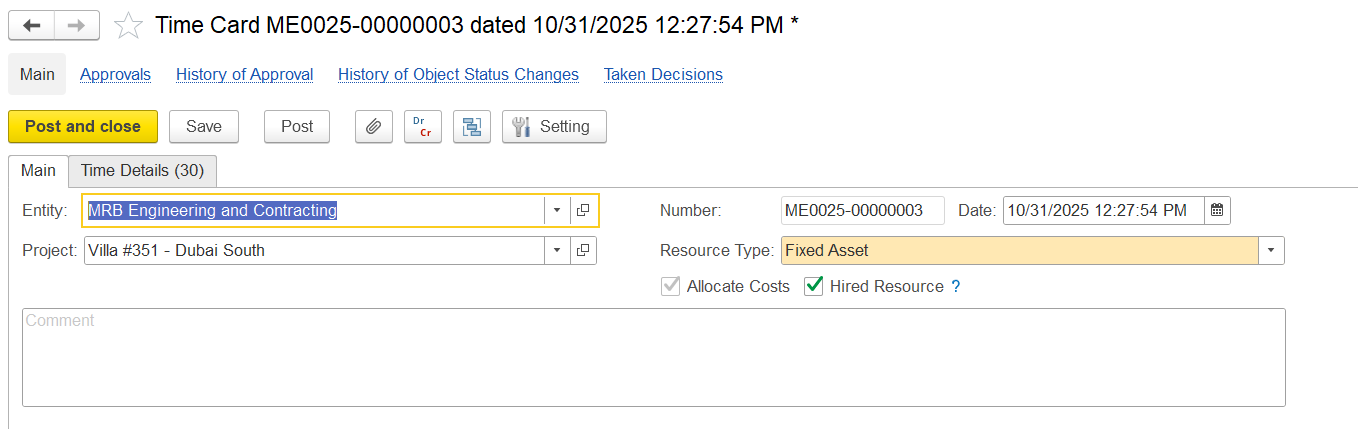
Main Tab
The Main tab is used to record the general information about the Time card.
- Entity - The entity recording the time card document.
- Project - the project for the time entry; can apply to the whole card or each line based on settings
- Resource type - the type of resource (Fixed Asset or Employees); this affects how the cost is calculated
- Allocate cost - decides if the time should create a project cost
- checked - cost will be calculated and added to the project
- unchecked - time is only recorded, no cost added
- Hired resources - shows if the resource is external (hired) or internal
Time Details
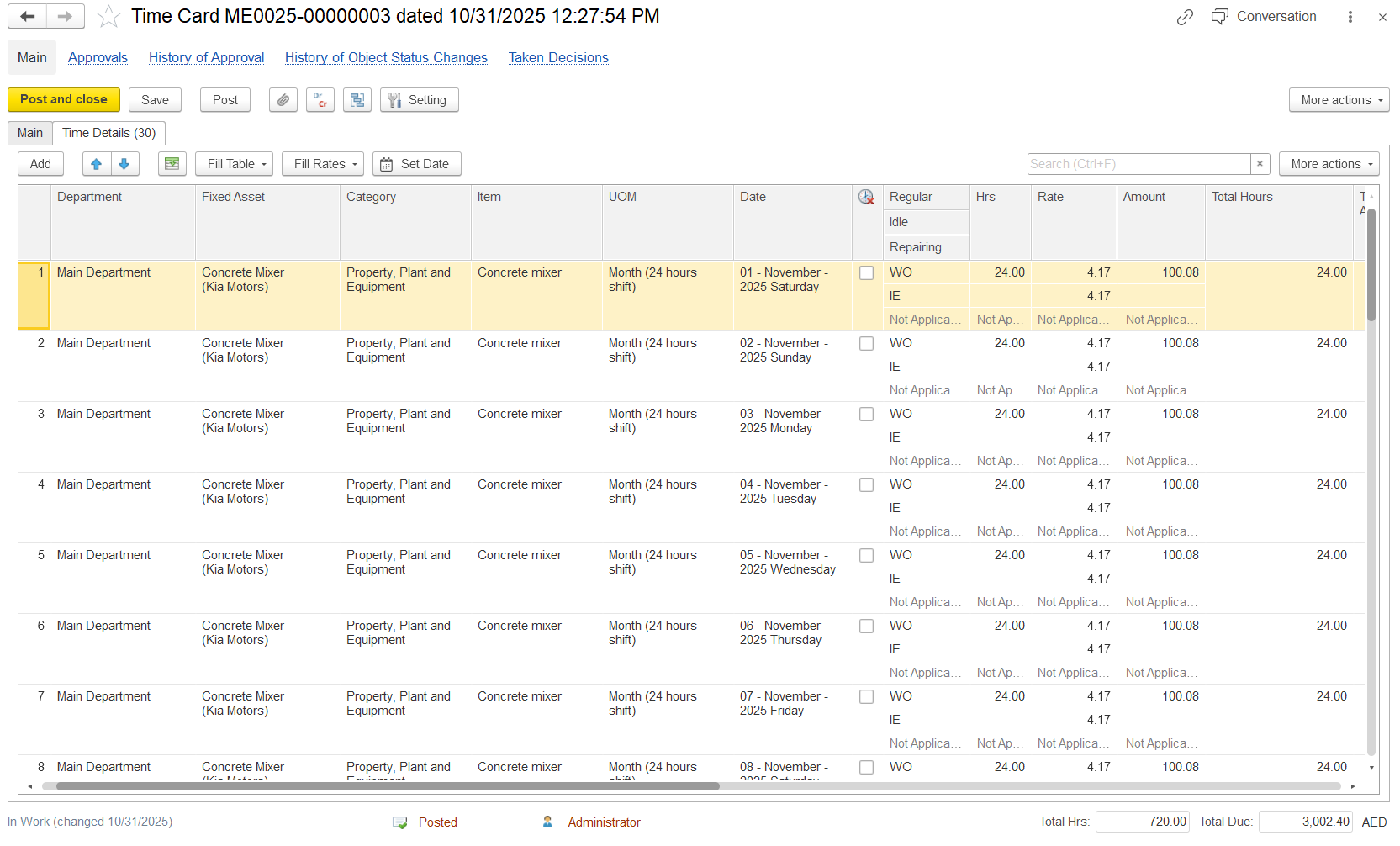
The Time Details tab is designed to capture and manage time entries at the line-item level.
- Department: The department responsible for the entry.
- Fixed Asset: The asset linked to the recorded time.
- Category: The type of asset
- Item:
- UOM (Unit of Measure): The measurement unit used for the entry.
- Date: The date on which the activity occurred.
- A Non-Working Day checkbox can be selected for a particular employee and date to mark absences. Hours on non-working days are recorded and reflected in the Time Card Report.
- Regular: Productive work hours; specifies daytime work duration.
- Idle: Non-productive time.
- Repairing: Time spent on maintenance or repairs.
- Hrs (Hours): Total hours recorded.
- Rate: Cost per unit of time.
- Amount: Cost calculated by multiplying hours by rate.
- Total Hours: Sum of hours per entry.
- Department – The Department responsible for the work.
- Employee / Resource – The person or resource doing the work.
- Position – The role or job title of the employee.
- Item – The specific task, asset, or activity linked to the position.
- Unit of Measure (UOM) – How work is measured, e.g., hours, day shift, or month.
- Date – The day the work was done.
- Time Type – The kind of hours worked:
- Regular: Normal working hours
- Overtime: Extra hours
- Non-working: Absences or idle time
- Hours (Hrs) – Number of hours worked.
- Rate – Cost per hour or unit of work.
- Amount – Total cost calculated from hours × rate.
- Total Hours – Total hours for that entry, based on shifts and UOM.
- Non-Working Day – Marks a day off or absence; system calculates hours missed.
- Linking Options – Connects the time card to a requisition, purchase order, or resource plan.
- Total Amount - Total cost for that line entry.
- Project WBS - The project or project segment where the cost is assigned.
- Project Task - The specific activity or task within the project.
- GL Accounts - General Ledger account where the cost is recorded in finance.
- Expense Item - Type of expense being recorded (e.g., equipment, labor, etc.).
- Basis - Source or reference used for the entry (such as contract or agreement).
- Comment - Additional notes or description for that entry (optional).
Time details table
- columns description as usual.
- non working chaeck box.
- Time types.
- Hours and rates (if allocate cost).
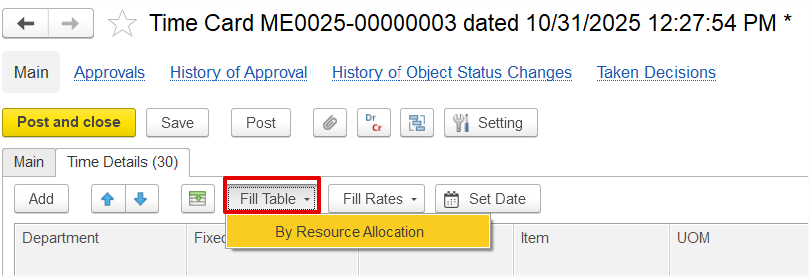
- Fill table button
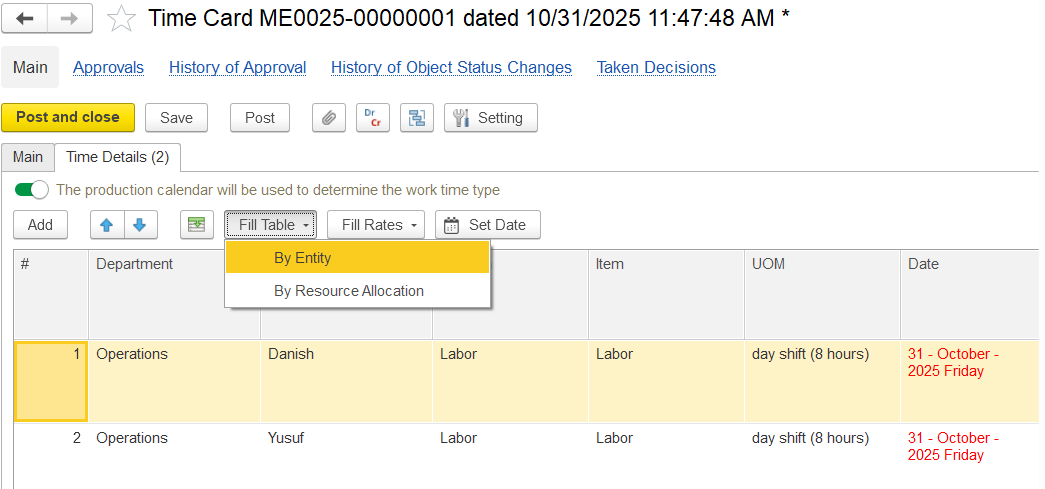
- by entity
- by department (if department in the header)
- by resource allocation (period planning and long term both planning will be considered while filling)
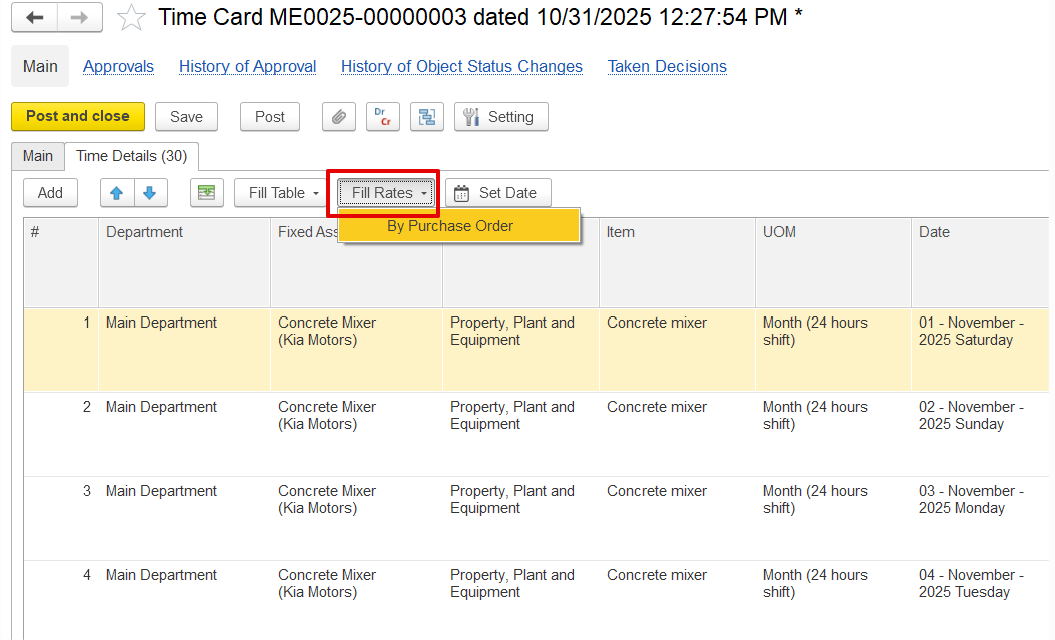
- fill rates button (if hired rates are taken from PO, if not hired → from Project item pricing or from resource rates register based on settings)
- by resource (rate searched by exact employee or fixed assets)
- by item (rate is searched by item (position or FA category).
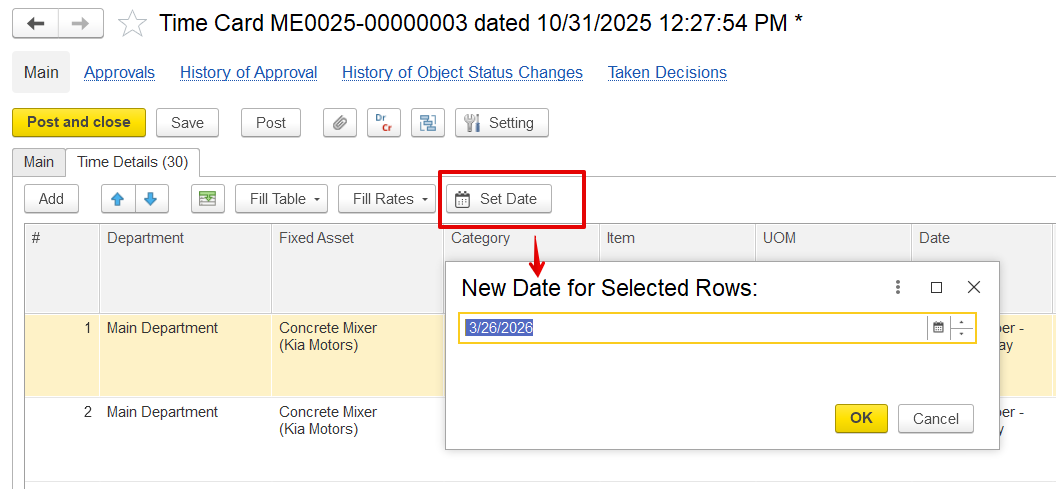
- Set date button.
Fill Table
for hired resources in time card this button has only option by resource allocation.
by enity and by department(if department in header) only for own employees
Fill Rates
The Fill Rate button in the time card automatically populates the cost or rate for each entry. It can work by resource (specific employee or fixed asset) or by item (position or asset category). The system first uses detailed rates from the employee’s record; if unavailable, it falls back to the position or category rate.
Set Date Button