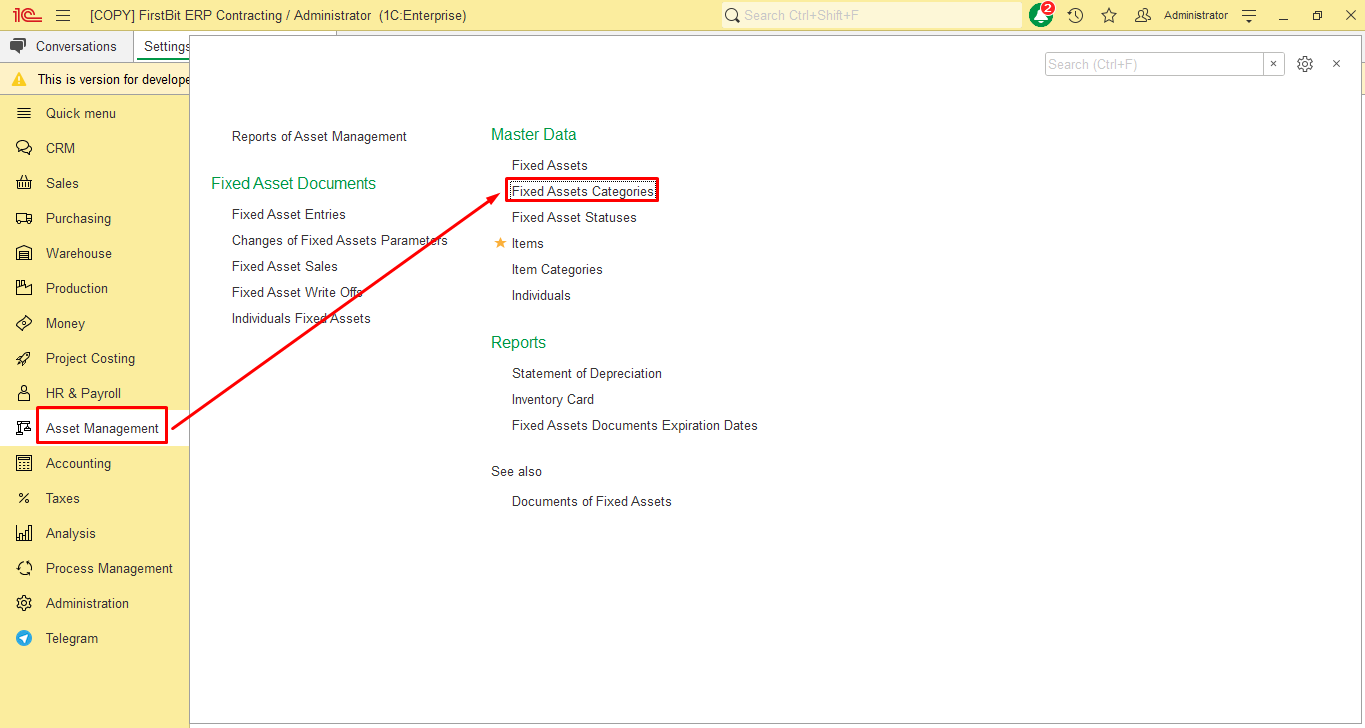
In the FirstBit Software you are able to create and use Fixed Assets (FA) categories.
To access a list of FA categories, go to Asset Management → Master Data → Fixed Assets Categories form.
FA categories can be used to group of similar Fixed Assets with the same characteristics. You can create either a category group to organize multiple categories, or individual categories without grouping.
If you need to create a FA Category Group as a parent folder:
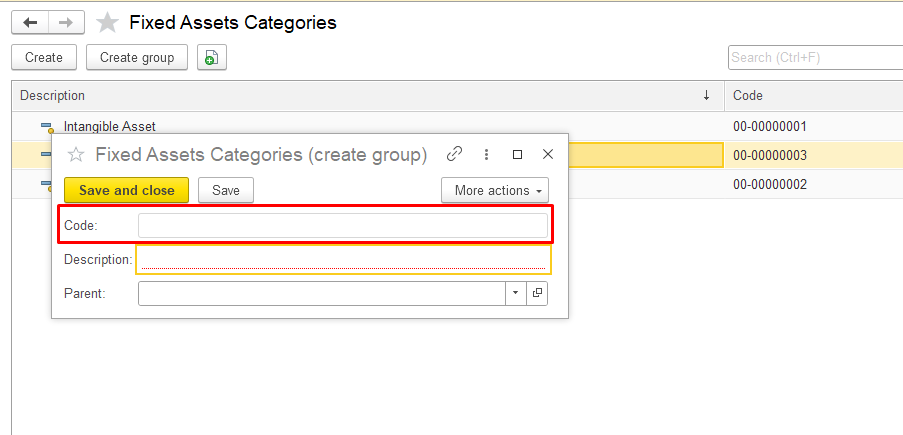
Open the Fixed Assets Categories section in the system, click the Create group button at the top and in the pop-up window, fill in the required fields:
Code -
Description — enter the name of the category group
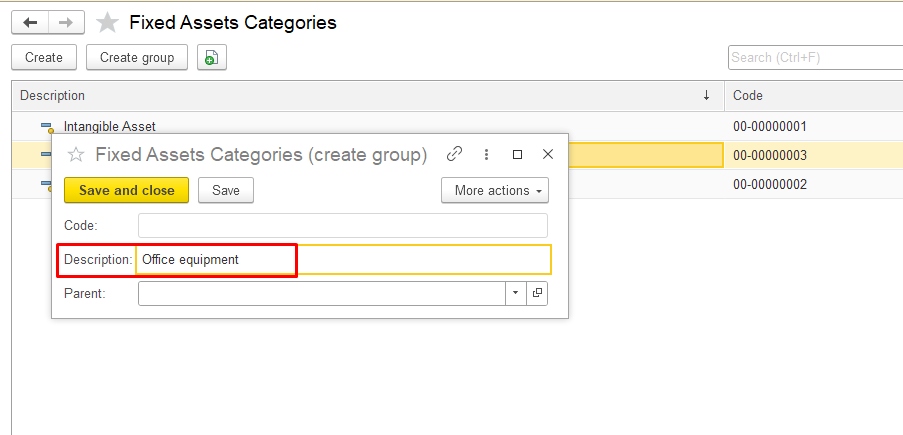
Parent — select a parent category if you want to create a subgroup (leave blank if it’s a top-level group).
vbnvbvnmvmn