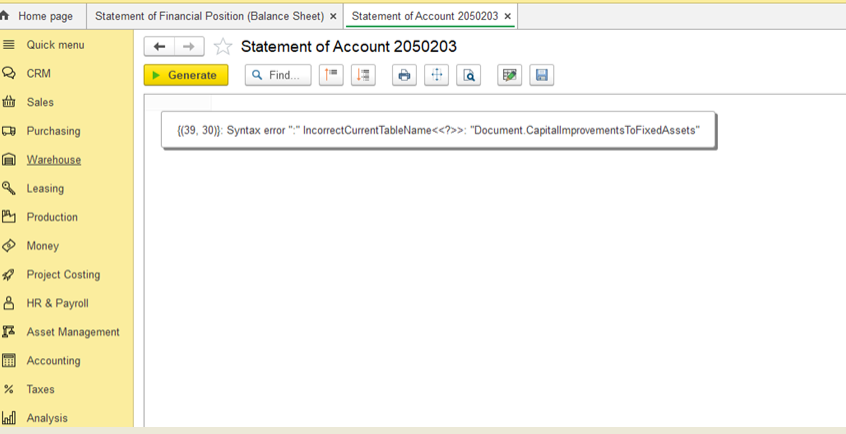
Error: Incorrect Current Table Name while working with the document Capital Improvements to Fixed Assets.
After updating FirtsBit Software, new access roles were added.
Some users have custom (non-standard) access profiles created earlier. In these profiles, new roles do not appear automatically, so the system lacks the necessary rights to generate the report.
A standard access profile is a pre-configured profile that comes with the software.
Think of it as a ready-made template of permissions that automatically updates with the system.
If a profile was modified or created manually, it is non-standard and does not get new roles automatically.
Go to Administration → Master Data → Users
Select the user
Click Access Rights
If only standard profiles are listed (e.g., Accountant, HR Manager) → this is a standard profile
If there are manually created or modified profiles → this is a non-standard profile
Contact support:
📧 hotline@firstbit.ae
The following roles need to be added:
Document Capital Improvements to Fixed Assets — Read
Document Capital Improvements to Fixed Assets — View
Document WIP Costs Adjustment — View
Document WIP Costs Adjustment — Read
Document WIP Costs Adjustment — Edit
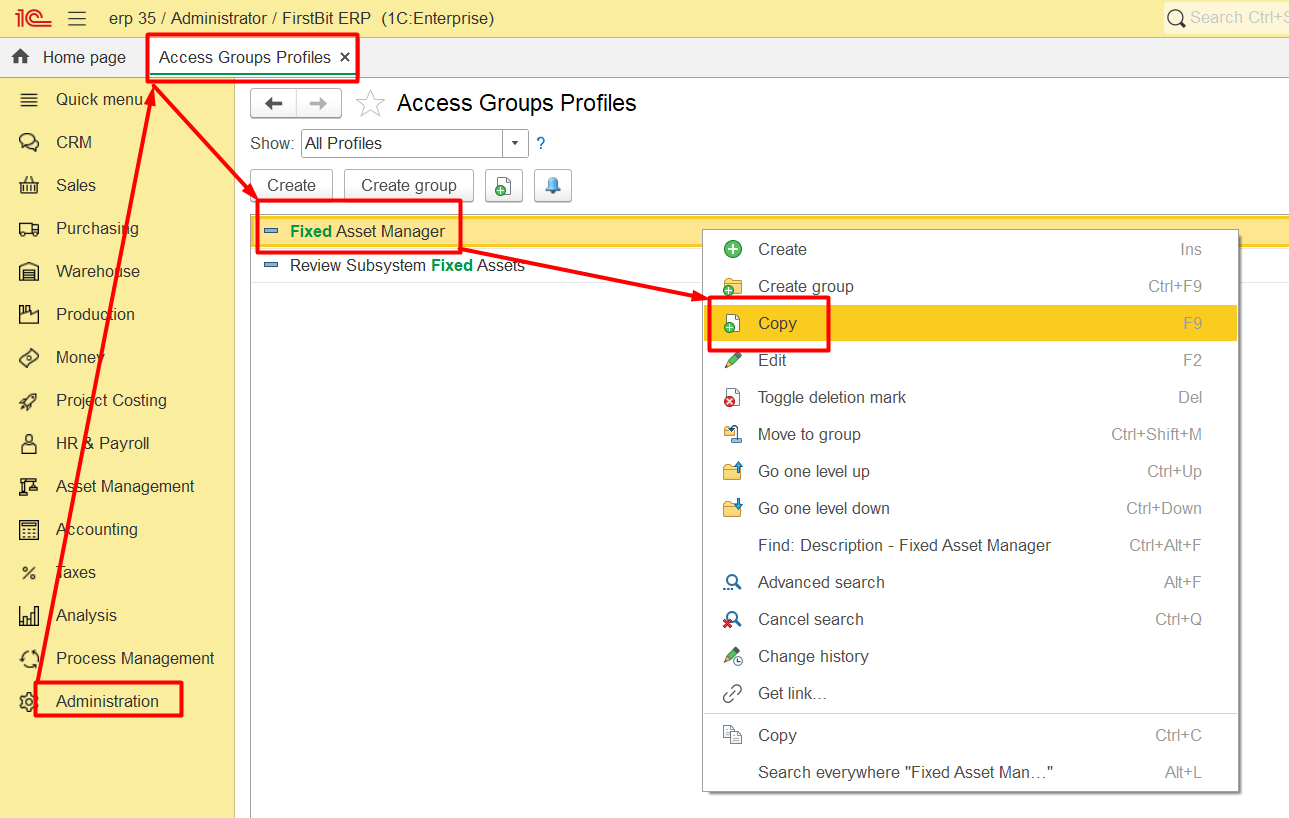
Go to Administration → Access Group Profiles (Administrator rights required)
Copy an existing profile, e.g., Fixed Assets Manager
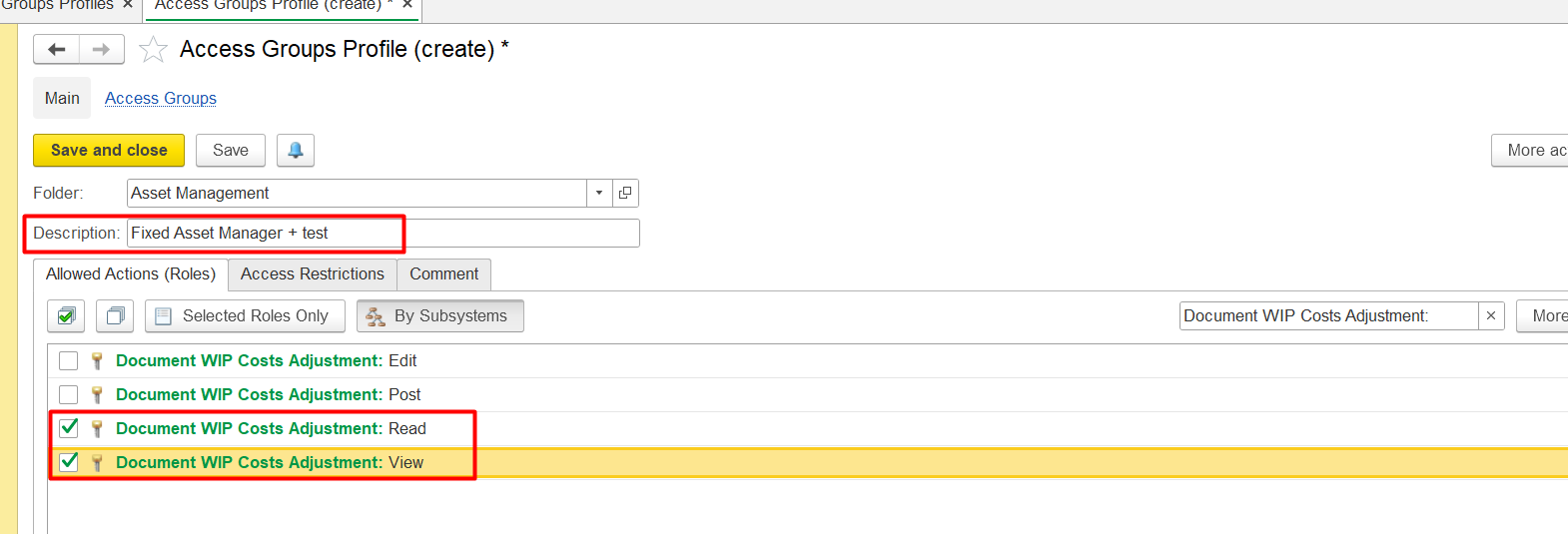
Rename it, for example: Fixed Assets Manager +
Add the roles listed above
Assign this new profile to the user
The user must log out and log in again.
Thank you for being a FirstBIT customer!