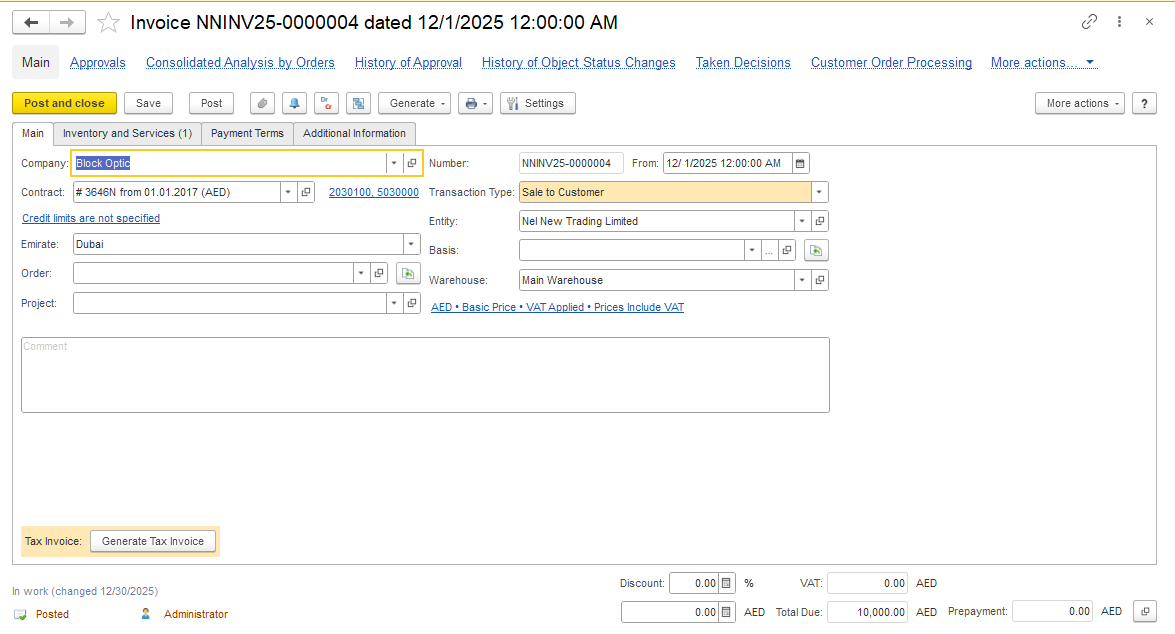
Problem: A payment related to a customer needed to be refunded for various business reasons, for example: incorrect payment, overpayment, reconciliation issue, or customer request.
Solution: Please follow the steps below to show how to record the refund.
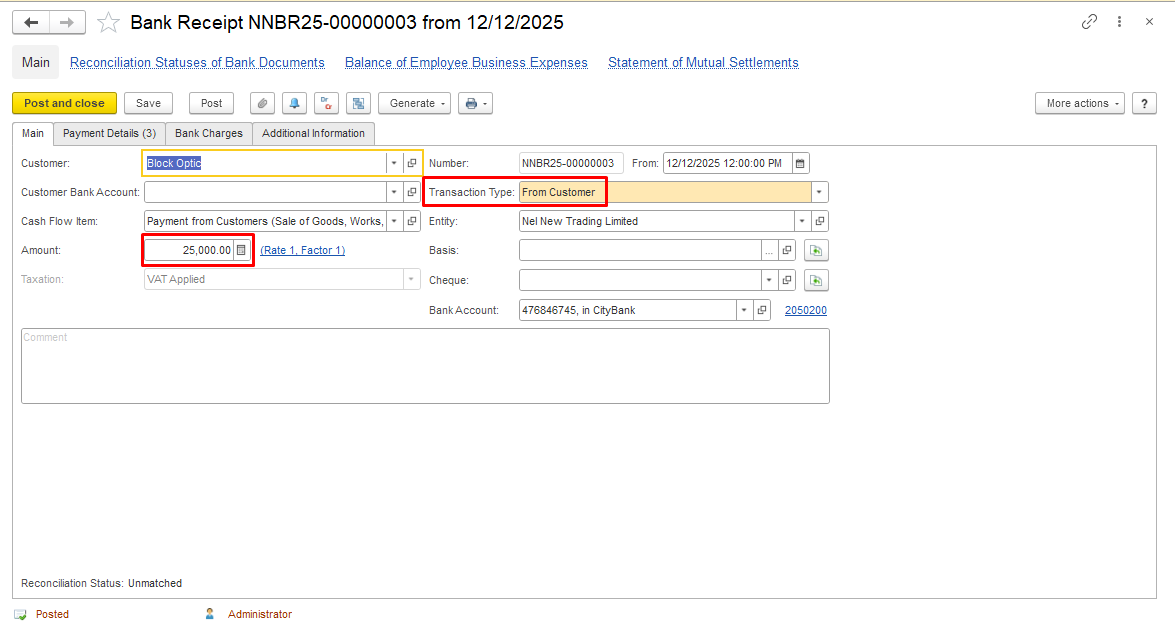
2. The incoming payment from the customer is recorded in the system using a Bank Receipt.
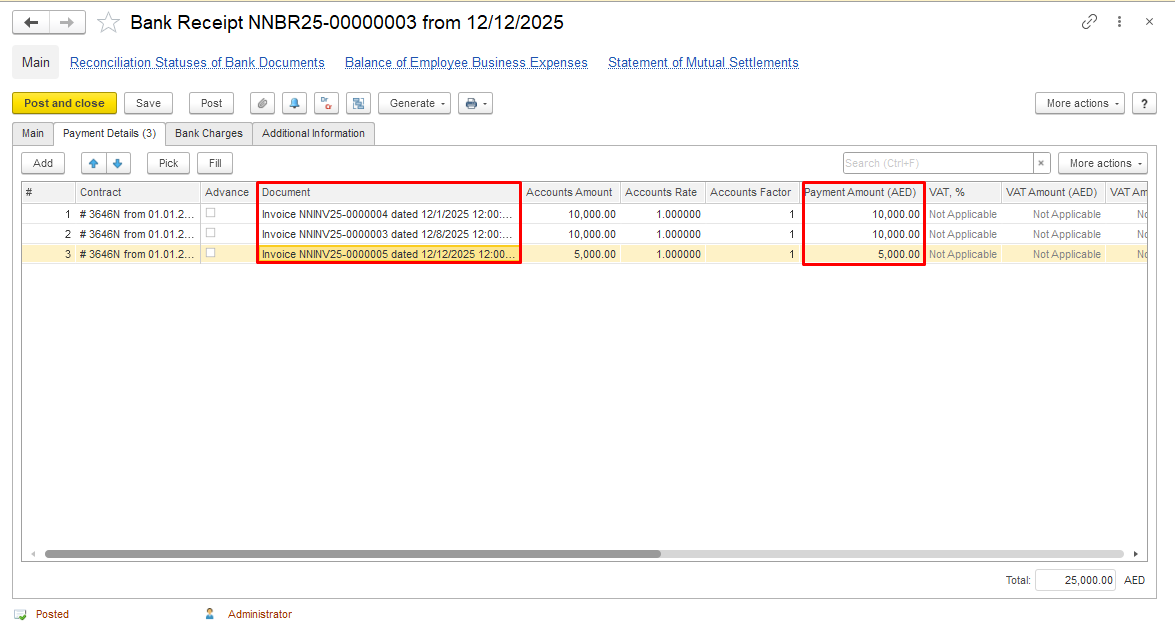
The payment amount is fully allocated to open invoices.
Please also refer to the description of the Bank Receipt document creation Bank Receipt (From Customer).
NOTE: If a refund is required back to the customer (partially or fully), and the system does not allow posting the bank refund with the “To Customer” transaction type because no open customer documents are available. Proceed with the workaround below.
3. Open the original Bank Receipt document in the system. Cancel posting and unlink (delete) related Invoices from this document. This creates an unapplied payment amount in the system, making it available for reclassification.
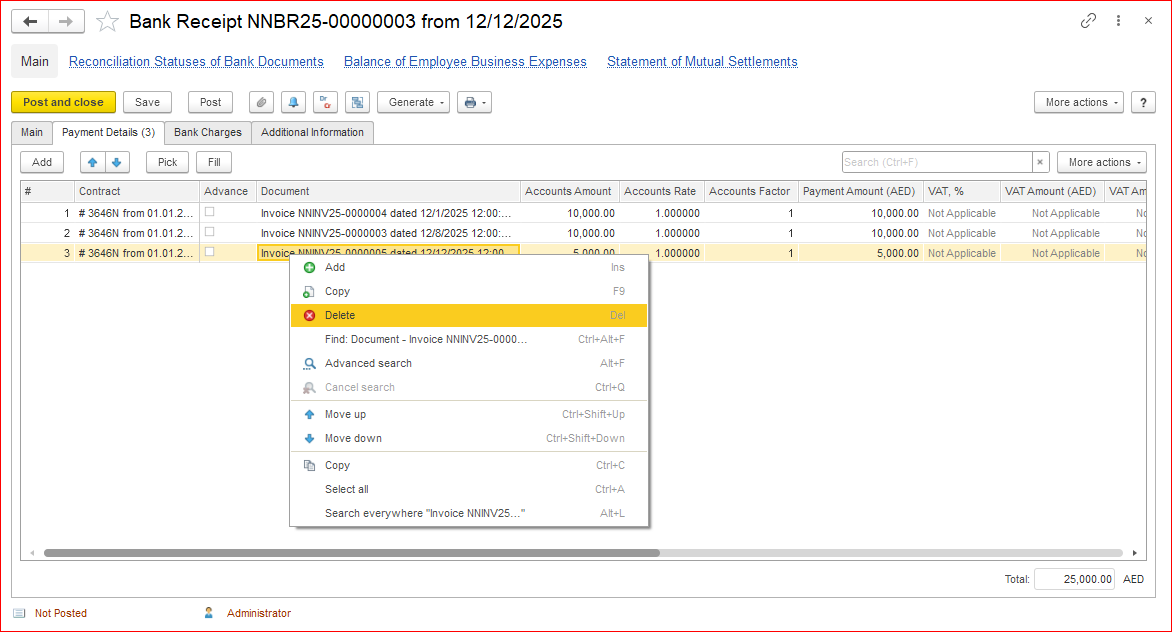
Mark the original payment as an advance payment for the customer. Save and post the document.
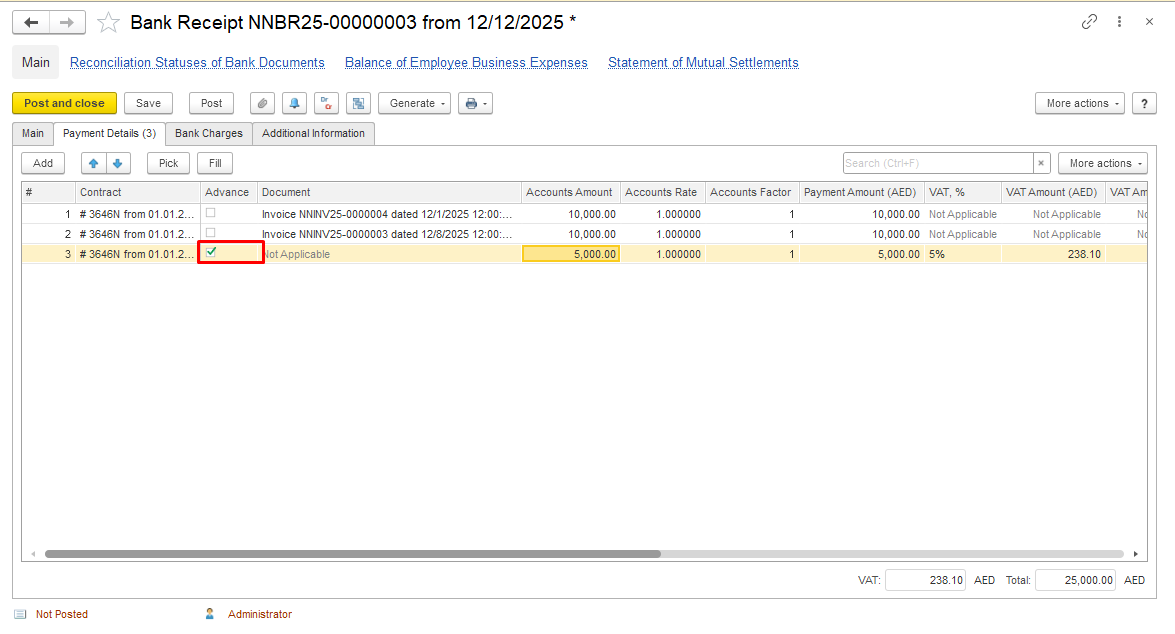
4. Create Bank Payment to record refund.
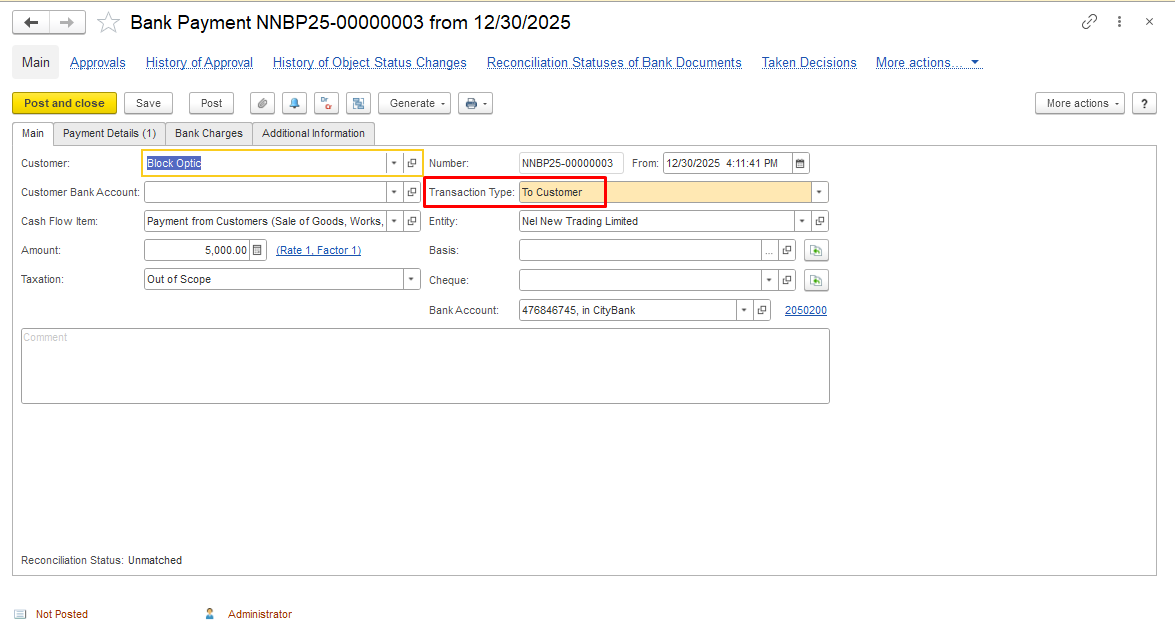
Create a Bank Payment document with the Transaction Type = To Customer to reflect the actual refund paid out from the bank account back to the customer.
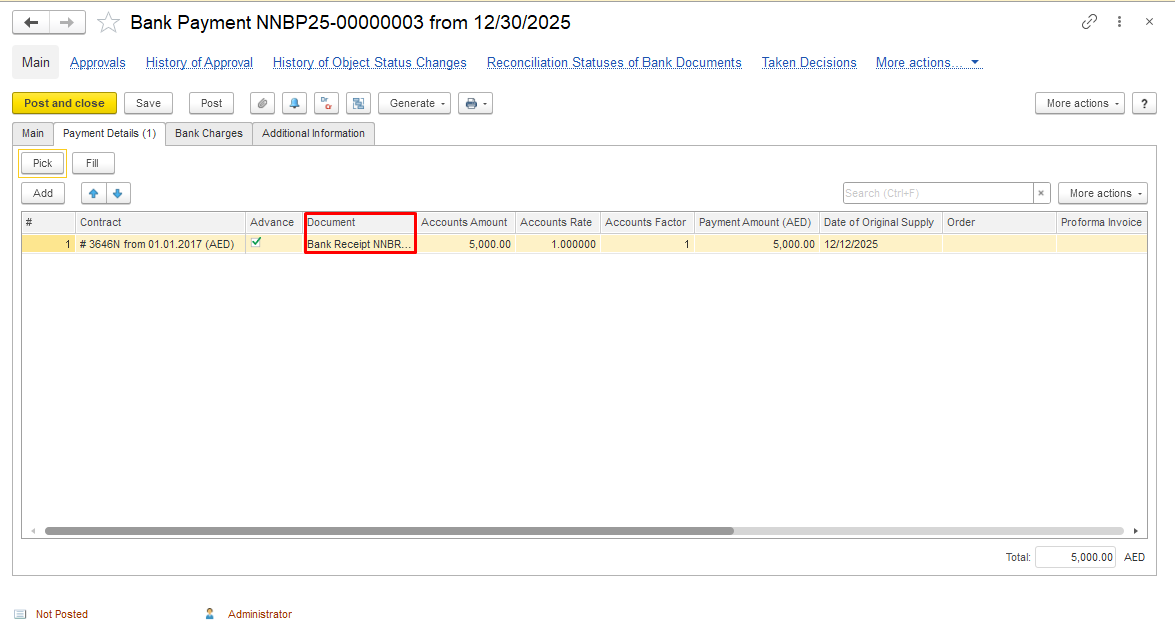
In the tabular part, link the document of the bank receipt to show on what basis document, the refund is paying.
Please also refer to the description of the Bank Payment document creation Bank Payment (To Customer).
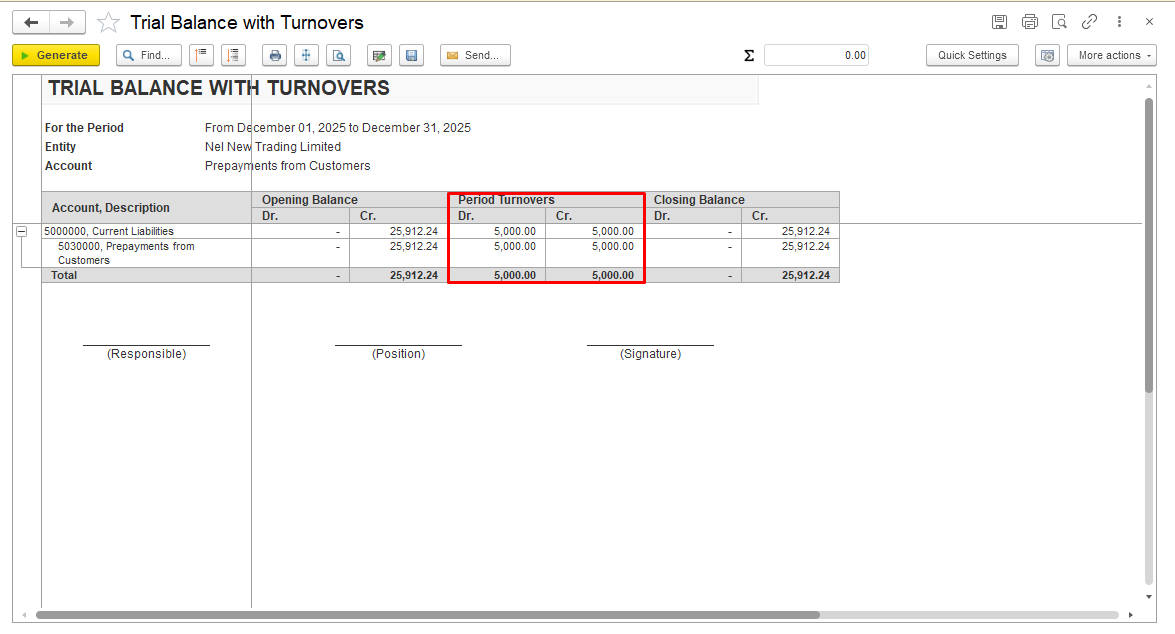
Generate report to check your actions.
Thank you for being a FirstBIT customer!