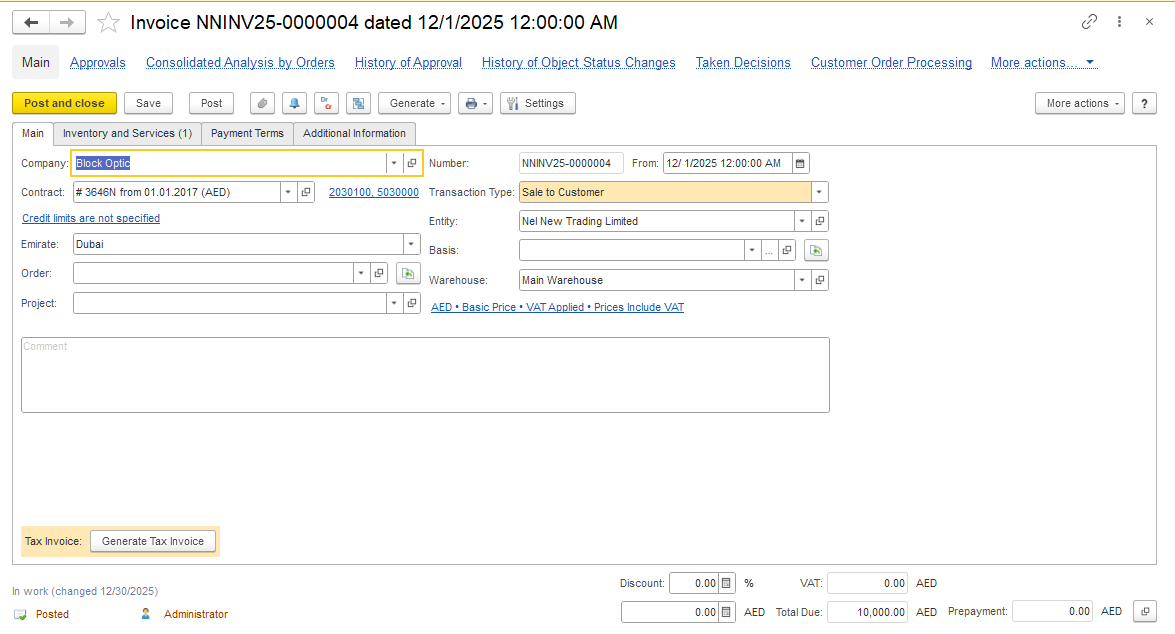
Problem: A refund to a customer can only be created from an unapplied customer payment (customer advance). If the original payment has already been fully allocated to invoices, no remaining customer advance exists, therefore the system does not allow creating a Bank Payment with Transaction Type = To Customer
Solution:
2. The incoming payment from the customer is recorded in the system using a Bank Receipt.
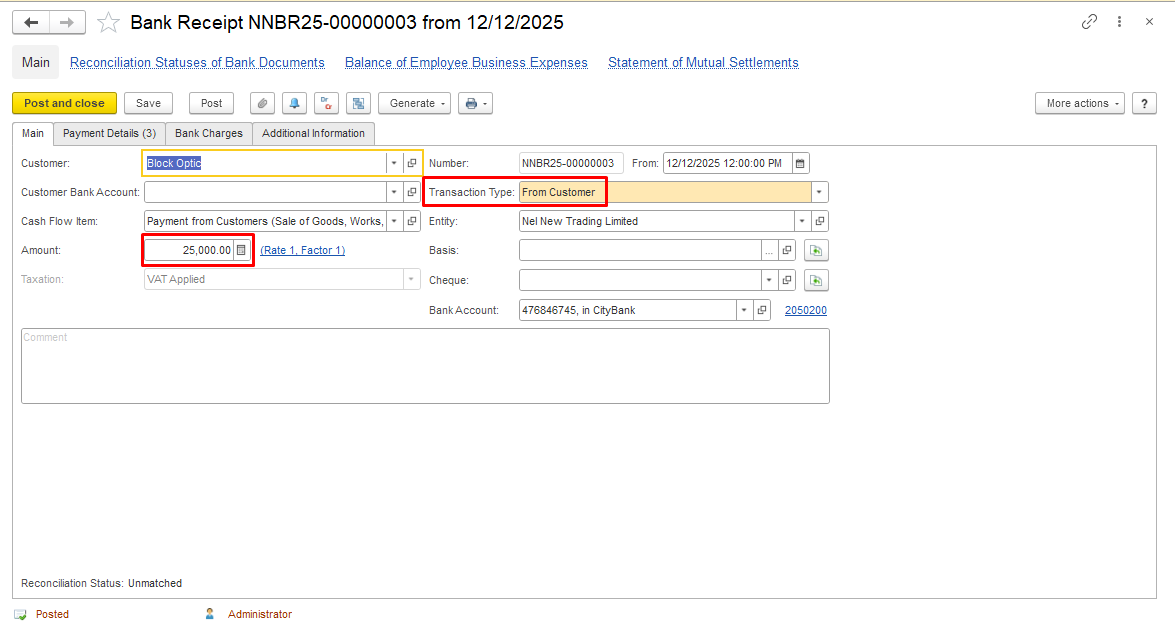
The payment amount is fully allocated to open invoices.
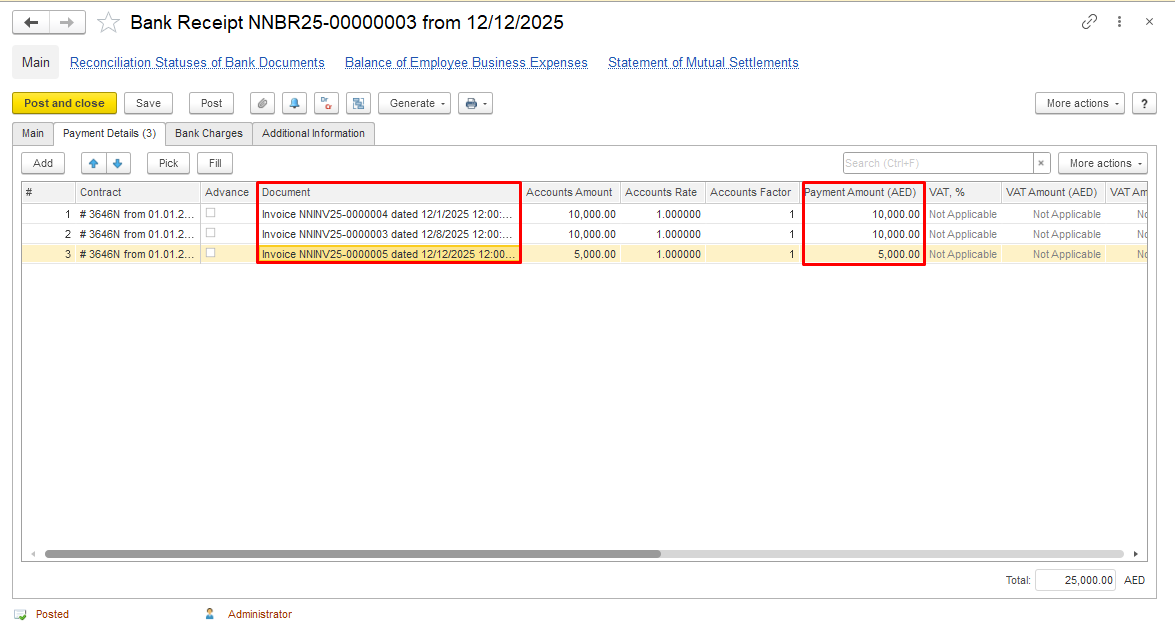
Please also refer to the description of the Bank Receipt document creation Bank Receipt (From Customer).
If a full or partial refund is required and the system does not allow creating a Bank Payment with Transaction Type = To Customer, the original customer payment documents must first be adjusted.
Important: Removing the invoice allocation reopens the affected invoices. After completing the refund, verify that any remaining customer payment is allocated correctly and that customer settlements are accurate.
3. Open the original Bank Receipt document in the system. Cancel posting and unlink (delete) related Invoices from this document. This creates an unapplied payment amount in the system, making it available for refund processing.
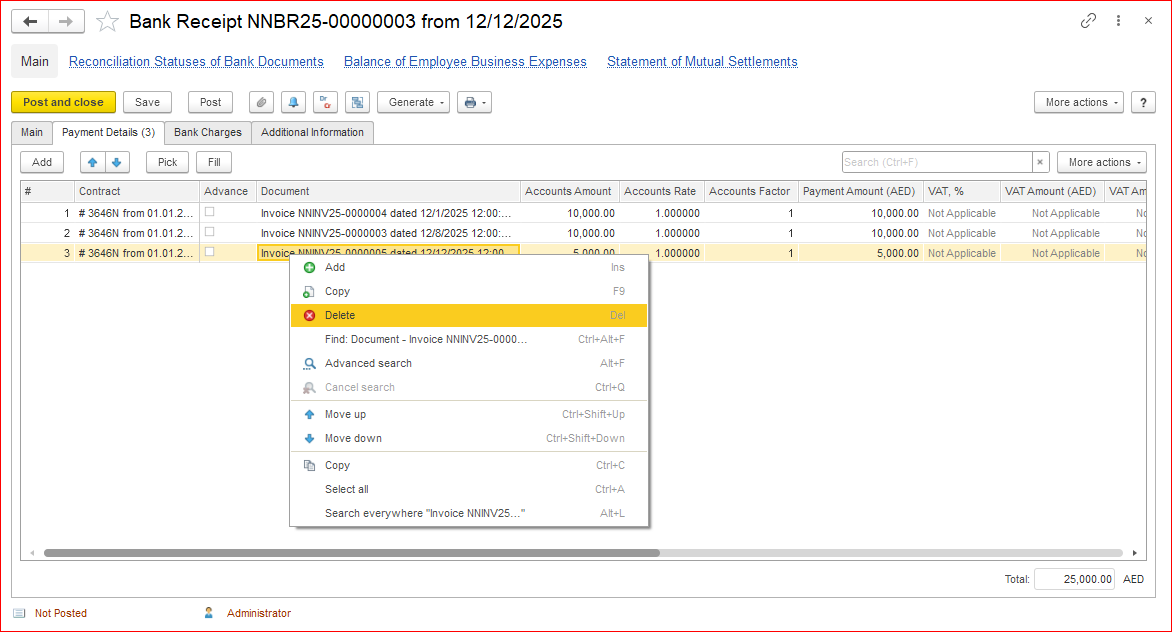
Mark the original payment as an advance payment for the customer. Save and post the document.
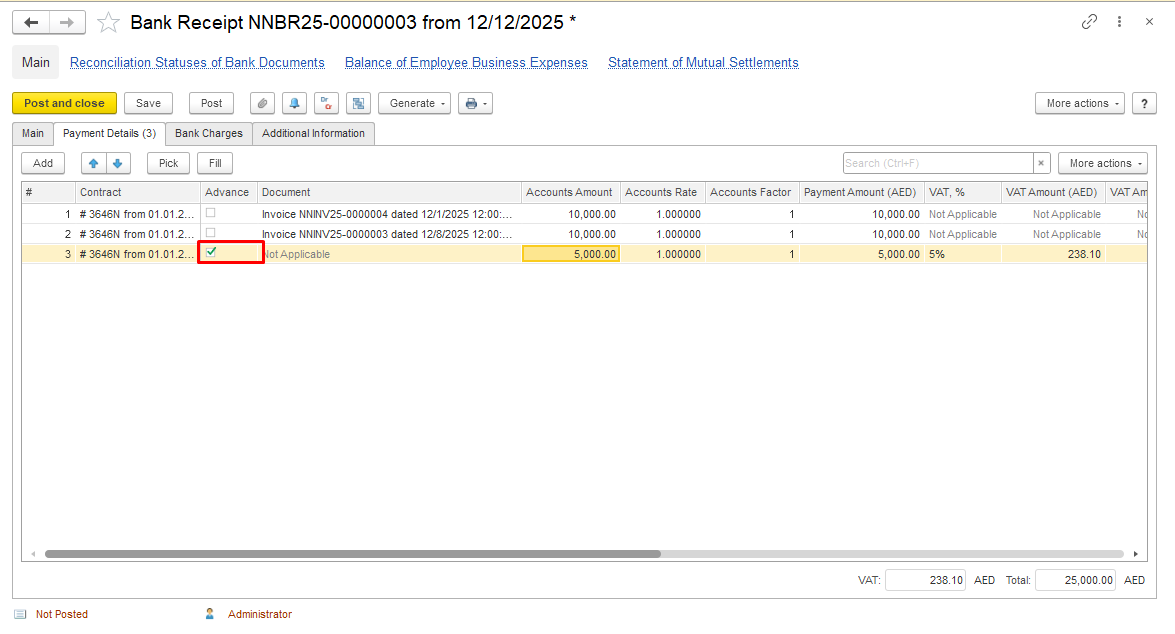
4. Create Bank Payment to record refund.
Create a Bank Payment document with the Transaction Type = To Customer to reflect the actual refund paid out from the bank account back to the customer.
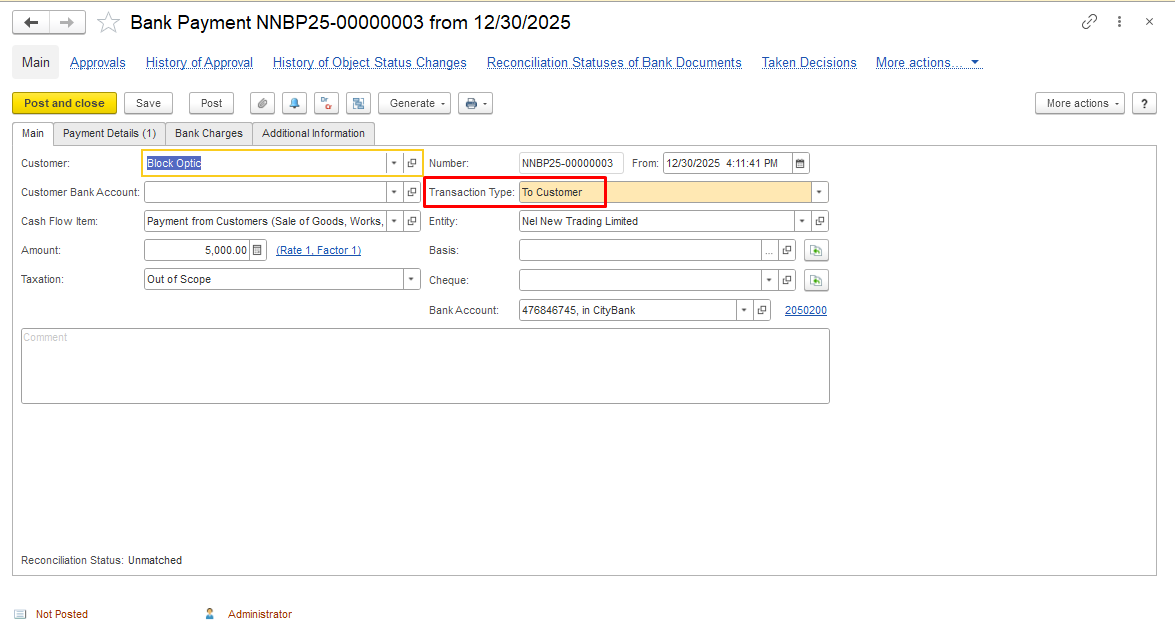
In the tabular section, link the Bank Receipt document to indicate the basis for the refund.
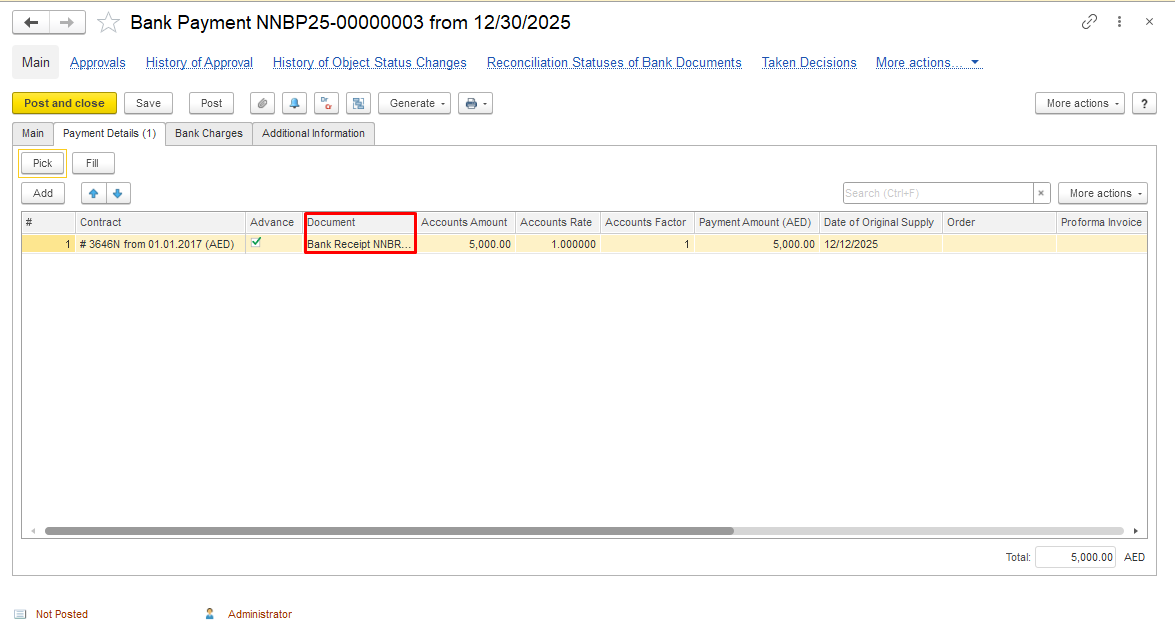
Please also refer to the description of the Bank Payment document creation Bank Payment (To Customer).
Generate report to check your actions.
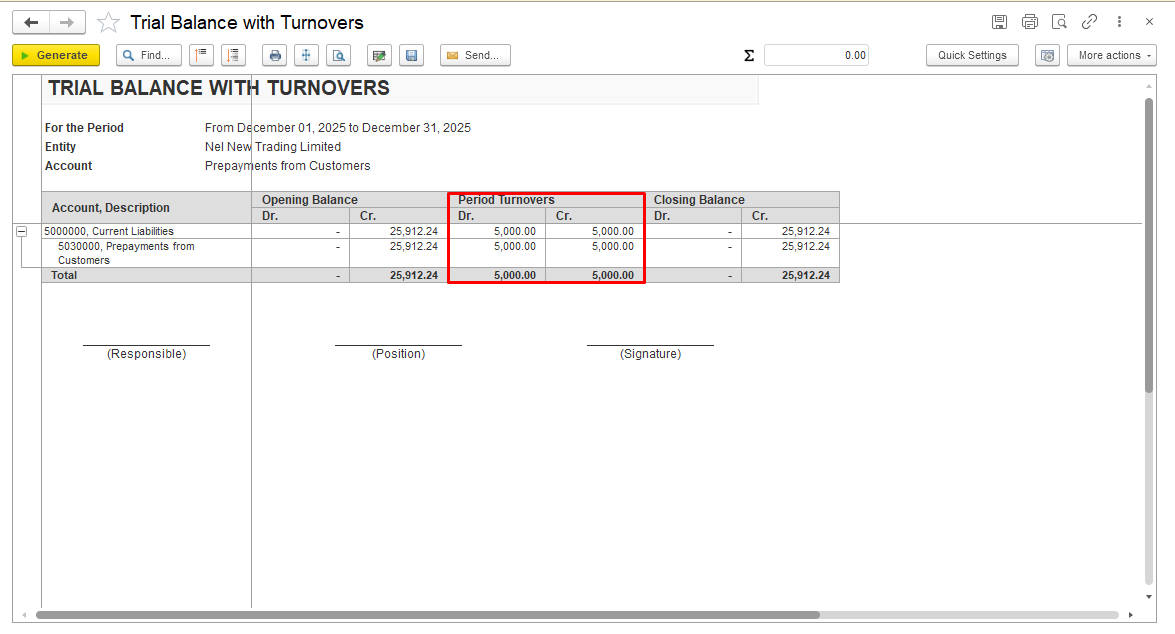
These methods are applicable only if the same business partner is registered in the system as both a Customer and a Supplier.
Offset Supplier Prepayment against an Invoice Received.
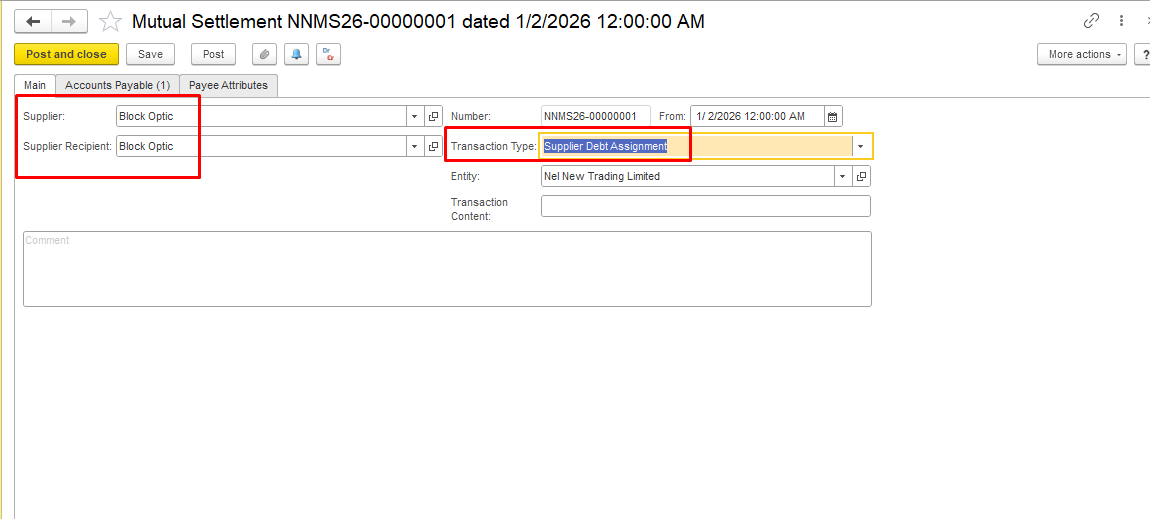
Create a Mutual Settlements document with Transaction Type = Supplier Debt Assignment. In the Supplier and Supplier Recipient fields, select the same business partner.
Please refer to the guide Mutual Settlements (Supplier Debt Assignment).
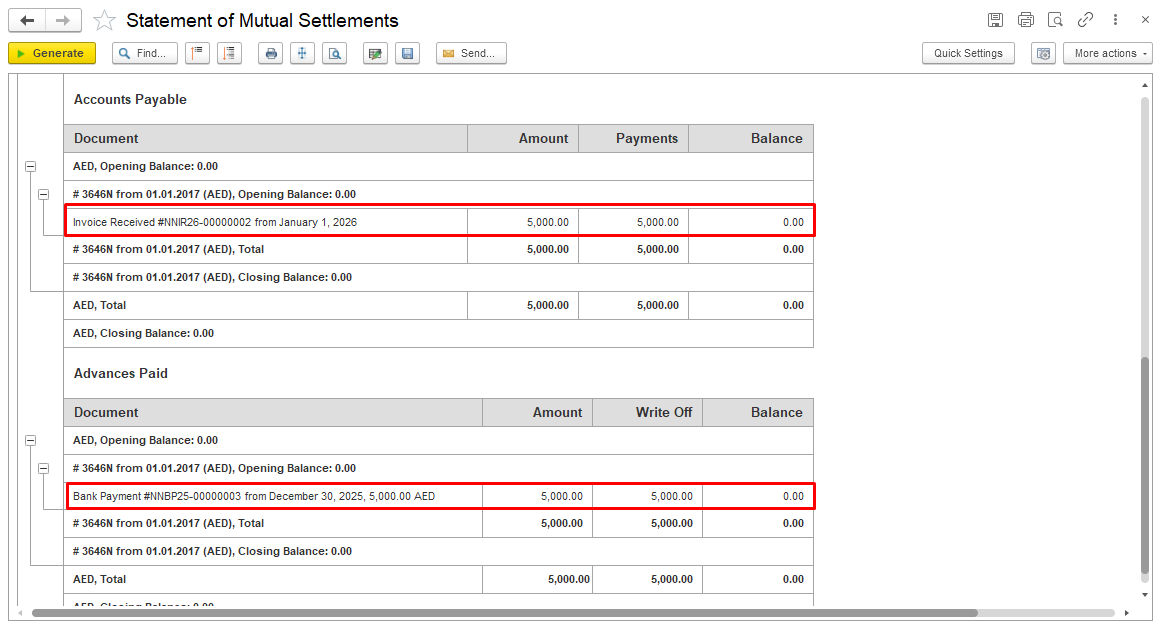
After posting the Mutual Settlements document, the supplier liability from the Invoice Received will be closed against the existing supplier prepayment. The advance payment balance and the payable amount will be fully cleared.
Offset a Supplier Prepayment against an existing Customer Advance.
Use a Mutual Settlements document with Transaction Type = Mutual Settlements to offset the supplier prepayment against the existing customer advance of the same business partner. In the Customer and Supplier fields, select the same business partner.
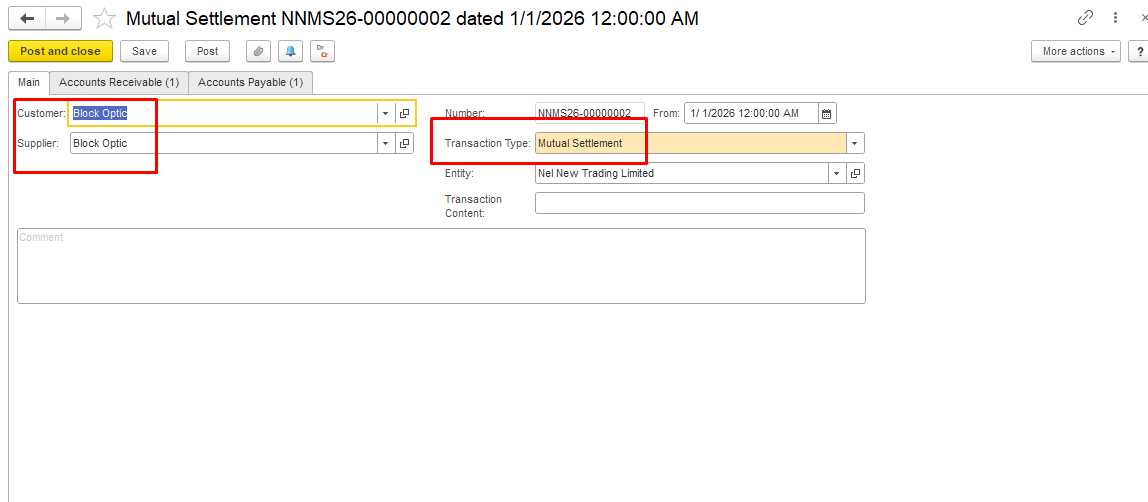
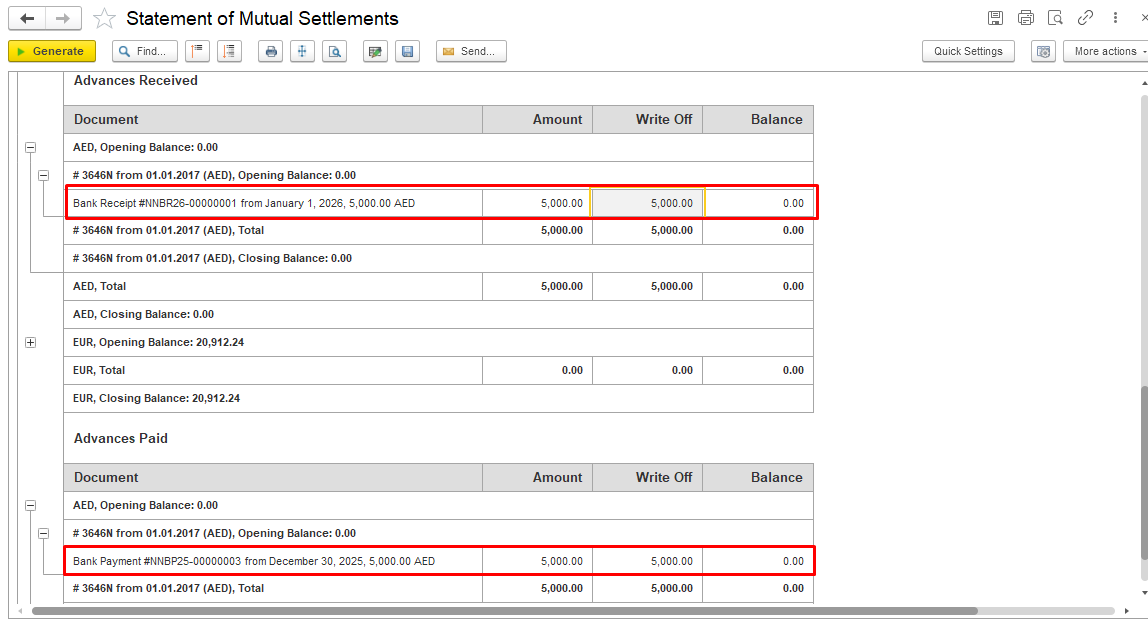
Please refer to Mutual Settlement (Mutual Settlement Type) for detailed instructions.
Verify that:
Thank you for being a FirstBIT customer!
#overpayment #refundtocustomer