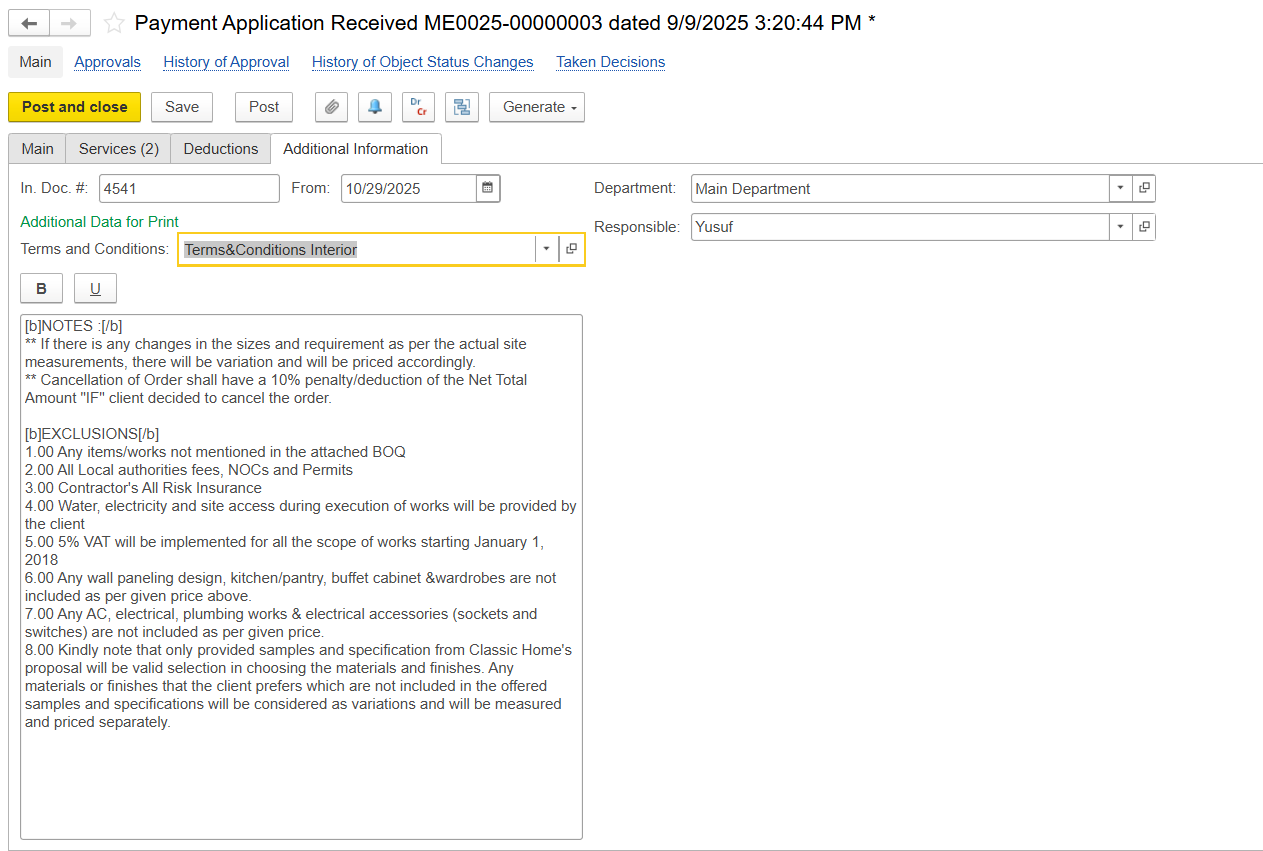
The Payment Application Received document is used to record a subcontractor’s claimed amount for work performed under a Subcontractor Agreement (SA). It provides the basis for certifying the value of work completed and, when configured, for recognizing related expenses in the financial accounts.
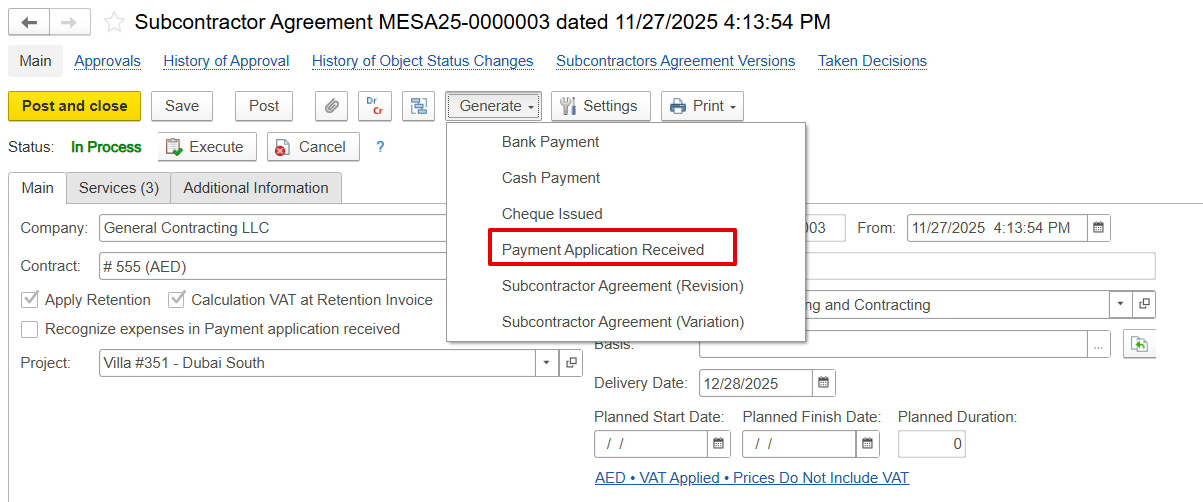
The Payment Application Received document is mainly created from the Subcontractor Agreement using the generate feature, which automatically transfers all default information from the subcontractor agreement.
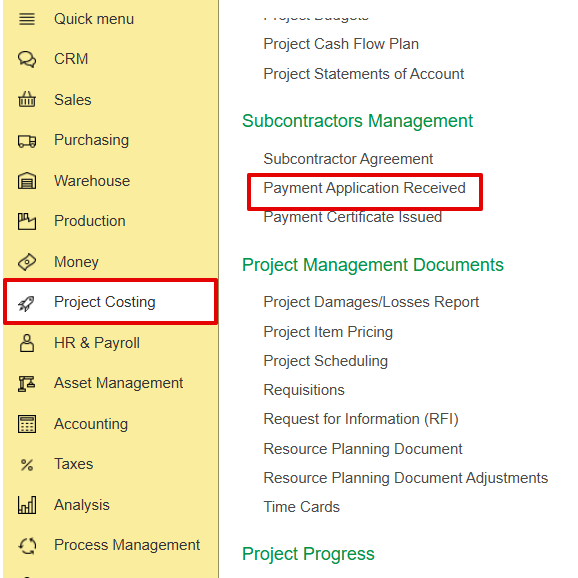
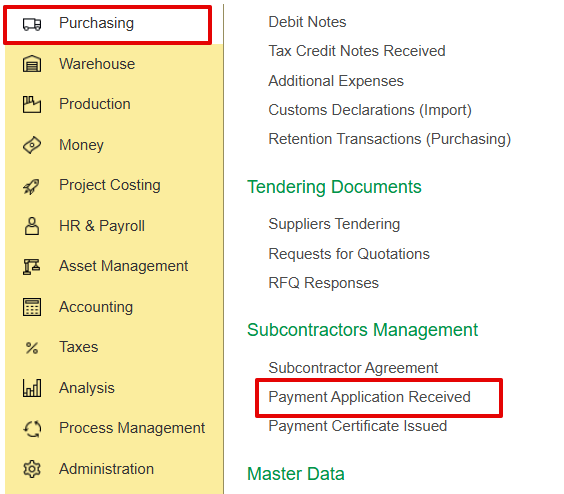
Alternatively, it can also be created from the Project Costing and Purchasing module.
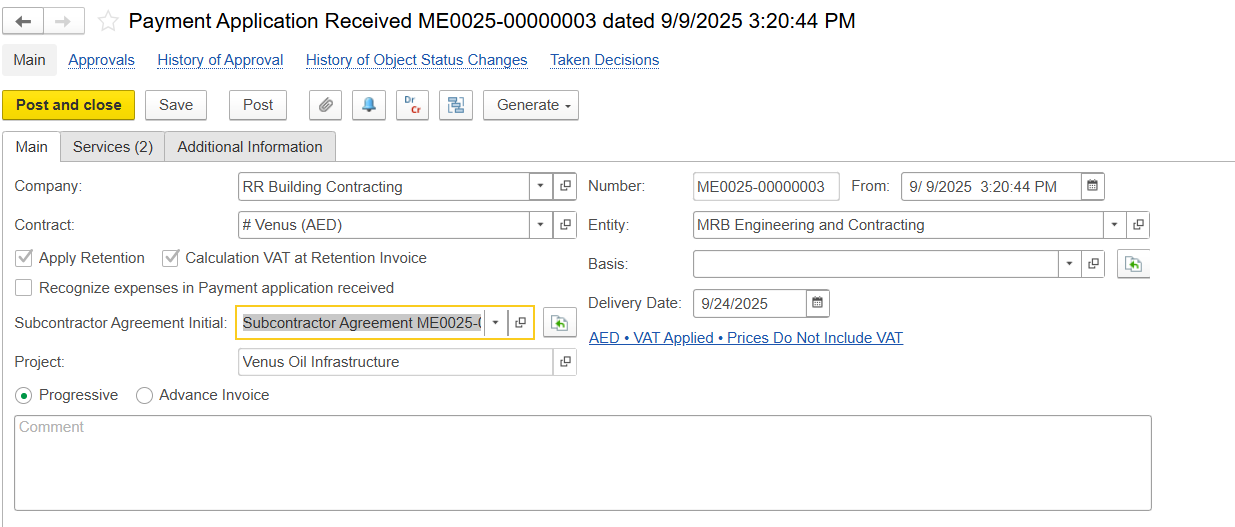
Captures the general details and linkages of the document
Company - Subcontractor submitting the payment request.
Contract - Contract associated with the subcontractor.
Apply Retention / VAT on Retention - Option to hold back a portion of the payment to ensure work quality; VAT is to be calculated on the retained amount.
Recognize Expenses in Payment Application Received-
If the Subcontractor Agreement Basis is set to Recognize Expenses by Payment Application, expense recognition and financial postings occur when the document is approved/posted
GL Transactions:
Dr Expense (based on the linked cost item and analytics)
Cr Unbilled Purchase (liability representing the subcontractor’s claim)
When the subcontractor’s invoice is later received, this liability is cleared to Payables
Subcontract Agreement Initial - Reference to the original subcontract agreement document.
Project - Project linked to the payment claim.
Delivery Date - Indicates the time period or cut-off date for the claimed work.
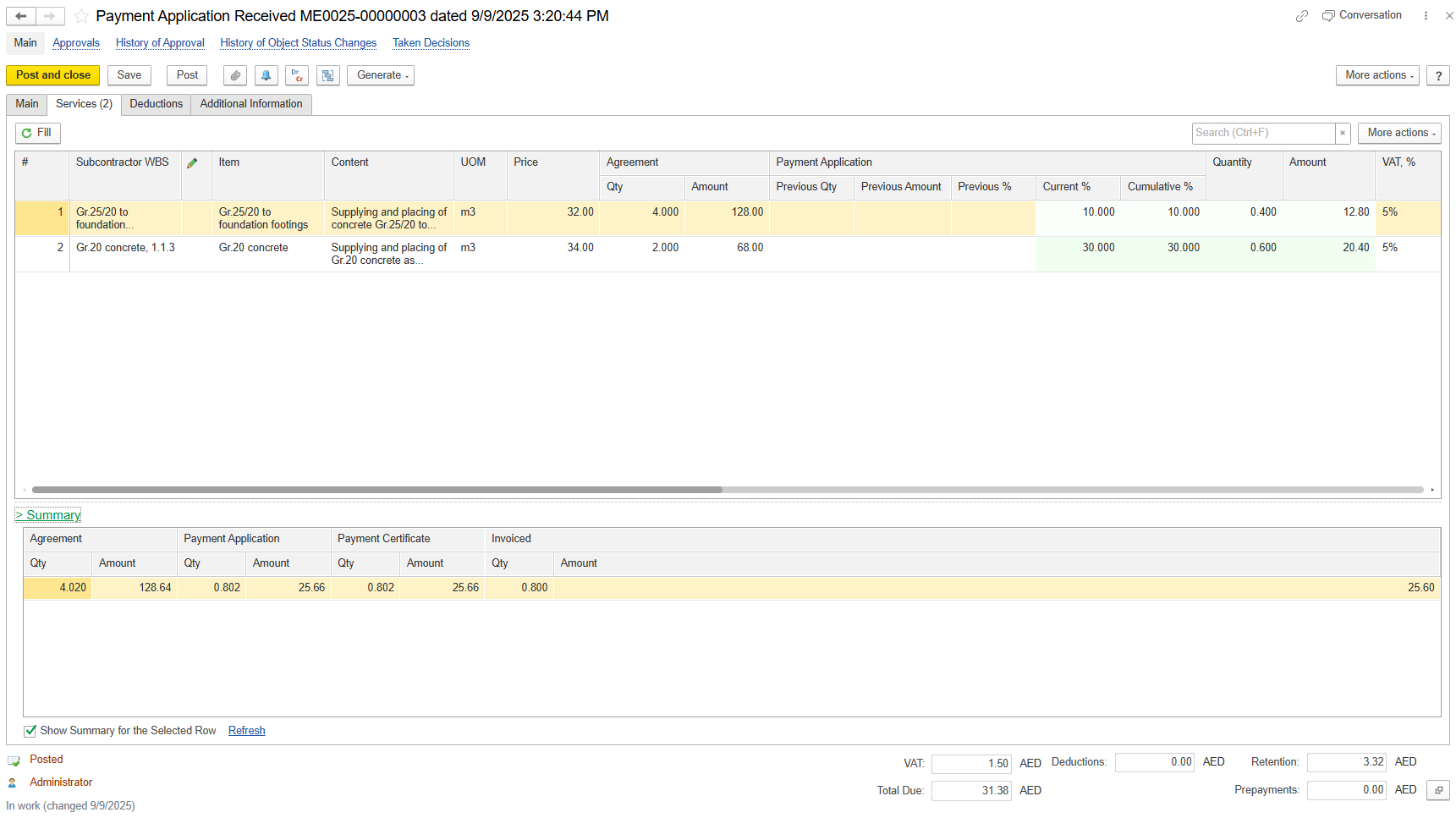
The Service tab provides a detailed breakdown of all work items or services being claimed by the subcontractor in a payment application.
Subcontractor WBS - Optional code to identify work as defined by the subcontractor.
Item - BOQ line service item.
Content - Description of this work or service performed.
UOM - Unit of measure.
Price - The agreed unit rate for this work item as defined in the Subcontract Agreement (SA).
Agreement - This section shows the quantities and values that were originally agreed upon in the Subcontractor Agreement (SA)
Payment Application
Amount - Gross value of work before retention and VAT.
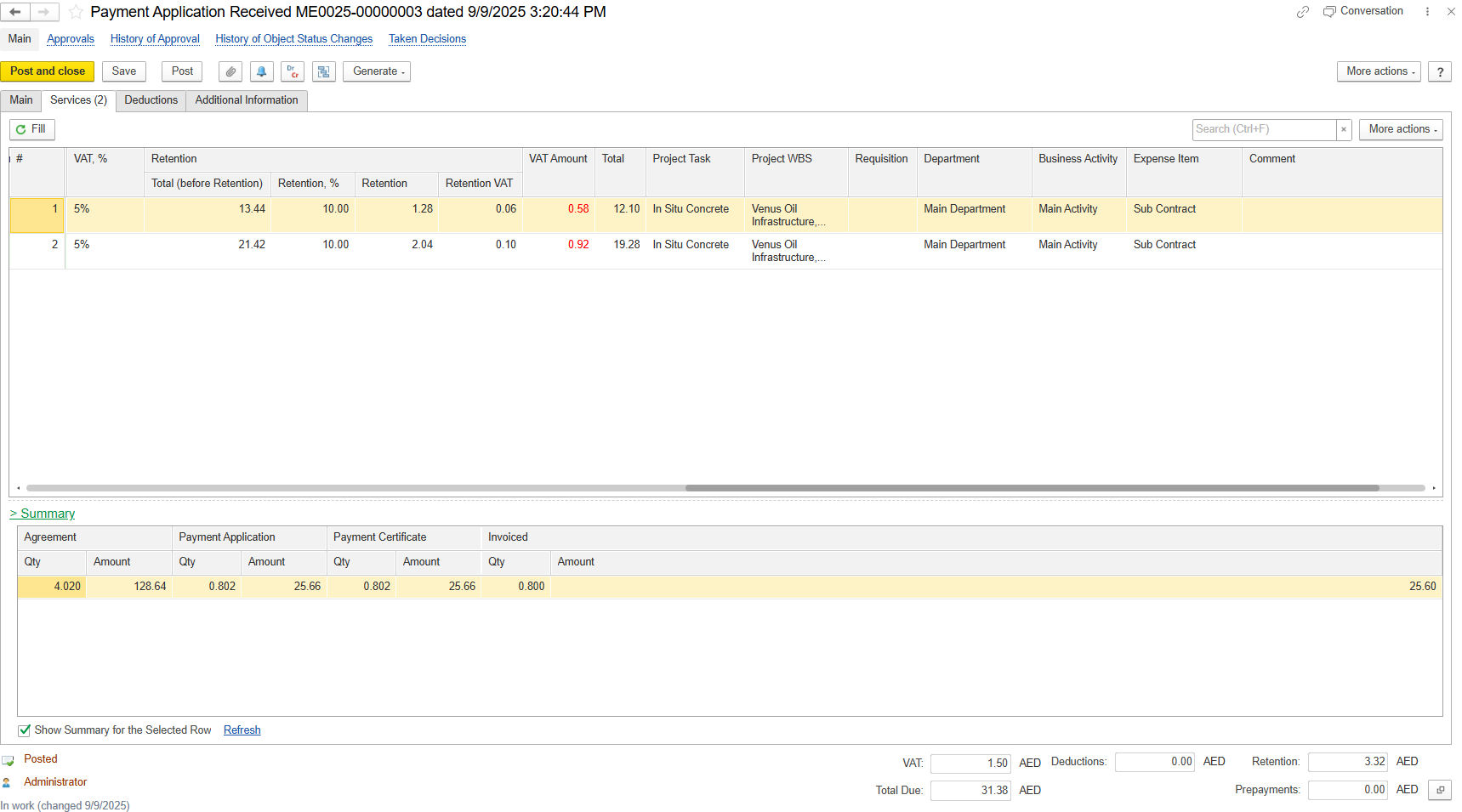
Retention - Portion of the payment withheld to ensure contractual and quality compliance
VAT Amount - Total VAT calculated (including VAT on retention where applicable).
Total - Net payable amount after retention and VAT calculations.
Project Task - Specific task the work relates to within the project.
Project WBS - Work Breakdown Structure code to classify the tasks within the project hierarchy.
Requisition - Original request or source of the work order.
Department - Department responsible for or related to the deduction.
Business Activity - Work category or operational classification.
Expense Item - Cost or budget category used for expense tracking.
Comment - Additional text or details can be added in the field.
The Summary section shows consolidated totals for the currently selected service line and for the entire document.
Agreement represents the original contracted values from the Subcontractor Agreement (SA).
Payment Application Shows what the subcontractor is claiming in the current payment application, plus previous approved claims (cumulative).
Quantity - The amount of work certified as actually completed.
Amount - The certified value based on approved quantities.
Invoiced - Represents the portion that has already been invoiced (billed) by the subcontractor based on certified work.
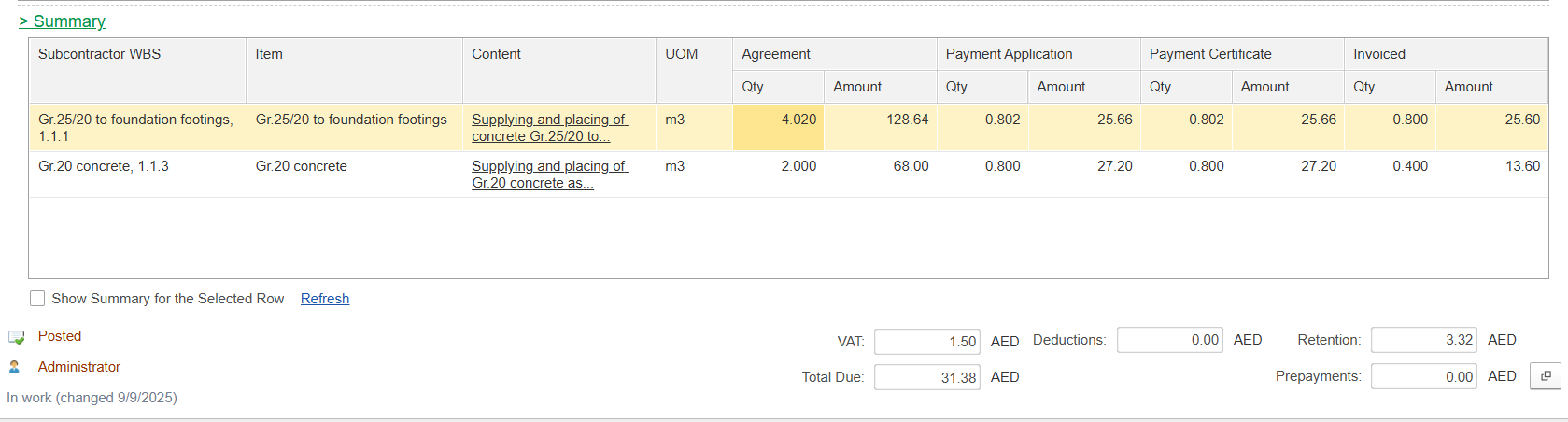
If "Show Summary for the Selected Row" is enabled, the summary displays only the totals related to the specific subcontract service line currently selected. When disabled, the summary shows totals for the entire subcontract payment application document.
This tab is used to record deductions applied to the subcontractor’s claim, such as penalties, material supply recoveries, advance recoveries, or other contractual adjustments
Item - Name of the material, service, or deduction type.
Content - Details or description of the deduction.
Quantity - Quantity being deducted.
UOM (Unit of Measure) - Measurement unit for the quantity.
Price - Unit rate of the item.
VAT % - Tax percentage applied to the item.
VAT Amount - Tax amount calculated from VAT %.
Note: VAT % and VAT Amount in this tab are for calculation purposes only and will not be posted as output VAT. Proper VAT posting can be done by issuing the Invoice document for subcontractor deduction-related transactions.
Amount - Total deduction amount before tax (Quantity × Price).
Total Amount - Total deduction amount including VAT (Net + VAT).
Subcontractor WBS - Optional code to identify work as defined by the subcontractor
GL Account - Ledger account where the deduction is posted.
Department - Department responsible for or related to the deduction.
Business Activity - Type of business activity associated with the deduction
Income Item - Income category or account linked to the deduction
Comment - Free-text field for notes or explanations about the deduction

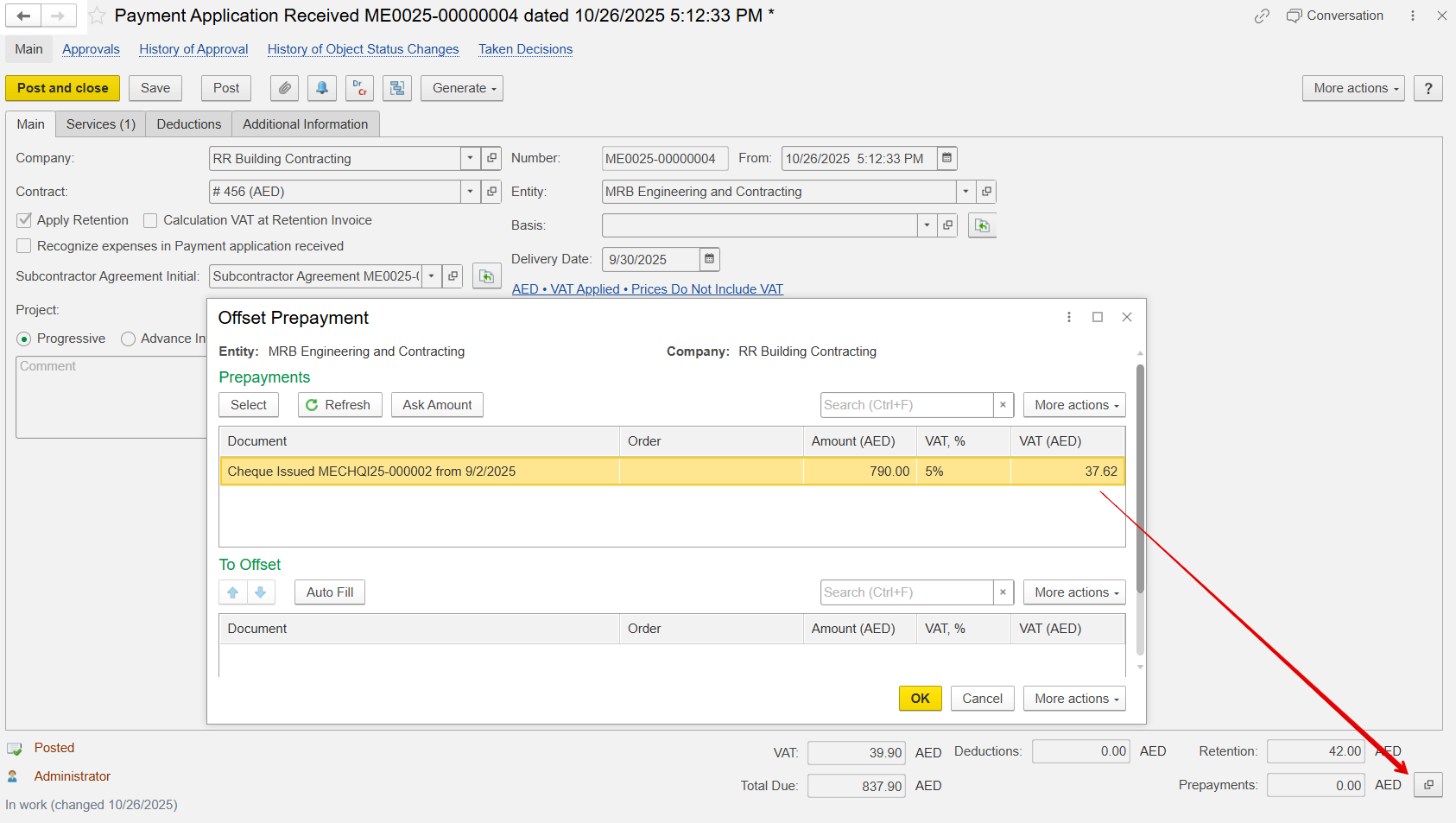
Only the advance payment is recorded as an offset balance and entered into the prepayment field, regardless of the payment method (bank transfer, cheque, etc.). This advance is linked to the current document so that any subsequent linked document automatically carries forward the prepayment. The final accounting offset occurs in the Invoice Received document.
This tab is for adding extra details related to the project
In Doc. # and date- Internal or reference document number linked to this payment application.
Department- Department responsible for reviewing and approving the subcontractor’s payment.
Responsible- Person who prepared or approved the payment record.
Terms and Conditions Dropdown- Stores predefined T&C templates for printing.