Subcontractors Management is the process of handling all activities related to hiring and controlling third-party companies (subcontractors) who perform part of the work on a project.
In construction or contracting businesses, it means that the main contractor, who is awarded a project by the client, assigns certain portions of the work to other specialized companies instead of executing everything with internal resources.
Subcontractor Management in FirstBit ERP handles all processes related to engaging, monitoring, and settling payments with subcontractors within a project.
It provides a complete workflow starting from defining subcontracted work portions in the budget, selecting suitable subcontractors, creating and managing subcontractor agreements, monitoring work progress, processing advance and progressive payments, handling retentions, and tracking settlements.
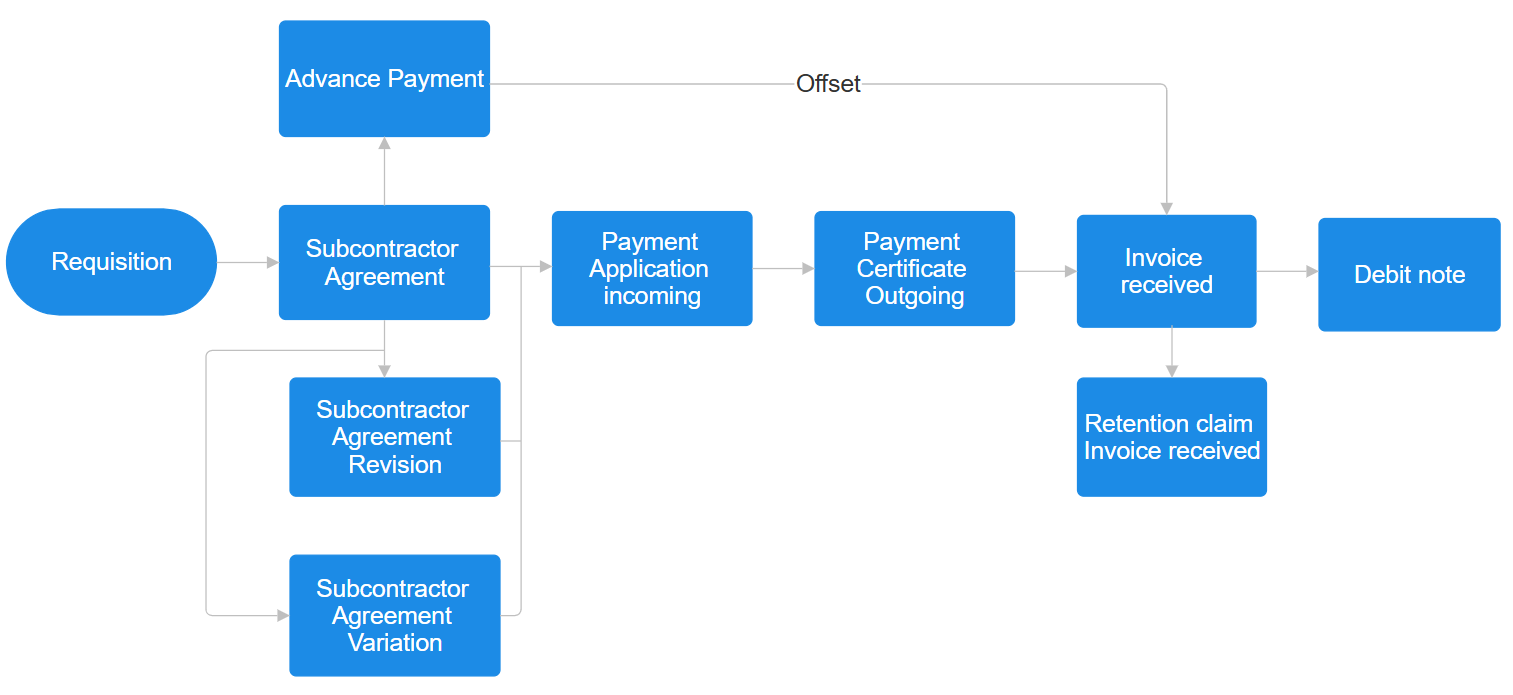
Requisition - An Internal document used to initiate the process of engaging a subcontractor.
Subcontractor Agreement - Official contract that defines the scope of work, payment terms, and conditions.
Advance Payment - Optional upfront amount paid to the subcontractor as per the agreement terms. Adjustment where advance payments are deducted from the total invoice amount.
Payment Application (Incoming) - Claim submitted by the subcontractor for work completed.
Payment Certificate (Outgoing) - Document issued by the internal team confirming and certifying the approved payment amount.
Invoice Received - Invoice provided by the subcontractor based on the certified payment.
Debit Note - Issued to correct overpayments or to record penalties and financial deductions.
Retention Claim Invoice Received - Final invoice raised for the retained amount after project completion or defect liability period.
Subcontractor Agreement Revision - Update to an existing agreement, such as modified rates or terms, without changing the scope of work.
Subcontractor Agreement Variation - Formal amendment to the agreement reflecting changes in project scope, value, or deliverables.
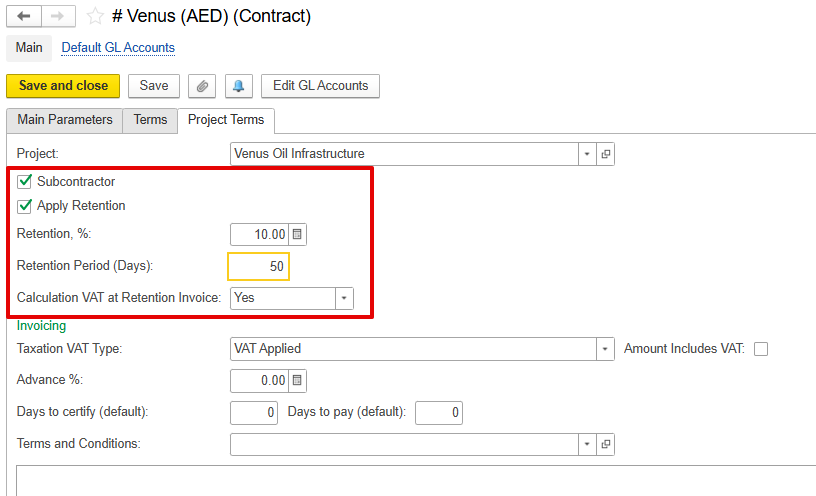
Retention is a contractual mechanism used in subcontractor agreements to withhold a portion of each payment, typically 5–10%, to ensure work is completed according to specifications and to cover potential defects or post-completion issues. The retention percentage and retention period are defined at the contract level, and these settings automatically apply to all related documents.
When a subcontractor submits an Invoice Received, the retained portion is posted to a Retention Payable account, and VAT is recorded.
After the retention period ends, the subcontractor submits a Retention Claim Invoice received, which the system matches to the original retention entry, releasing the withheld funds.
The system lets advances paid to subcontractors be tracked and applied to future invoices for work done. This makes sure that the subcontractor is paid only the remaining balance, avoiding overpayment.
The advance is linked to the Invoice Received using a prepayment. Users can see how much of the advance has been used and how much is still available.
Although the adjustment happens in the Invoice Received, it can also be linked to other documents, like the Payment Application Received and Payment Certificate Issued. If linked there, it automatically updates the Invoice Received and offset can be done.