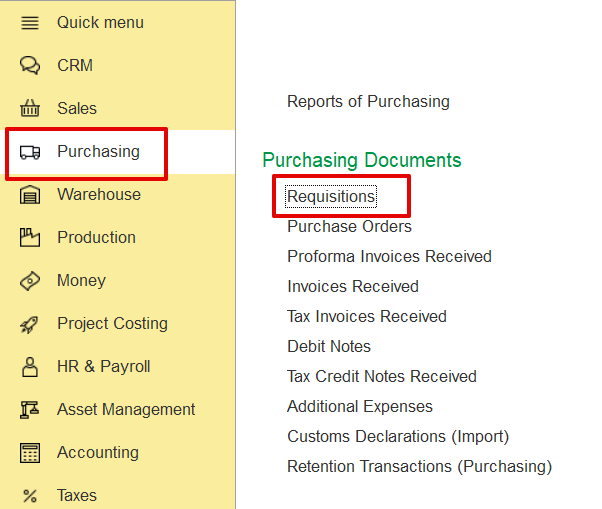
Click Create to open the Requisition (create) form.
Structure for document description as you did before for Invoice.
Purpose of use. Need to explain , that doc is main option to request and initiate processing of any resource types for project.
This document is the start point and can be used as a basis for future Purchase order, Subcontractor agreement, and Resource Planning transactions.
How to creare
Main tab
Inventory and services tab
A Requisition document is an internal form used within an organization to formally request the purchase of goods or services. It specifies what is needed, who is requesting it, and when it is required. It ensures that every purchase is properly authorized, budgeted, and recorded before any external order is made.
This document serves as the primary option to request and initiate the processing of any type of project resource. It acts as the starting point and forms the basis for subsequent transactions such as Purchase Orders, Subcontractor Agreements, and Resource Planning.
A Requisition can be created from the following locations-
Purchasing → Purchasing documents → Requisitions
Click Create to open the Requisition (create) form.
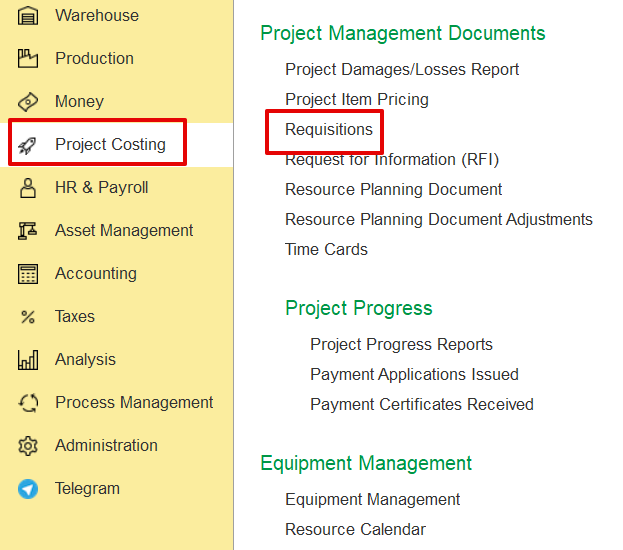
The user can create a Requisition directly from the Project Costing screen as well.
Project Costing → Project Management Documents → Requisitions
The Main tab contains the general information about the Requisition. Key fields include-
Recipient - The department or warehouse that will receive the requested items or services.
Requested By - The employee who created or requested the items.
Required Date - The date by which the requested items or services are needed.
Customer Order - Reference to a related customer order, if applicable.
Project - Links the Requisition to a specific project, if project-related.
Status - Shows the current stage of the document (e.g., Draft, Waiting for Processing, Waiting for Approval).
Entity - Indicates the entity responsible for the Requisition.
Basis - Refers to the source document (Customer Order, Project Estimate, or Production Order) from which data can be filled using the Fill by Basis button.
Required Period - Defines the time frame within which the requested goods or services are needed or expected to be fulfilled.
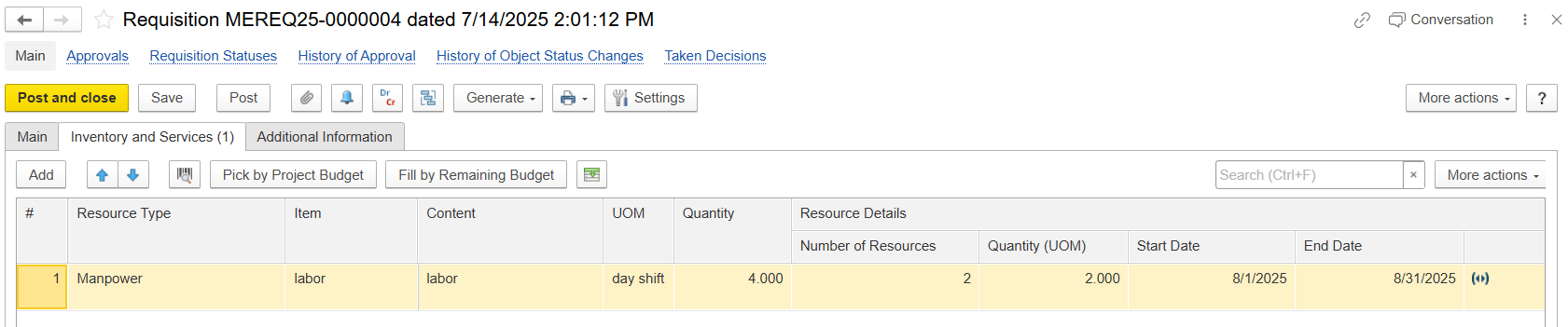
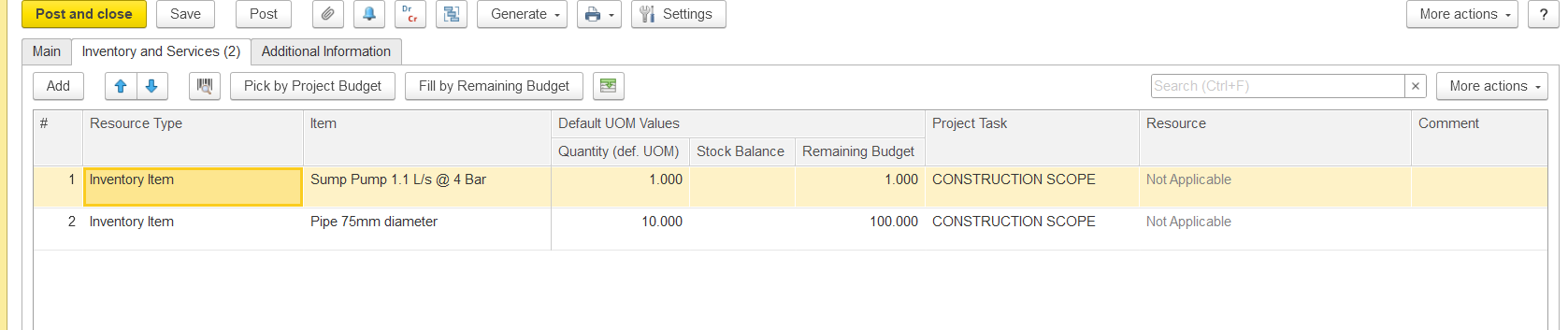
This tab lists the requested items or services, including details of quantity, UOM, and fulfillment method.
Resource Type - Specifies the type of requested resources (e.g., Material, Service, Fixed Asset, Manpower, and all).
Content - Automatically filled with the item’s description; can be modified if needed.
Quantity - Enter the number of units you are requesting.
Number of Resources - Shows how many resources (e.g., workers, equipment, or units) are required.
Quantity (UOM) - Indicates the requested amount of resources along with the unit of measure (e.g., hours, days, pieces).
Start Date - The date when the resource or activity is planned to start.
End Date - The date when the resource or activity is planned to finish.
Quantity (def. UOM) - Displays the quantity in the item’s default unit of measure as defined in the Item master.
Stock Balance - Shows the available stock quantity for the selected item in the system.
Remaining Budget - Indicates the remaining quantity or amount available in the project budget for this item.
Project Task - Refers to the specific project task or work package related to the requisitioned resource.
Resource - Identifies the resource type or category (e.g., Material, Equipment, Manpower). Displays “Not Applicable” if no resource type is linked.
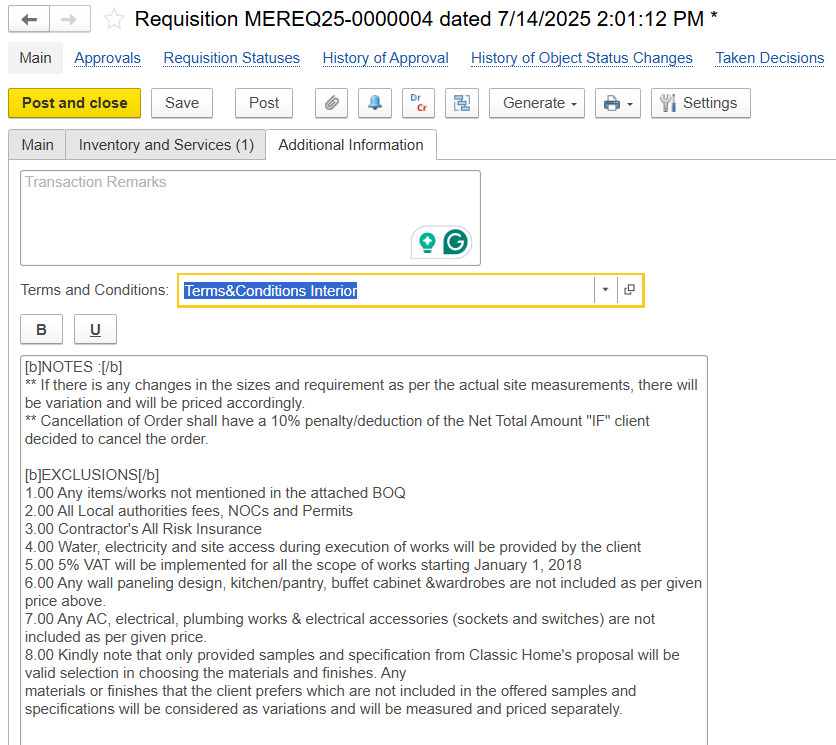
The Additional Information tab allows for the entry of supplementary remarks or internal notes related to the Requisition.
Transaction Remarks - free text field for internal comments.
Terms and Conditions - dropdown field indicating the applicable set of terms for this requisition, and further appears in the print form.
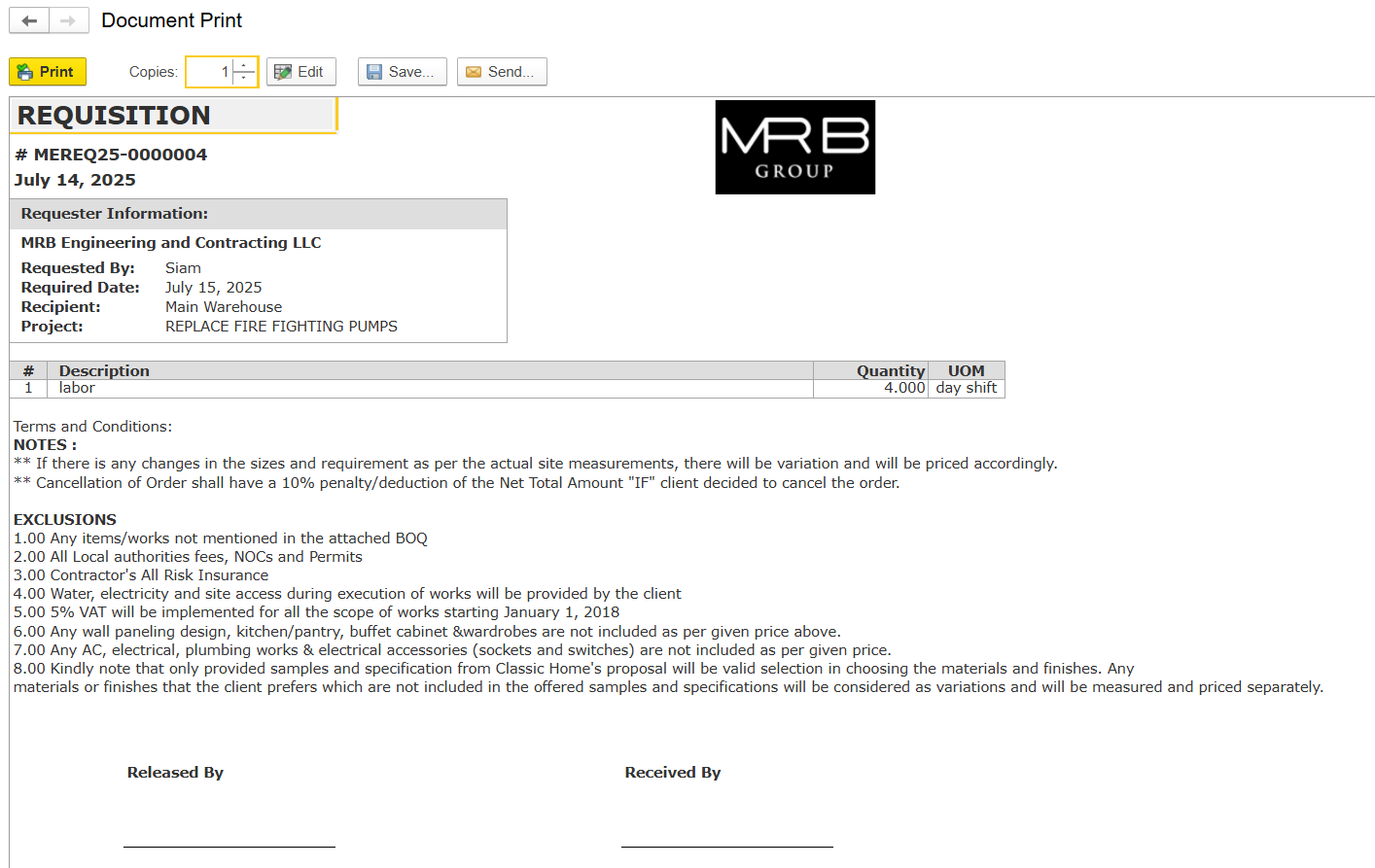
The Requisition Print Form provides a summarized view of the request, including requester details, project, and required date. It lists all requested items with quantity and UOM, along with notes or exclusions.