The Invoice Received document is used to record incoming invoices from subcontractors or service providers for work completed under a Subcontractor Agreement or Project Contract.
This document is primarily used for service-based invoices, such as subcontracted works, consulting, and professional services, excluding material inventory.
How to create
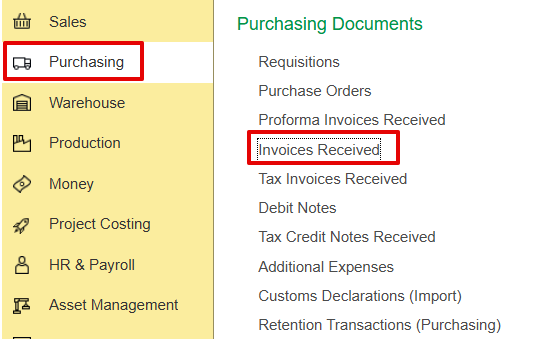
a) Purchasing→ Purchasing documents → Invoice received
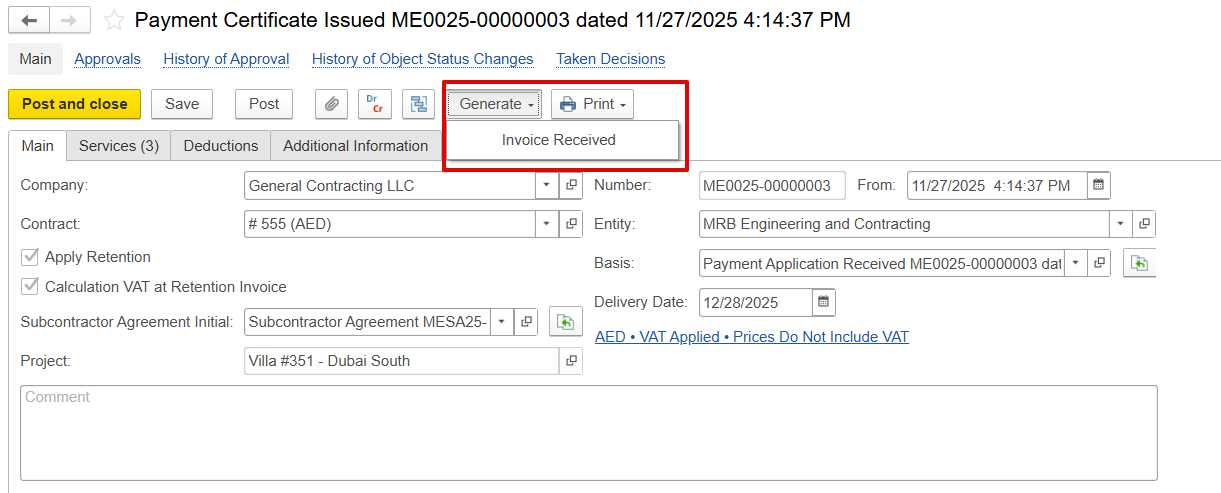
b) The Invoice Received document may also be generated directly from an issued Payment Certificate using the Generate function. This automatically imports certified work quantities, amounts, and VAT details, ensuring full alignment with the certified progress.
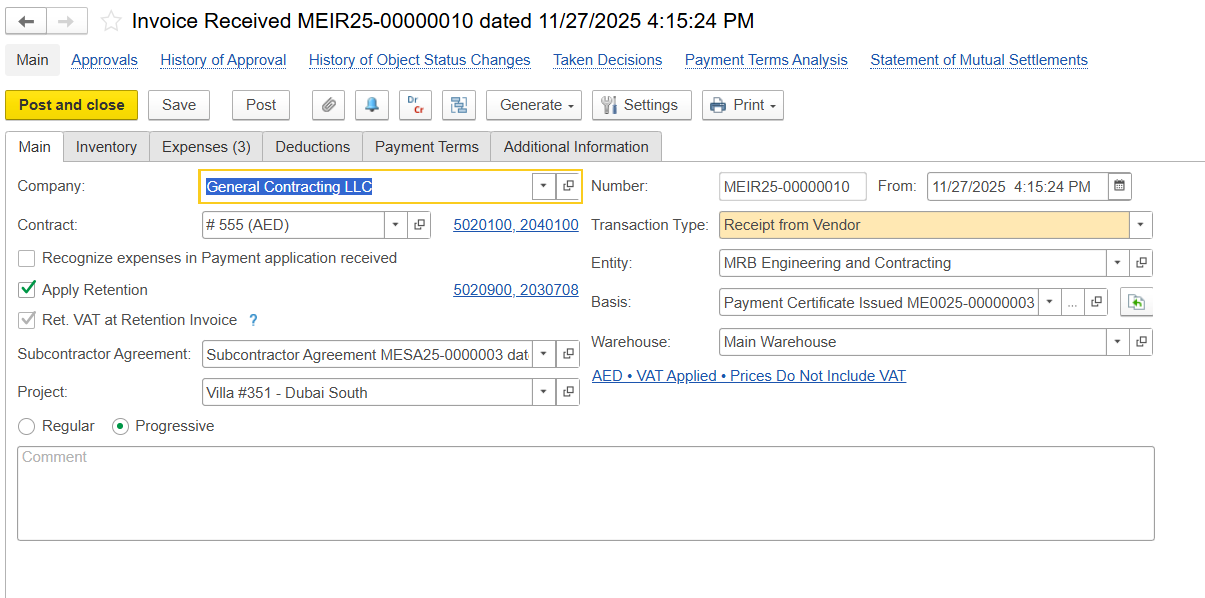
This tab shows the basic details needed to identify and manage the invoice.
Company - The company from whom the invoice was received.
Contract - Refers to the contract related to the service.
Recognize expenses in the Payment Application received - This field becomes enabled if it was activated at the start of the workflow, typically moving from Subcontractor Agreement → Payment Application Received → Payment Certificate Issued → Invoice Received.
Apply Retention - Enables retention deduction based on the agreement settings.
Ret. VAT at Retention Invoice - Indicates that VAT on retention will be accounted for when retention is invoiced.
Subcontractor Agreement - References the subcontractor agreement under which this invoice was processed.
Project - Links the invoice to a specific project for cost tracking.
Transaction Type - Defines the nature of the transaction: Receipt from Vendor for subcontractor invoices.
Basis - The document from which this invoice is generated is typically a Payment Certificate Issued.
Warehouse - Optional, used only when materials are involved (not applicable for services).
Regular / Progressive - Defines the invoicing method:
Comment - Free-text field for additional notes or internal references.
Note: The Inventory tab is not used for subcontractor service invoices received.
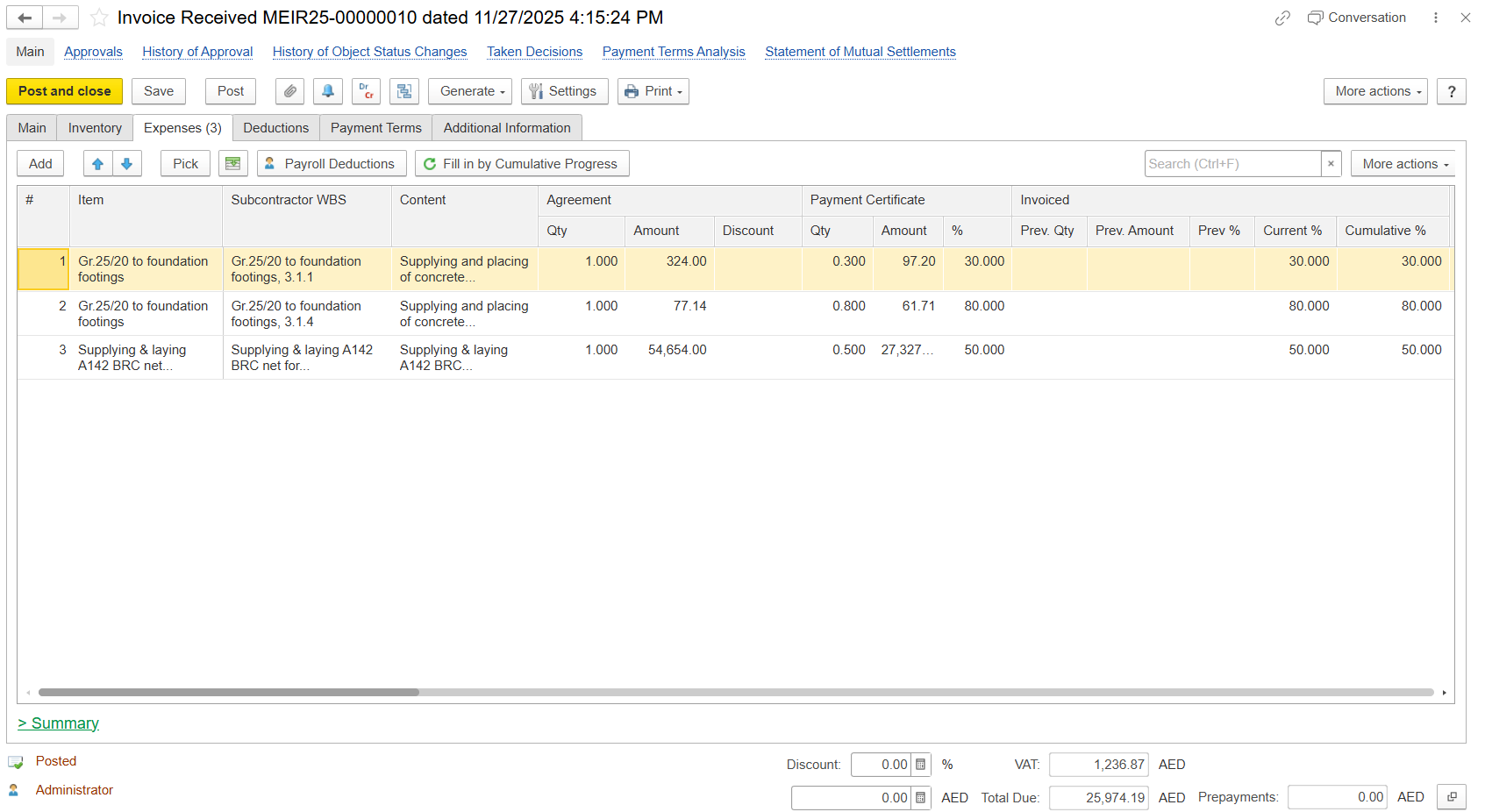
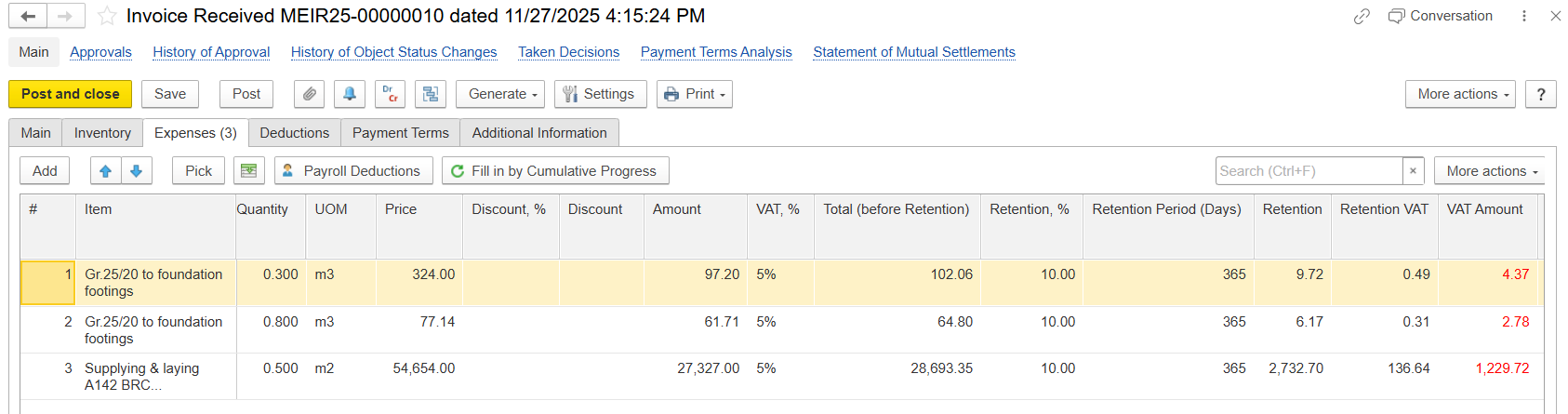
The tab lists all service or subcontractor work items being invoiced.
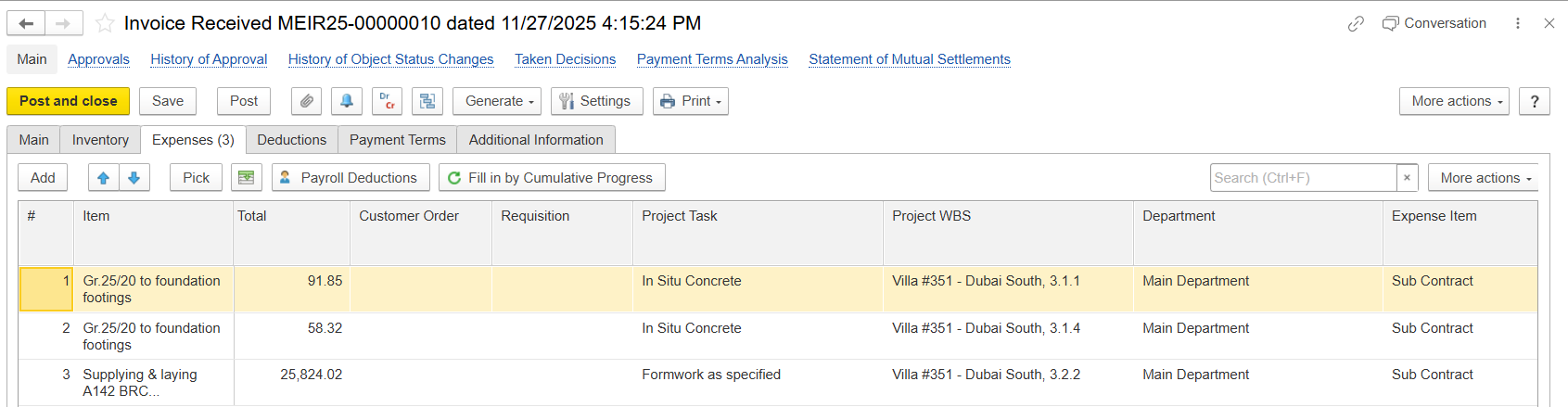
Project WBS - Work Breakdown Structure code for the project.
Department - The department responsible.
Expense Item - Categorization of the expense.
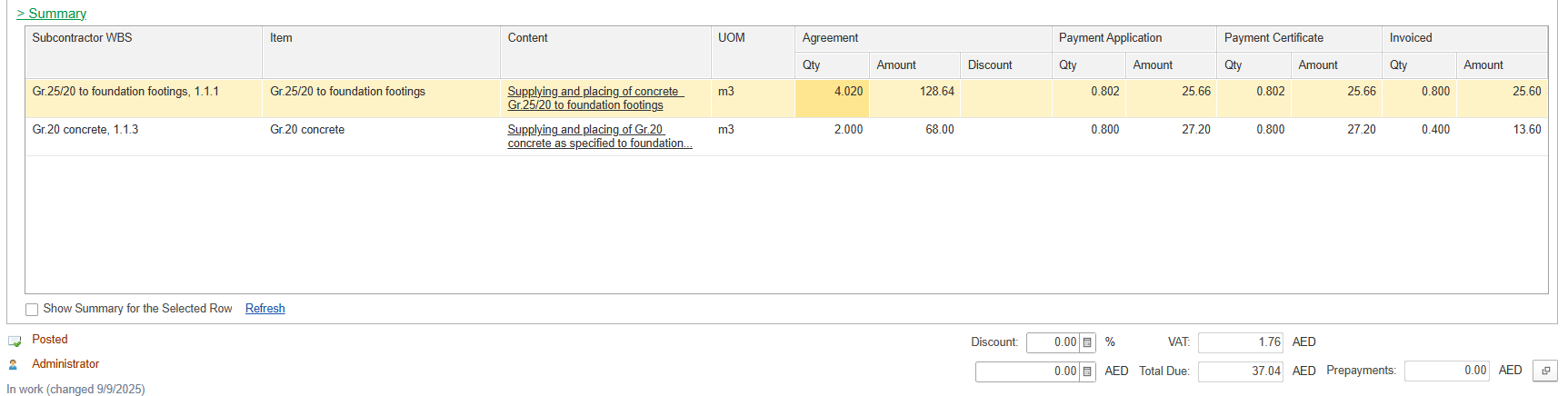
Subcontractor WBS - Work Breakdown Structure for subcontractor scope
Item - Specific work/service line
Content - Description of work/service performed
UOM - Unit of Measure
Agreement
Payment Application
Payment Certificate
Invoiced
The Deduction tab is used to record amounts that reduce the invoice total.
Item - The deducted service, work item, or reason for deduction.
Quantity - Quantity applicable for the deduction.
VAT % - Applicable VAT rate
VAT Amount - VAT calculated on the deduction
Amount - Net value of the deduction before VAT
Total - Total deduction including VAT
Note: VAT % and VAT Amount in this tab are for calculation purposes only and will not be posted as output VAT. Proper VAT posting can be done by issuing the Invoice document for subcontractor's deduction-related transactions.

Subcontractor WBS - Work Breakdown Structure code linked to the deduction
GL Account - General Ledger account for posting the deduction
Department - Department responsible for or related to the deduction.
Business Activity - Type of business activity associated with the deduction
Income Item - Income category linked to the deduction
Comment - text field for notes or explanations about the deduction

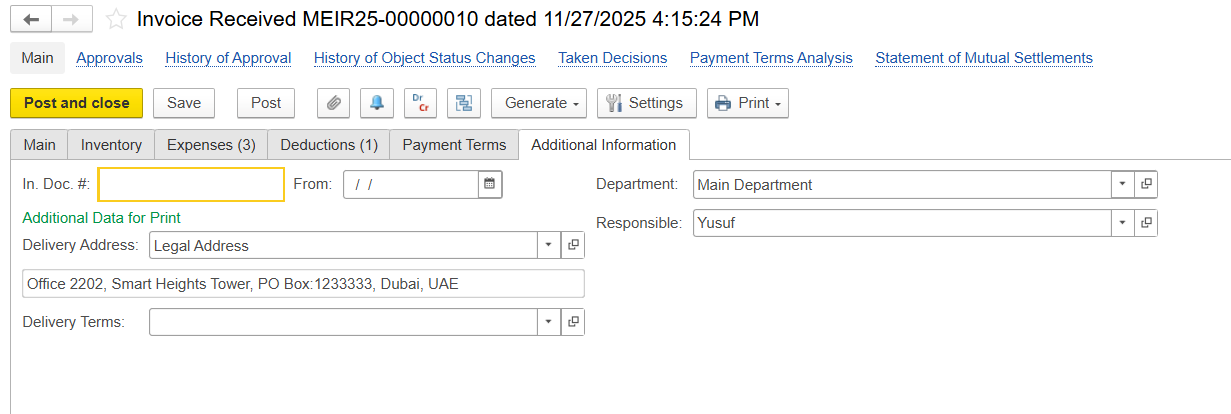
In Doc # - unique reference number assigned to a document received from an external party,
From Date - Date when the invoice is issued.
Department - Internal division responsible for processing or approving the invoice received.
Responsible - Employee accountable for the transaction.
Delivery Address - Location where the goods or services were delivered.
Delivery Terms - Terms and conditions agreed upon for the delivery of goods or services.