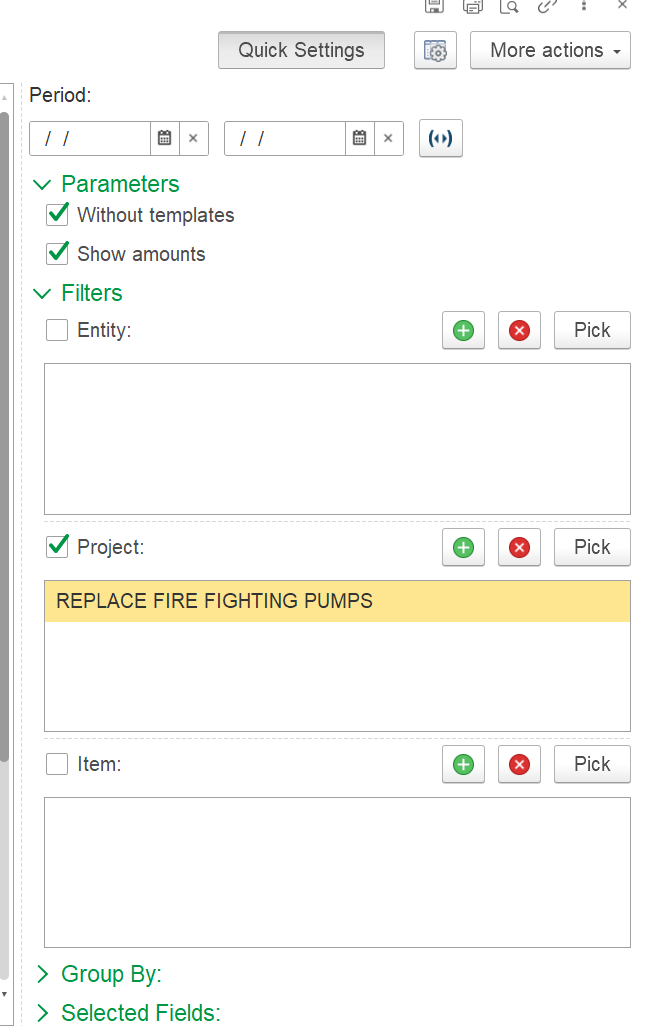
The Project Completion Analysis by Revenue report provides a detailed breakdown of project progress by comparing estimated values against actual recognized quantities and amounts. It highlights the degree of completion for each project task, expressed in both quantity and revenue terms.
Generate - Executes the report based on the selected filters or parameters.
Find - Allows users to search within the report for specific text or values.
Collapse/Expand Groups - Shows or hides grouped sections of the Work Breakdown Structure (WBS).
Print Button - Opens a print preview or directly sends the report to a printer.
Fit to Screen/Zoom Button - Adjusts the report layout to fit the screen or zooms into specific sections.
Search Button (Magnifying Glass) - An alternate or advanced search tool for locating specific records or entries.
Edit Mode Button - Enables editing mode for the report.
Save Disk - Saves the report in different formats (e.g., Excel, PDF).
Send - Emails or forward the report to another user or contact.
Quantity (Opening, For Period, Closing, Estimated, Pending) measures the physical progress of work.
Opening Balance - cumulative quantity completed up to the start of the period.
For Period - work done in the current reporting period.
Closing Balance - cumulative quantity completed to date (Opening + For Period).
Estimated - planned quantity for the task.
Pending - remaining quantity to be executed (Estimated - Closing).
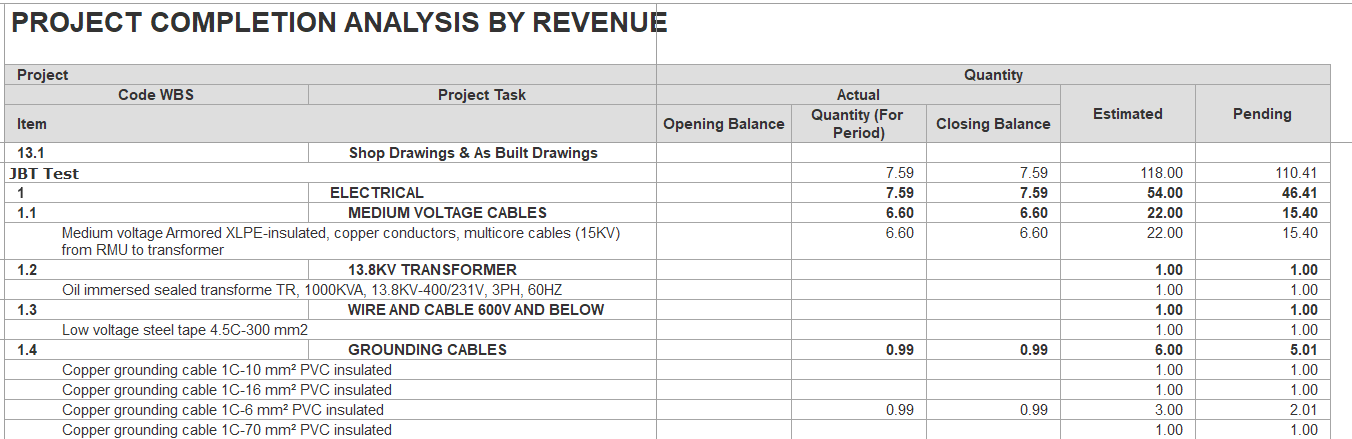
Amounts reflect the financial side of progress.
Opening Balance - cumulative recognized amounts from prior periods.
For Period - value recorded in the current reporting period.
Closing Balance - cumulative recognized value (Opening + For Period).
Estimated - planned value for the task.
Pending - balance not yet recognized (Estimated - Closing).
Amount Completion % shows progress in percentage terms.
Formula: (Closing Balance ÷ Estimated Amount) × 100.
Positive % - progress made and recognized.
0% - no progress.
Negative % - reversals or corrections reduce recognized revenue below zero.
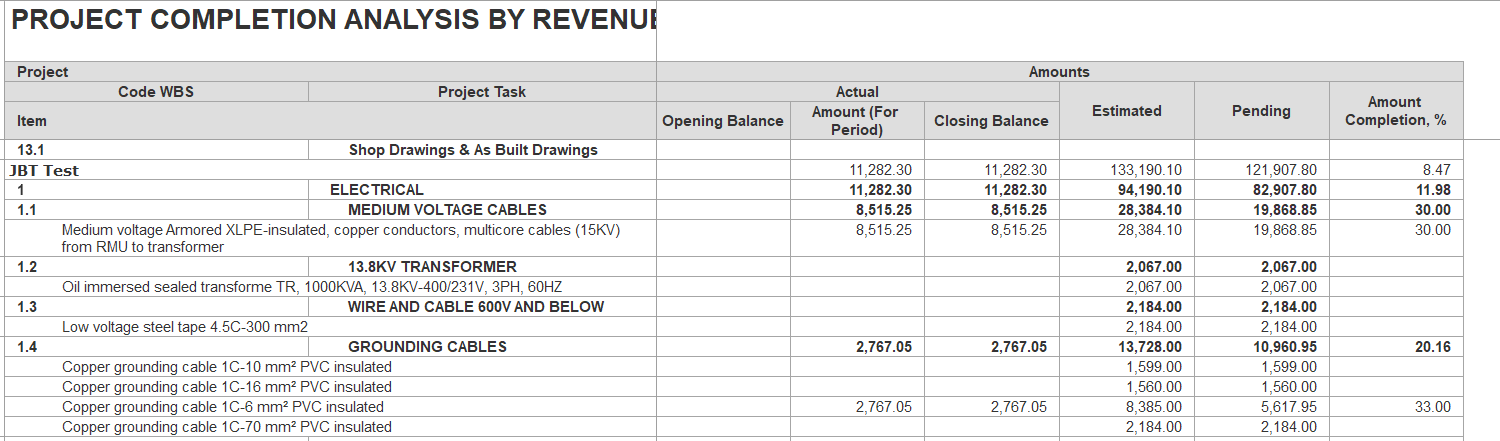
Period: Define the report’s start and end dates; only data within this range will be included.
Without templates: Excludes entries that are based on templates.
Show amounts: When enabled, displays amount columns and details; otherwise, only quantity columns are shown.
Entity: Optionally select specific entities.
Project: Restricts the report to the chosen projects.
Item: filter based on a specific item.