Phased revenue recognition, in line with IFRS 15, is widely applied in contracting for long-term projects such as construction works that extend over several months. Under this method, revenue and costs are recognized progressively, based on the stage of contract completion, rather than solely at the time of invoicing. Any revenue recognized before invoicing is recorded as a contract asset and not as receivables until the related contractual obligations are satisfied and an invoice is issued. This ensures that project revenues are aligned with the actual progress of work performed.
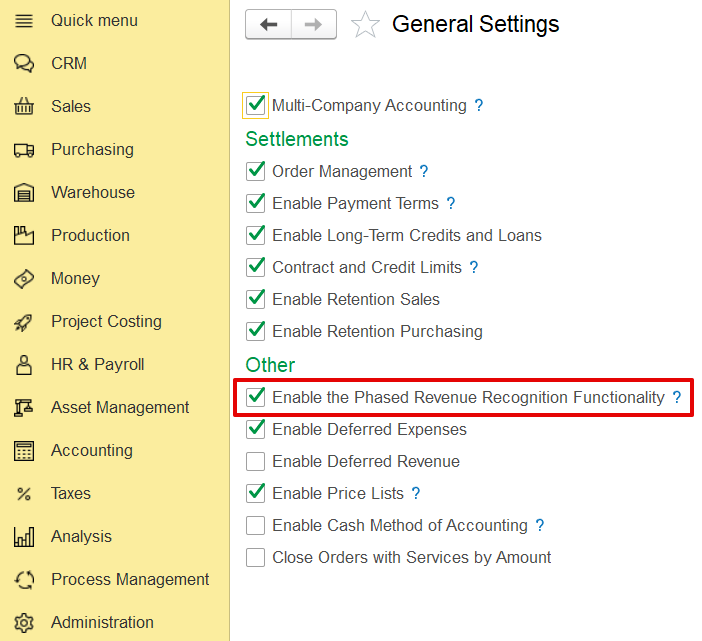
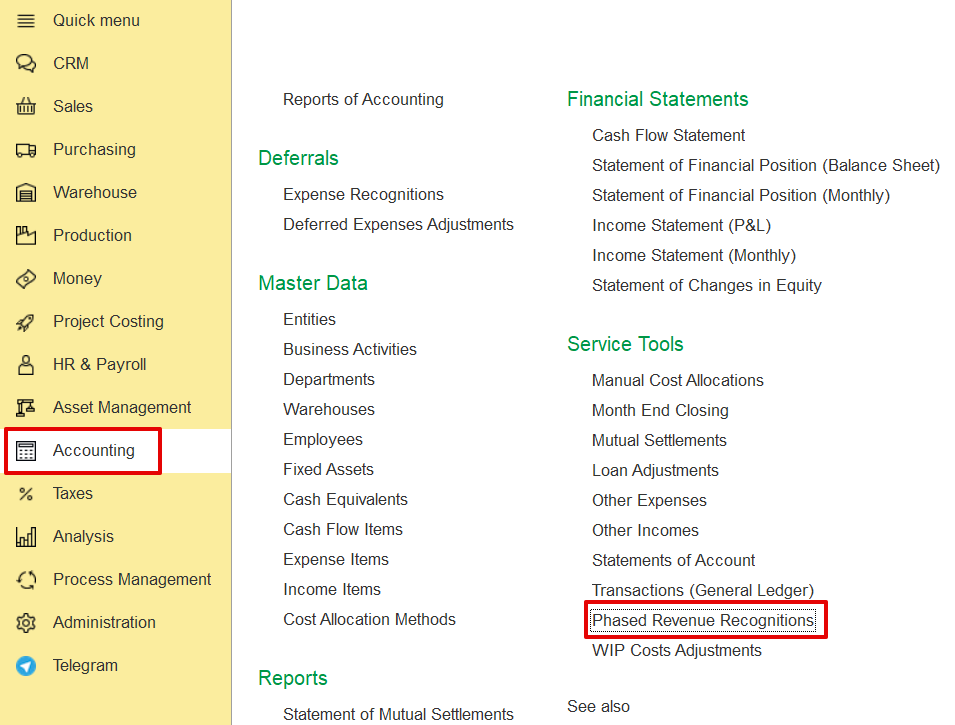
Administration → General Settings → Phased Revenue Recognition.
In addition to the main settings, phased revenue recognition must also be activated within the contract itself.
Contract→ Project Terms tab→ Use Phased revenue recognition.
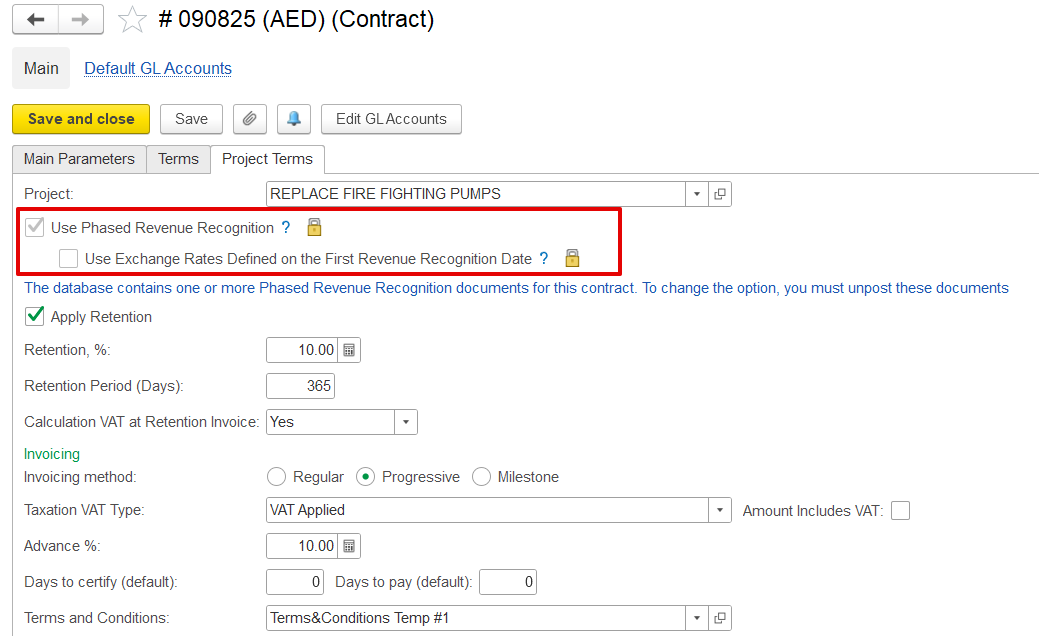
Additionally, if the contract involves a foreign currency, you can use the exchange rate defined on the first revenue recognition date to account for exchange rate fluctuations.
If enabled, the exchange rate set on the date of the first revenue recognition will apply to all subsequent phased revenue recognition documents, with gains or losses calculated only when the invoice is issued.
If disabled, gain/loss calculations will occur during month-end closing using the exchange rates applicable on each document's date.
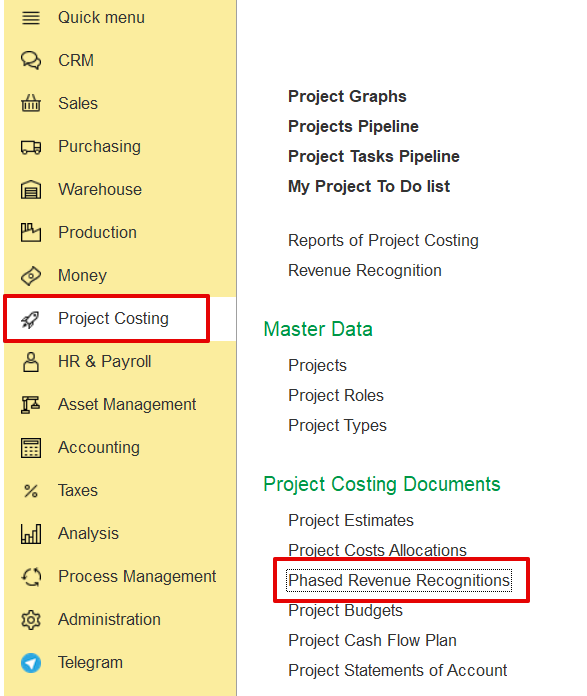
Project costing→ Project costing documents→ Phased Revenue Recognitions
Alternatively, Accounting → Service tools → Phased Revenue Recognitions→ Create
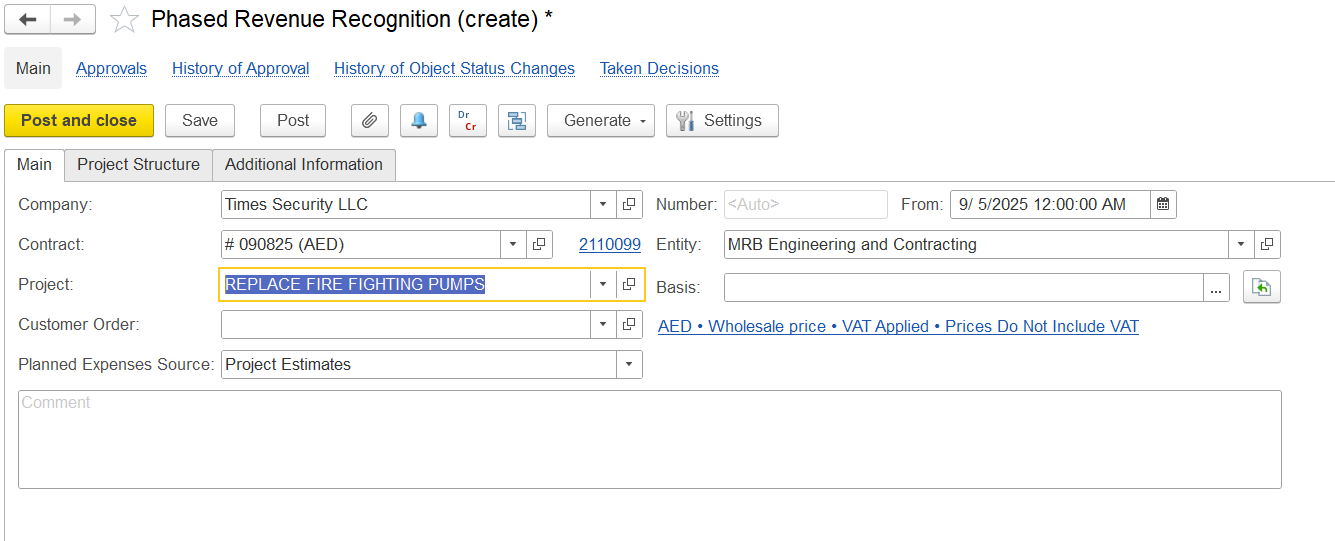
The Main Tab contains key information related to Phased Revenue Recognition.
The following fields are available. All details are filled automatically once a Project is selected:
Company- The company for whom the recognition is being created.
Contract- Company contract linked to revenue recognition.
Project- Project for which phased revenue recognition is applied.
Customer Order- Link the customer order.
Planned Expenses Source- Basis for expected costs used in calculations.
Basis- Source document from which the recognition is created (e.g., project estimate, customer order).
Comment- Field for additional notes.
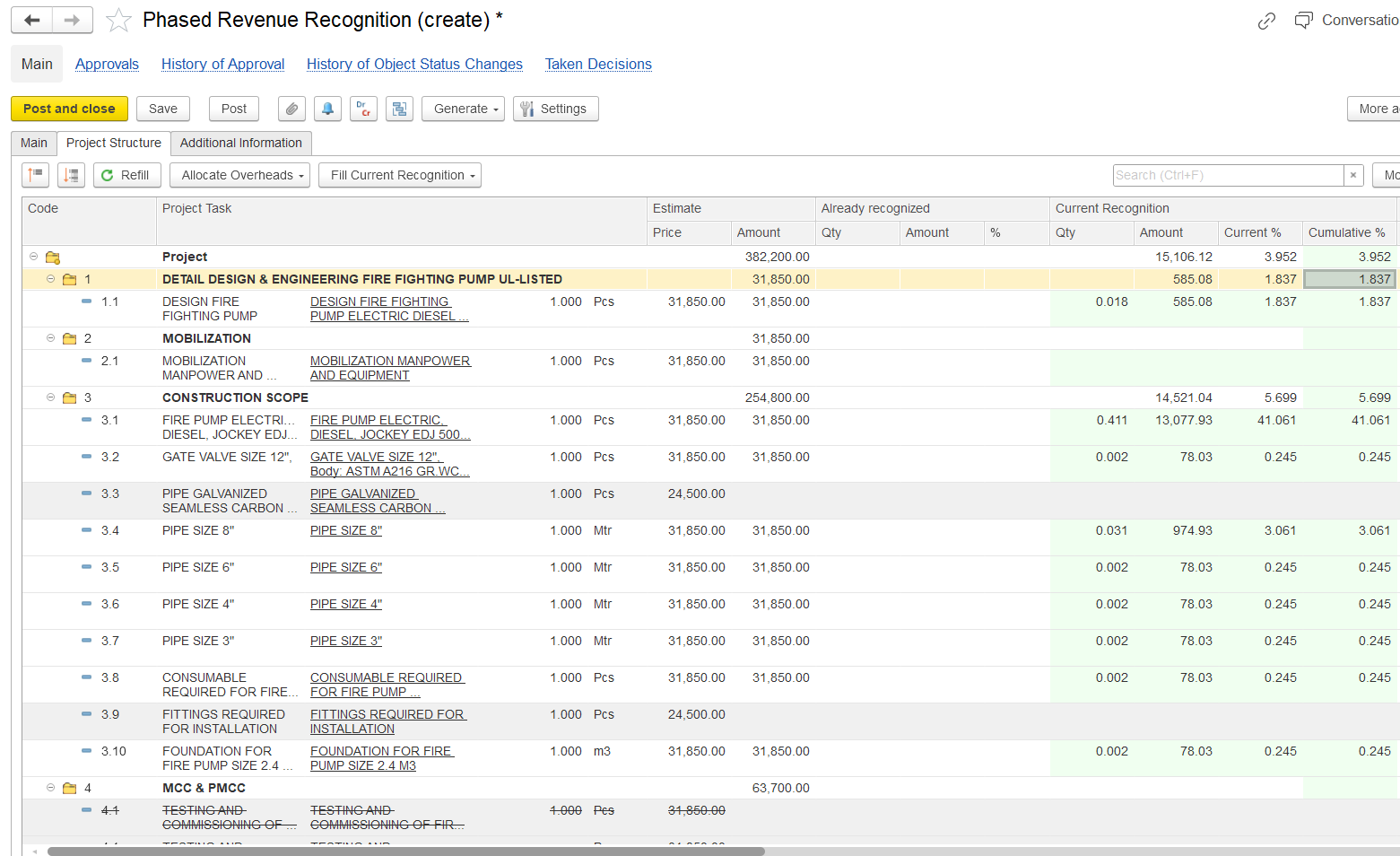
Project Structure displays all project tasks, their estimates, expenses, and provides a framework for allocating costs and recognizing revenue.
Refill- Reloads all tasks, estimates, and expenses linked to the selected project.
Code- Task reference number.
Project Task- Description of the task or activity.
Estimate- Planned values from project estimates:
Price- Planned unit price.
Amount- Planned total amount.
Already Recognized- Values already recognized in past periods
Qty- Quantity already recognized.
Amount- Value recognized.
%- Percentage of task completed/recognized.
Current Recognition- Values recognized in the current document:
Qty- Quantity to be recognized now.
Amount- Value recognized in this document.
Current %- Percentage recognized in the current document.
Cumulative %- Total percentage recognized up to now.
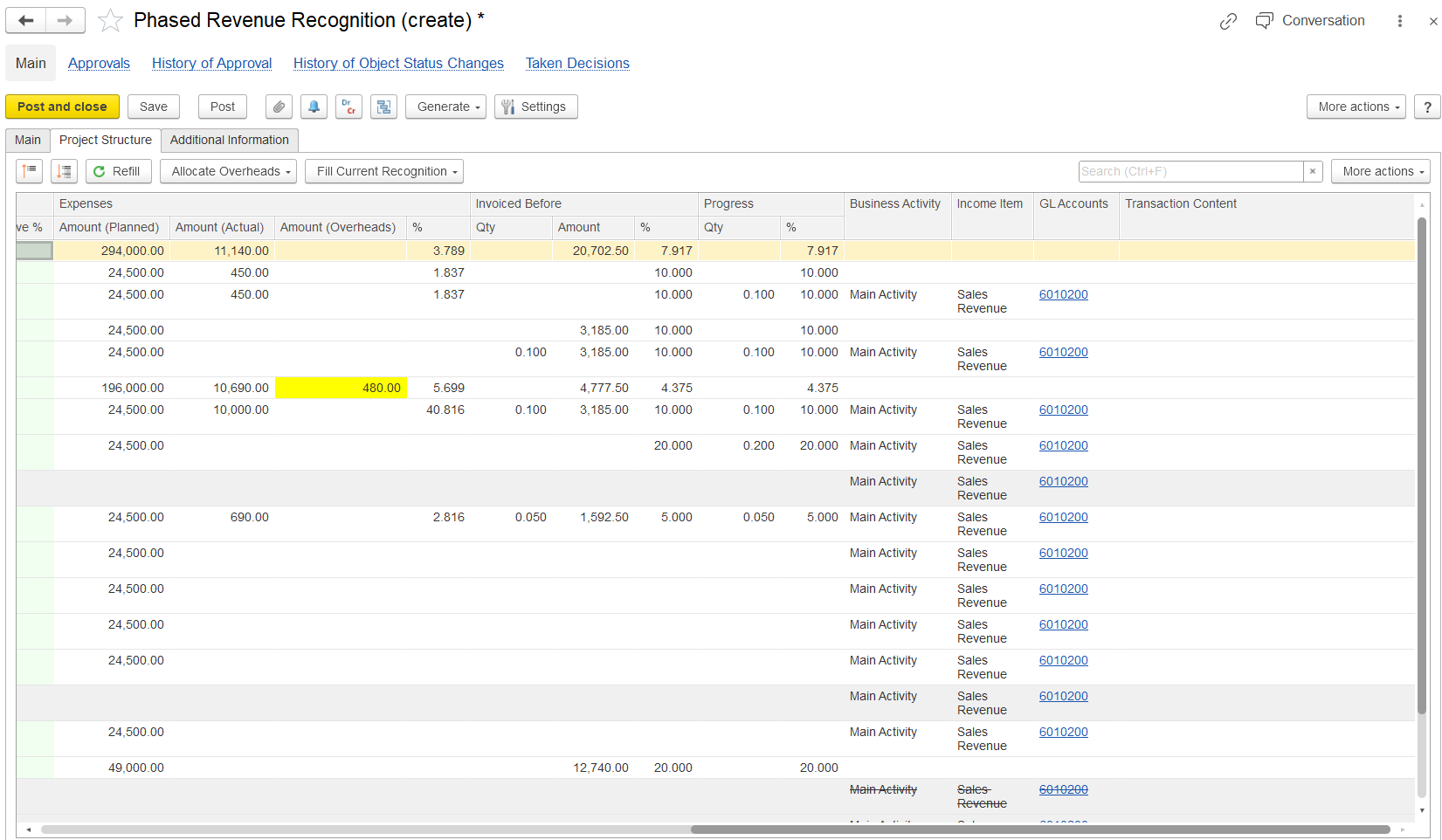
Amount (Planned)- Estimated (Budgeted) cost of the task. Filled based on the Planned Expenses Source.
Amount (Actual)- Actual expenses recorded.
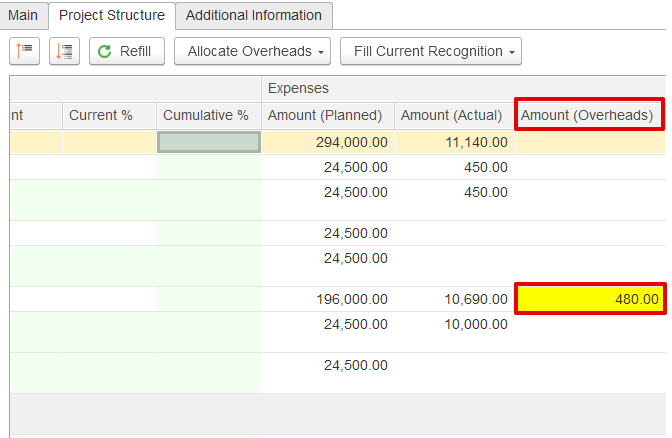
Amount (Overheads)- Overhead allocation, the Unallocated expenses are highlighted in yellow.
Invoiced Before- Values already invoiced to the customer.
Progress- Progress of the task.
Business Activity- Activity type (e.g., Main Activity).
Income Item- Revenue classification (e.g., Sales Revenue).
GL Accounts- Accounts used for posting recognized revenue.
Transaction Content- Used to add any Additional reference required.
This function is used to distribute expenses that have not yet been assigned. Allocation methods include:
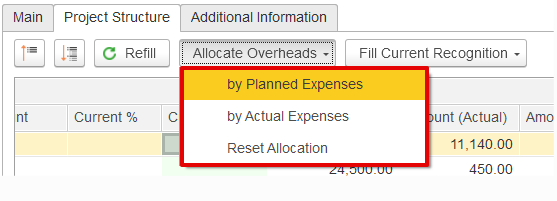
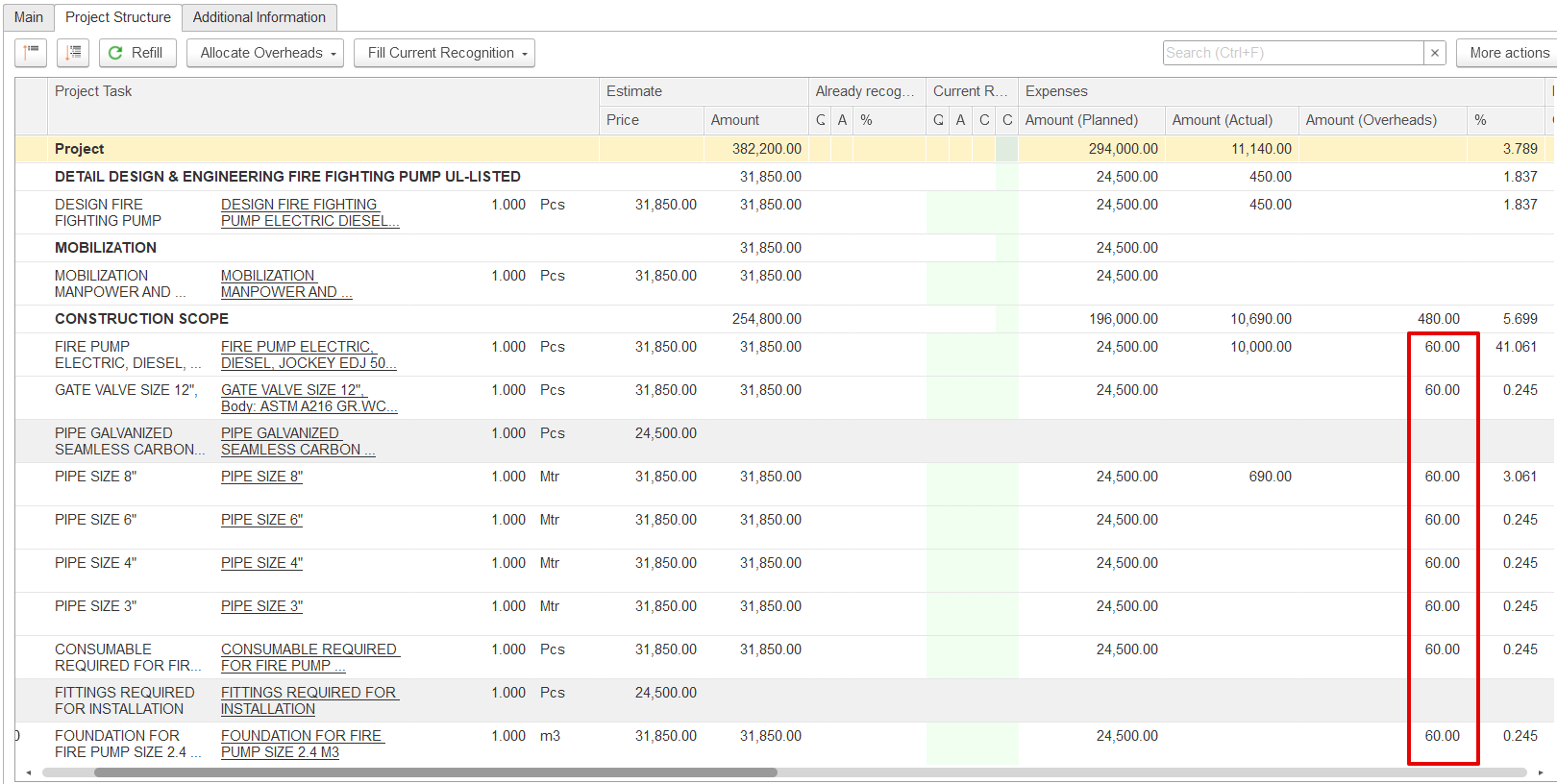
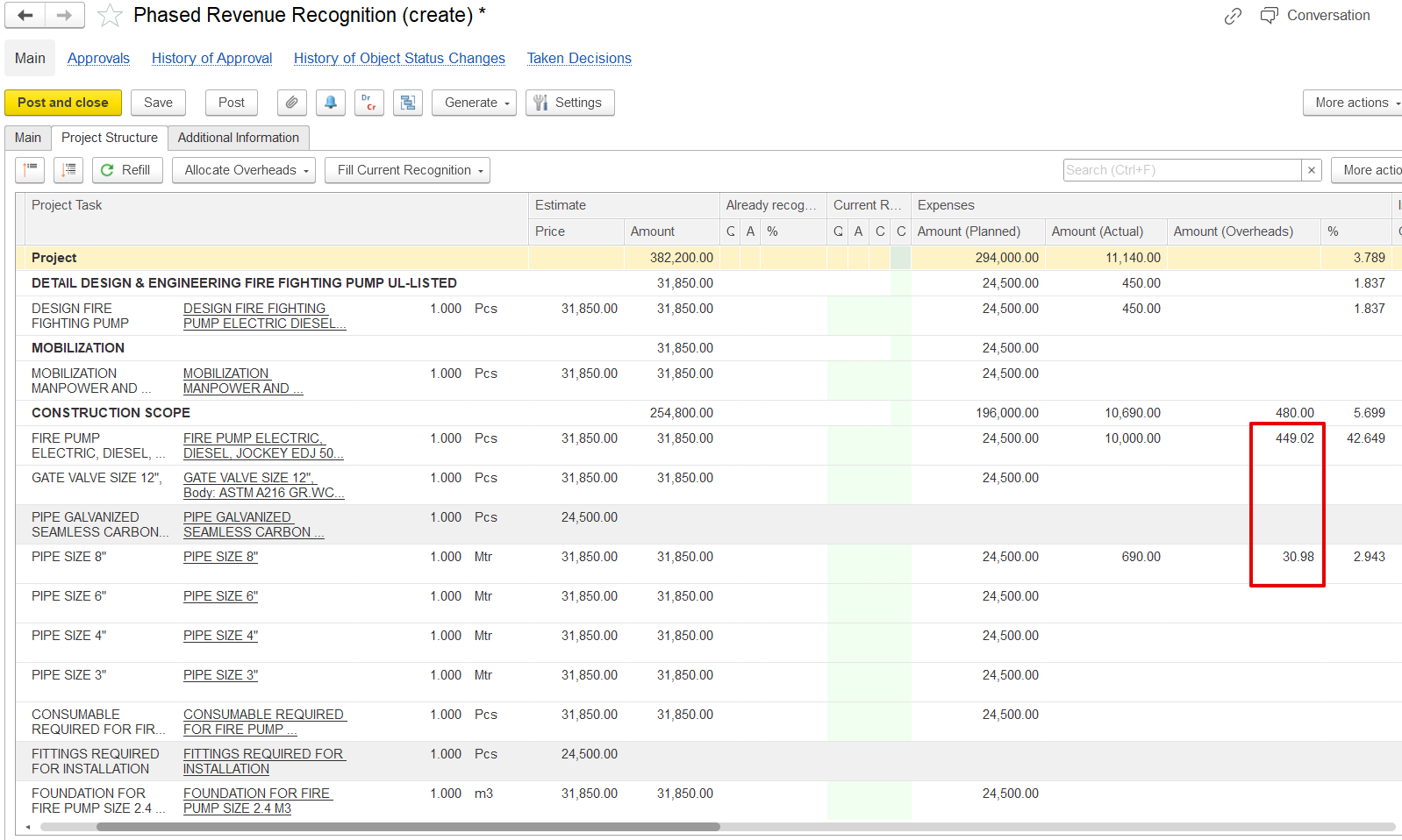
By Actual Expenses - Overheads are distributed according to the actual costs of each task. Tasks with no expenses recorded do not receive any allocation.
Overhead = (Actual Expense of that Project task÷ Total Actual Expenses of all tasks) × Total Undistributed Overhead
CONSTRUCTION WORK- 10,000 ÷ 10,690 × 480 = 449.02
PIPE SIZE 6"- 690 ÷ 10,690 × 480 = 30.98
Defines how revenue for the current period should be recognized. Options include:
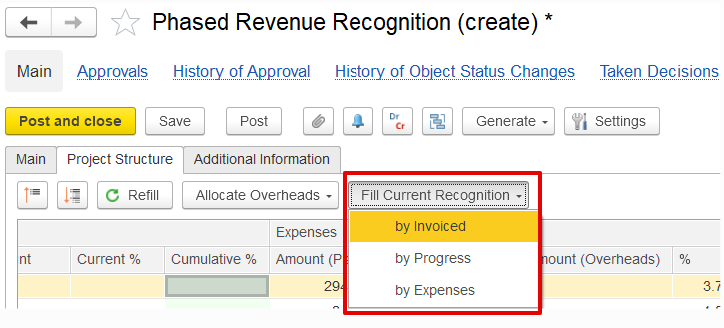
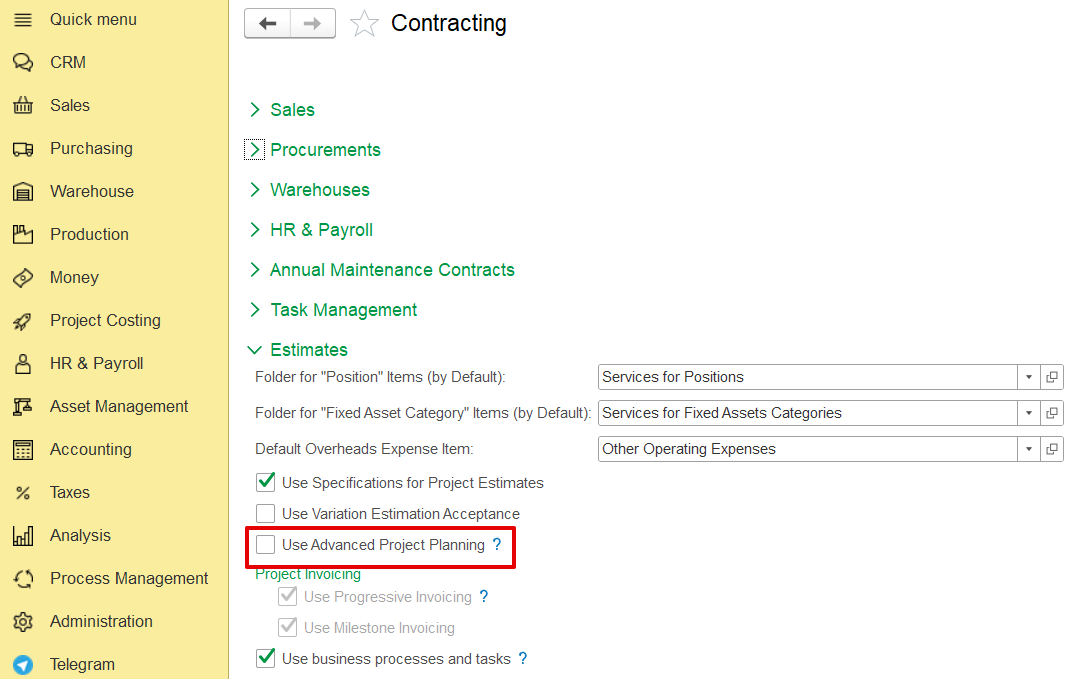
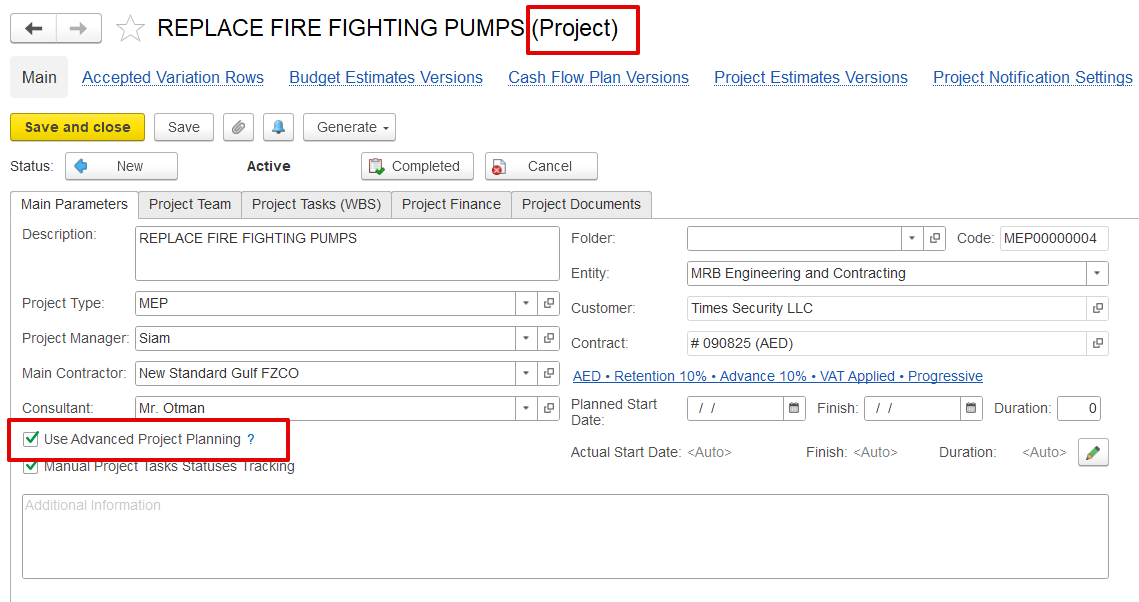
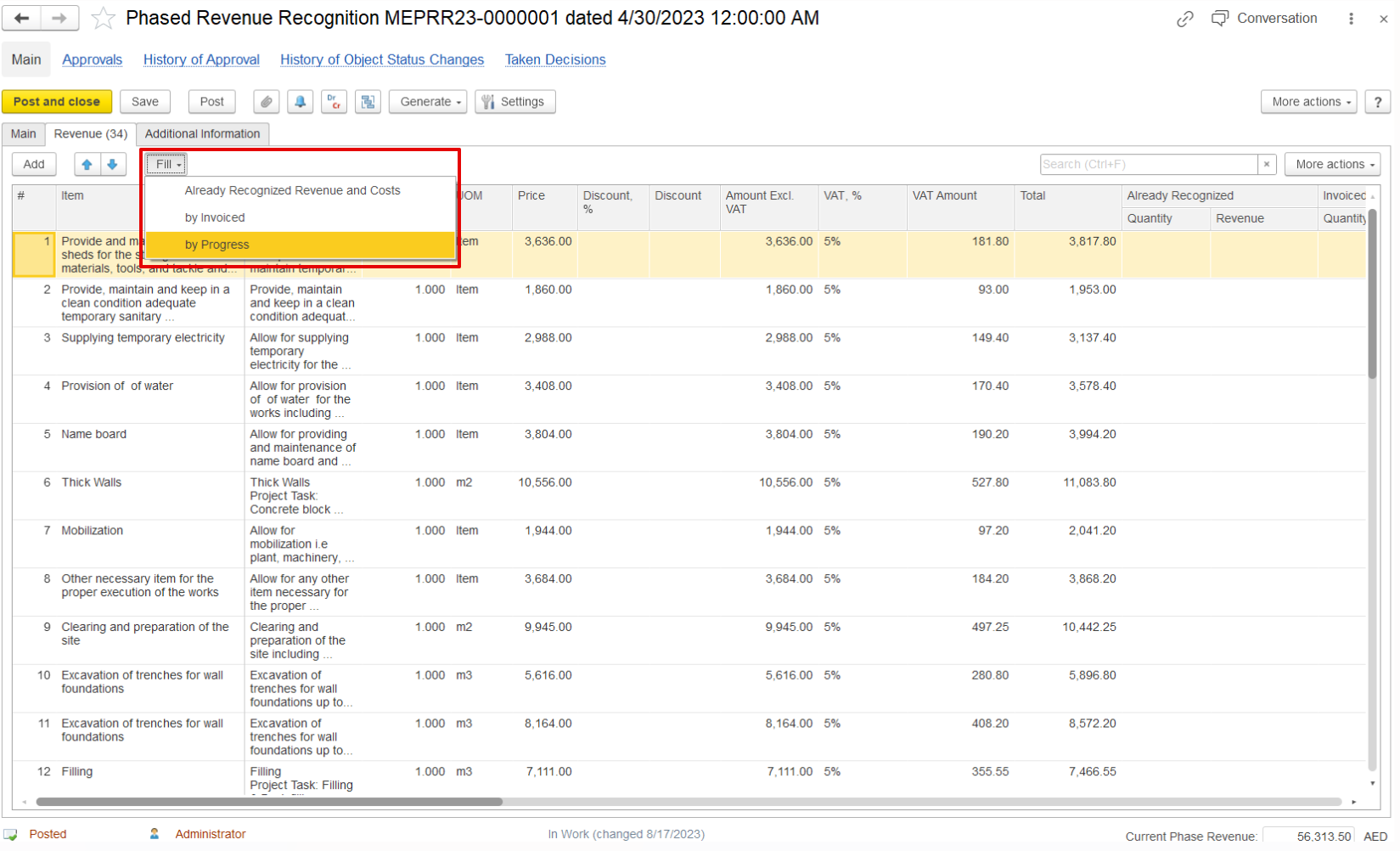
If the project is not enabled for Advanced Project Planning in the production settings, the system switches to the standard Phased Revenue Recognition mode. In this mode, the project structure is not available, and revenue can be recognized using one of the following methods:
a) By Already Recognized Revenue and Cost- Revenue is determined based on amounts already recognized in previous periods, together with the corresponding costs.
b) By Invoice- Revenue is recognized according to the invoiced amounts issued for the project.
c) By Progress- Revenue is recognized in line with the progress achieved, as reported for the project.
This tab contains the following fields:
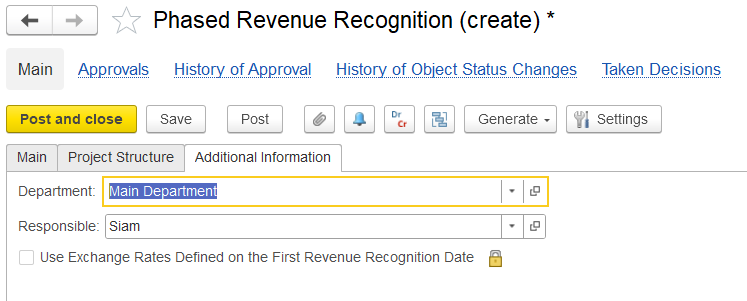
Department- The department responsible for the recognition process.
Responsible- The employee or person accountable for preparing and managing the recognition.
Use Exchange Rates Defined on the First Revenue Recognition Date- An option to fix and apply the same exchange rates from the first recognition date for consistency across subsequent recognitions.