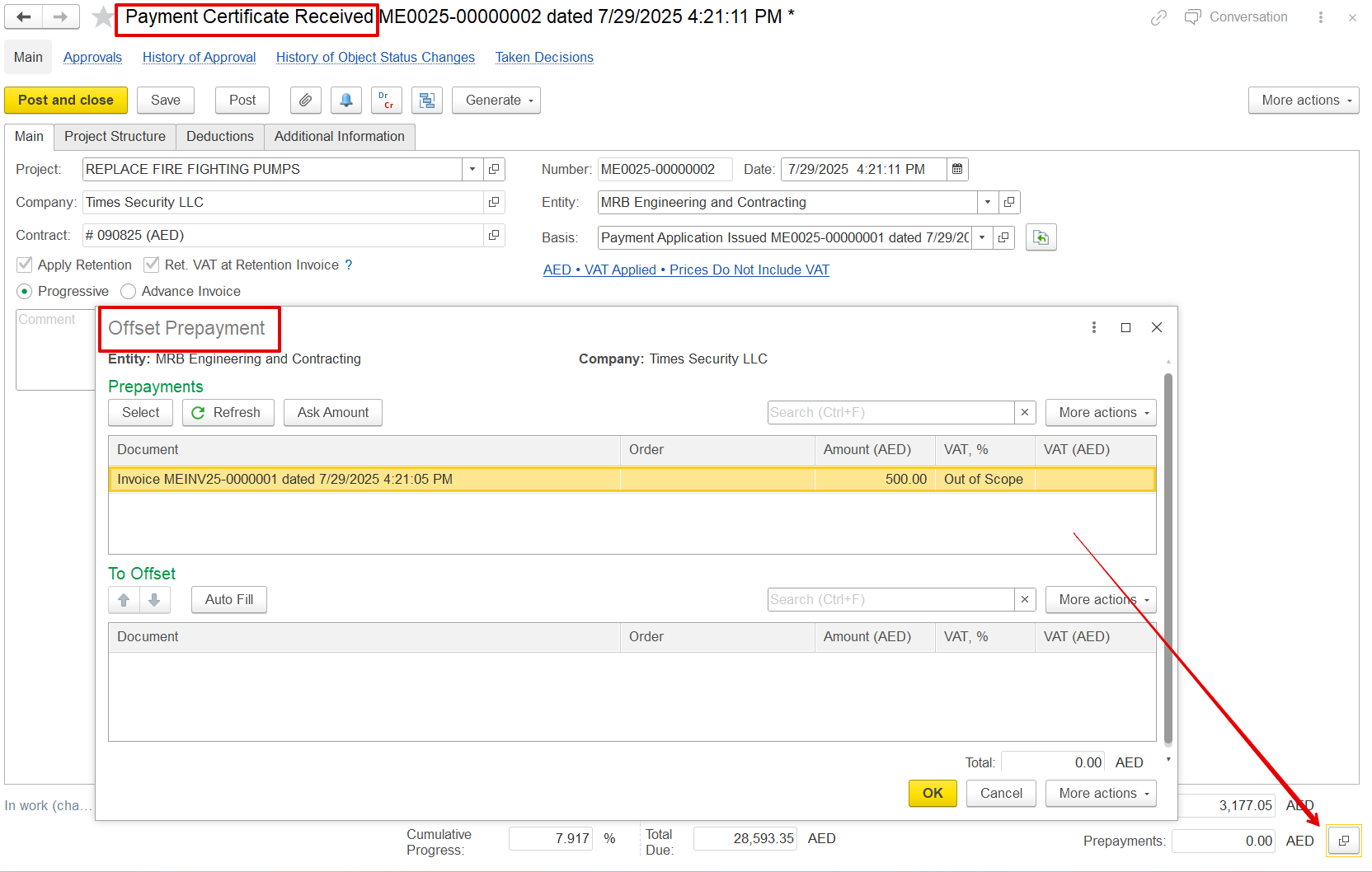
The Payment Certificate Received document is used to record and confirm the certified value of work completed on a project, as assessed and issued by the client or consultant.
It serves as an official acknowledgment of-
Work progress approved by the client
Amounts certified for invoicing
Retention, VAT, and deductions as per contract
Once recorded, it can be used to generate a Progressive Invoice, Offset prepayments, and Track certified progress, comparing it with the applied progress.
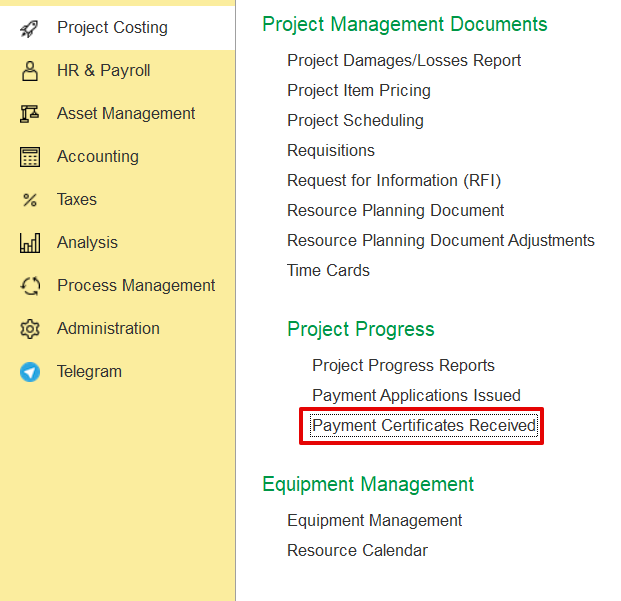
Project Costing→ Project Progress→ Payment Certificates Received.
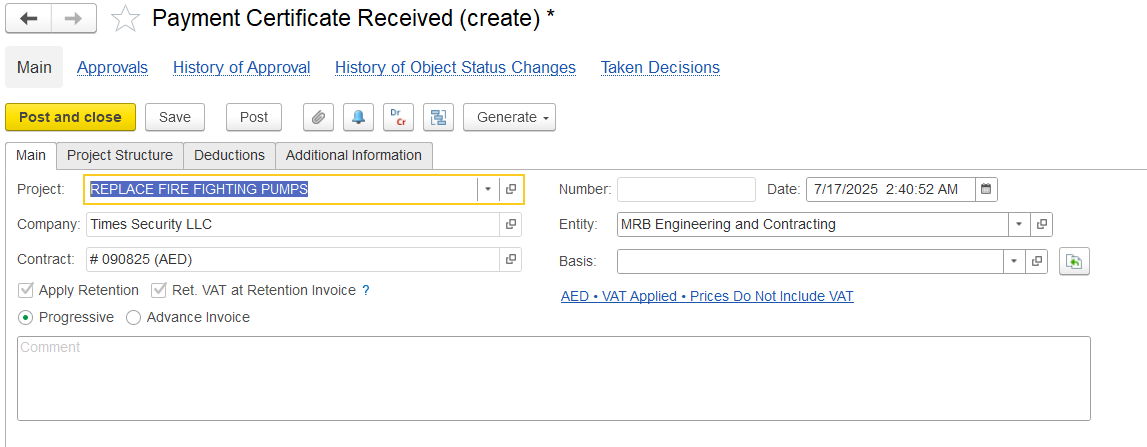
Click Create, then select the Project. The certificate details will be automatically filled based on the chosen project.
Alternatively, it can be generated using the "Generate" option in the Payment Application Issued document.
The Main Tab contains key information that sets up the Payment Certificate.
Company - The company for whom the payment certificate is created
a) Progress- For certifications tied to actual work completed.
b) Advance- Used to acknowledge advance payments or prepayments under the contract. Selecting this option displays an Advanced tab for requesting or recording such payments instead of actual work completed. It does not create
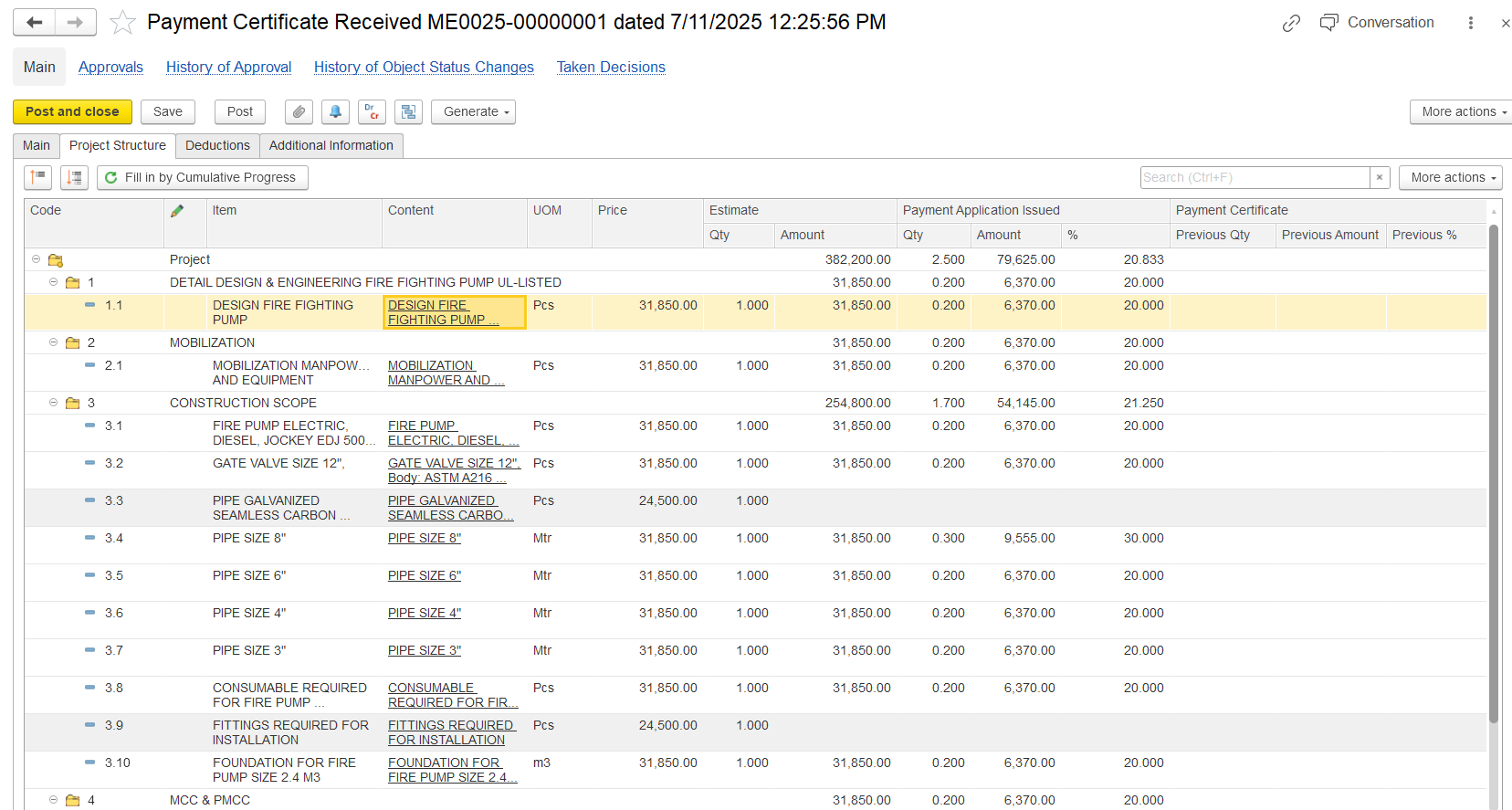
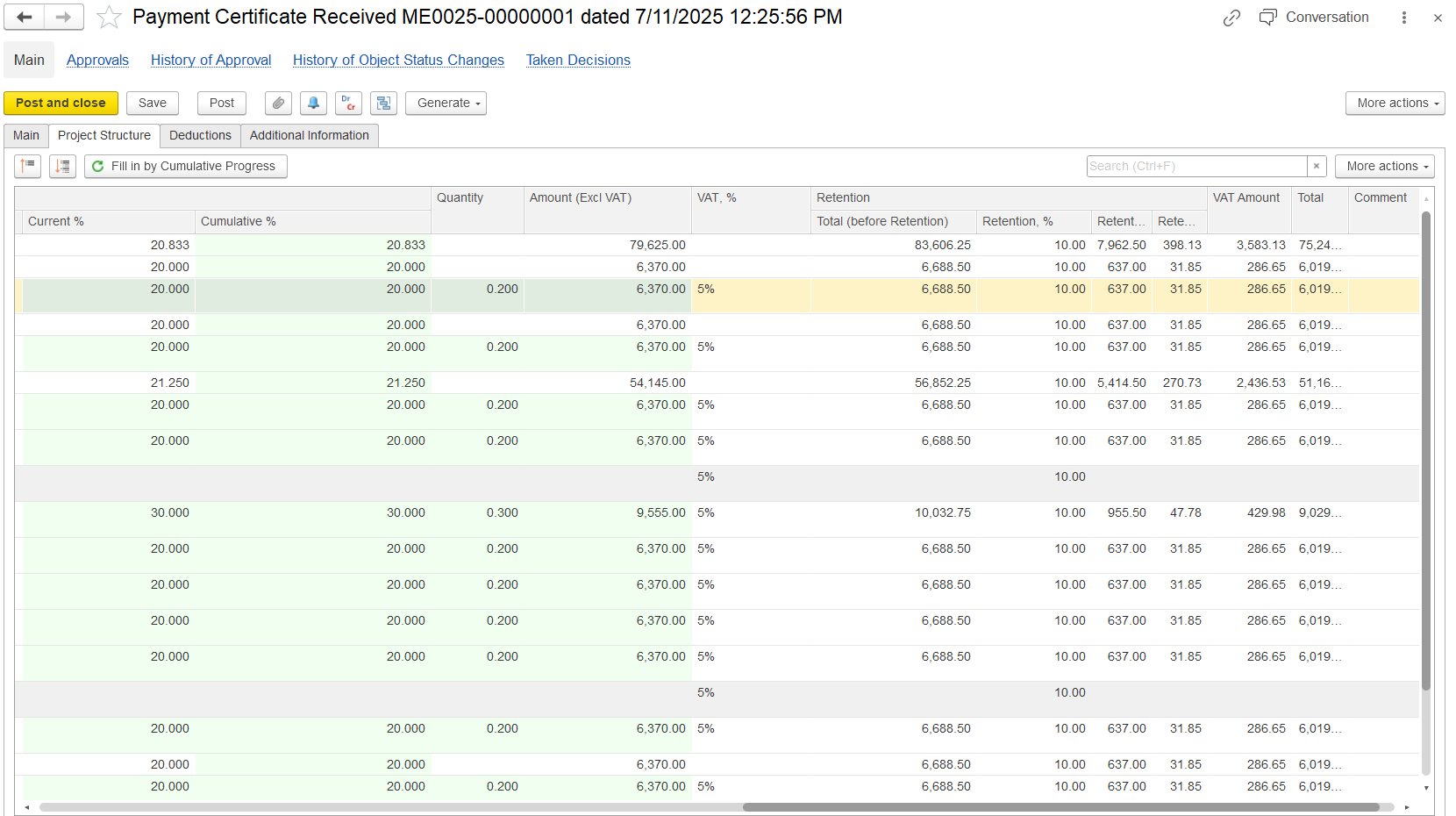
At the bottom of the Project Structure tab, a financial Summary section provides a quick view of all key billing values for the current period.
Estimate Qty & Amount-The original planned quantity and value from the contract or BOQ, used as the baseline.
Progress Report Qty & %-The completed work so far, recorded through progress reports, shown as quantity or percentage.
Payment Application Qty & Amount-The portion of progress that the contractor is claiming in the current payment application. This may differ from the actual reported progress.
Payment Certificate Qty & Amount-The portion of the claim that has been approved by the consultant/client after review.
Invoiced Qty & Amount-The value already invoiced to the client, usually matching the certified amount, unless invoices are split or postponed.
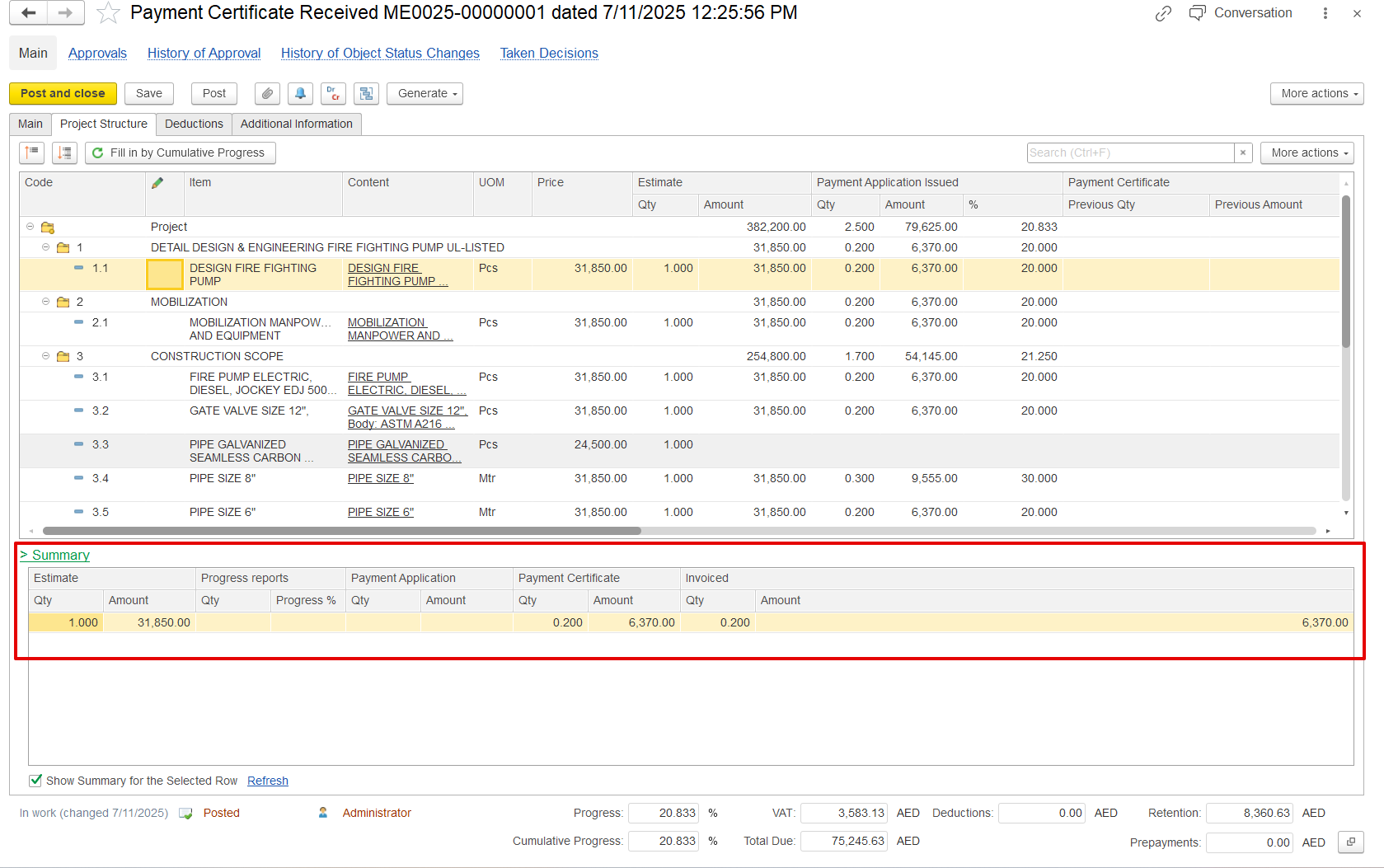
If the "Show Summary for the Selected Row" option is enabled, the summary table is a subordinate table that filters and displays details related to the selected parent row.
Used to list amounts deducted from the total payable value of a payment certificate or invoice.

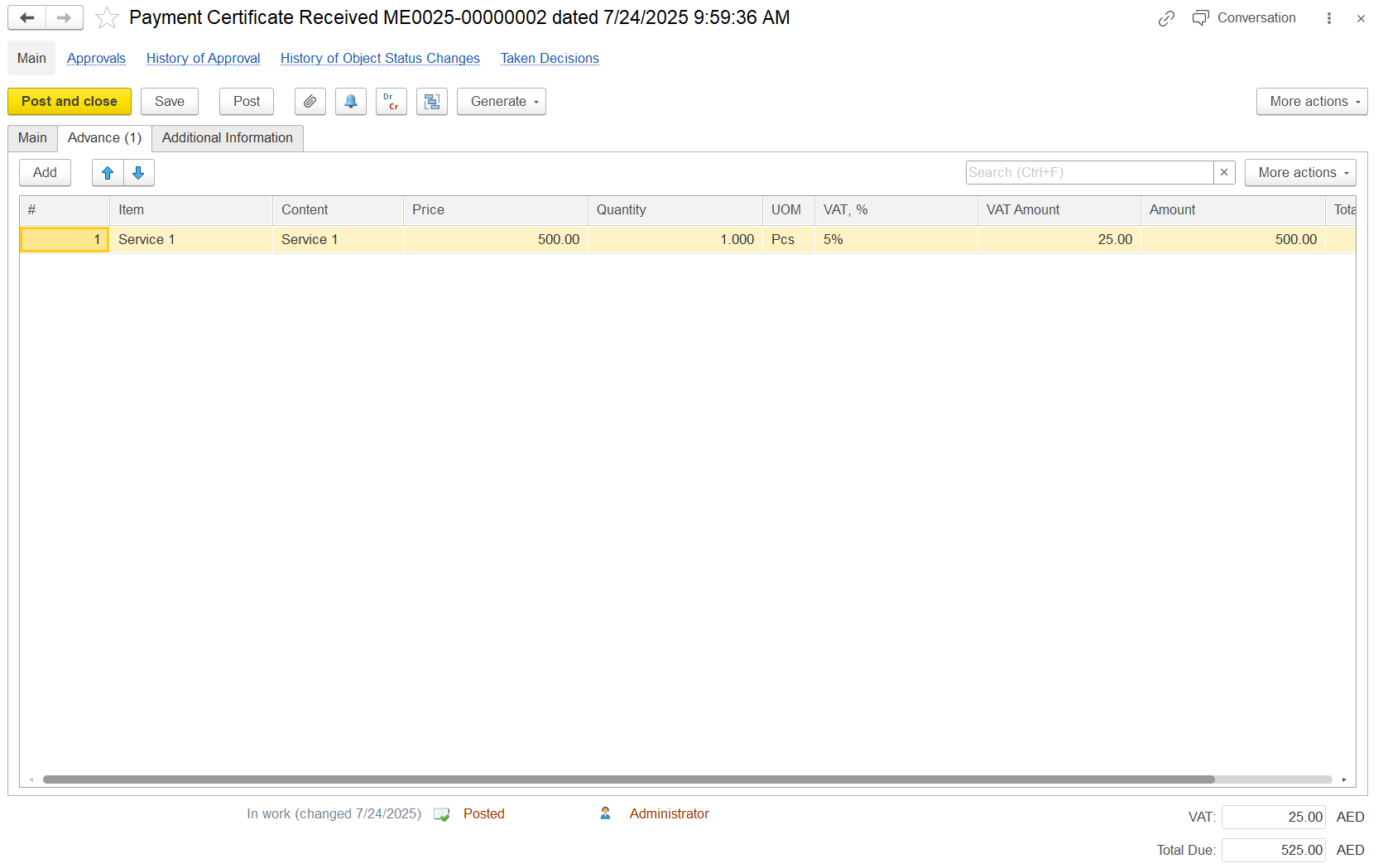
When the Advance option is selected, an Advance tab appears. This means the certificate is used to confirm the conditions for issuing an advance invoice and to register the advance payment, rather than to record actual work progress.
The Prepayment tab will not appear because this document itself is the advance.
Later, the advance can be used to offset future progress certificates and also serve as the basis for creating an invoice with the advance option.
The service lines can be left blank or include a single lump sum line for the total advance amount.
The offset can be entered manually or carried forward from the Payment Application document. It is not used for actual offsetting, but it helps in creating the progressive invoice with the offset value already populated, avoiding the need to select it again.