A Credit Note based on a Progressive Invoice is used when previously invoiced progress (under a project or contract) needs to be reversed or adjusted. This can occur due to:
Overstated progress in a project
Revisions in certified quantities or values
Errors in the original progressive invoice
Agreed deductions after invoice issuance
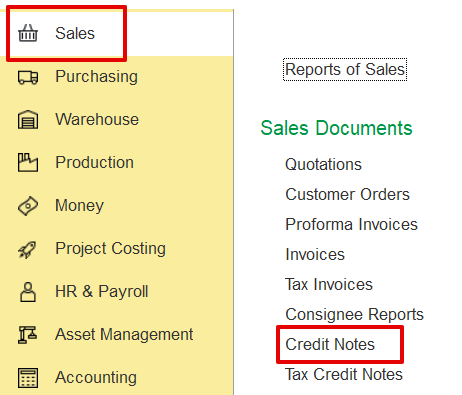
A credit note can be created manually through the sales documents screen:
Sales → Sales Documents → Credit Notes.
Alternatively, it can be automatically generated from the related invoice, which serves as the reference for the credit note. All the details must be automatically filled in.
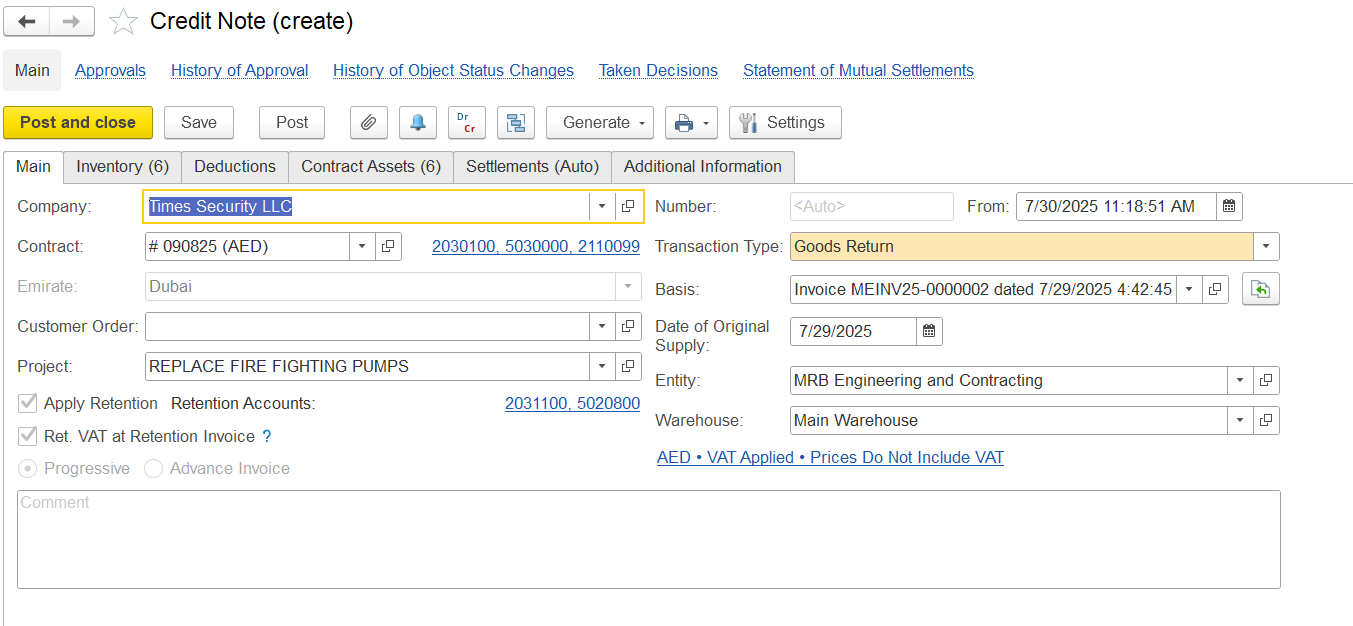
The Main Tab captures the essential details that identify and control how the credit note is processed.
Company Name - The company or client for whom the credit note is created
Transaction Type describes the kind of credit note being created. For adjusting progressive invoices, you can use:
Goods Return: Used when physical items or materials are being returned. This affects inventory and contract assets.
Invoice Correction: Used when correcting amounts or quantities without returning items, such as fixing errors or updating values. This mainly affects financial records, not inventory.
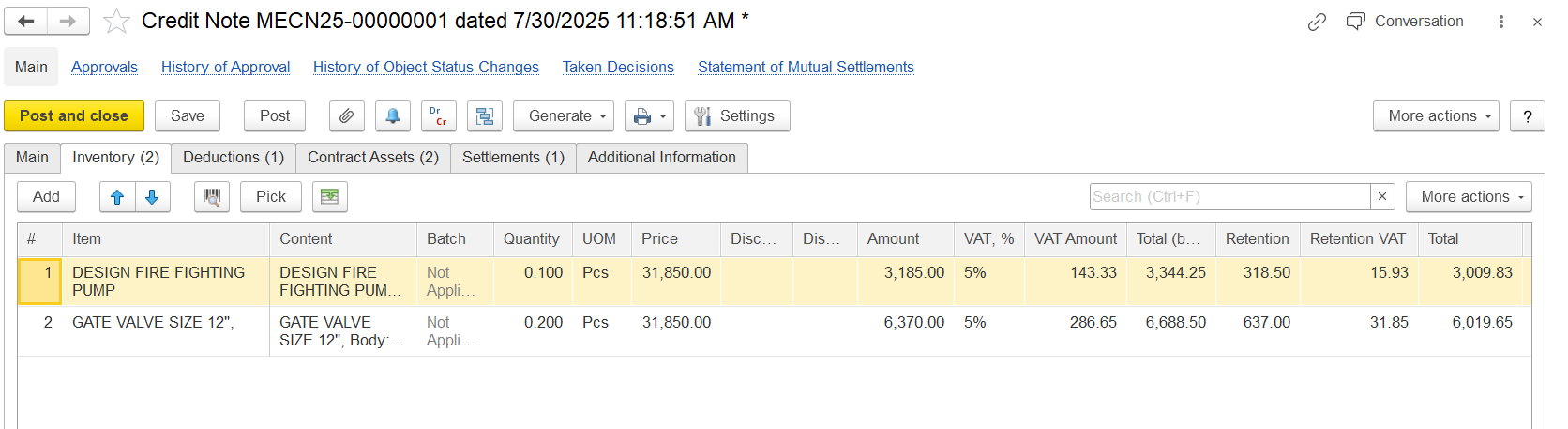
The Inventory Tab records and adjusts credited items and their financial details in the credit note.
Quantity-Number of units being credited back.
Unit Price-Price per unit before any deductions.
Amount-Total value for the line (Quantity × Unit Price).
VAT (%)-The VAT rate applied to the item.
VAT Amount- The VAT calculated on the item value.
Total Before Retention-The sum of the item amount plus VAT, before deducting any retention.
Retention-Amount withheld according to the project's retention rules.
Retention VAT-VAT amount related to the retention deduction.
Net Total-The final credited amount after retention and VAT on retention are deducted.
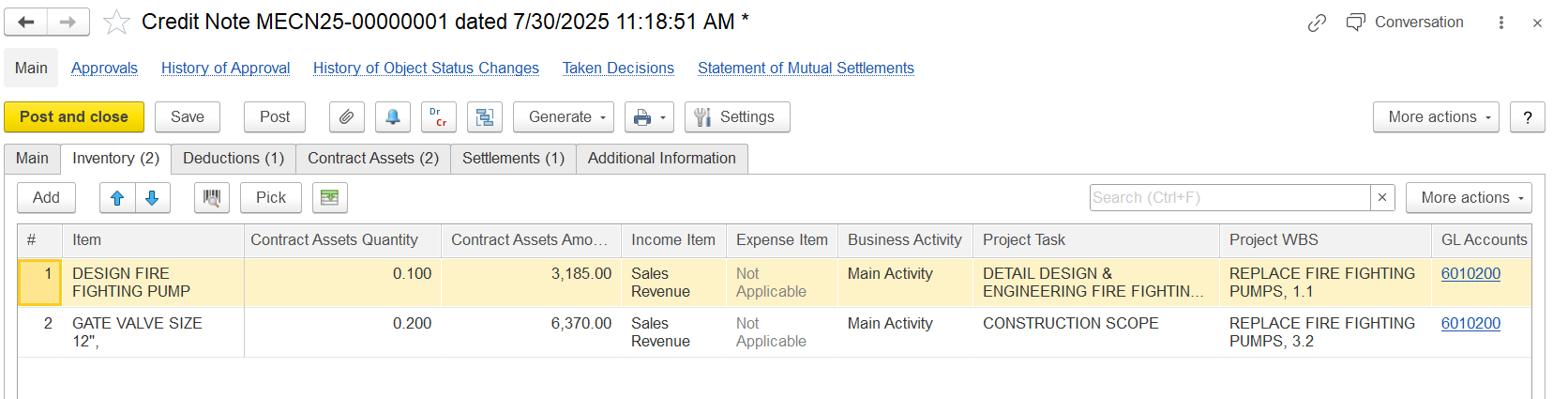
Contract Asset Quantity-Portion of the item quantity being reversed from the contract asset records.
Amount (Contract Asset)-The value reversed from the contract asset, calculated by multiplying the unit price by the contract asset quantity.
Note: These fields auto-fill when you click “Fill Contract Assets” in the Contract Asset tab.
Income Account-The account where the original revenue from this item was recorded.
Business Activity-The reporting category this item belongs to (e.g., Main Activity).
Project Task / WBS-Links the item to a specific project task or work breakdown structure segment.
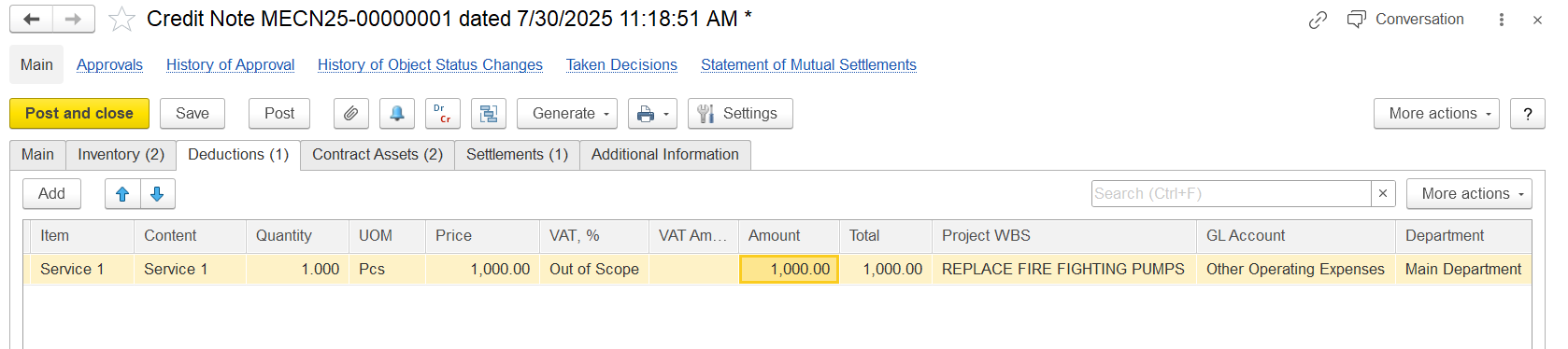
The Deduction tab is used to record and manage any deductions related to the credit note, such as penalties, withholding taxes, or other amounts withheld before settling the credit.
Item-Name of the deduction or credited item.
Content-Brief description or reference, often the same as the item name.
Quantity-Number of units being credited or deducted.
UOM (Unit of Measure)-The unit used to measure the quantity (e.g., pieces, kg).
Price-Price per unit of the item.
VAT%-VAT rate applied to this item.
VAT Amount-VAT calculated based on the price and quantity.
Amount-Total value before VAT (Quantity × Price).
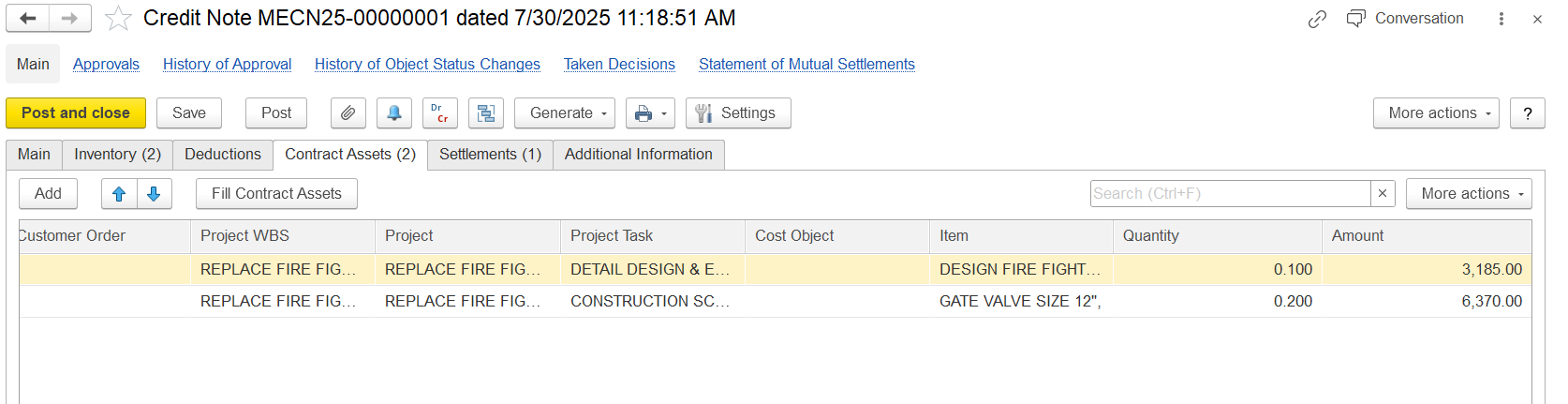
The Contract Assets tab records reversals or adjustments to previously recognized contract asset values in the credit note.
Customer Order - Reference to the client’s request or work order.
Project WBS - The Work Breakdown Structure level is used to track the specific scope of work.
Project - The main project linked to this credit note.
Project Task - The specific task or activity being credited or reversed.
Cost Object - The cost center or budget account assigned to track expenses.
Item - The material or service being credited.
Quantity - The amount being credited (returned or reversed).
Amount - The credited value, calculated by multiplying the quantity by the unit price.
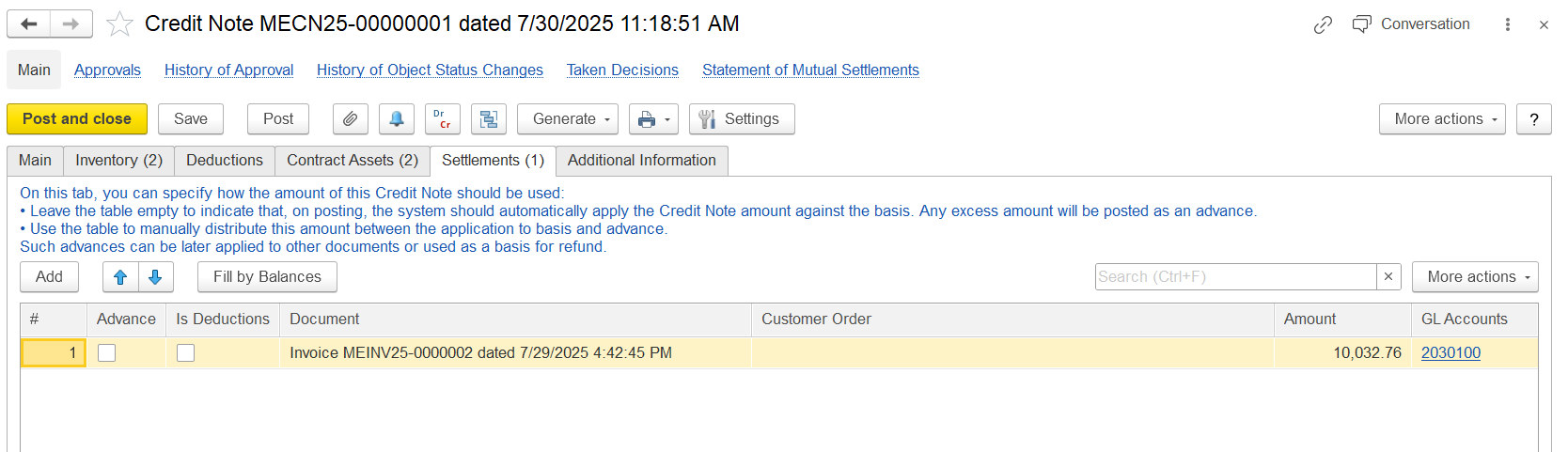
This tab shows how the credit note amount is automatically applied or settled against related payments and documents:
Advance - Indicates if the credit note adjusts a previous advance payment.
Is Deductions - Shows amounts from earlier deductions (like penalties) included in this credit note.
Document - The original invoice linked to this credit note (e.g., MEINV25-00000002).
Customer Order - Reference to the customer order tied to the original invoice.
Amount - The credited amount related to the original document.
GL Accounts - General ledger accounts affected by the credited amount.