The Project Progress Report enables the tracking of actual progress for project tasks (WBS lines) during a selected reporting period. It is used to monitor performance, manage progress transfers (especially for variations), and support billing processes.
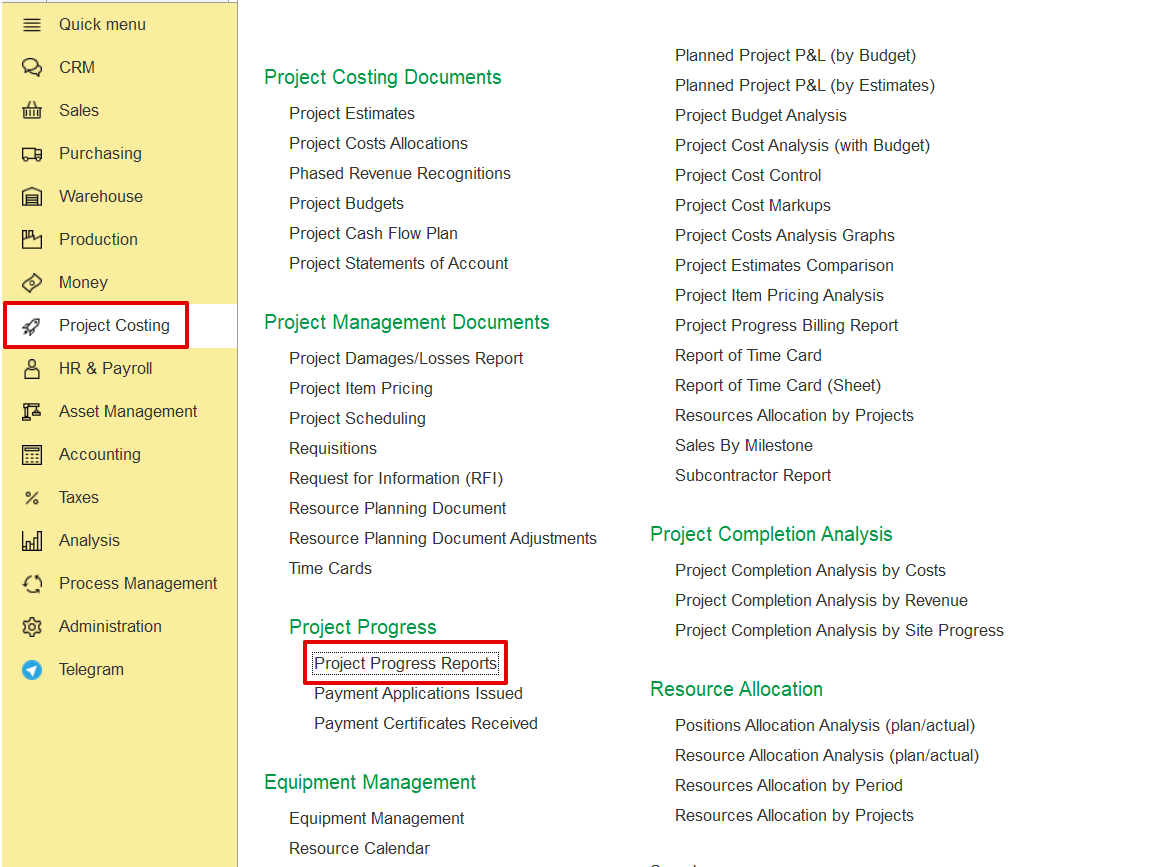
Project Costing → Project Progress → Project Progress Report.
Click Create and select the required Project from the list.
The system automatically fills in the fields using the defined project structure and associated parameters.
The Main Tab contains key header information relevant to the project progress report. It captures the following details-
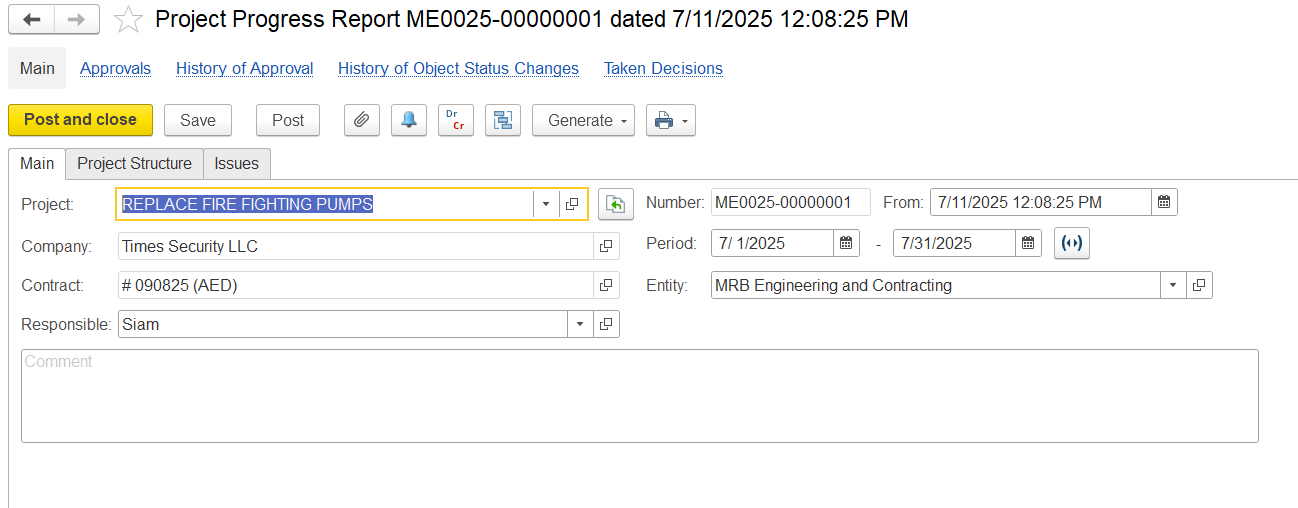
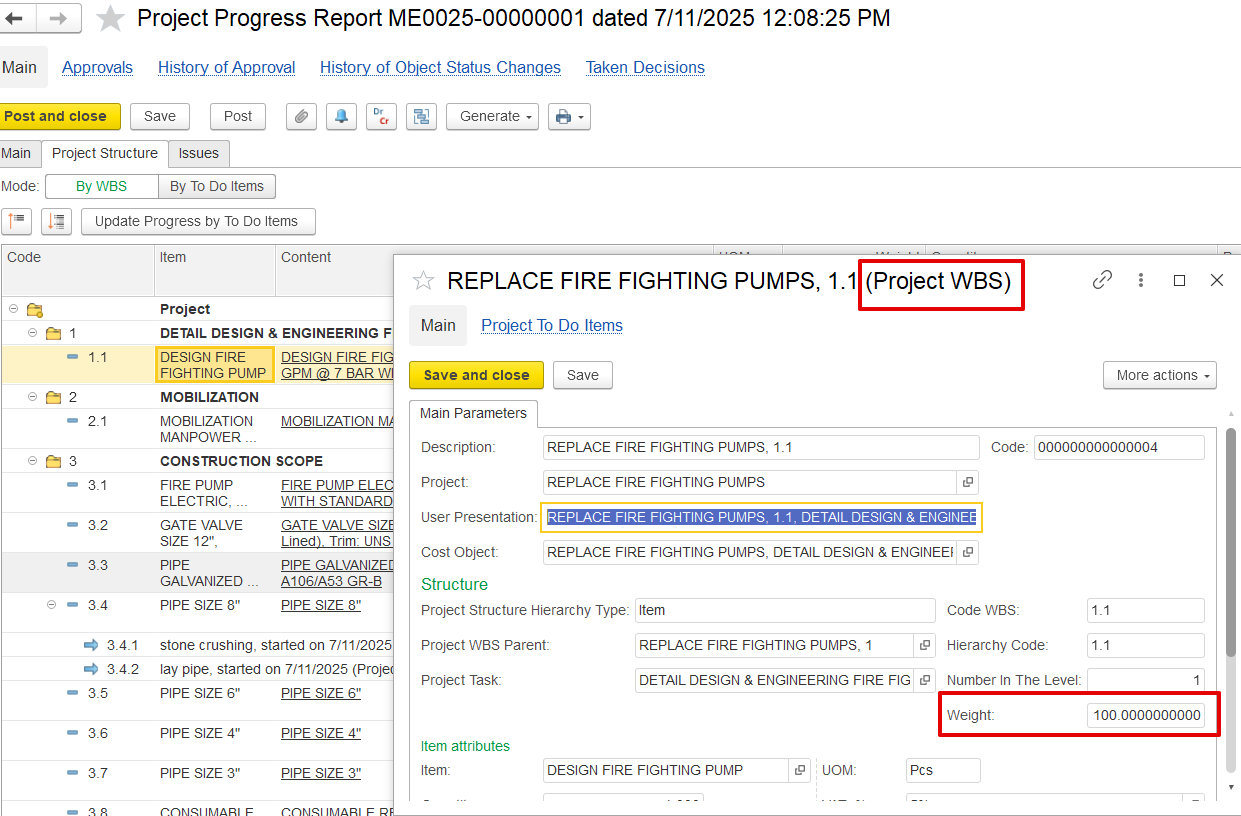
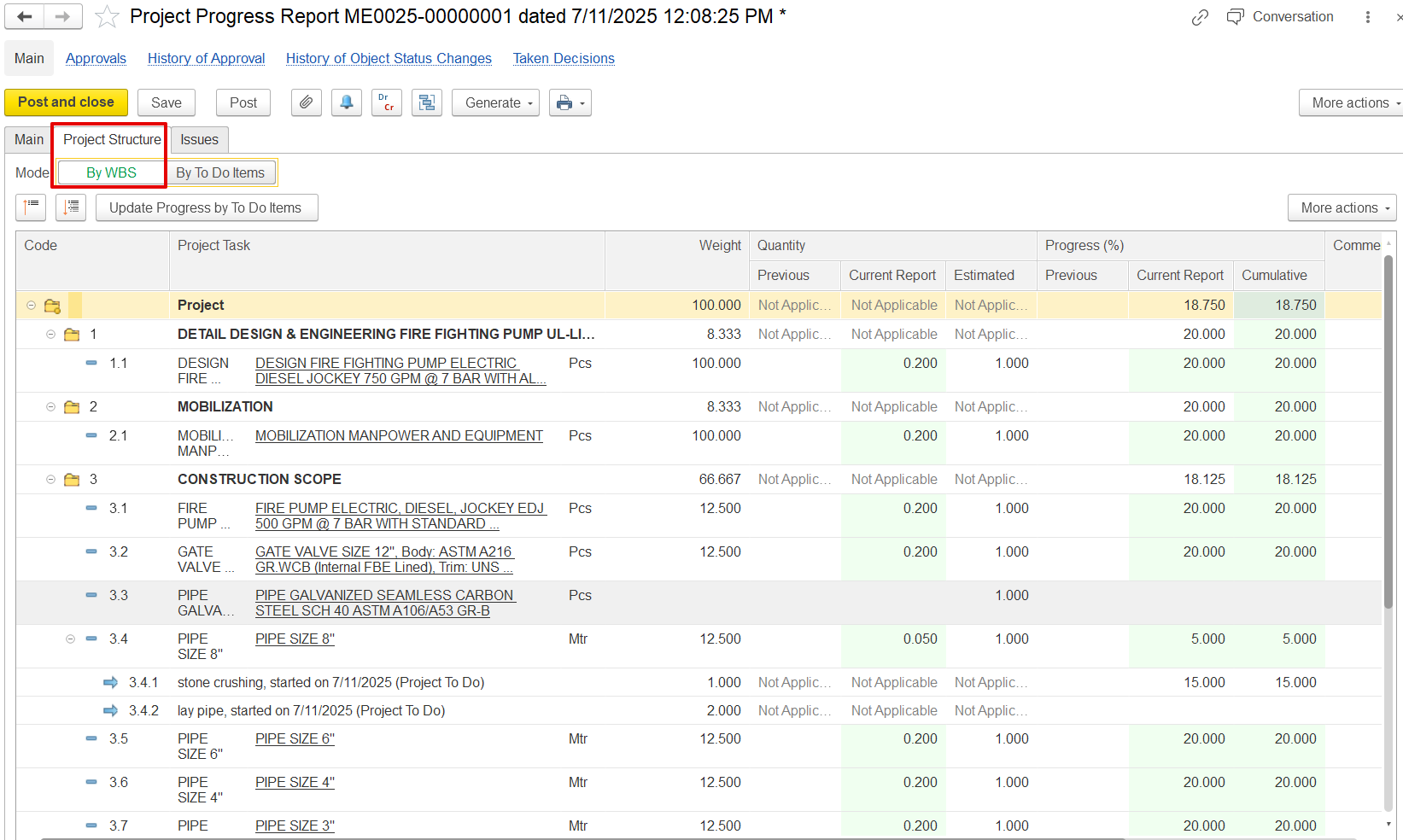
The Project Structure Tab outlines the breakdown of project work in a structured, hierarchical format based on the Work Breakdown Structure (WBS). It includes not only tasks, but also major phases, deliverables, and measurable item lines.
a)1 is the main task “Detail Design & Engineering…”
b)1.1 Refer to a specific item line under it (e.g., “Design Fire Fighting Pump”)
Previous – Quantity completed before the current report.
Current Report – Quantity newly completed in this reporting cycle.
Estimated – Total planned or expected quantity for the task.
Previous – Progress achieved before this report.
Current Report – Progress added in the current update.
Cumulative – Total progress so far.
Example- For the "PIPE SIZE 8" task, 30.000% cumulative progress is shown, all of which comes from this report.
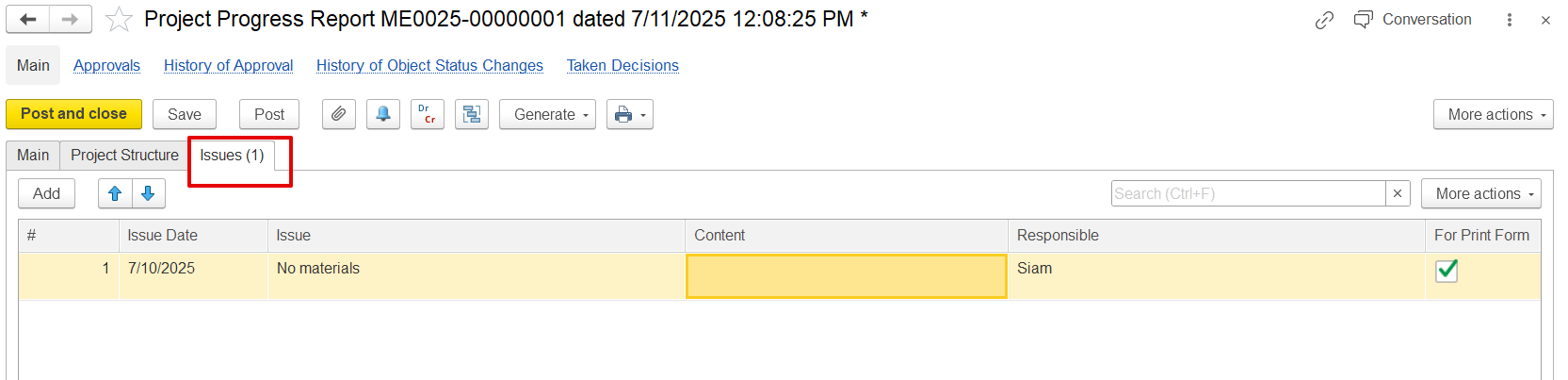
The Issues Tab records any problems or obstacles encountered during the reporting period that may affect project progress. It includes-
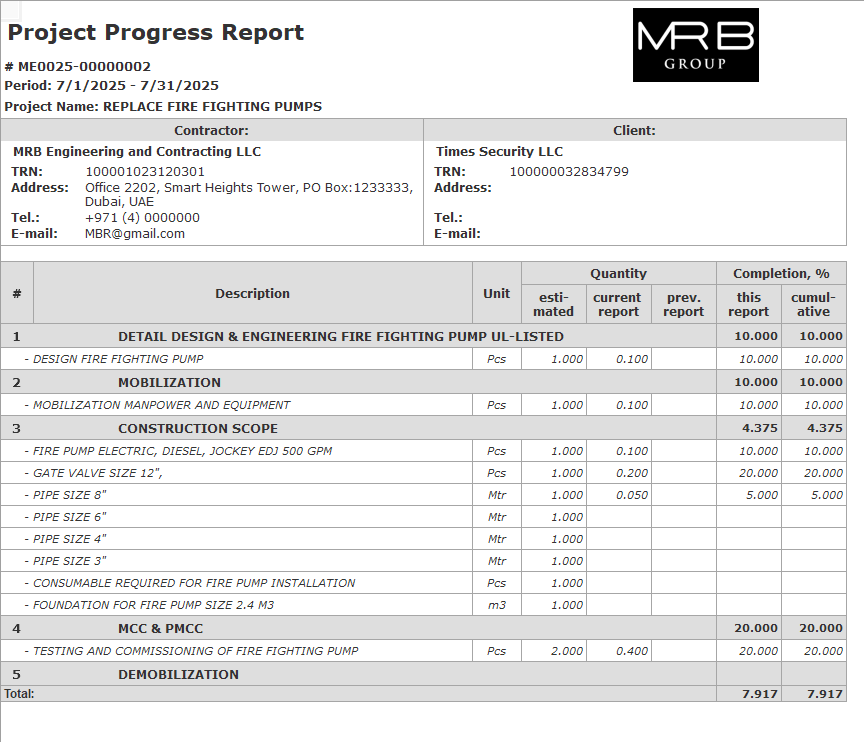
This Project Progress Report print form provides a structured summary of the project's physical progress for a specific period. It highlights-
Project and contractor/client details
Breakdown of work items by project structure (WBS)
Units, estimated quantities, and quantities reported in the current period
Percentage of work completed this period and cumulative
Total cumulative progress at the bottom