A Credit Note based on a Progressive Invoice is used when previously invoiced progress (under a project or contract) needs to be reversed or adjusted. This can occur due to:
Overstated progress in a project
Revisions in certified quantities or values
Errors in the original progressive invoice
Agreed deductions after invoice issuance
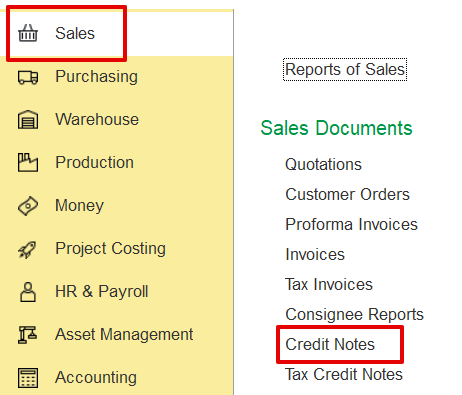
A credit note can be created manually through the sales documents screen:
Sales → Sales Documents → Credit Notes.
Alternatively, it can be automatically generated from the related invoice, which serves as the reference for the credit note. All the details must be automatically filled in.
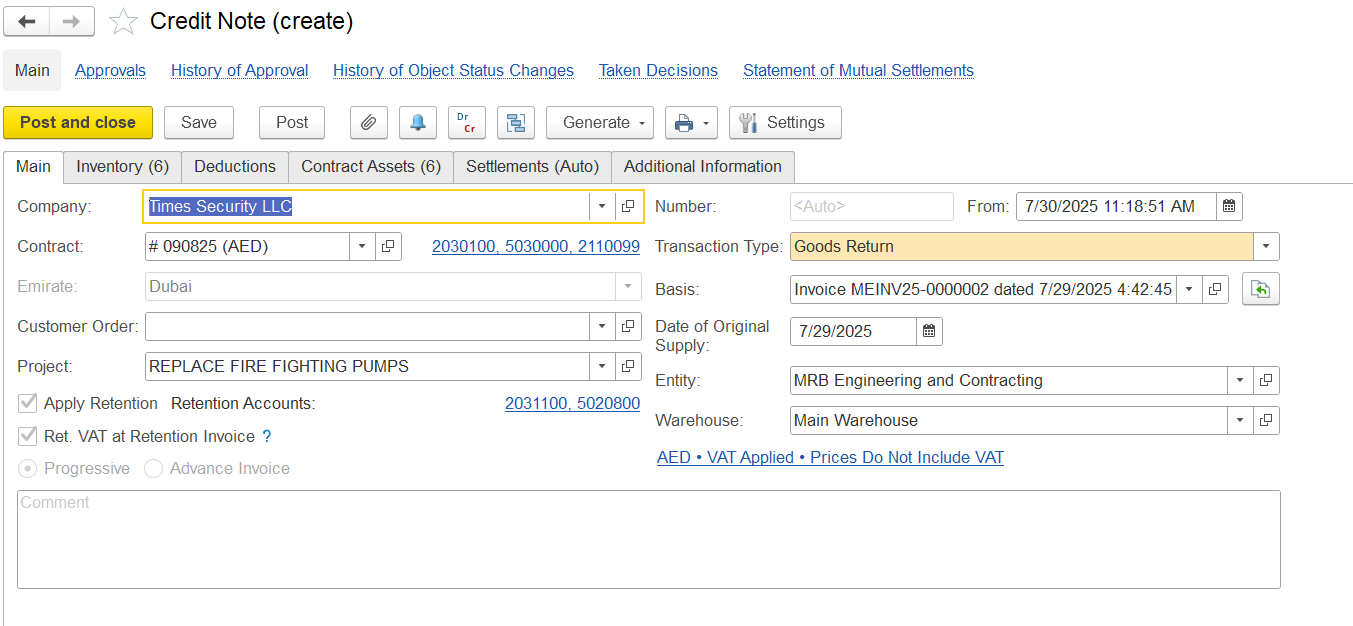
Here is an explanation of the field-
Company - The organization responsible for issuing the credit note.
Contract - Refers to the agreement associated with the transaction.
Emirate - Indicates the emirate where the transaction was carried out.
Customer Order - Represents the client’s order linked to this credit note.
Project - Specifies the project or job connected to the transaction.
Apply Retention / Ret. VAT at Retention Invoice - Indicates if retention should be applied (as defined in the contract) and specifies how VAT is handled for retention-related invoices
Progressive / Advance Invoice - Indicates whether the credit note is linked to progressive billing or related to a previously issued advance invoice.
Comment - A field used for entering internal comments or notes.
Transaction Type - Describes the nature of the credit transaction.
Basis - Indicates the original invoice that the credit note is reversing.
Date of Original Supply - The date when the original goods or services were provided.
Warehouse - The location of the inventory involved, if applicable.
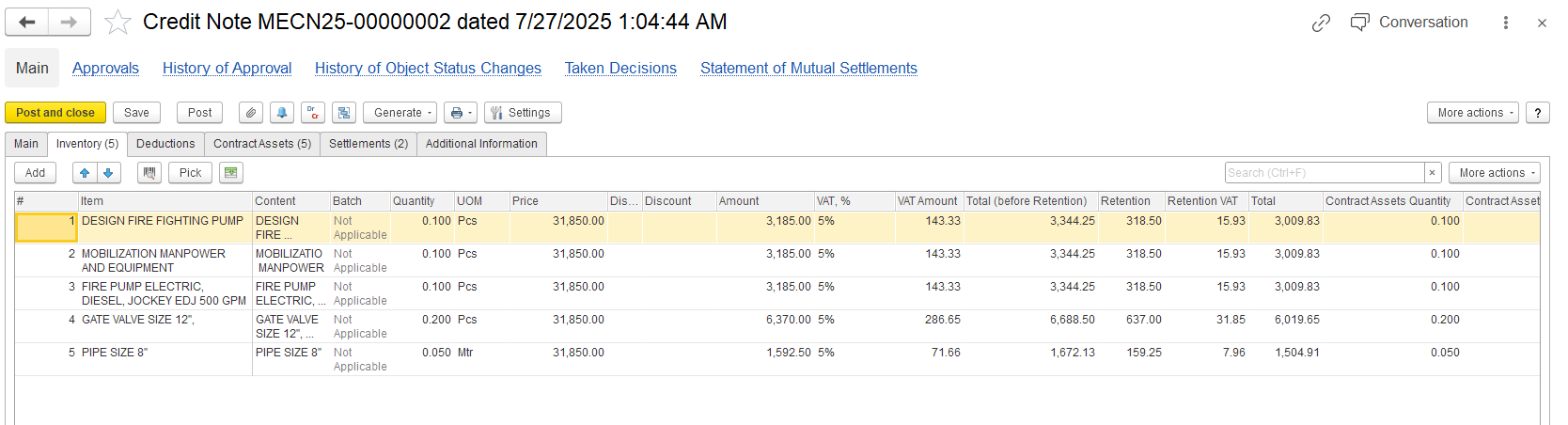
Item Description - Name of the returned or reversed item
Quantity - Number of units being credited
Unit Price - Price per unit before deductions
Amount - Total value of the line (Quantity × Unit Price)
VAT (%) - Applicable VAT rate
VAT Amount - Tax amount calculated on the item value
Total Before Retention - Sum of item amount and VAT before retention deduction
Retention - Deduction as per the project's retention policy
Retention VAT - VAT portion related to the retention amount
Net Total - Final credited amount after deducting retention and its VAT
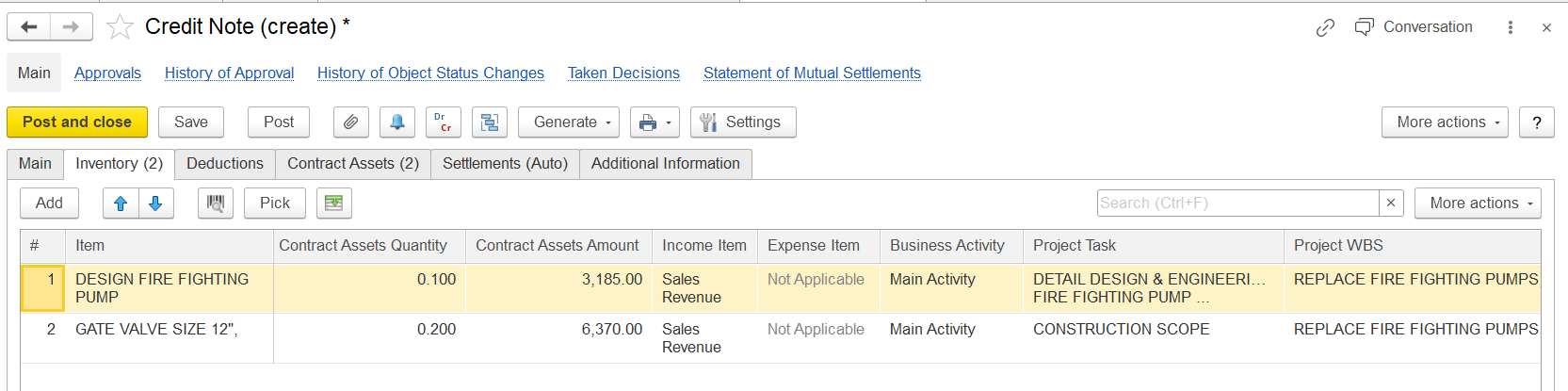
Contract Asset Quantity – The part of the item that is being returned or deducted from the previously recorded contract asset
Amount – The value reversed or deducted from the contract asset, calculated by multiplying the unit amount by the quantity of contract assets to be credited back.
Note: The Contract Asset Quantity and Amount fields are automatically populated when the Fill Contract Assets button is clicked in the Contract Asset tab.
Income Account – The account where the initial revenue was recorded
Business Activity – The category used for reporting purposes (e.g., Main Activity)
Project Task / WBS – Connection to a particular segment of the project
The Deduction tab is used to record and manage any deductions related to the credit note, such as penalties, withholding taxes, or other amounts withheld before settling the credit.
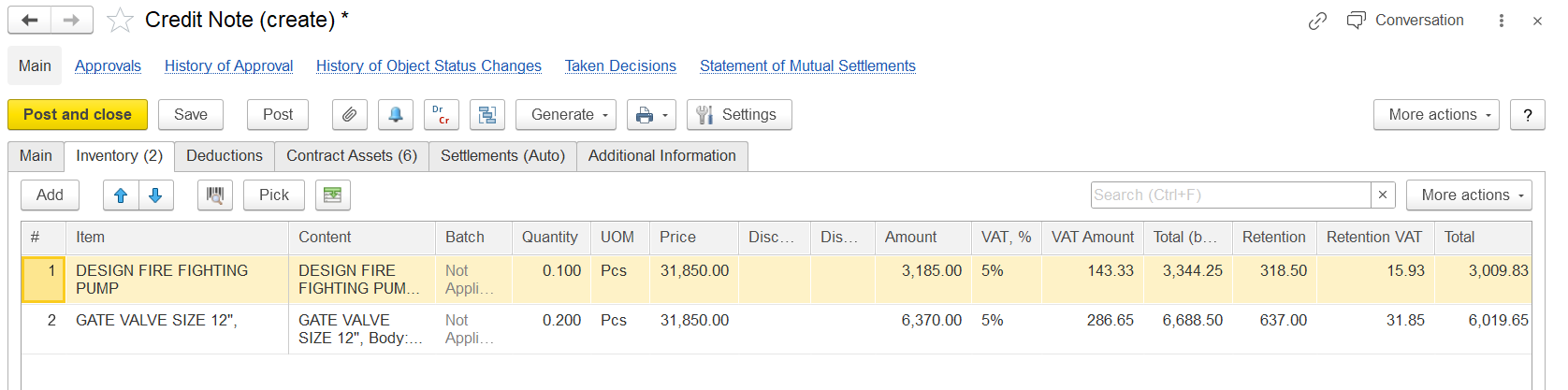
Item - Name of the item being credited
Content - Short description or reference, often repeating the item name
Quantity - Number of units being credited
UOM (Unit of Measure) - Measurement unit
Price - Unit price of the item
VAT% - Value Added Tax percentage applied to this item
VAT Amount - Tax amount calculated from the price
Amount - Total pre-tax value of the item
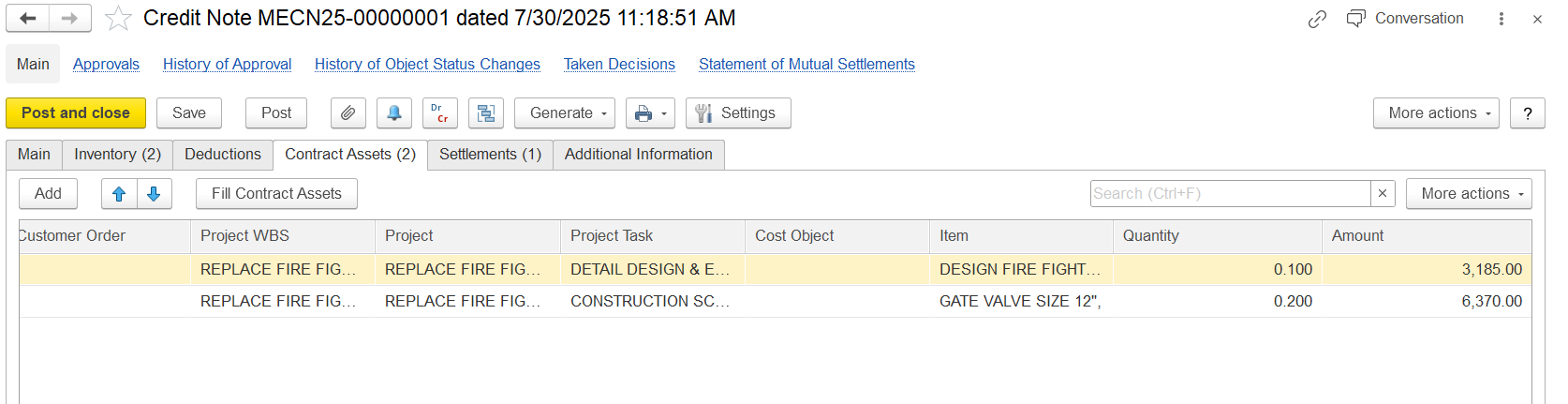
Customer Order – Reference to the client’s request for work
Project WBS – Work Breakdown Structure level used to monitor the scope
Project – The main project name associated with the credit
Project Task – The particular task or activity being credited
Cost Object – Designated cost center or budget account
Item – The material or service being credited
Quantity – The amount credited (such as returned or reversed)
Amount – The credited value calculated by multiplying quantity by price
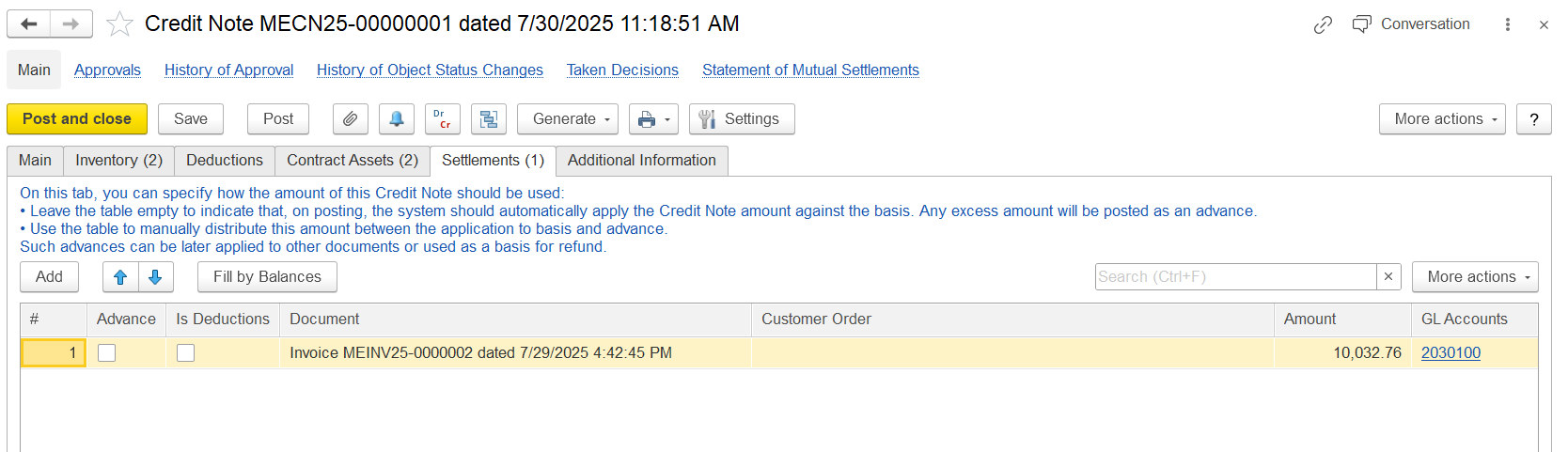
This tab displays the automatic allocation or settlement of the credit note amount:
Advance – Shows whether the credit relates to a previous advance payment
Is Deductions – Indicates if the row includes deductions such as penalties
Document – The original invoice connected to the credit note (e.g., MEINV25-00000002)
Customer Order – Reference to the customer order that generated the invoice
Amount – The credited amount derived from the original document
GL Accounts – General ledger accounts linked to the credited amount
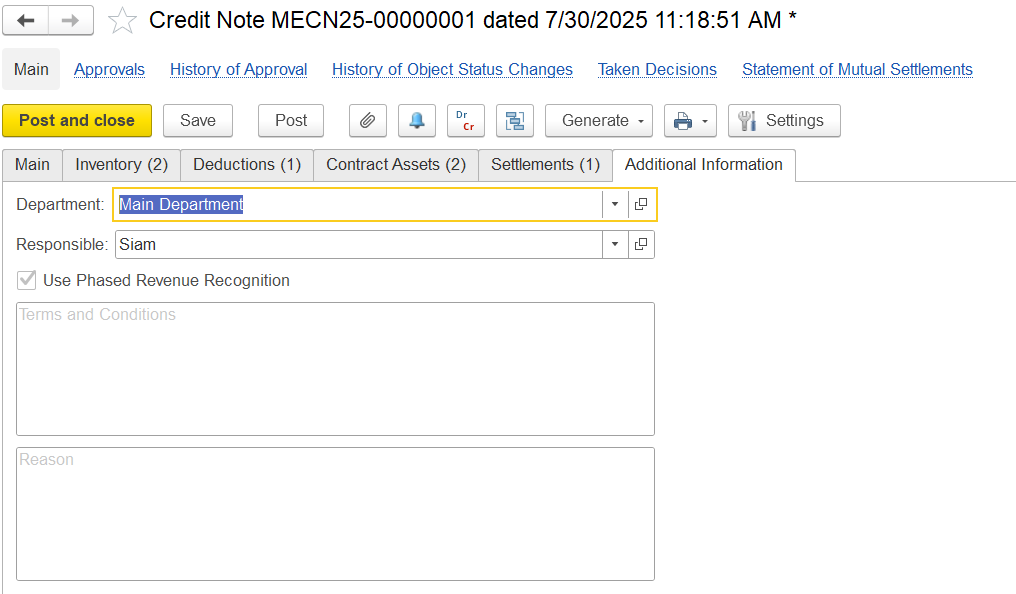
Department - Specifies the internal division that issued the credit note
Responsible - Name of the employee responsible for the transaction
Use Phased Revenue Recognition - Checkbox indicating whether phased revenue recognition is applied
Terms and Conditions - Text field for contract-specific terms
Reason - Describes the reason or justification for issuing the credit