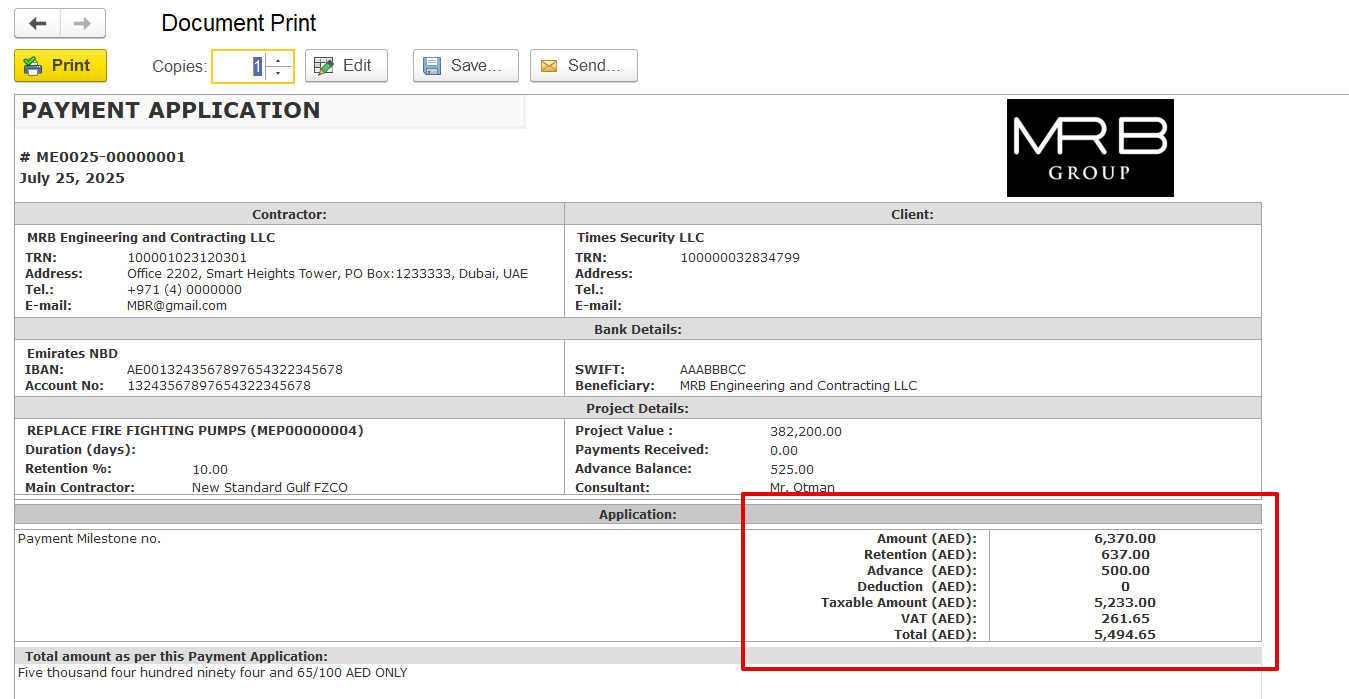
The Payment Application is used to request payment for completed project works, based on the progress achieved. It links project estimation, actual progress, and contractual terms to calculate the amount due for the current period. This document forms the basis for generating the Payment Certificate and eventually the Progressive Invoice.
It can be accessed from
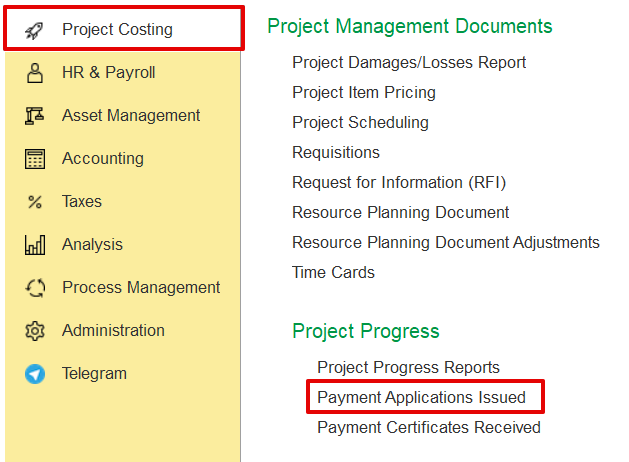
Project costing→ Project Progress Reports → Payment Application
Click Create and select the required project from the list.
The system fills in the details automatically based on the project’s structure and settings. This includes contract-related information like billing terms, retention rules, and VAT. Users can still manually adjust progress percentages, discounts, retention, amounts, and other relevant fields if needed.
If a project progress report is added as the basis, the system can use it to fill in the document. A confirmation message will appear before replacing any existing data.
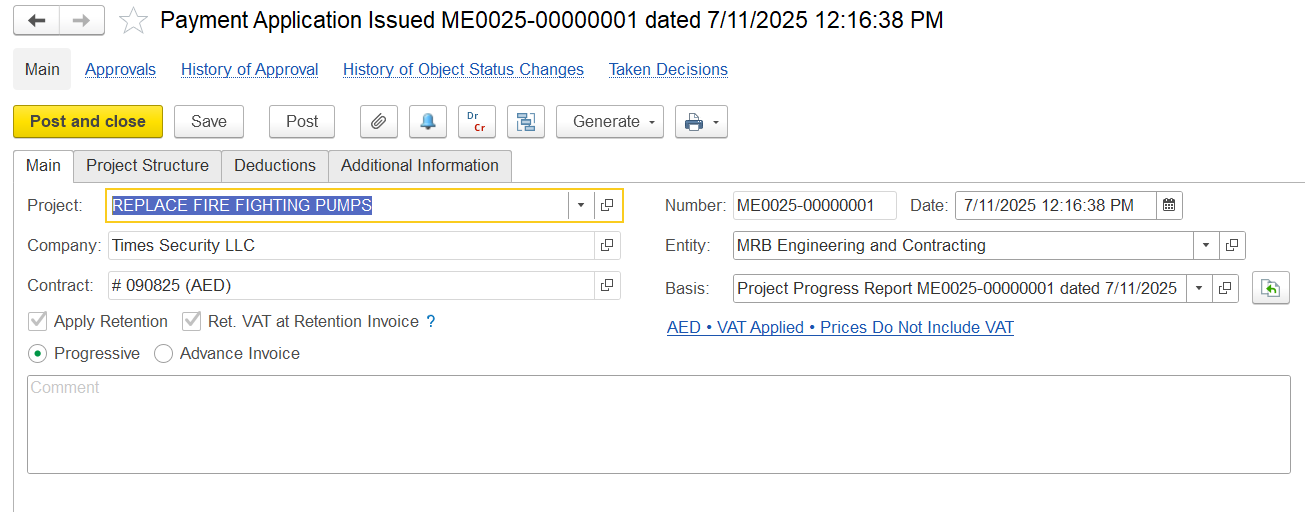
Select the invoice type to determine the applicable structure:
Progressive - Used for billing based on completed work or project milestones.
Advance - Used for requesting upfront payments before work begins.
Note: Based on the selected invoice type, the relevant tabs, fields, and calculations will automatically adjust to suit the billing method.
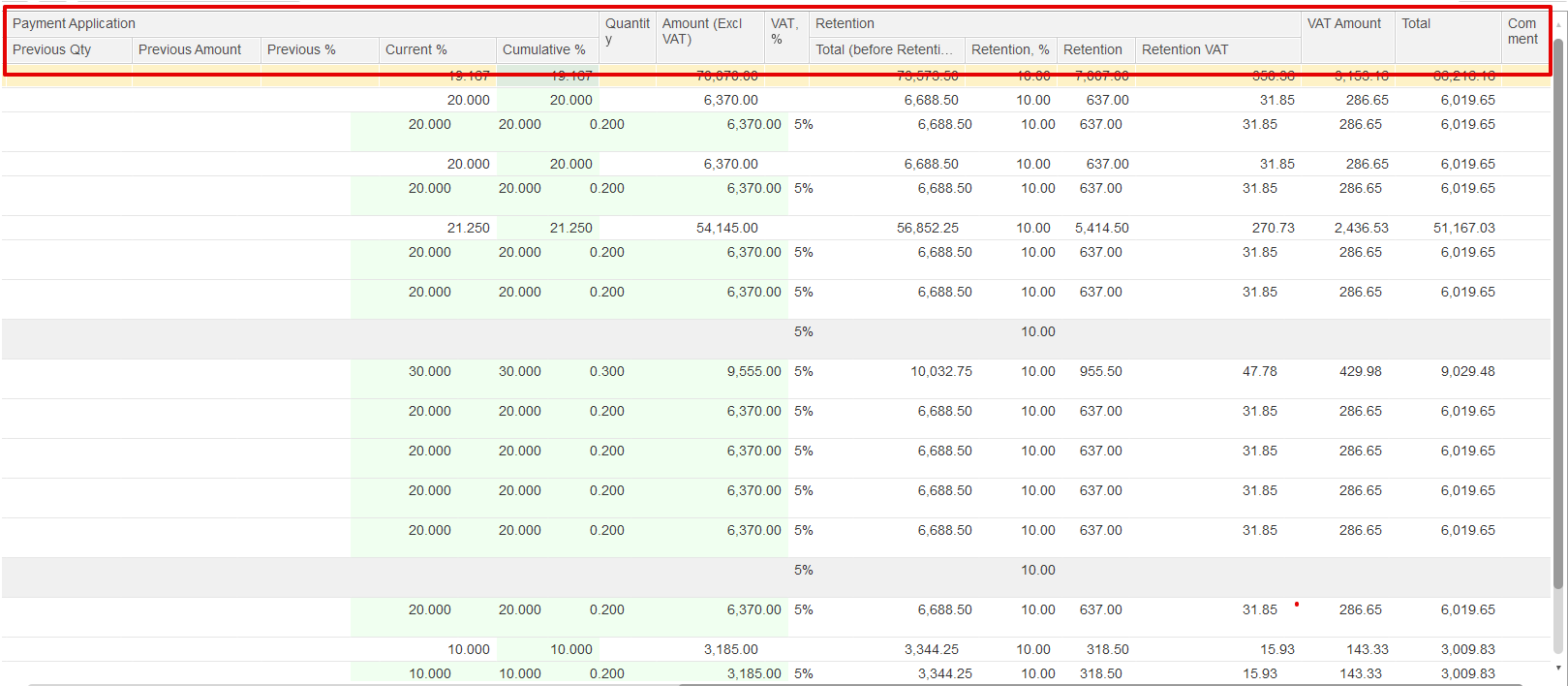
It displays the list of project tasks with their hierarchy, estimates, progress, and billing details for preparing the payment application.
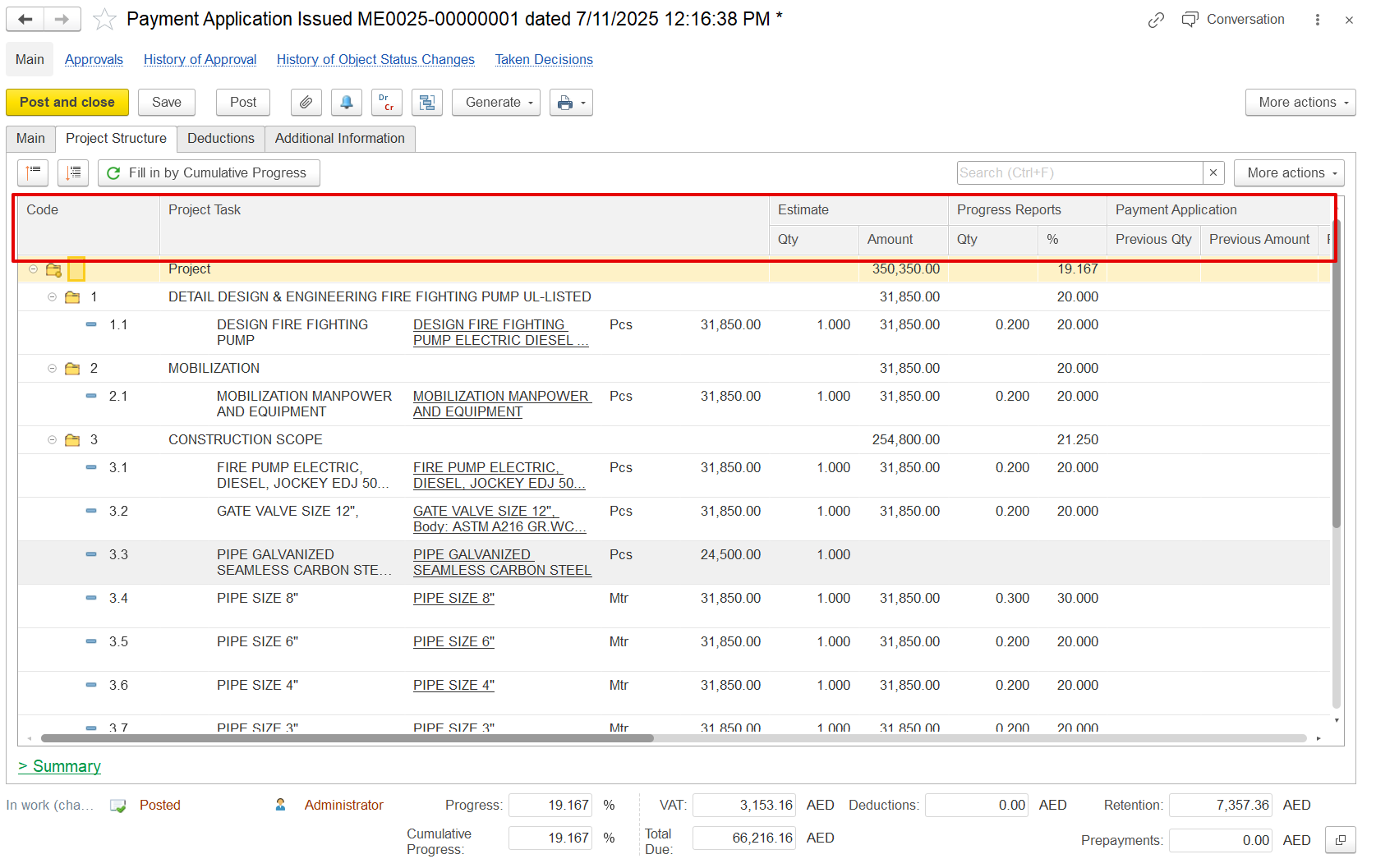
At the bottom of the Project Structure tab, a financial summary section provides a quick view of all key billing values for the current period.
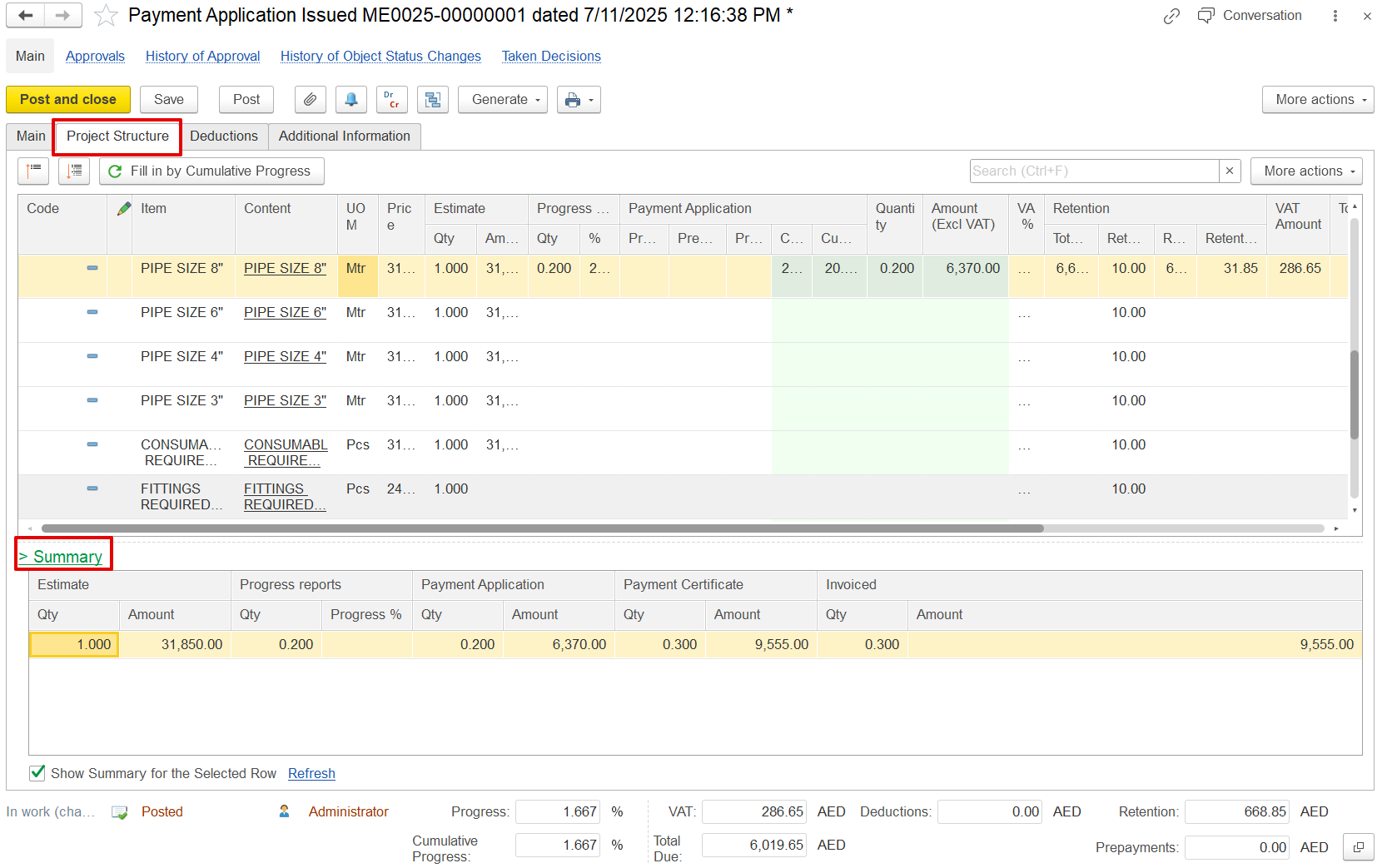
If the "Show Summary for the Selected Row" option is enabled, the summary table will display details based on the parent line that was selected.
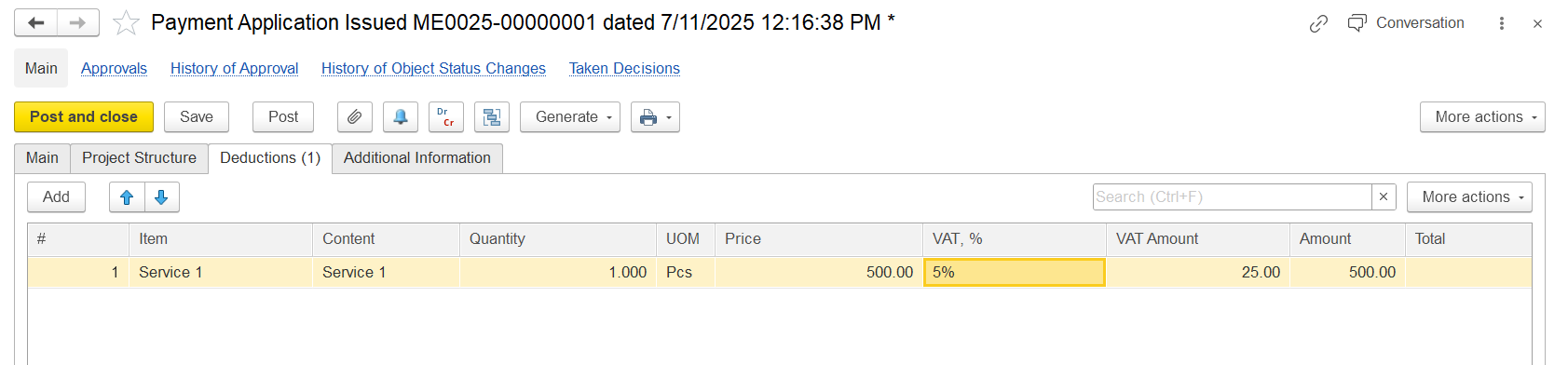
The Deductions tab is used to apply reductions like penalties or back charges before calculating the net payable amount.
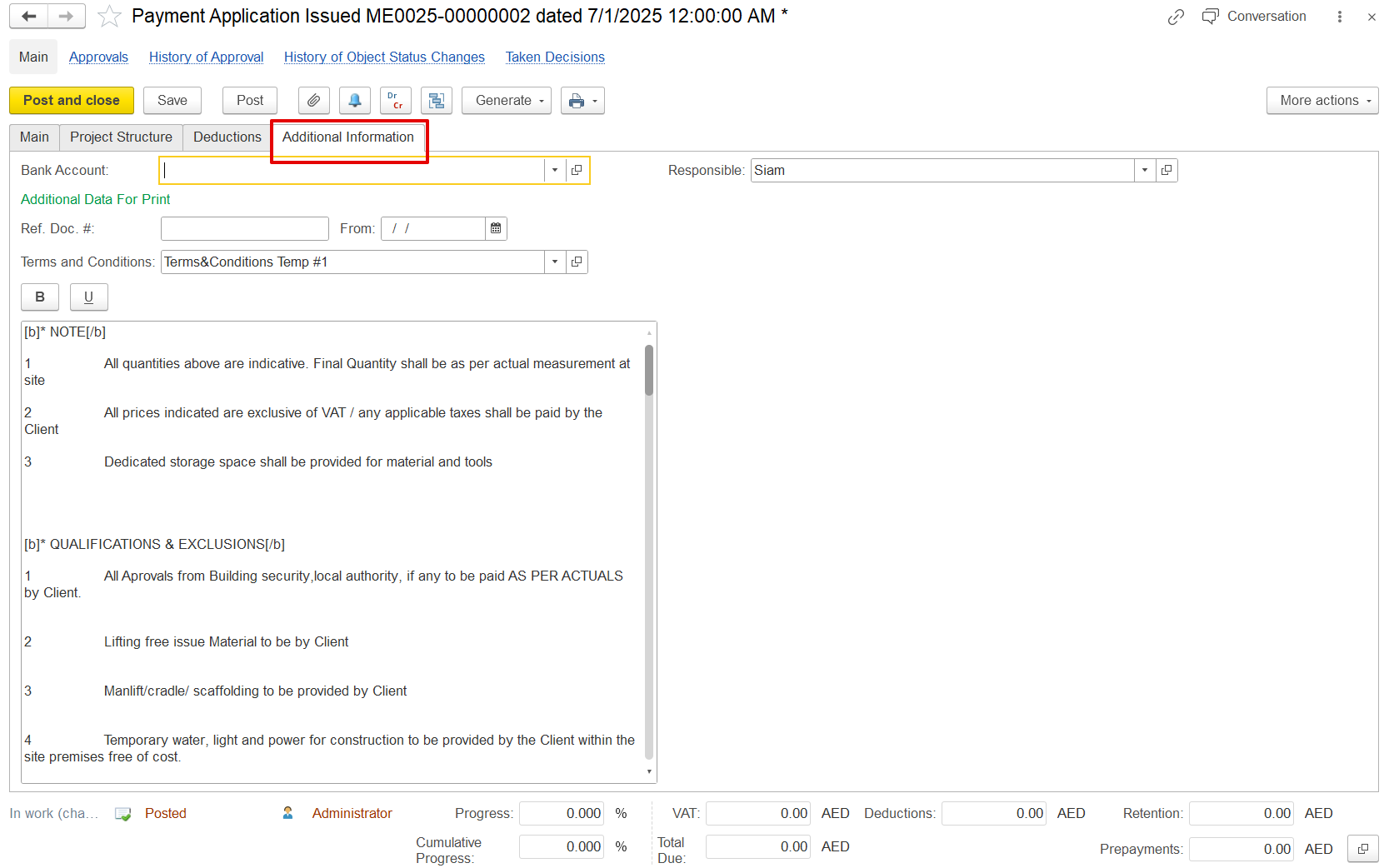
This tab is for adding extra details related to the project
Bank Account - Client bank details
Additional Data for Print - Custom reference info for printed forms.
Terms and Conditions - Standard clauses or payment terms.
These fields do not affect accounting, but they ensure clarity in printed documents like the payment certificate and invoice.
When the Advance Invoice type is selected, the Advance tab becomes available, prompting users to enter the required details. After posting the Payment Application, a Payment Certificate can be generated, which serves as the basis for issuing an Invoice designated as an advance. Once this Invoice is paid, the received amount is recorded as a prepayment and can subsequently be offset against a future Invoice.
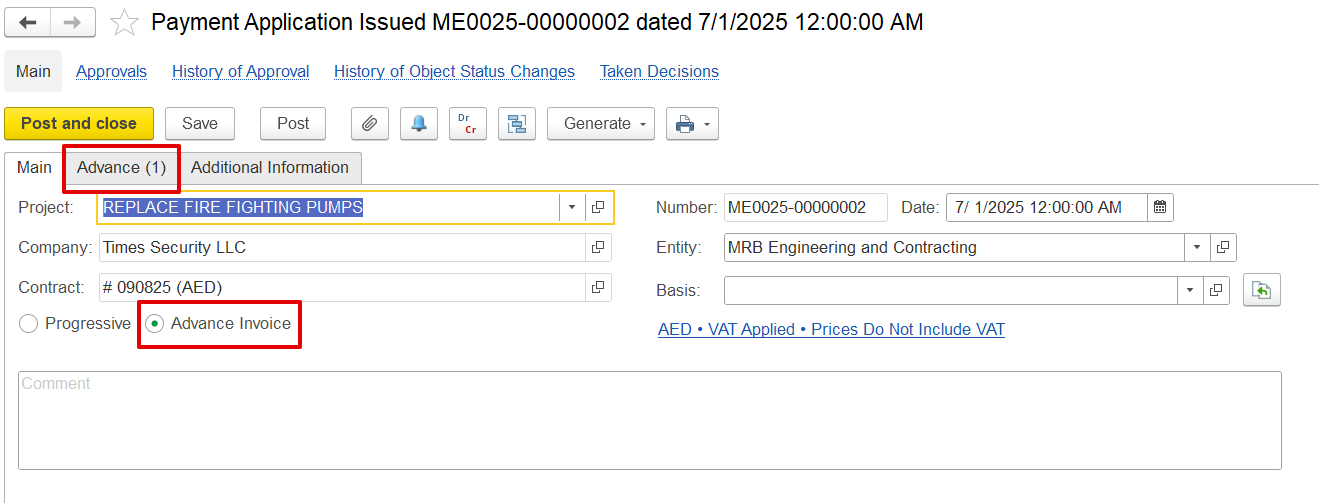
When an invoice is generated from a Payment Application and Certificate document marked as an advance invoice type, it is recognized as an advance or prepayment. This amount can subsequently be offset within the Payment Application document.
If only a Payment Application with the advance type is created without the corresponding advance invoice, it will not appear in the offset list. The advance invoice must be paid to be available for offsetting.
While offsetting can occur in the final invoice, including the advance in these documents serves two key purposes:
a) To reflect the advanced impact on the print form
b) To automatically carry forward the advance amount in the prepayment field to subsequent linked documents, such as payment certificates and invoices, thereby eliminating the need for manual selection on each document.
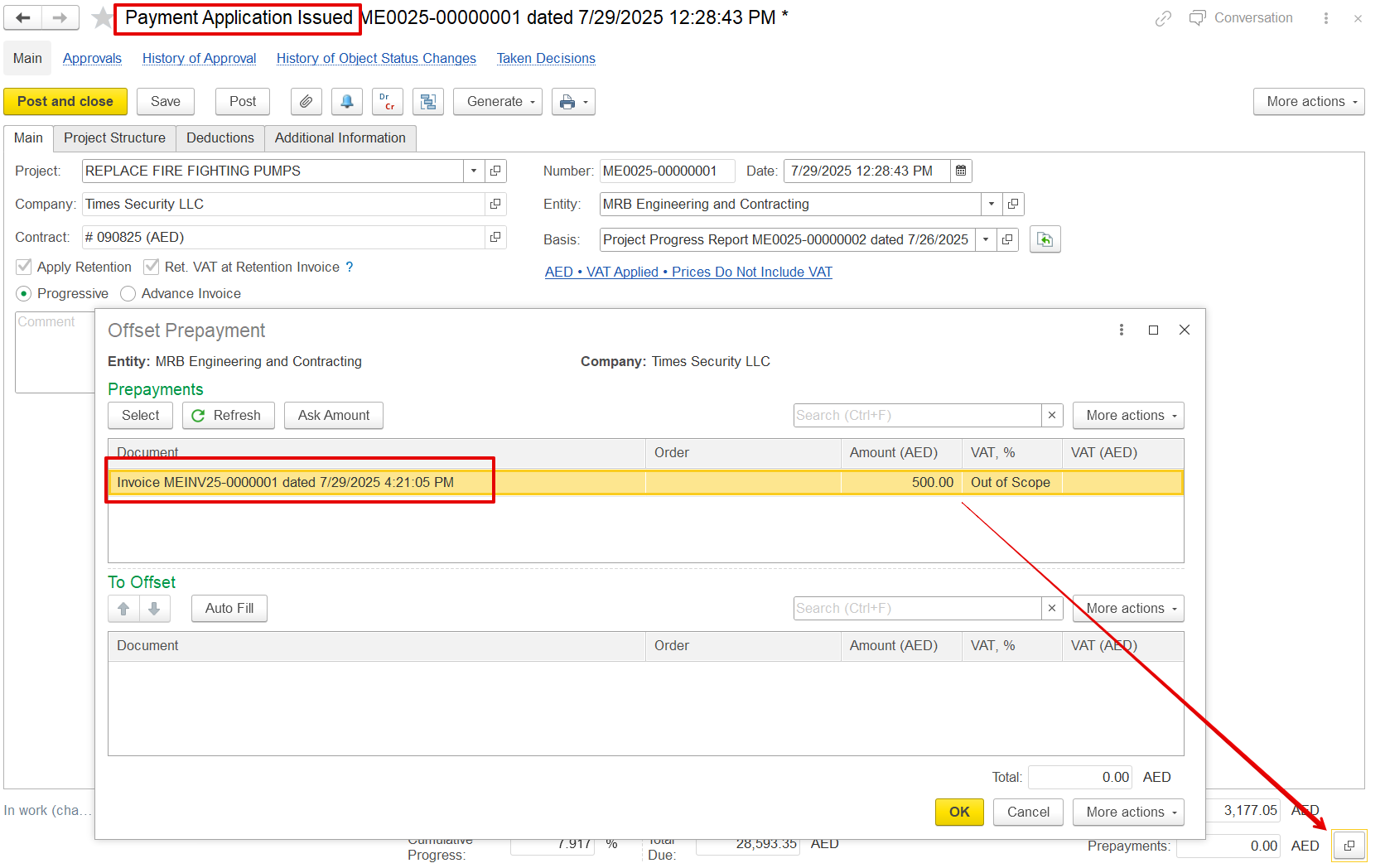
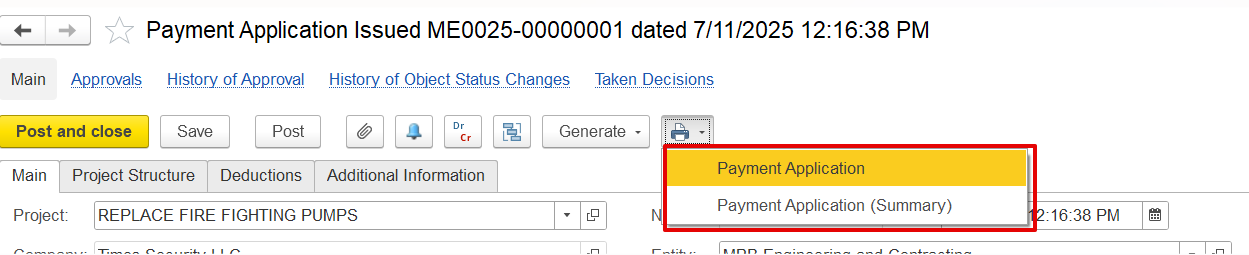
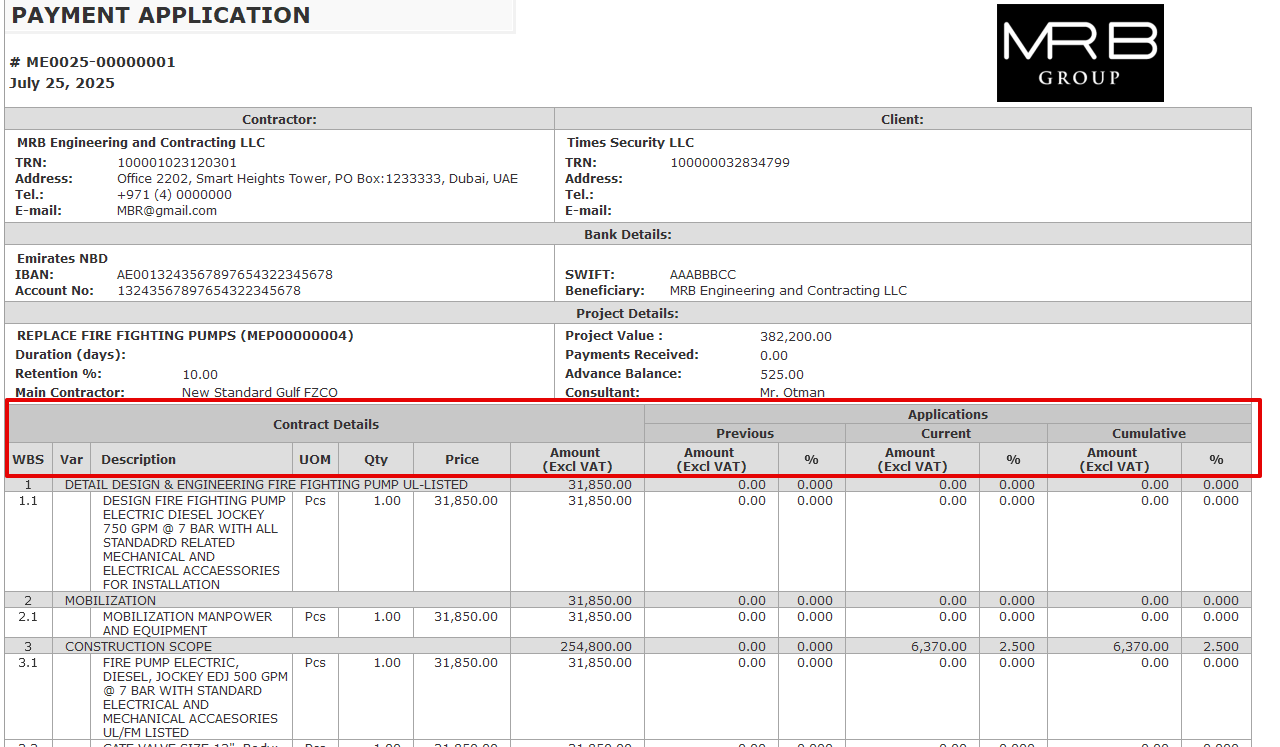
a) Payment Application- It provides a complete breakdown of all items, including VAT, retention amounts, progress details, and any deductions applied.
b) Payment Application (Summary)- Shows just the key totals like net payable amount, VAT, and advance offsets for a concise overview.