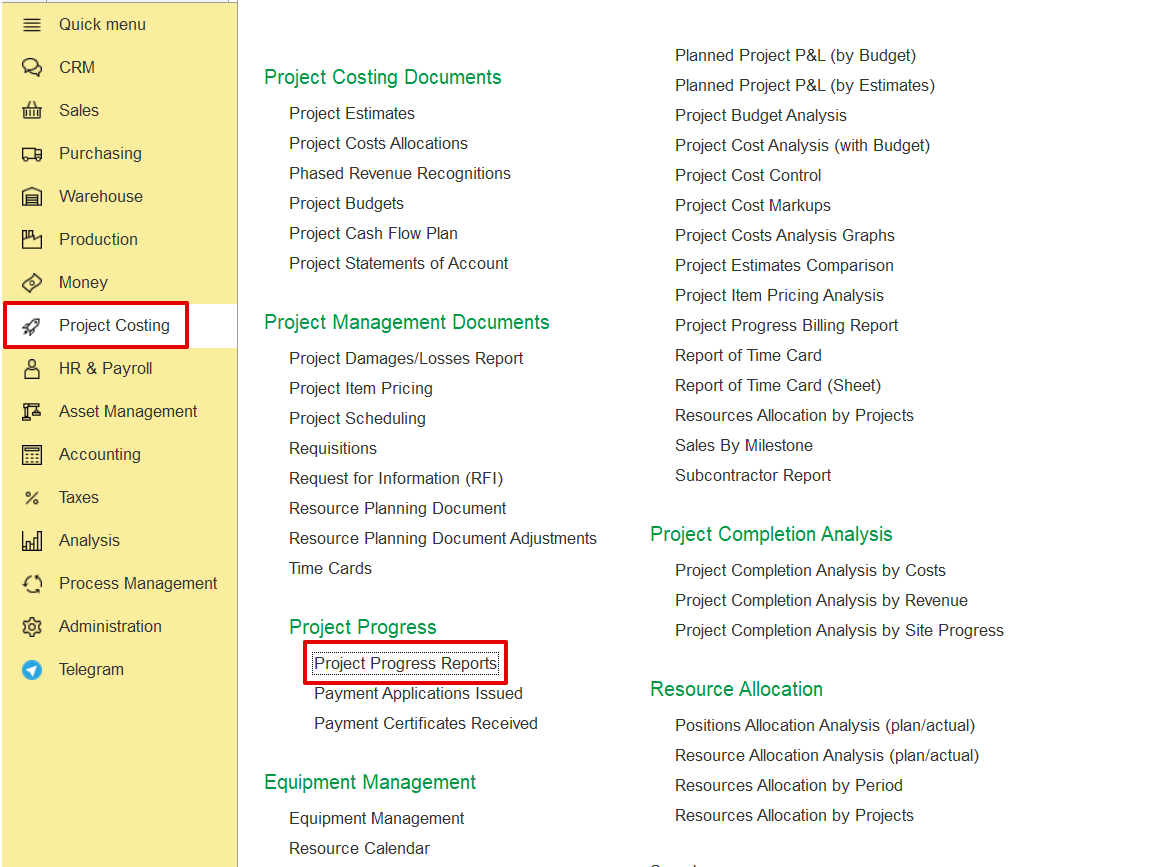
The Project Progress Report allows tracking the actual progress of project tasks (WBS lines) during a selected reporting period. It is used to monitor performance, manage progress transfers (especially for variations), and support billing processes.
Project Costing → Project Progress → Project Progress Report.
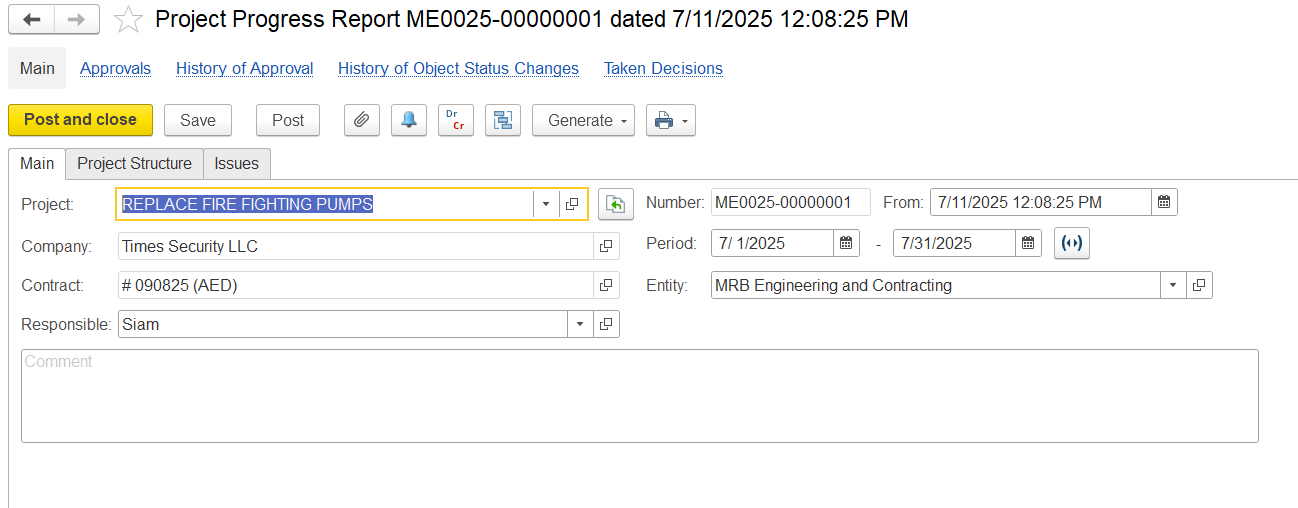
In the main Tab, fill in the details below as needed.
Project- Indicates the project for which the progress is being tracked.
Company- Refers to the client or project owner.
Contract- Specifies the contract number and currency under which the work is being executed.
Responsible- Identifies the person accountable for updating and submitting the progress report.
Period- Defines the timeframe for which the progress is being reported.
Entity- Specifies the Entity responsible for the physical work on site.
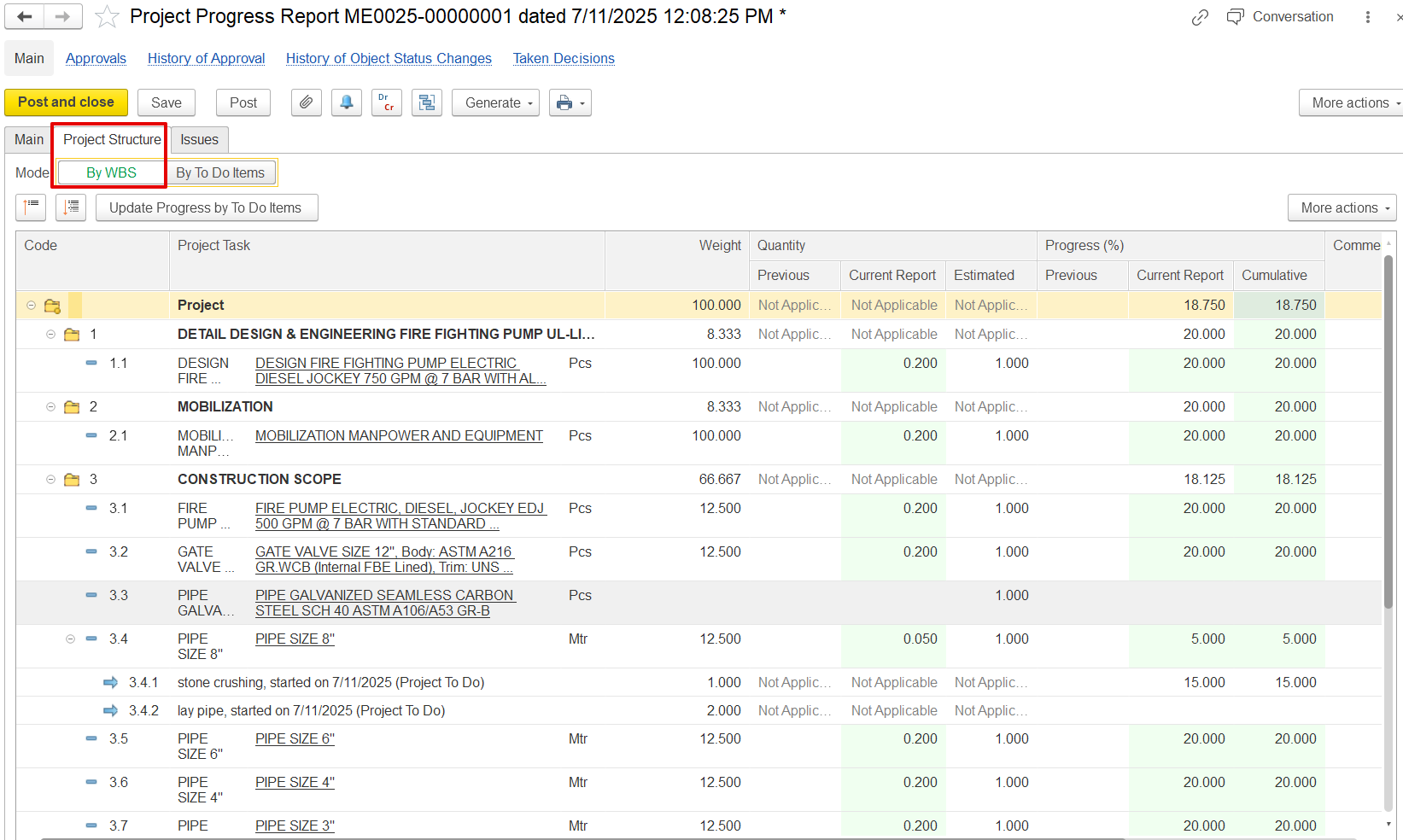
In the Project structure tab,
Code- Displays the hierarchical WBS (Work Breakdown Structure) code for each task. For example:
1 is the main task “Detail Design & Engineering…”
1.1 Is the subtask “Design Fire Fighting Pump…”
Project Task- The description of each activity or deliverable. Tasks can be broad (e.g., “CONSTRUCTION SCOPE”) or specific (e.g., “PIPE SIZE 8"”).
Weight- Indicates each task’s contribution to the overall project progress, usually as a percentage. Higher weight means more impact on cumulative progress.
This weight directly influences the cumulative progress calculation.
Quantity
This section is split into:
Previous – Quantity completed before this report (not
Current Report – New quantity reported as completed during this cycle.
Estimated – Total expected or planned quantity for that task
Progress (%)
Also split into:
Previous – Progress % achieved before this report.
Current Report – % added in the current update.
Cumulative – Total progress to date.
Example: The "PIPE SIZE 8" task shows 30.000% progress cumulative, with 30.000% coming from this report.