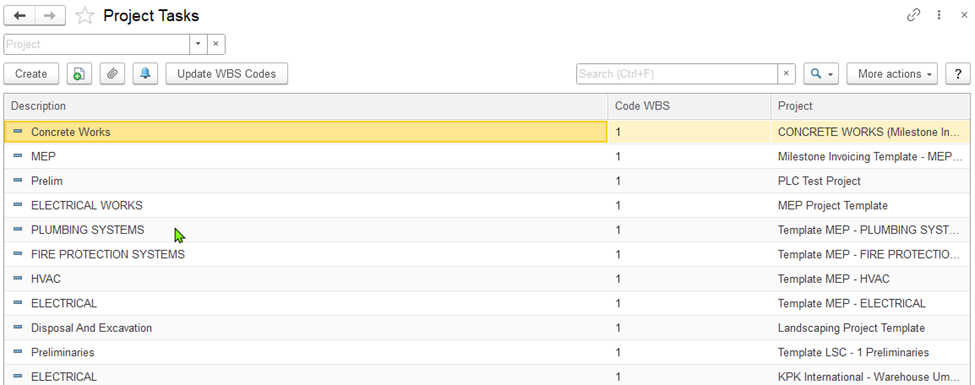
To access the list of project tasks, go to Project Costing (left panel) → Master Data → Project Tasks.
The Project Tasks master data contains information about tasks related to the company's external and internal projects.
Before creating project tasks, it may be necessary to first generate master records for the following types:
To add a project task, select the Create button from the toolbar. To modify an existing task, double-click the corresponding line. Alternatively, right-click the desired line and choose Edit, or use the toolbar by selecting More actions → Edit.
This tab displays key details about the task, including the associated project and its planned start and end dates. As the project progresses through its lifecycle, the task's actual start and finish dates can also be recorded.
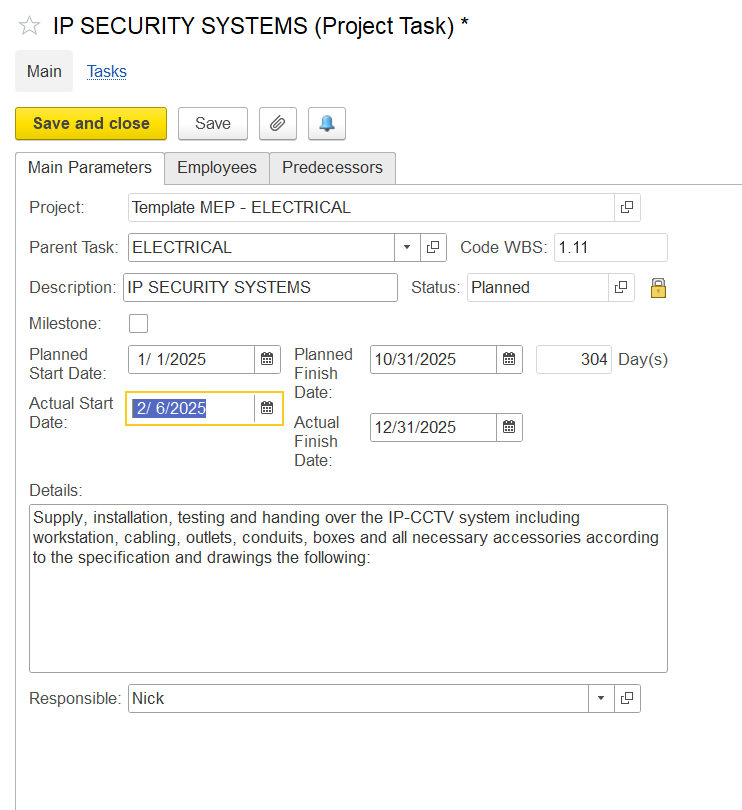
The Description and Project fields are mandatory.
Use the Milestone checkbox to mark this task as a milestone within the project.
Specify the planned start date in the Planned Start Date field and the expected completion date in the Finish field.
The Start Date (Plan) and End Date (Plan) fields allow you to define the planned duration of the task.
Once the task has started or been completed, the Start Date and End Date fields can be used to capture the actual dates.
Use the Details text box to add any relevant information about the task
The information on this tab is optional.
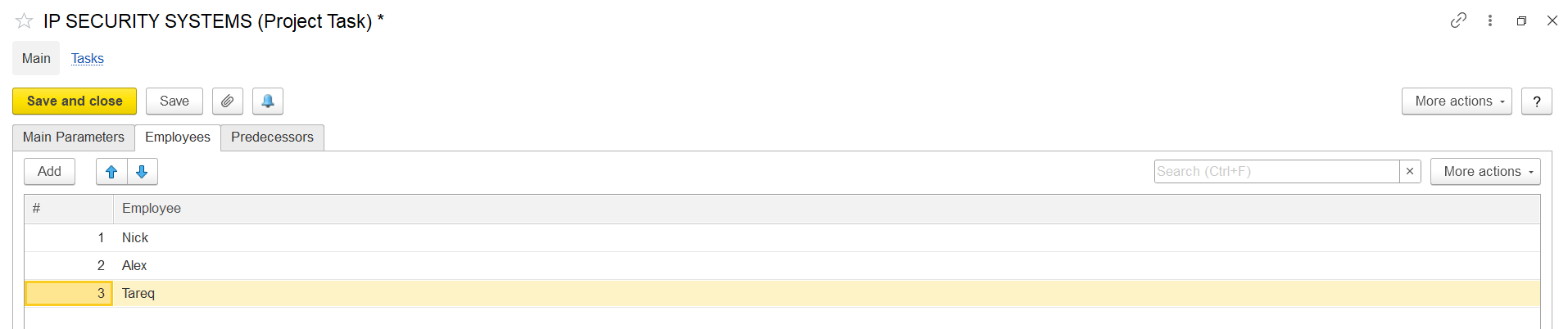
Click Add to insert a new row. In the Employee column, select the employee assigned to the project task. Click Save to confirm the entry.

Click Add to create a new entry.
Then, select a Predecessor Project Task; this is a task that must be completed (or started) before the current task can begin or proceed. Also, choose its Dependency Type, which defines the relationship between the tasks (e.g., finish-to-start, start-to-start, etc.).
Once the necessary information is entered on the tab:
Click Save to store the project task and continue editing or adding more details.
Click Save and Close to save all changes and exit the form.