Registering an Event.
Users can schedule events by 2 methods:- By using the corresponding button (Phone Call, Email, Meeting) from the Lead document. These buttons fill the basis and customer details from the Lead to the new Event.

- By using Create button on Events list screen. All information in the new Event users should fill manually.

Filling in Event details.
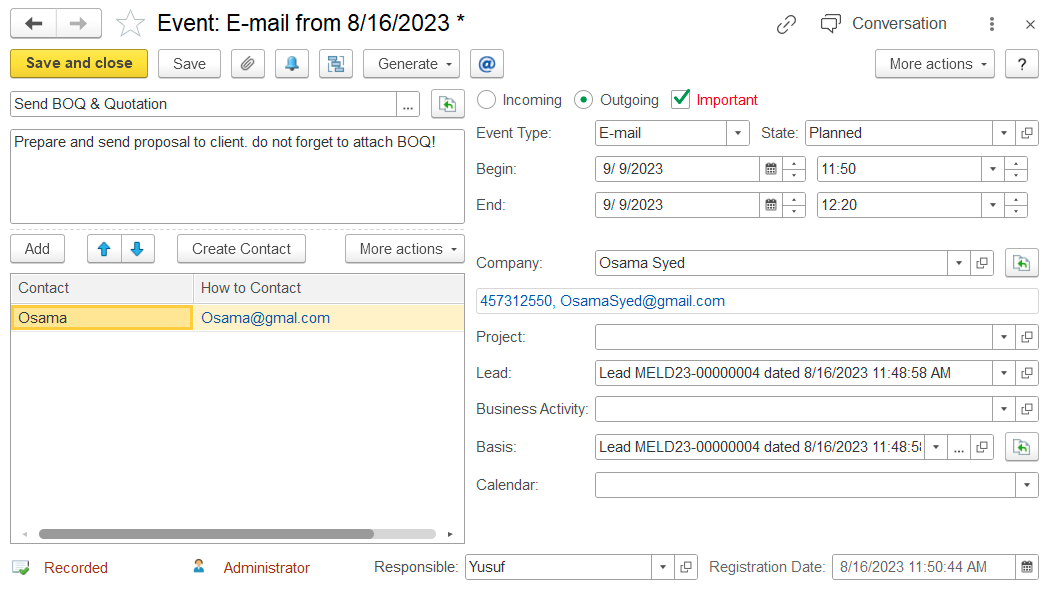
- Event type - select the type of activity (E-Mail, Private Meeting, or Phone Call).
- Important - mark this check box, if the event needs to be highlighted.
Status - status of event. Needs to be selected from the Event Statuses list (Planned, Completed, Canceled).
- Schedule:
Begin - planned start date and time of event.
End - planned end date and time of event.
Company - company to what this activity is related to. The attribute is optional.
- Project - project to what this activity is related to. The attribute is optional.
Subject - brief description of the event. The attribute is optional.
Content - detailed description of the event. The attribute is optional.
Lead - should be filled if this event is related to any Lead document. The attribute is optional. It is filled automatically if the event is created from the Lead screen.
- Basis - document-basis of the event. The attribute is optional. Filled automatically, if the event is created based on any document.
- Calendar - select users for whom this event should appear in the system calendar (CRM → Service Tools → Calendar). The attribute is optional.
Responsible - information about the employee who enters the current document. It is filled from the Employees list. A responsible person can be changed, in case need to reassign this activity. The attribute is optional.
- Registration date - the date when the event was created in the system.
Contact Persons - the table contains a list of people taking part in the event. Table fields:
- How to Contact - contact information of the participants.
Contact Person - a reference to the contact person.
Track Events.
To access all events and check their statuses, navigate through CRM → CRM Documents → Events.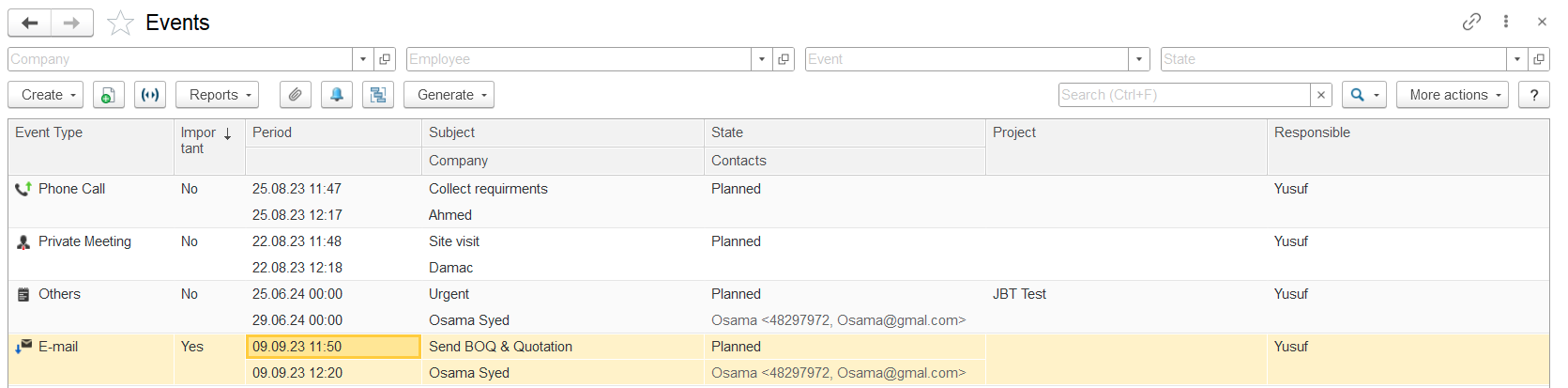
The list of events contains all registered events. For easy search, users can apply filters from the top panel (Company, Employee, Event type, or Status).
Use the Text Search field to find an event by a string in any column data.