Scope
This article applies only to the FirstBIT Contracting configuration (version 2.1.1.32.1 and later).
Overview
When working with Project Estimates document, users may manually enter agreed contract prices or Revenue values.
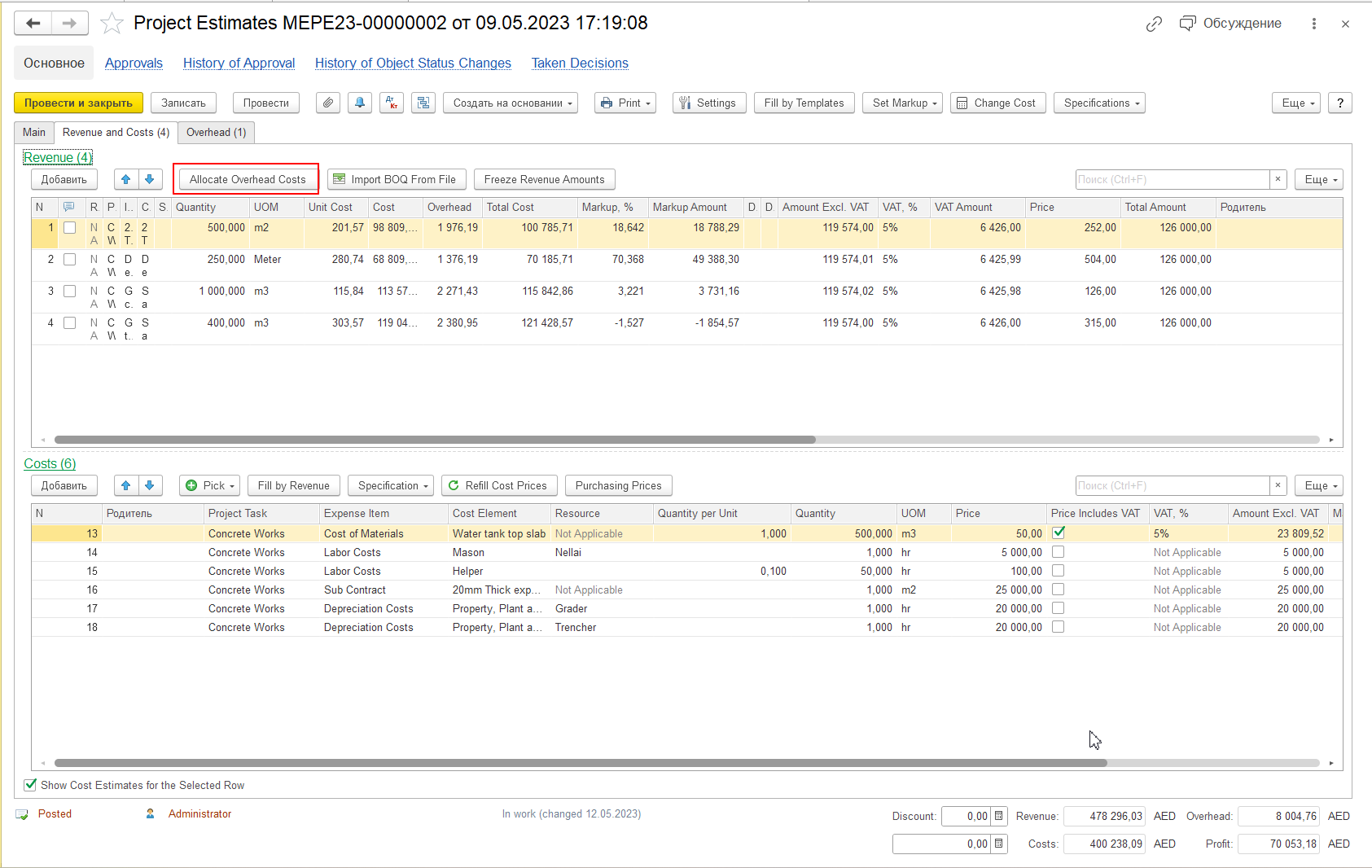
Running Allocate Overhead Costs after entering these values may recalculate Revenue amounts, resulting in changes to:
- Price
- Revenue
- Amount Excl. VAT
- Total Amount
- Markup
This behavior is expected and depends on whether the Revenue values were frozen before overhead allocation.
When to Use This Article
Use this article if, after running Allocate Overhead Costs, you notice any of the following:
- manually entered Price or Revenue values have changed;
- Amount Excl. VAT, Total Amount, or Markup have been recalculated;
- manually entered contract rates are no longer preserved;
- Revenue lines display different values than expected after overhead allocation.
Cause
Allocate Overhead Costs recalculates overhead allocation for all Revenue lines within Project Estimates, not only for the currently selected line.
If Freeze Revenue Amounts has not been applied, the system recalculates Revenue based on the updated cost structure and overhead allocation.
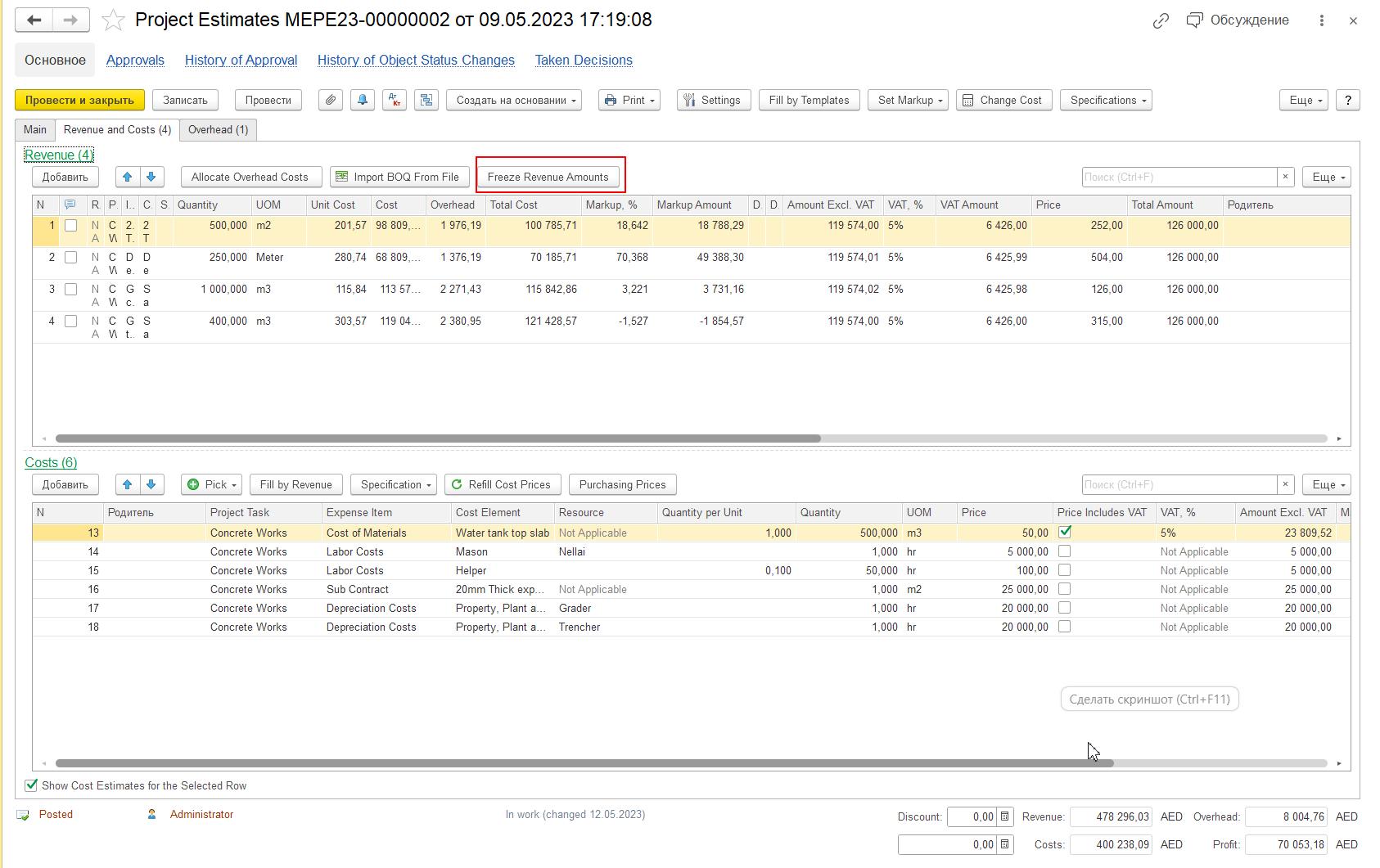
As a result, manually entered Revenue or Price values may change.
This is the expected system behavior.
Resolution
To preserve manually entered Revenue or Price values:
- Create or edit the required Revenue line.
- Enter the agreed Price or Revenue value.
- Click Freeze Revenue Amounts.
- Run Allocate Overhead Costs.
When Freeze Revenue Amounts is applied, the system preserves the manually entered Revenue values while recalculating costs, overhead allocation, and markup.
Troubleshooting
If manually entered Revenue values change unexpectedly, verify the following:
- Was Allocate Overhead Costs executed after entering the Price or Revenue?
- Was Freeze Revenue Amounts applied before running Allocate Overhead Costs?
- Were the Revenue values expected to remain fixed after recalculation?
If Freeze Revenue Amounts was not applied, recalculation of Revenue values is expected.
Important Notes
Allocate Overhead Costs affects all Revenue lines in Project Estimates, not only the currently selected line.
If manually entered Revenue values must remain unchanged, always apply Freeze Revenue Amounts before allocating overhead.
Best Practice
When working with agreed contract rates:
- Enter the agreed Price or Revenue value.
- Freeze the Revenue amounts.
- Allocate overhead costs.
- Continue working with the estimate.
Following this sequence ensures that manually entered Revenue values remain unchanged while the system recalculates costs, overhead allocation, and markup.
Thank you for being FirstBIT Customer!
#ProjectEstimates #AllocateOverheadCosts #FreezeRevenueAmounts #Revenue #ManualPriceEntering #RevenueRecalculation #AmountExclVAT