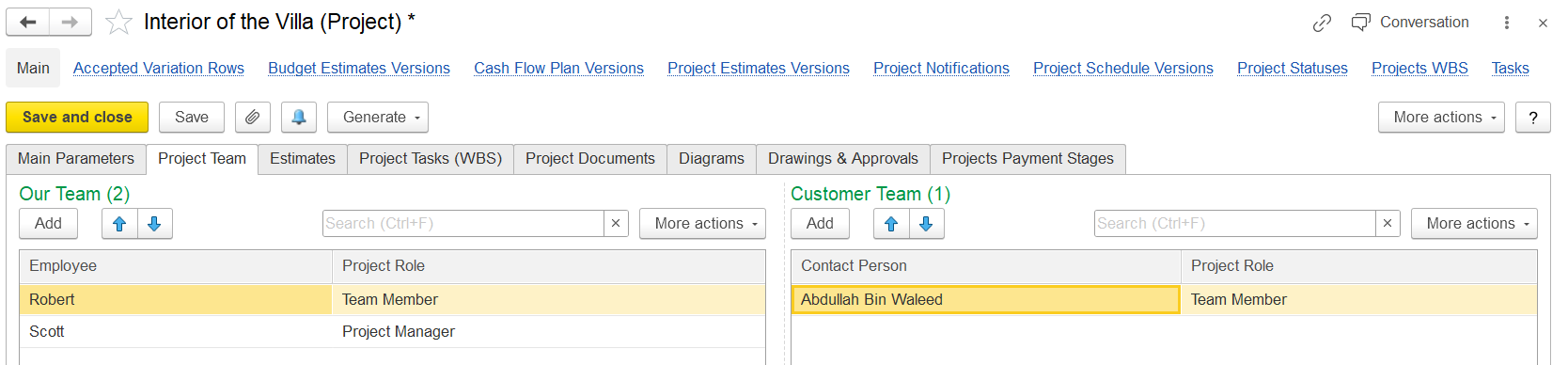
On this tab, users can list the project team members. It contains two panes:
- The Our Team pane includes the list of your company employees responsible for the project.
- The Customer Team pane lists the customer contacts who are responsible for the project.
To add a new member to Our Team, click Add on the left pane toolbar and select an employee from the Employees list. In the Project Role column, choose a role this employee will play for the project. You can select a role from the list of Project Roles or add a new one.
To add a new member to the Customer Team, click Add on the right pane toolbar and select a customer contact from the Company contacts list of the customer. In the Project Role column, select a role for this contact. You can choose from the list of Project Roles or create a new role as needed.
This helps in organizing the project teams and ensuring that roles are assigned to both internal and customer team members.