Question: Why is it not possible to manually change the VAT amount in the invoice, although it is possible in the invoice received?
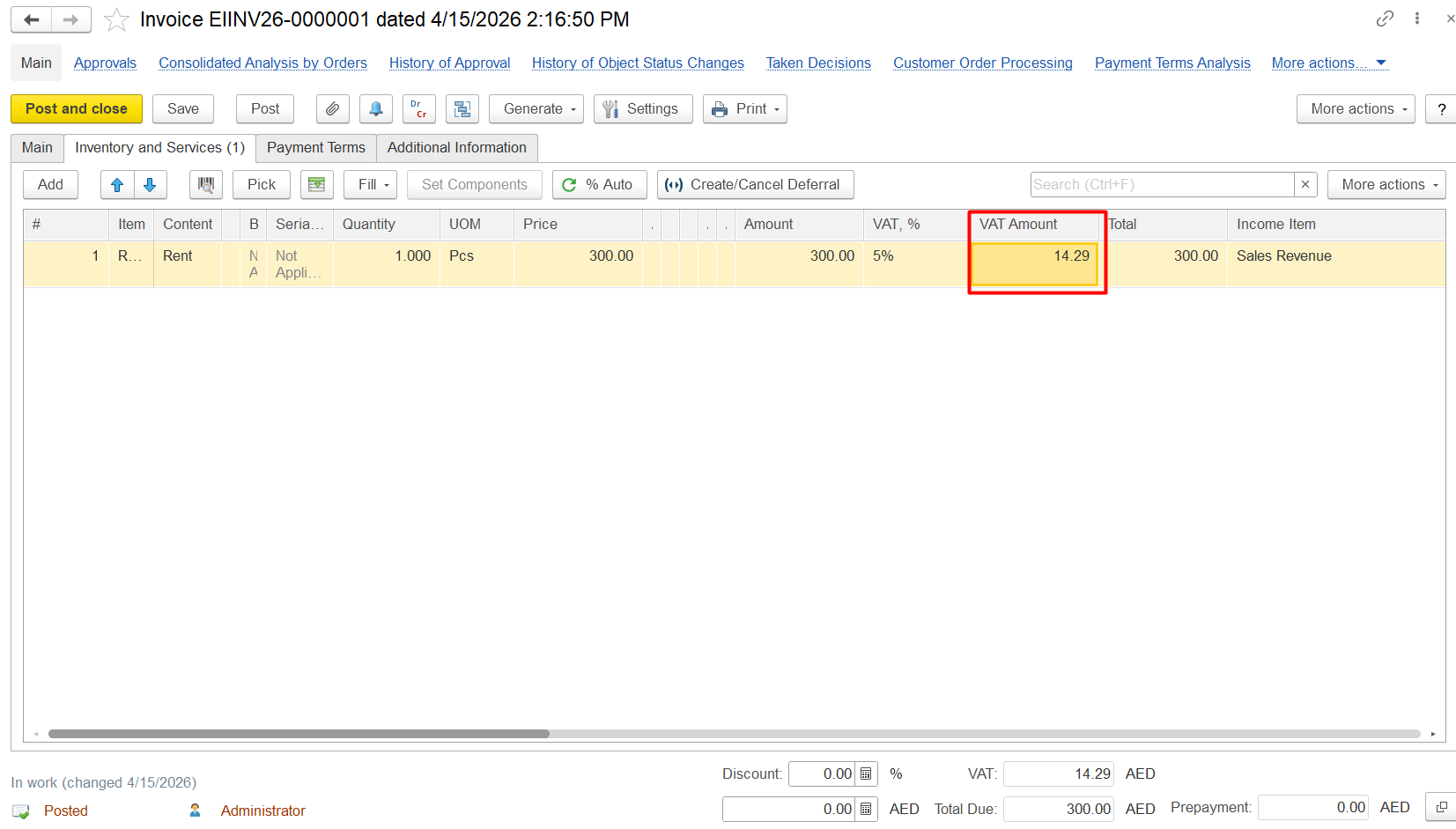
Answer: The reason is the different role of these documents in accounting and tax requirements.
For invoices, the system enforces strict rules because:
1)VAT is legally sensitive (affects your tax liability)
2) It must be calculated consistently from:
-tax rate
-taxable base
3) Manual edits could:
-break compliance
-cause incorrect tax reporting.
So the system locks VAT calculation to prevent user mistakes and ensure correct posting to tax accounts.
For invoices received, the situation is different:
1) You are recording supplier data, not generating it
2) Supplier invoices may:
-have rounding differences
-include corrections
-be issued from different systems
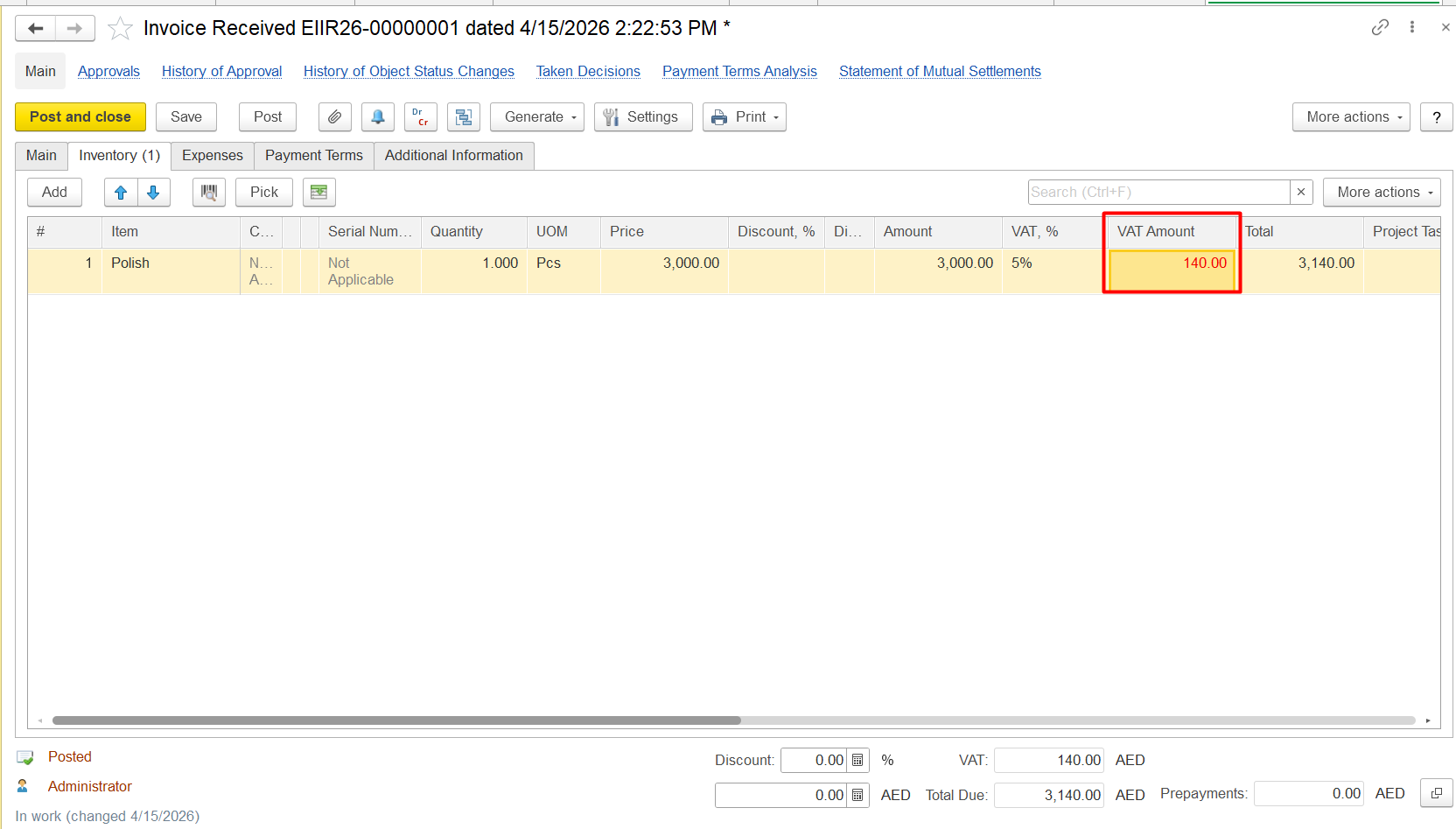
Therefore, the system allows manual VAT adjustment to match the supplier’s actual invoice (hard copy).
The manually corrected VAT is reflected in red in the document:
NOTE: If the accounting currency / national currency differs from the currency of the document, then the calculation of the VAT amount in the corresponding currency will always depend on the tax base.: Thus, first, the total amount on the invoice is converted into the accounting currency (at the current exchange rate) and 5% VAT is calculated from it, and when making accounting entries, even if the VAT amount in the received Invoice is manually changed, it will always be calculated from the total amount.
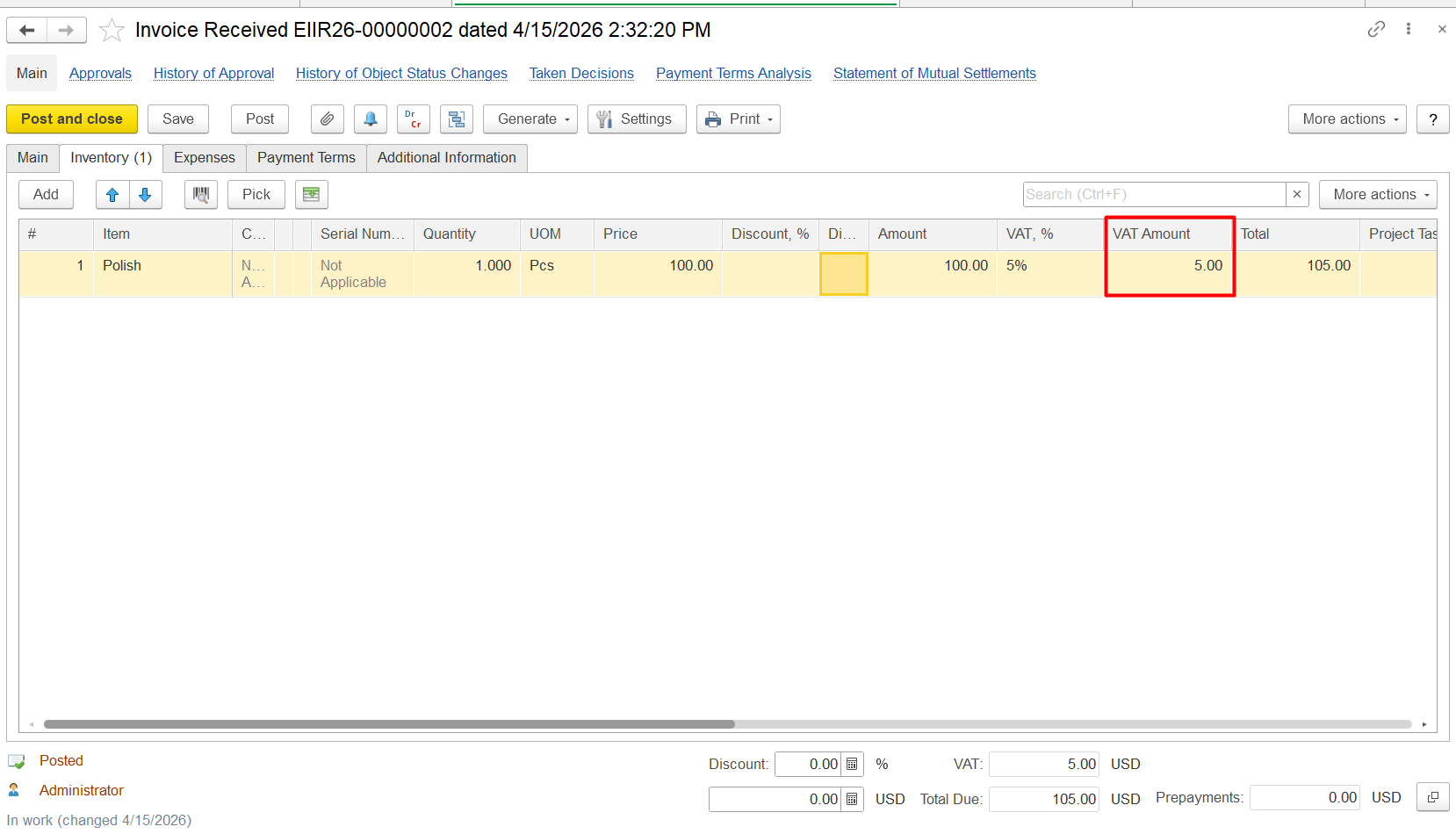
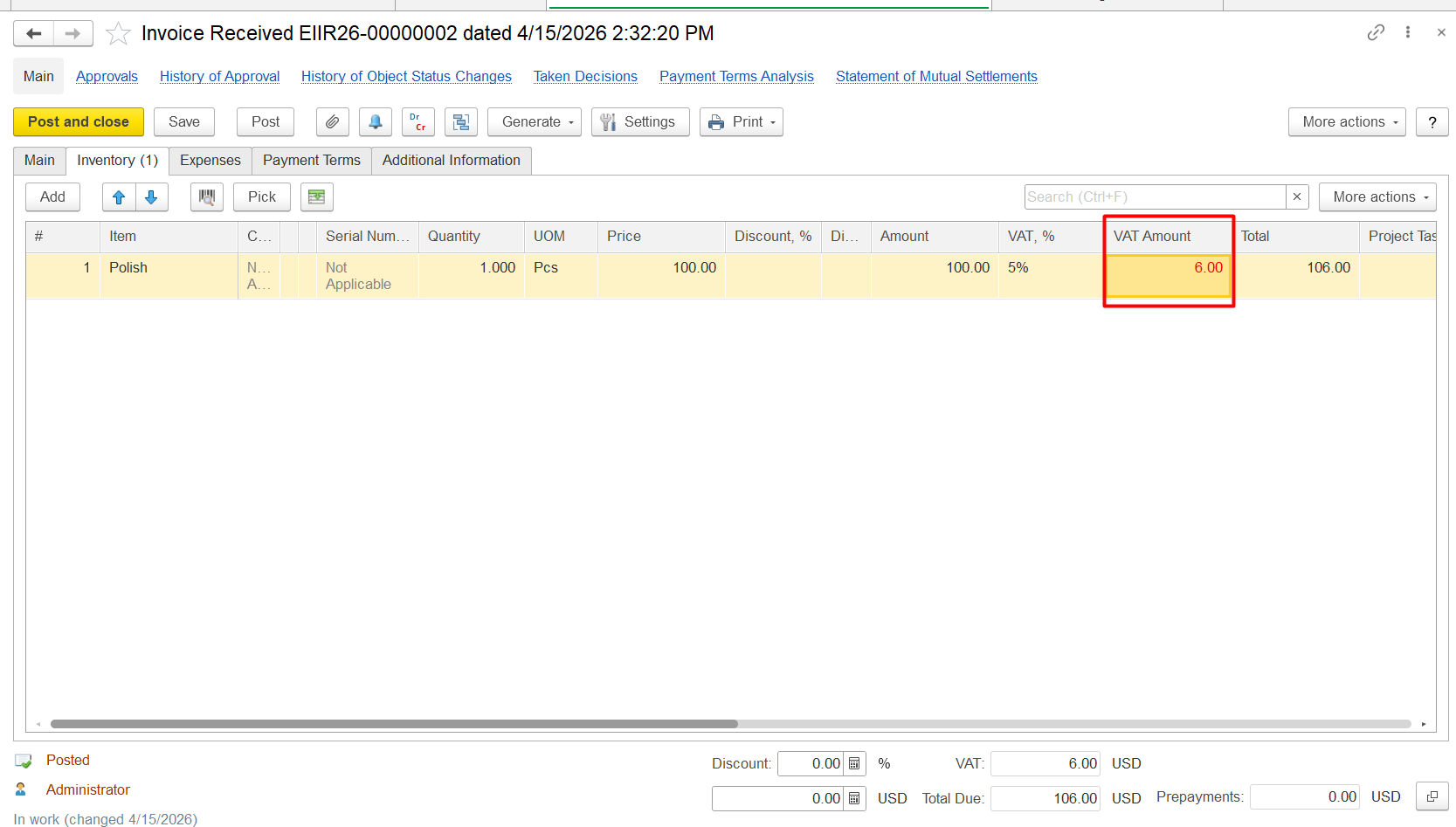
For example, 100 USD with 5% VAT:
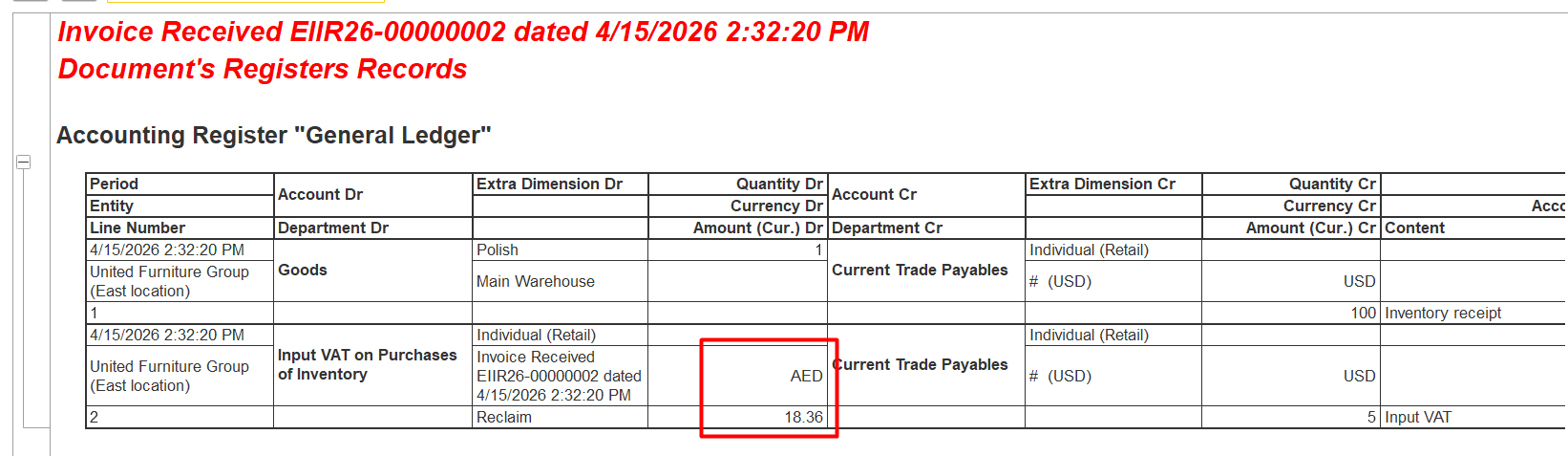
Whether Automatic VAT amount - 5 usd
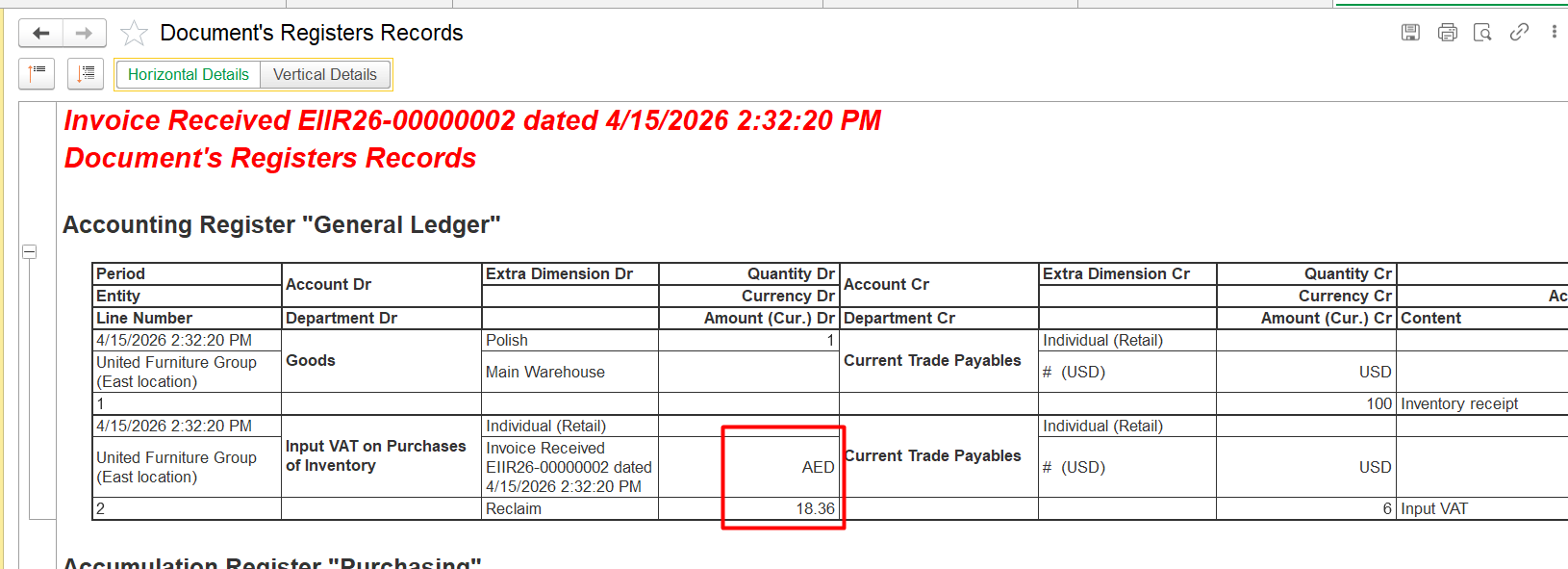
or manual -6 usd:
In DR CR Entry, amount in Aed whould be the same:
100 USD × 3.6725 = 367, 25 AED
5% VAT from 367, 25 AED = 18.36 AED:
Thank you for being FirstBIT customer!